Product Core Brief
- Model: INICT01
- Brand: ABB
- Series: Bailey Infi 90 / Symphony
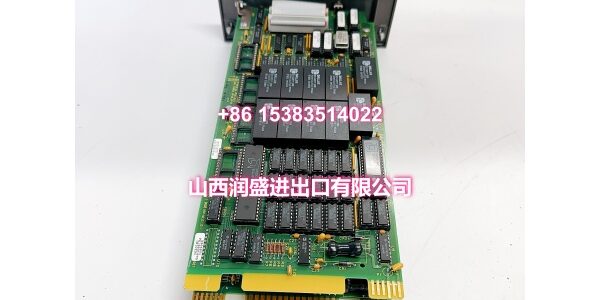
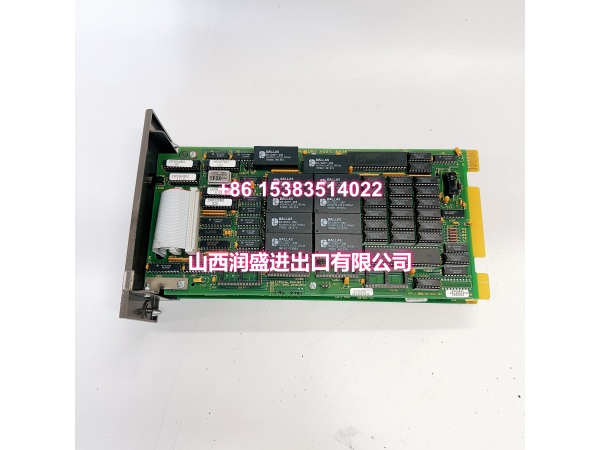
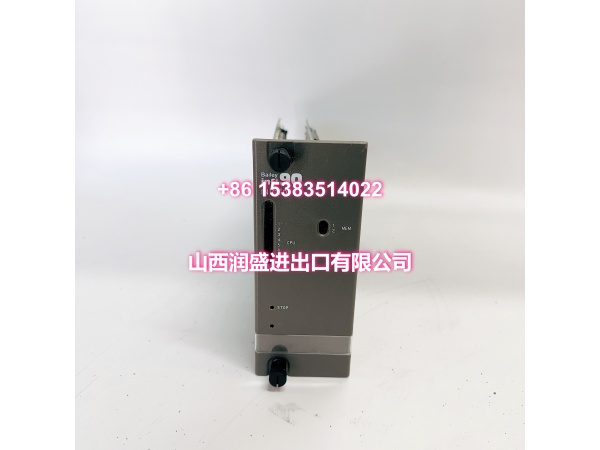
- Core Function: INFI-NET to computer transfer module that bridges the Infi 90 control network with a host computer or engineering workstation.
- Product Type: INFI-NET to computer interface (ICI) module
- Key Specs: INFI-NET 1 Mbps bus | Host computer interface | Infi 90 rack mount | Legacy/obsolete
- Condition: New Original / New Surplus (subject to available stock)
Note: The INICT01 is a legacy module with limited published datasheet detail. Key parameters such as host interface type (RS-232/SCSI), power rating, and firmware revision should be confirmed against the module label before commissioning.
Key Technical Specifications
| Parameter | Detail |
|---|---|
| Product Type | INFI-NET to computer transfer module (ICI) |
| Compatible System | ABB Bailey Infi 90 / Symphony DCS |
| Network Side | INFI-NET control bus |
| Host Side | Computer/engineering station interface (type varies by revision) |
| Mounting | Infi 90 standard module mounting unit, single slot |
| Primary Use | Host-to-INFI-NET data exchange, configuration download, data upload |
| Typical Applications | Engineering workstation link, HMI data gateway, batch/trend upload |
| Status | Legacy / obsolete — no longer manufactured by ABB |
| Packaging | Anti-static, industrial shipping pack |
| Availability | In-stock surplus / OEM replacement |
Product Introduction (No Fluff)
The ABB INICT01 is an INFI-NET to computer transfer module for the Bailey Infi 90 and Symphony DCS families. It provides the communication path between the INFI-NET control loop and a host computer, enabling configuration download, real-time data upload, and system maintenance access.
This module belongs to the same ICI family as the INICT03, INICT12, and INICT13A — each variant serving as a gateway between the plant control network and external computing systems. The INICT01 is an earlier-generation part and is now considered legacy/obsolete by ABB.
Because published technical documentation for the INICT01 is limited, buyers should verify the exact host interface type, power requirements, and firmware revision against the physical module label before integrating it into a live system.
QA & Testing SOP (Dynamic & Transparent)
Communication interface modules require more than a visual check.
- Incoming inspection: Verify model marking (INICT01, not INICT03/INICT12), hardware revision, connector condition, and backplane pins. Check for corrosion, bent pins, or prior repair signs.
- Anti-counterfeit check: Inspect PCB finish, label formatting, serial consistency, and connector quality against known OEM characteristics.
- Power-up test: Seat the module in a compatible Infi 90 test rack. Apply power and verify normal LED behavior and self-diagnostics.
- Interface verification: Confirm host-side port responsiveness and INFI-NET link establishment where test fixtures allow.
- Functional check: Where a compatible test environment is available, verify data exchange between the module and the INFI-NET bus.
All units are packed in anti-static bags with connector protection. Full loop-back testing requires a compatible Infi 90 rack and INFI-NET test setup. If your site requires a specific hardware revision, send the existing module label photo before ordering.
Installation Pitfalls & Guide (Engineer to Engineer)
This is a communication gateway module — mismatches are costly.
❗ Confirm the exact model. The INICT01, INICT03, INICT12, and INICT13A are all ICI modules but are not drop-in interchangeable. Verify the part number on your existing module before ordering a replacement.
❗ Verify host interface compatibility. The INICT01’s host-side interface (RS-232, SCSI, or other) must match your engineering workstation or host PC cabling. A mismatch prevents communication entirely.
❗ Check INFI-NET addressing. Duplicate or incorrect node addresses on the INFI-NET segment will cause communication conflicts that appear as random module faults.
❗ Do not assume firmware compatibility. Legacy ICI modules may require specific firmware revisions to work with your existing DCS configuration. Confirm before deployment.
Replacement steps
- Pre-install: Document the existing module’s label details — model, revision, firmware, and connector configuration.
- Removal: Place the communication path in a safe state per site procedure. Remove the module carefully from the rack.
- Install: Inspect backplane contacts, seat the module fully, and verify all host-side and INFI-NET connections.
- Commissioning test: Verify LED status, host communication, and INFI-NET data exchange before restoring normal operation.
Technical FAQ
Is the INICT01 still available? Yes, as surplus stock. The module is legacy/obsolete and no longer manufactured by ABB. Availability varies by batch, so confirm current quantity before scheduling a maintenance window.
Can I substitute an INICT03 or INICT13A for the INICT01? Not directly. While all are ICI modules in the Infi 90 family, they differ in host interface type, firmware, and physical configuration. Substitution requires verification of compatibility with your existing system setup.
What host interface does it use? This depends on the specific hardware revision. Some ICI modules in this family use RS-232, SCSI, or other interfaces. Confirm against the module label before wiring.
What is the warranty? Surplus units typically carry 30–90 days depending on condition. New original stock may qualify for longer coverage. The exact term is stated on the quote.
Can you test it before shipping? Yes. We perform power-up, LED, and basic interface checks. Full INFI-NET loop-back testing requires a compatible test rack. If your site requires a documented test report, request it before ordering.