Product Core Brief
- Model: INNIS21
- Brand: ABB
- Series: Bailey Infi 90 / Symphony / Infi 90 OPEN
- Core Function: Network Interface Slave (NIS) module that links a local node to the INFI-NET communication loop, enabling multi-node data exchange, broadcast messaging, and time-synchronized communication.
- Product Type: Network Interface Slave Module
- Key Specs: INFI-NET interface | 0.5 / 2 / 10 Mbaud communication rates | +5 VDC operation | Harmony Rack / MMU mounting
- Condition: New Original / New Surplus (subject to available stock)
Key Technical Specifications
| Parameter | Detail |
|---|---|
| Product Type | Network Interface Slave (NIS) Module |
| Compatible System | ABB Bailey Infi 90 / Symphony / Infi 90 OPEN |
| Network Interface | INFI-NET (Cnet) communication loop |
| Communication Rates | 10 Mbaud, 2 Mbaud, or 0.5 Mbaud |
| System Scale | Up to 62,000 nodes system-wide; up to 250 nodes per network segment |
| Message Types | Broadcast, time synchronization, multi-destination, and query messages |
| Power Requirements | +5 VDC at 825 mA (~4.1 W) / +5 VDC at 1.1 A (~5.5 W) |
| Mounting | Single-slot module in Harmony Rack / Module Mounting Unit (MMU) |
| Typical Pairing | Works with INNPM-series Network Processing Modules for full node access |
| Origin | Sweden (per available stock listings) |
| Packaging | Anti-static, industrial shipping pack |
| Availability | In-stock surplus / OEM replacement |
Note: Exact hardware revision, firmware level, and supported communication rate should be confirmed against the module label before commissioning, as published datasheet detail for this legacy part is limited.
Product Introduction (No Fluff)
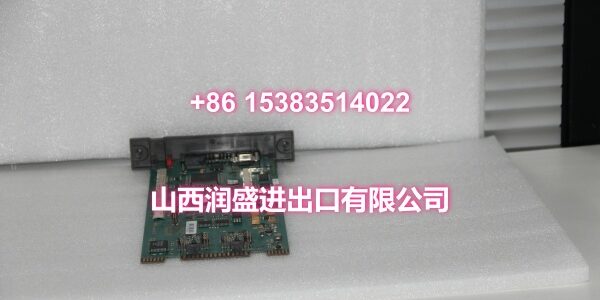
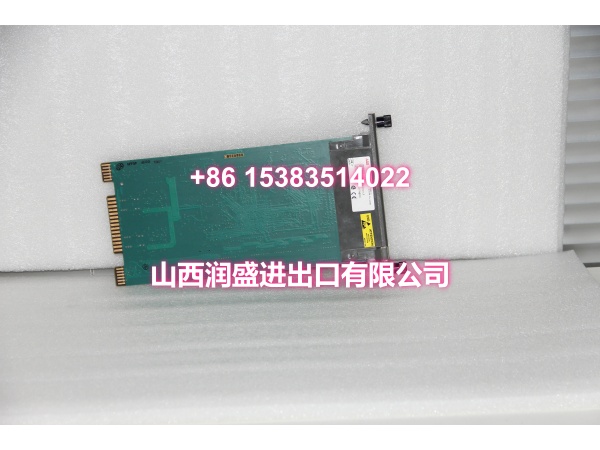
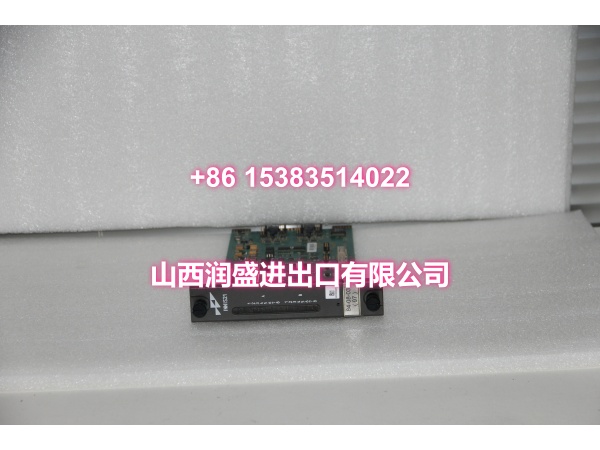
The ABB INNIS21 is a Network Interface Slave (NIS) module for Bailey Infi 90, Symphony, and Infi 90 OPEN systems. It provides the physical and protocol-level link between a local control node and the INFI-NET communication loop, allowing that node to exchange process data, receive broadcast status messages, and participate in system-wide time synchronization.
In practice, the INNIS21 is rarely a standalone solution. It typically works alongside an INNPM-series Network Processing Module to give a process control unit full access to the INFI-NET highway. This makes it relevant for legacy DCS migrations, spare-part replenishment, and maintaining communication integrity across distributed control racks.
QA & Testing SOP (Dynamic & Transparent)
Network interface modules depend on clean backplane seating and correct loop configuration.
- Incoming inspection: Verify model marking (INNIS21), hardware revision, connector condition, and backplane pins. Check for corrosion, bent pins, or prior repair signs.
- Anti-counterfeit check: Inspect PCB finish, label formatting, serial consistency, and connector quality against known OEM characteristics.
- Power-up test: Seat the module in a compatible Harmony Rack or MMU test fixture. Apply +5 VDC and verify normal LED behavior and self-diagnostics.
- Interface check: Confirm INFI-NET link presence and module initialization where test fixtures allow.
- Communication verification: Where a compatible INNPM partner and loop setup are available, verify message exchange, broadcast reception, and time-sync participation.
All units are packed in anti-static bags with connector protection. Full INFI-NET loop validation requires a compatible test rack and partner module. If your site requires a specific hardware revision or communication rate match, send the existing module label photo before ordering.
Installation Pitfalls & Guide (Engineer to Engineer)
This is a network interface module, not a generic I/O card. Loop discipline matters.
❗ Confirm the partner module. The INNIS21 typically operates with an INNPM-series Network Processing Module. Installing it without the correct partner module may prevent the node from accessing INFI-NET.
❗ Verify communication rate compatibility. The module supports 0.5, 2, and 10 Mbaud rates. A mismatch between the module setting and the INFI-NET segment will prevent communication.
❗ Check node addressing. Duplicate or incorrect node addresses on the same INFI-NET segment cause communication conflicts that look like intermittent module faults.
❗ Do not force the module into the rack. The backplane connector must seat cleanly. Bent pins create communication dropouts that are difficult to diagnose in the field.
Replacement steps
- Pre-install: Document existing node address, communication rate, firmware/hardware revision, and partner module configuration.
- Removal: Place affected communication paths in a safe state per site procedure. Remove the module carefully from the rack.
- Install: Inspect backplane contacts, seat the module fully, and verify all INFI-NET cabling and partner module connections.
- Commissioning test: Verify LED status, INFI-NET link establishment, broadcast/time-sync participation, and normal data exchange before restoring full operation.

Technical FAQ
Is the INNIS21 still available? Yes, as surplus stock. The module is considered legacy within the Infi 90 / Symphony family. Availability varies by batch, so confirm current quantity before scheduling a maintenance window.
Can I replace an INNIS01 with an INNIS21? Not automatically. Both are Network Interface Slave modules, but they belong to different hardware generations and may require different partner modules, firmware, or rack configurations. Verify compatibility against your existing node setup before substitution.
What communication rates does it support? 0.5 Mbaud, 2 Mbaud, and 10 Mbaud. The correct rate must match the INFI-NET segment configuration.
What is the warranty? Surplus units typically carry 30–90 days depending on condition; some suppliers list up to 12 months for new stock. The exact term is stated on the quote.
Can you test it before shipping? Yes. We perform power-up, LED, and basic interface checks. Full INFI-NET communication testing requires a compatible rack and partner module. If your site requires a documented test report, request it before ordering.