Product Core Brief
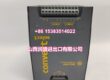
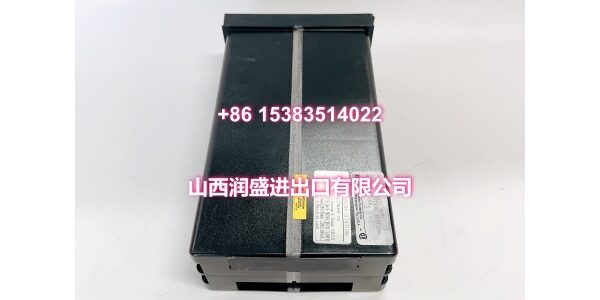
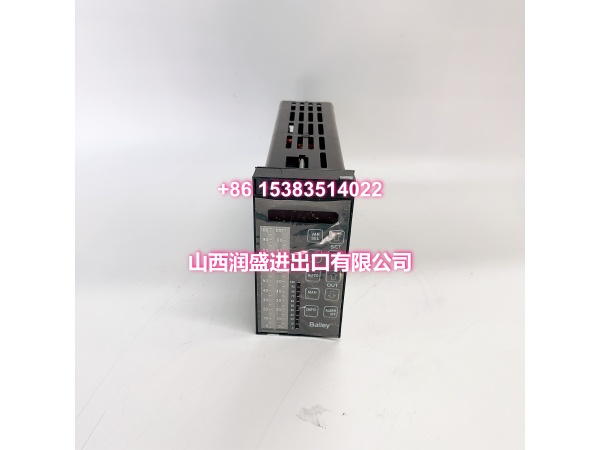
- Model: IISAC01
- Brand: ABB Bailey
- Series: INFI 90 / Symphony / Symphony Harmony
- Core Function: Serves as the SAC (Station Automatic/Manual Control) interface between the Symphony/INFI 90 controller and the operator control station.
- Product Type: Operator Station Interface / SAC Control Station Module
- Key Specs: SAC station communication | setpoint/manual override interface | controller-to-panel link
- Condition: New Original / New Surplus (depending on stock)
Key Technical Specifications
- Manufacturer: ABB (Bailey INFI 90 / Symphony product line)
- Part Number:
- Product Type: SAC Control Station Interface Module
- System Compatibility: ABB INFI 90, Symphony, Symphony Harmony DCS
- Primary Function: Transmits setpoint values, mode requests, and manual override signals between the operator panel and the controller
- Communication Path: Links SAC operator station to Symphony/INFI 90 controller via system bus
- Control Modes Supported: Automatic, Manual, and Bypass operation
- Typical Application: Process control stations for analog loop control and operator intervention
- Integration: Works with CIO modules and controller function blocks for closed-loop control
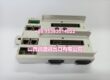
- Mounting Style: Standard Bailey module form factor for MMU rack installation
- ESD Handling: requires Bailey field static kit during maintenance
- HS Code: 853710 (electrical control panels / assemblies)
Product Introduction (No Fluff)
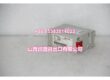
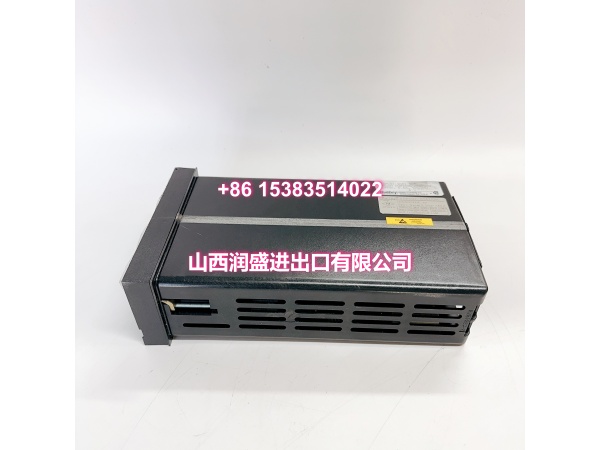
The ABB IISAC01 is a SAC control station interface module used in Bailey INFI 90, Symphony, and Symphony Harmony DCS environments. It bridges the operator control panel and the process controller, carrying setpoint commands, mode selections, and manual override signals for analog control loops.
For plants maintaining legacy Bailey systems, this module is often the difference between a functional operator station and a dead panel. Because it handles direct operator-to-controller communication, a failed IISAC01 can lock out manual control on critical loops—making a verified replacement part essential for planned outages or emergency swaps.
QA & Testing SOP (Dynamic & Transparent)
This is a communication and operator-interface module, so testing focuses on signal integrity, bus communication, and mode-handling behavior.
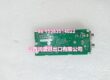
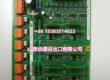
- Incoming visual inspection: Check the module faceplate, edge connector, PCB traces, and indicator LEDs for physical damage, corrosion, or prior repair marks.
- Backplane communication test: Seat the module in a known-good Bailey MMU and verify it registers on the module bus without fault indicators.
- SAC signal validation: Confirm setpoint transmission, mode change requests (Auto/Manual/Bypass), and operator override signals pass correctly between the station interface and controller.
- Bypass and fallback check: Verify the module responds correctly when controller communication is interrupted, including automatic bypass behavior where configured.
- ESD-safe handling and packing: Store and ship in anti-static packaging; handle by the module frame and avoid contact with edge connectors.
Installation Pitfalls & Guide (Engineer to Engineer)
❗ Do not hot-swap without verifying system policy. Some Bailey configurations allow limited online replacement, but pulling a live SAC interface can momentarily disrupt operator control of affected loops.
❗ Confirm the controller is in the correct mode before swapping. If the loop is in Auto, place it in Manual or Bypass as procedure requires to avoid an output bump during replacement.
❗ Verify station addressing and slot assignment. A mis-seated or mis-addressed SAC module may appear powered but fail to communicate setpoint or mode data to the controller.
❗ Check termination and panel wiring before energizing. Loose SAC station cables or damaged ribbon connectors are a common root cause of “module looks fine but panel is dead” faults.
Replacement steps:
- Pre-install: Document loop status, record current mode/setpoint values, and notify operations before any work.
- Removal: Place affected loops in Manual or Bypass, disconnect station cabling, and remove the failed module.
- Install: Seat the new IISAC01, reconnect station wiring, and confirm proper slot alignment and retention.
- Power-on test: Verify module indicators, confirm SAC communication with the controller, and restore loop mode gradually.
Technical FAQ
1. Is the IISAC01 still available?
Yes, but it is a legacy Bailey module. Availability depends on inventory condition. We carry new original and new surplus stock.
2. Can I use IISAC01 in a Symphony Plus system?
It depends on the cabinet generation. IISAC01 belongs to the INFI 90 / Symphony / Symphony Harmony family. Symphony Plus migrations often retain legacy racks, but compatibility must be confirmed against your specific cabinet layout and controller generation.
3. Does this module need firmware loading?
No. The IISAC01 is an operator station interface module. Configuration and control logic reside in the controller; this module handles station communication and mode/setpoint signaling.
4. What happens if the IISAC01 fails?
Operators may lose the ability to change setpoints, switch modes, or manually override affected loops from the SAC panel. The controller typically continues running, but local operator intervention is impaired.
5. What warranty do you offer?
Standard warranty is 12 months unless otherwise stated. For surplus stock, warranty terms are confirmed at quotation.