Product Core Brief
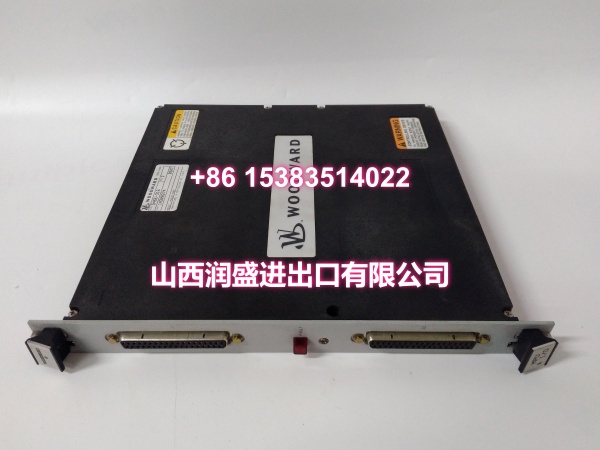
- Model: 5466-257
- Brand: WOODWARD
- Series: MicroNet / NetCon Fault-Tolerant I/O Series
- Core Function: Fault-tolerant discrete input/output module for safety-critical turbine and engine control systems.
- Product Type: MicroNet FT Discrete I/O Module
- Key Specs: Fault-tolerant discrete I/O | MicroNet TMR/Duplex compatible | Hot-swappable module design
- Condition: New Original / New Surplus
Key Technical Specifications
| Parameter | Specification |
|---|---|
| Part Number | 5466-257 |
| Manufacturer | WOODWARD, Inc. (Fort Collins, CO, USA) |
| Product Type | Fault-Tolerant (FT) Discrete I/O Module |
| System Compatibility | Woodward MicroNet / NetCon control platforms |
| I/O Type | Discrete (digital) inputs and outputs |
| Redundancy Support | TMR and Duplex fault-tolerant architectures |
| Hot-Swap Capable | Yes |
| Mounting | MicroNet rack / backplane module |
| Operating Temperature | 0 °C to 60 °C |
| Humidity | Up to 60% non-condensing |
| Approx. Weight | ~0.5 kg (module only) |
Note: Exact channel count, voltage ratings, and terminal assignments vary by revision. Always confirm against the installed module label or Woodward technical manual.
Product Introduction (No Fluff)
This is a WOODWARD fault-tolerant discrete I/O module from the MicroNet/NetCon family, used in safety-critical turbine, compressor, and engine control systems. It handles digital status inputs (permissive signals, trip conditions, valve position feedback) and discrete outputs (alarm relays, shutdown commands, actuator enable signals) within a redundant control architecture.
The practical value for integrators is simple: when a MicroNet rack loses a single I/O card, the fault-tolerant design keeps the system running without a spurious trip. That means you can replace a failed card during a planned window rather than an emergency outage. For sites running aging MicroNet installations, verified replacement modules are often the fastest way to restore redundancy.
QA & Testing SOP (Dynamic & Transparent)
Discrete I/O modules are deceptively simple. A bad opto-isolator or a cracked solder joint won’t show up until a trip signal fails to fire. Here’s our approach:
- Visual & anti-counterfeit inspection — Verify part number, revision label, serial number, and PCB finish. Check for reworked solder joints, burnt components, or corroded edge connectors. Any mismatch triggers a hold.
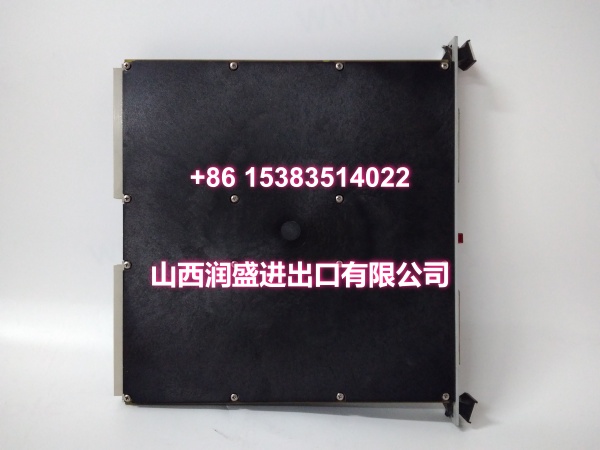
- Backplane connector inspection — Examine the card-edge connector for bent pins, oxidation, or wear. A poor backplane seat is the most common field failure on hot-swapped modules.
- Power-up & self-test — Insert into a compatible MicroNet test rack. Confirm the module boots, reports correct firmware/revision, and passes internal diagnostics without fault codes.
- Discrete I/O verification — Apply 24 V DC (or rated voltage) to each discrete input and confirm status reads correctly in the controller. Trigger each discrete output and verify voltage presence at the terminal block.
- Packaging — ESD-bagged, foam-padded, and shipped in impact-resistant boxing with anti-static protection.
Tools: Fluke multimeter, 24 V DC test supply, compatible MicroNet test rack, and ESD-safe workbench.
Installation Pitfalls & Guide (Engineer to Engineer)
❗ Confirm the revision before swapping. The 5466-257 has multiple revisions. Channel count, voltage rating, and firmware compatibility can differ. Match the label on your existing module — don’t assume interchangeability.
❗ Hot-swap doesn’t mean risk-free. While MicroNet FT modules support hot-swapping, pulling a card during an active trip condition or while the rack is in a degraded state can cause unintended behavior. Always check system health first.
❗ Watch your wiring labels. Discrete I/O terminals look identical across modules. Swapping a permissive input wire with a trip output wire will cause immediate operational issues. Photograph and label every terminal before removal.
❗ Verify redundancy status after install. A new module must sync with the redundant partner. If the rack shows a “mismatch” or “not synchronized” fault, the module may have incompatible firmware or a hardware revision conflict.
Replacement steps:
- Check system health. Confirm the rack is in a stable redundant state. Back up current configuration.
- Label all wiring. Photograph terminal assignments and module slot position.
- Remove the faulty module. Inspect the backplane slot for debris or bent pins before inserting the replacement.
- Seat the new module. Verify it powers up, synchronizes with the redundant partner, and all I/O points read correctly.
Technical FAQ
Can you offer price flexibility for bulk or repeat orders? Yes. Pricing depends on condition (new original vs. new surplus), revision, and quantity. Surplus stock typically offers more flexibility. We can discuss volume pricing for maintenance spares packages.
What warranty do you provide? Warranty terms vary by condition and stock source. New original units carry manufacturer-backed coverage; new surplus units carry our own tested-unit warranty. We confirm terms before shipment so your team has clear expectations.
Is this directly compatible with my existing MicroNet rack? In most cases, yes — the 5466-257 is a standard MicroNet FT discrete I/O module. However, you must match the revision and firmware level to your installed rack. Cross-reference your existing module’s label before ordering.
Can I hot-swap this module while the system is running? Yes, MicroNet FT modules are designed for hot-swapping. That said, we recommend doing it during a stable operating window, not during startup, shutdown, or any active alarm condition. Always verify redundancy status before and after the swap.
Is this model still available or obsolete? The MicroNet platform remains in active use across many industrial installations, but individual module availability depends on revision and regional stock. If you are maintaining a critical safety system, we recommend securing tested spares now rather than waiting for an unplanned outage.