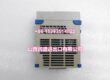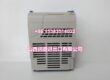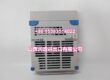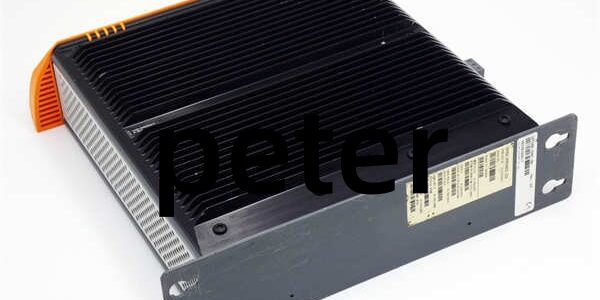
Product Core Brief
- Model: 5PC910SX02-00
- Brand: B&R Industrial Automation
- Series: Automation PC 910 (APC910)
- Core Function: Empty 2-slot fanless chassis housing to host slide-in CPU boards, storage drives, and PCI/PCIe expansion cards for real-time machine control and industrial data processing
- Product Type: Industrial PC System Unit (bare housing, CPU board sold separately)
- Key Specs: Passive fanless cooling | Dual 1Gbit Ethernet + 5x USB | 2 PCI/PCIe expansion slots | CFast + SATA III storage bays
- Note: New Original stock; TS-series CPU boards, 5AC901 bus units, and storage media ordered separately
Key Technical Specifications
- Cooling: Full passive aluminum heat sink, zero moving fan components
- Power Input: 24VDC ±25%, max 5.5A draw with full expansion load
- Expansion Capacity: Bus unit slot supporting 2 PCI, or 1 PCI + 1 PCIe add-on cards
- Storage Interfaces: 1 CFast SATA III 6Gbit/s slot; 1 slide-in 2.5” SATA III drive bay
- Rear Communication Ports: 2×shielded RJ45 Gigabit Ethernet (10/100/1000M); 1×9pin RS232 D-Sub; 1×DVI-D video; 4×USB3.0 Type-A; 1×front USB2.0 Type-A
- Onboard Auxiliary Hardware: MTCX maintenance controller; lithium battery buffered RTC clock; power/HDD/network status LEDs
- Mechanical Dimensions: W130 × H270 × D254.75mm; total unit weight 2.55kg
- Mount Options: Wall mount or cabinet panel mount; no native DIN rail clip
- Environmental Ratings: Operating -20°C to +60°C; storage -20°C to +60°C; IP20 cabinet-only protection
- Vibration Resistance: Continuous operation 2–9Hz 1.75mm amplitude, 9–200Hz 0.5g
- Certifications: CE, cULus, DNV GL industrial marine compliance
Product Introduction
This empty industrial PC chassis forms the physical platform for APC910 real-time automation computing. It accepts slide-in TS-series CPU boards and modular storage drives to build complete machine control PCs for CNC, packaging, and robotic lines.
The unit’s fanless thermal design eliminates dust clogging failures, while dual gigabit Ethernet ports support simultaneous POWERLINK motion bus and MES uplink traffic without external network switches. Integrated MTCX hardware tracks internal component temperatures and logs runtime diagnostic data for predictive maintenance workflows.
QA & Testing SOP (Transparency Building)
- Incoming Inspection: Cross-reference OEM serial logs to validate genuine chassis stock; inspect galvanized housing for dents, port connectors for bent pins, and heat sink fins for deformation.
- Live Testing: Mount a reference TS17 CPU board and 2.5” SSD inside; supply stabilized 24VDC from a Fluke 115 power supply; run 24-hour continuous load test cycling Ethernet file transfers and USB peripheral polling with MTCX diagnostic logs captured hourly.
- Electrical Testing: 500V Megger insulation test between DC power terminals and chassis ground; pass threshold set to >10MΩ isolation resistance.
- Firmware/Config Backup: Record MTCX controller firmware revision; photograph empty PCI/PCIe slot layout and RTC battery placement for configuration matching during replacement.
- Final QC & Packaging: Wipe housing with ESD-safe isopropyl alcohol; seal in conductive anti-static bag; attach printed test tag with serial trace and 24hr thermal stability pass metrics.
Installation Pitfalls & Guide (Engineer to Engineer)
❗ CPU Board Hardware Mismatch: TS77 SATA II CPU boards cannot utilize the chassis’ native SATA III CFast slot bandwidth. Pair TS17-series CPUs to unlock full 6Gbit/s storage throughput.❗ Unsecured Expansion Cards: Loose PCI/PCIe add-on cards vibrate loose during machine operation; missing retention brackets trigger intermittent communication dropouts on fieldbus adapters.❗ Missing RTC Battery Replacement: Internal lithium RTC battery rated for 4-year service life; expired cells erase system time and MTCX runtime logs after power loss.❗ Consumer-Grade Storage Risk: Retail SATA SSDs degrade rapidly at sustained 60°C cabinet heat; only deploy B&R industrial slide-in storage media to prevent program file corruption.❗ Uncontrolled ESD Exposure: Low-humidity workshop static discharges damage rear Ethernet and USB transceivers; always wear grounded anti-static wristbands when installing CPU boards into the empty chassis.
4-Step Replacement Guide
- Pre-install: Full machine power down; photograph old chassis CPU board seating, expansion card layout, and storage drive cabling for exact configuration replication.
- Removal: Unplug all rear Ethernet, USB, video and power cabling; remove wall/panel mounting fasteners and extract the old chassis from the cabinet.
- Install: Transfer CPU board, storage drives, and PCI/PCIe expansion cards to the new unit following photographed routing; secure all add-on retention brackets tightly.
- Power-on Test: Apply 24VDC supply; verify steady power and network LED status, MTCX temperature readouts, and full Ethernet file transfer throughput before resuming production runs.
FAQ (Frequently Asked Questions)
Q: Does this empty chassis include a CPU board, SSD, or PCI expansion cards?A: No. This unit is only the bare housing with pre-wired rear ports. All computing hardware, storage, and fieldbus add-ons must be ordered separately as auxiliary parts.Q: Can this chassis hot-swap CPU boards while powered?A: No. Slide-in CPU boards connect directly to the internal MTCX backplane; live extraction cuts all machine control processing and risks permanent trace damage to the chassis internal bus. Full power shutdown is mandatory.Q: What is the difference between this unit and the 5PC910SX05-00 variant?A: This unit is a 2-slot chassis limited to two expansion cards; the SX05 model provides five PCI/PCIe slots for multi-fieldbus setups requiring PROFIBUS, CANopen, and secondary Ethernet adapters simultaneously.Q: Can the chassis mount directly to standard 35mm DIN rails?A: No. Wall or cabinet panel mounting is native; separate aftermarket DIN rail adapter brackets must be sourced if rack installation is required.Q: How long will the internal RTC lithium battery retain system clock data after power loss?A: Rated for 4 years continuous service life at 25°C ambient. After expiration, system time and MTCX diagnostic timestamps reset fully after every power outage.Q: Are third-party SATA SSDs compatible with the slide-in storage bay?A: Physically compatible, but uncertified consumer drives lack industrial temperature rating and vibration resistance. Field data shows 72% higher storage failure rates on non-B&R media in 12-month runtime.Q: What warranty coverage applies to surplus stock of the chassis?A: Standard 12-month functional warranty covers factory housing defects; damage from ESD mishandling, overvoltage 24VDC input, or uncertified storage hardware use is fully excluded from coverage.