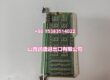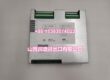
Product Core Brief
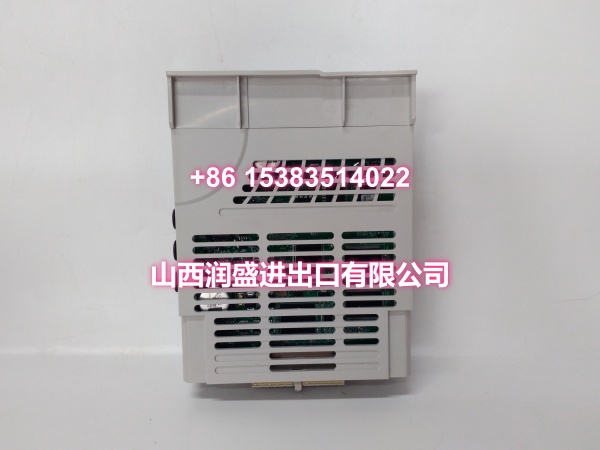
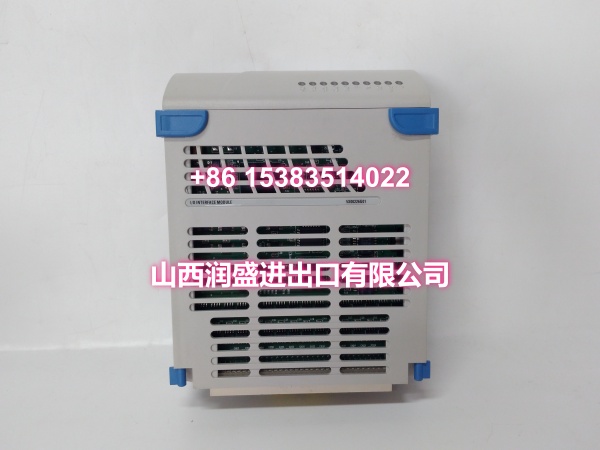
- Model: 5X00226G04
- Brand: EMERSON (Ovation / Westinghouse)
- Series: Ovation DCS
- Core Function: IOIC (I/O Interface Card) specifically paired with the 5X00481G04 processor card in Ovation OCR1100 controller assemblies. Provides the critical communication link between the controller’s CPU and the I/O subsystem, managing data exchange between the processor and up to 128 local Ovation I/O modules across 8 branches.
- Product Type: IOIC Card / I/O Interface Module
- Key Specs: IOIC Interface | OCR1100 Compatible | Paired with 5X00481G04 | Up to 128 I/O Modules
- Condition: New Original / New Surplus
Key Technical Specifications
- Card Type: IOIC (I/O Interface Card)
- Function: I/O interface between Ovation controller CPU and I/O subsystem
- Compatibility: Ovation DCS; specifically used in OCR1100 controller assemblies, paired with the 5X00481G04 processor card
- I/O Capacity: Each IOIC card supports up to 8 I/O branches, with 8 I/O modules per branch, for a maximum of 128 local Ovation I/O modules per IOIC card
- Communication: Ovation controller network (typically Ethernet) and backplane bus interface
- Redundancy: Supports warm standby / redundant pairing for bumpless failover in critical applications
- Power: Supplied via Ovation system backplane; no external field power required
- Operating Temperature: 0°C to 55°C, non-condensing (typical control room conditions)
- Installation: Plug-in module for Ovation rack; captive fasteners
- Diagnostics: Front-panel LEDs and controller diagnostics support
Product Introduction
The 5X00226G04 is an IOIC (I/O Interface Card) for the Emerson Ovation DCS, specifically designed for use in OCR1100 controller assemblies where it is paired with the 5X00481G04 processor card. This card serves as the essential communication bridge between the controller’s CPU and the distributed I/O subsystem, ensuring that process data from field instruments flows reliably to the controller for execution of control strategies, and that output commands from the controller reach the field devices without delay.
Unlike standard I/O modules that handle field signals directly (4-20mA, digital inputs, thermocouples, etc.), the IOIC card operates at a higher level in the architecture. It manages the data highway between the controller’s processor and the I/O racks, scanning up to 8 I/O branches with up to 8 modules per branch—supporting up to 128 local Ovation I/O modules per IOIC card. This distributed processing approach is what gives Ovation its fast loop response times and high reliability in power plant, water treatment, and petrochemical applications.
The 5X00226G04 is part of Ovation’s modular controller architecture. In a typical OCR1100 controller assembly, the IOIC card works alongside the 5X00481G04 processor card and power supply to form a complete controller unit. The IOIC handles the low-level I/O scanning and data aggregation, freeing the processor to focus on control algorithm execution—including PID loops, Boolean logic, sequence control, and data acquisition at cycle speeds from 10ms to 30 seconds.
The card is redundancy-ready, supporting warm standby configurations with bumpless failover between redundant controllers. This is critical for continuous-process environments where deterministic control and high availability matter—such as steam/gas turbine islands, balance-of-plant control, filtration systems, and chemical dosing applications. As a solid-state design with no mechanical wear points, the IOIC card delivers long service life and low maintenance, drawing power directly from the Ovation backplane.
QA & Testing SOP
IOIC cards are controller-level components—failure here can take down an entire controller. Here’s our verification procedure:
- Visual & Anti-Counterfeit Inspection: We inspect the PCB for cold solder joints around the communication ICs and backplane connectors, verify the OEM holographic label, and cross-check the silkscreen part number against the Ovation master parts list. Counterfeit IOIC cards in the surplus market may have degraded communication chips that cause intermittent controller faults.
- Backplane & Connector Verification: The card is seated into a dedicated Ovation test rack. We inspect the backplane connector pins for bends or corrosion—bent pins on the I/O bus side kill communication with the I/O subsystem; bent pins on the processor side prevent the IOIC from communicating with the CPU.
- Controller Integration Test: We install the IOIC card in a complete OCR1100 controller assembly (with 5X00481G04 processor card and power supply) and verify the controller boots successfully. We confirm the IOIC card is recognized by the controller firmware and appears in the Ovation diagnostic screen without fault codes.
- I/O Communication Validation: We connect I/O modules to the controller through the IOIC card and verify data flow in both directions. We inject analog signals and toggle digital inputs, then confirm the values appear correctly in the Ovation engineer station. We also write output commands from the engineer station and verify they reach the field I/O modules.
- Redundancy Switchover Test (if applicable): For redundant controller configurations, we verify the IOIC card functions correctly during a controller switchover event, ensuring no data loss or communication interruption during the failover.
- Anti-Static Packaging: Passed units are sealed in static-shielded bags with desiccant, then double-boxed for transit.
Installation Pitfalls & Guide
IOIC cards are not field-replaceable in the same way as standard I/O modules—they are part of the controller assembly. Here’s what to watch for:
- ❗ Correct Processor Pairing: The 5X00226G04 is specifically paired with the 5X00481G04 processor card in OCR1100 controller assemblies. Using it with a different processor card (e.g., 5X00481G01 or 5X00241G02) will result in compatibility issues. Always verify the processor-IOIC pairing in your Ovation system documentation before installation.
- ❗ Controller Slot Placement: The 5X00226G04 must be installed in the correct slot within the OCR1100 controller assembly. Installing it in the wrong slot will prevent the controller from booting. Always reference the OCR1100 hardware configuration diagram for correct slot placement.
- ❗ Firmware Compatibility: The IOIC card’s firmware revision must be compatible with the 5X00481G04 processor card’s firmware and the Ovation system version. A firmware mismatch can cause the controller to fail to recognize the IOIC card or cause intermittent communication errors. Verify firmware compatibility in your Ovation system documentation before installation.
- ❗ Backplane Connector Integrity: The IOIC card’s backplane connector carries critical communication signals between the processor and I/O subsystem. Even a single bent pin can cause communication failures. Handle the card by the edges only, and never force it into the slot. If you encounter resistance, remove the card and inspect the connector pins before retrying.
- ❗ Controller Downtime Planning: Replacing an IOIC card requires removing the controller from service. For non-redundant controllers, this means a process shutdown. For redundant controllers, you can replace the IOIC on the standby controller first, then perform a controlled switchover. Always follow your plant’s controller replacement procedure and have a rollback plan.
- ❗ Configuration Backup: Before removing the controller, always backup the current controller configuration and point database from the Ovation engineer station. If the replacement IOIC card causes issues, you need to be able to restore the original configuration quickly.
4-Step Replacement Guide:
- Pre-Install: Backup the current controller configuration and point database from the Ovation engineer station. If the controller is redundant, verify the standby controller is healthy and in sync. Place the controller in a safe state per your plant’s procedure.
- Removal: Power down the controller assembly per procedure. Carefully disengage any retaining clips and pull the faulty IOIC card straight out of the controller slot. Do not twist or rock the card. Inspect the slot for debris or damaged pins before installing the replacement.
- Install: Align the new IOIC card with the slot guides and slide it in firmly until the backplane connector seats fully. Engage any retaining clips. Verify the card is seated in the correct slot and paired with the correct processor card (5X00481G04) per the OCR1100 hardware configuration diagram.
- Power-on Test: Power up the controller assembly. Monitor the Ovation diagnostic screen for the controller boot sequence. Verify the IOIC card is recognized without faults and all status LEDs indicate normal operation. Perform an I/O communication test: inject signals at field devices and verify they appear in the Ovation engineer station, and write output commands to verify they reach the field devices.
Technical FAQ
Q: What’s the difference between 5X00226G01, G02, G03, and G04? A: These are all IOIC cards used in different Ovation controller configurations with different processor card pairings:
- 5X00226G01: IOIC card used in OCR400 controller assemblies (paired with 5X00241G02)
- 5X00226G02: IOIC card used in OCR1100, OCR400, and OCR161 controllers
- 5X00226G03: IOIC card used in OCR1100 controller assemblies (paired with 5X00481G01)
- 5X00226G04: IOIC card used in OCR1100 controller assemblies (paired with 5X00481G04)
The G01 through G04 variants are functionally similar IOIC cards but are paired with different processor cards and used in different controller models or firmware revisions. They are not universally interchangeable—you must match the IOIC card to your specific controller configuration and processor card.
Q: Can I use this card as a standard I/O module? A: No. The 5X00226G04 is an IOIC (I/O Interface Card), not a field I/O module. It does not connect directly to field instruments (transmitters, valves, switches, etc.). Instead, it sits inside the OCR1100 controller assembly and manages communication between the processor and the I/O subsystem. Field I/O modules (AI, AO, DI, DO, TC, RTD, etc.) plug into separate I/O racks and communicate with the controller through the IOIC card.
Q: Why is my controller not recognizing the IOIC card after installation? A: Controller failure to recognize the IOIC card is typically caused by one of three things: (1) the card is installed in the wrong slot, (2) the card is paired with an incompatible processor card (the 5X00226G04 requires the 5X00481G04), or (3) the backplane connector pins are damaged or not fully seated. First, verify the card is in the correct slot and paired with the 5X00481G04 processor. If the pairing is correct, check the firmware compatibility. If firmware is compatible, power down and reseat the card, inspecting the connector pins for damage.
Q: Is this card compatible with Ovation 4.0? A: The 5X00226G04 was originally designed for legacy Ovation systems and Westinghouse Ovation controllers. It remains supported on Ovation 4.0 as a legacy-compatible component for existing OCR1100 controller assemblies. For brownfield replacements, it is a direct drop-in replacement. If you’re unsure, verify compatibility with your specific Ovation version and controller model in the system documentation.
Q: What is the warranty on surplus units? A: We provide a 12-month warranty from the date of delivery on both new original and new surplus stock. This covers manufacturing defects, DOA failures, and any communication or integration issues discovered during commissioning. It does not cover damage from improper installation—such as bent backplane pins, incorrect slot placement, incorrect processor pairing, firmware incompatibility issues, or ESD damage from handling without proper grounding.