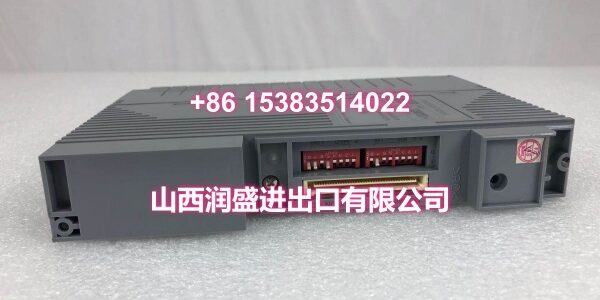
Product Core Brief
- Model: S9361DH-00
- Brand: YOKOGAWA
- Series: Yokogawa DCS / Industrial Control System
- Core Function: Controller or terminal module used in Yokogawa distributed control systems
- Product Type: DCS Controller / Terminal Module
- Key Specs: Yokogawa DCS compatible | Rack-mount module | Industrial control application
- Condition: New Original / New Surplus
⚠️ This model is not widely documented in public manuals. Exact function, slot position, I/O type, and compatible rack should be confirmed against the site BOM, cabinet nameplate, or existing module label before ordering.
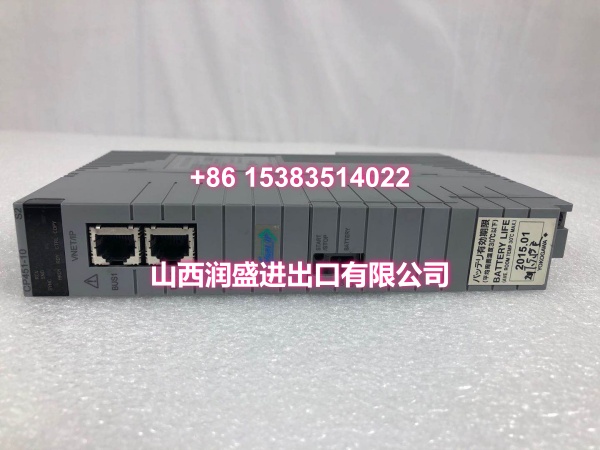
Key Technical Specifications
- Product Type: DCS Controller / Terminal Module
- Compatible System: Yokogawa DCS / Industrial Control System
- Model Code:
- Mounting Type: Rack-mount DCS module
- Application: Process control, plant automation, DCS maintenance
- Status Indicators: LED indicators typical for Yokogawa DCS modules
- Operating Environment: Industrial control cabinet environment
- Origin: Japan
⚠️ Specific input/output type, voltage level, communication interface, and firmware version are not confirmed from available references. Verify against the installed module nameplate.
Product Introduction
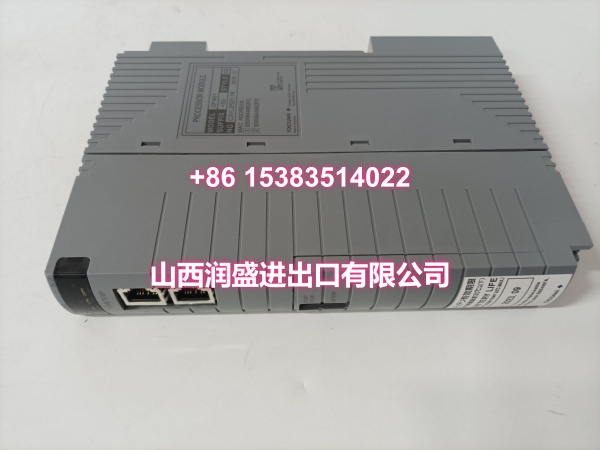
The YOKOGAWA S9361DH-00 is a controller or terminal module used in Yokogawa industrial control and DCS applications. It is typically supplied as a spare or replacement module for existing Yokogawa installations.
Because this part number appears mainly in spare-parts listings rather than public product manuals, it is important to match the exact suffix, revision, and slot position before replacement. This unit is supplied as new original or new surplus, depending on stock availability.
QA & Testing SOP
Each unit is inspected before dispatch:
- Visual inspection: Check housing, front label, connector pins, terminal blocks, and signs of heat stress or corrosion.
- Model verification: Confirm YOKOGAWA branding and full part number S9361DH-00 against the site BOM.
- Connector inspection: Check backplane or terminal connectors for bent pins, oxidation, or mechanical damage.
- Power-on test: Where a compatible test rack is available, verify module power-up and LED status.
- Function check: Confirm basic communication or I/O behavior if the module type and test environment allow.
- Anti-static packaging: Packed in ESD-safe shielding bags with protective foam to prevent transit damage.
Installation Pitfalls & Guide
❗ Confirm the exact module function before installation. S9361DH-00 may be listed as a controller or terminal module, but its precise role depends on the rack and system configuration.
❗ Do not substitute by partial model number. Yokogawa DCS modules often require exact suffix matching. Using a similar part number can cause incompatibility.
❗ Never remove multiple critical modules simultaneously. In a live DCS rack, removing the wrong module may interrupt control or communication.
❗ Verify slot position and rack type. Install only into the confirmed slot and compatible rack. Forcing the module can damage backplane connectors.
Replacement steps:
- Pre-install: Photograph the existing module, record slot position, and confirm the full part number.
- Removal: If the system allows, place the module in standby or follow site maintenance procedures before removal.
- Install: Align the module with the slot, insert firmly but gently, and secure retaining screws or latches.
- Power-on test: Confirm LED status, communication status, and system diagnostics after replacement.
Technical FAQ
Is pricing flexible for multiple units? Yes. Price depends on condition, quantity, and lead time. New original and new surplus stock are quoted separately. Send your quantity and we can provide a project-level quote.
What warranty is included? Standard warranty is 12 months from shipment for functional defects. This covers pre-shipment or manufacturing failures, not damage from incorrect installation, wrong slot, or environmental misuse.
Can this module be hot-swapped? Some Yokogawa DCS modules support hot replacement, but this depends on the rack, slot, and system configuration. Follow site procedures and confirm with system diagnostics before removal.
Is still available? This part number appears in industrial spare-parts channels, but public technical documentation is limited. Availability should be confirmed case by case, especially for multiple units.
What information do you need to confirm compatibility? A photo of the existing module nameplate, slot position, rack model, and system type are the most helpful. If available, share the cabinet BOM or maintenance record.