Product Core Brief
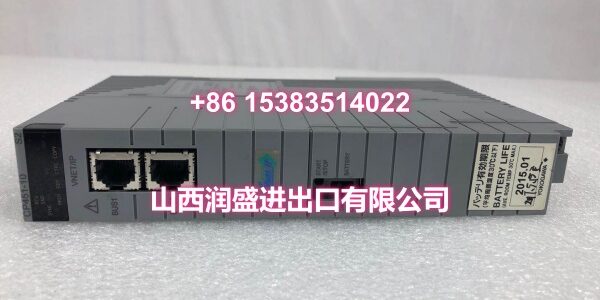
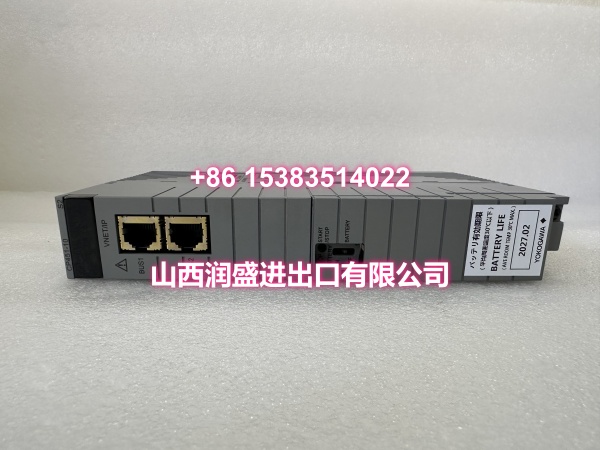
- Model: CP461-50 / S1
- Brand: YOKOGAWA
- Series: CENTUM VP Field Control Station
- Core Function: Control processor module for CENTUM VP field control units, executing real-time control logic and managing I/O communication.
- Product Type: DCS Control Processor Module
- Key Specs: CENTUM VP FCS processor | Redundant-capable architecture | Vnet/IP control network compatible
- Condition: New Original / New Surplus
Key Technical Specifications
| Parameter | Detail |
|---|---|
| Brand | YOKOGAWA |
| Model Number | / S1 |
| Product Type | Processor Module (Control Processor) |
| Applicable System | CENTUM VP Distributed Control System |
| Mounting | Field Control Station (FCS) backplane slot |
| Network Compatibility | Vnet/IP control network |
| Redundancy Support | Dual-redundant configuration capable |
| I/O Management | Multi-channel digital/analog I/O handling |
| Control Standards | IEC 61131-3 programming support (LD, FBD, ST) |
| Industrial Applications | Petrochemical, power generation, oil & gas, water treatment |
| Origin | Japan |
| Condition | New Original / New Surplus |
Product Introduction
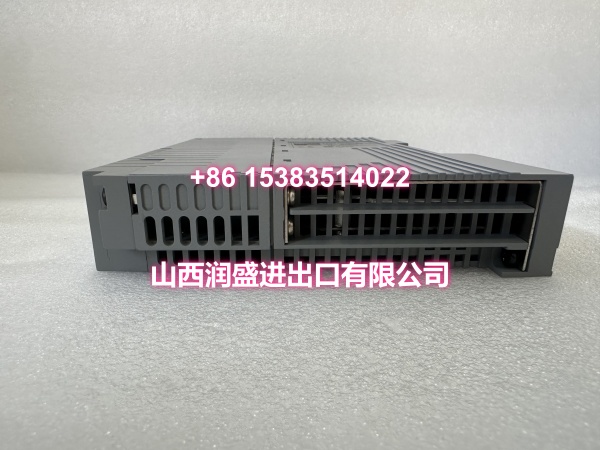
The CP461-50 is a control processor module designed for YOKOGAWA’s CENTUM VP field control stations. It serves as the computational core of the FCS, executing real-time control algorithms, managing field I/O data, and maintaining continuous communication across the Vnet/IP control network.
What makes this module a practical choice for plant maintenance teams is its proven track record in continuous-process industries. Whether you’re running a refinery, a power plant, or a chemical processing line, this processor handles PID loops, sequential control, and alarm management without compromise. Its redundant-ready architecture means you can pair it for failover protection—critical when unplanned downtime costs tens of thousands per hour.
QA & Testing SOP
Every surplus processor goes through a hands-on verification process before it ships. Here’s what we run:
- Visual & Anti-Counterfeit Inspection: Check the faceplate label, suffix code, and serial number against OEM records. Inspect the PCB for rework marks, mismatched components, or signs of moisture damage.
- Backplane Connector Check: Examine the edge connector pins for bent contacts, corrosion, or oxidation. A single damaged pin can cause intermittent communication faults that are a nightmare to troubleshoot in the field.
- Cold-Boot & Firmware Verification: Power the module on a test rack, verify POST completion, and log the firmware version. Confirm the module enters a stable run state without watchdog trips.
- Communication Handshake Test: Connect to a CENTUM VP test backplane and verify Vnet/IP link establishment. Check that the processor syncs correctly with the engineering station.
- Anti-Static Packaging: Every unit is bagged in ESD-safe packaging with desiccant and sealed for transit. No exceptions.
Installation Pitfalls & Guide
❗ Firmware mismatch kills redundancy. If you’re replacing one processor in a redundant pair, the new unit must run the same firmware version as its partner. Mismatched versions will prevent synchronization and can force the standby unit offline.
❗ Don’t force the blade. CENTUM VP modules slide into the backplane with a firm but smooth motion. If you feel hard resistance, stop. Bent backplane pins are a common result of rushed installs and can destroy both the module and the rack.
❗ Grounding matters. Ensure the control station chassis is properly grounded before insertion. Floating grounds can inject noise into the processor’s communication bus and cause erratic behavior.
❗ ESD is silent. Always wear a grounded wrist strap. The processor’s logic circuits are sensitive to static discharge, and damage may not show up until weeks later.
Replacement Steps:
- Pre-Install: Verify firmware version, back up the current control configuration, and confirm the replacement model/suffix.
- Removal: Power down the FCS slot if possible. Release the ejector levers and slide the old module straight out.
- Install: Align the new processor with the slot guides, push firmly until seated, and lock the ejector levers.
- Power-On Test: Restore power, verify LED status indicators, confirm Vnet/IP communication, and test redundancy sync if applicable.
Technical FAQ
Can I get a volume discount? Yes. For multiple units or repeat orders, reach out directly. We work with maintenance teams and procurement departments regularly and can structure pricing for bulk purchases.
What’s the warranty? All units carry a 12-month warranty covering functional defects. If the module fails under normal operating conditions, we replace it or refund—your call.
Is this directly compatible with my existing CENTUM VP station? The CP461-50 is designed for CENTUM VP field control stations. Confirm your FCS model and current firmware version before ordering. The suffix code (e.g., S1) should match your system’s requirements.
Is this model obsolete? The CP461-50 remains a widely deployed processor in CENTUM VP installations globally. While YOKOGAWA continues to release newer generations, this module is still actively supported and commonly specified for replacements in existing systems.