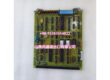
Product Core Brief
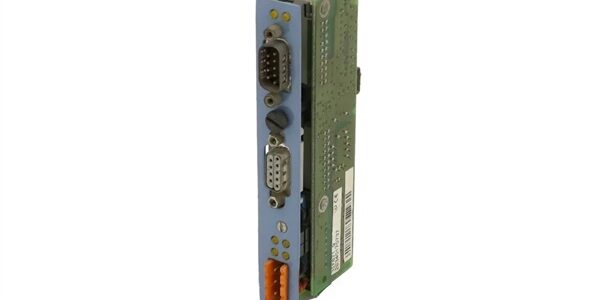
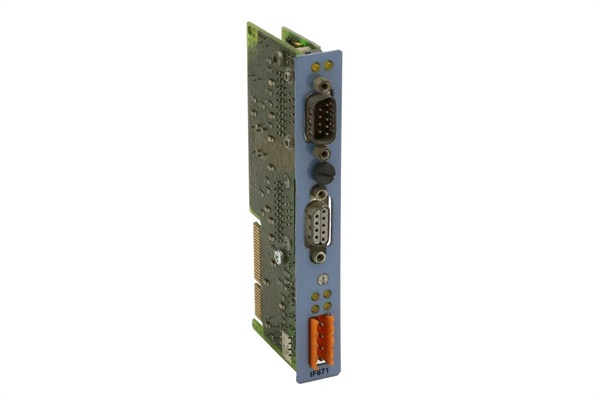
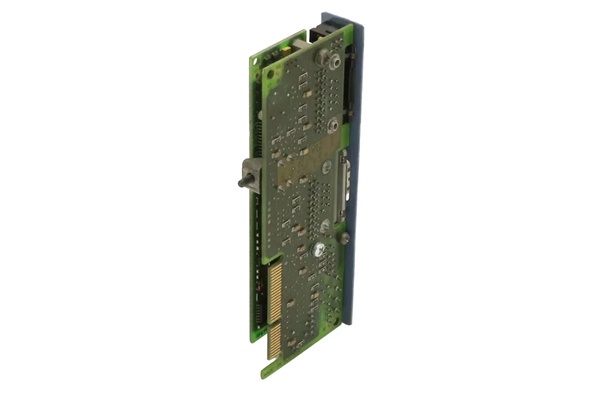
- Model: 3IF797.9-1
- Brand: B&R (B&R Industrial Automation)
- Series: 2005 System aPCI
- Core Function: Provides multi-protocol communication bridging for X2X Link, CAN, and RS232 networks within legacy automation controllers.
- Product Type: aPCI Interface Module
- Key Specs: X2X Link Master | CAN 500 kBit/s | RS232 Port
- Condition: New Surplus / Original OEM
Key Technical Specifications
- Manufacturer: B&R Industrial Automation
- Part Number: 3IF797.9-1
- Product Category: aPCI Interface Module
- System Architecture: B&R 2005 Series
- Mounting Type: Direct aPCI Backplane Slot
- Interface 1: X2X Link Master (Electrically Isolated)
- Interface 2: CAN Bus (Max 500 kBit/s, Object Buffering)
- Interface 3: RS232 Serial Port
- Operating Voltage: 24 VDC Logic
- Environmental Rating: IP20 (Panel Mount)
- Operating Temp Range: 0°C to 60°C
- Compliance: CE / UL / Railway EMC Class A
Product Introduction (No Fluff)
This B&R 3IF797.9-1 serves as a critical multi-protocol interface module within the 2005 aPCI architecture, bridging X2X Link master networks with CAN and RS232 serial devices. It ensures deterministic data exchange and precise open/closed-loop control for legacy manufacturing cells.
Sourcing this exact OEM replacement part prevents catastrophic downtime when legacy communication cards fail or suffer from galvanic isolation breakdown. Keeping verified new surplus stock on hand allows integrators to bypass extended lead times and restore network traffic immediately.
QA & Testing SOP (Dynamic & Transparent)
Communication modules are only as good as their signal integrity. Every 3IF797.9-1 undergoes a strict inbound anti-counterfeit audit, verifying PCB silkscreen, component lot codes, and isolation barrier integrity against B&R baselines. Next, we mount the module on a dedicated 2005 aPCI test rack to validate the X2X Link master handshake and verify CAN bus object buffering. We then inject RS232 serial data to check for framing errors or transceiver degradation. Finally, a 4-hour continuous burn-in under nominal load catches marginal galvanic isolators before they reach your panel. All units ship in dual-layer ESD shielding with a printed QA test report.
Installation Pitfalls & Guide (Engineer to Engineer)
❗ Galvanic Isolation Verification: The X2X Link and CAN ports on this module are electrically isolated. If your previous module failed due to a ground loop or voltage spike, the isolation barrier was likely compromised. Before installing the new 3IF797.9-1, verify that your field cabling is properly shielded and that your 24VDC power supply is clean.
❗ CAN Bus Termination & Bias: A common field error is improper CAN bus termination. This module supports object buffering, but it cannot fix a physically degraded bus. Ensure you have exactly two 120-ohm termination resistors at the physical ends of the CAN network. Missing terminations will cause intermittent communication faults that mimic a bad module.
❗ aPCI Backplane Pin Integrity: Legacy 2005 backplanes endure years of thermal cycling. Inspect the aPCI slot receptacles for stretched, oxidized, or bent pins. Never force the 3IF797.9-1 into the slot; if it requires excessive pressure, the backplane connector needs rework.
Replacement Protocol:
- Pre-Install: Lock out the panel power. Verify 0 VDC at the backplane. Ground yourself properly.
- Removal: Release the card guides and extract the failed module straight out. Inspect the slot for debris or carbon tracking.
- Install: Align the 3IF797.9-1 with the guides. Seat it evenly and secure the faceplate retaining screws.
- Power-on Test: Restore panel power. Monitor the X2X Link and CAN status LEDs via Automation Studio. Verify zero communication errors before returning the machine to production.