Product Core Brief
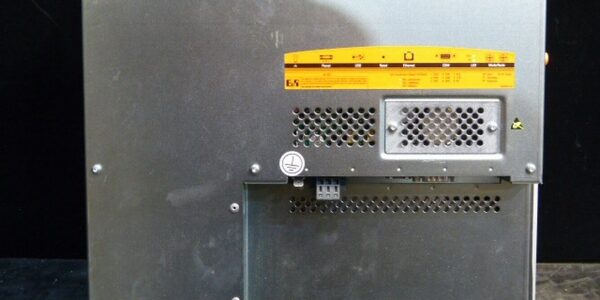
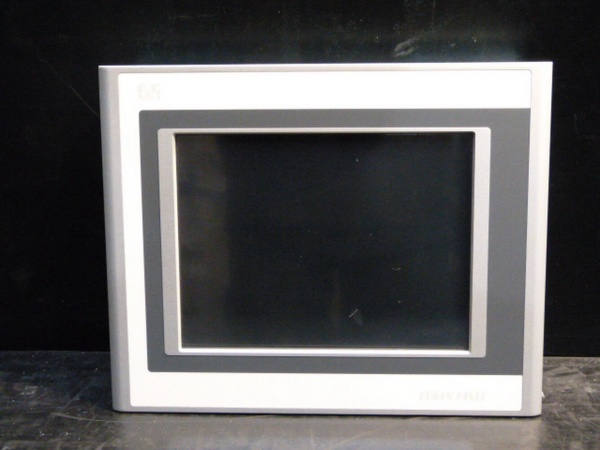
- Model: 5PP120.1214-37A
- Brand: B&R Industrial Automation
- Series: Power Panel PP120
- Core Function: Integrated operator interface combining a 12.1-inch SVGA display, resistive touch, and embedded control I/O in a single front-panel unit.
- Product Type: Industrial HMI / Power Panel
- Key Specs: 12.1″ SVGA | Resistive Touch | 128 MB SDRAM
- Condition: New Surplus / OEM Original
Key Technical Specifications
- Display Size: 12.1-inch Color TFT
- Resolution: SVGA (800 x 600)
- Touch Technology: Analog Resistive (Elo AccuTouch)
- Backlight: CCFL (350 cd/m², 55,000 h half-brightness)
- Memory: 128 MB SDRAM
- Storage: CompactFlash Slot (Type I)
- Serial Interface: RS232 (9-pin DSUB, 115 kbit/s max)
- Network: Ethernet 10/100 Mbit/s
- USB Ports: (2) USB 1.1 Type A
- Protection: IP65 Front / IP20 Rear
- Supply Voltage: 24 VDC (±25%)
- Power Consumption: Typ. 15 W, Max. 20 W
Product Introduction
Built for harsh panel environments, this B&R 5PP120.1214-37A integrates SVGA visualization and local I/O into a single IP65-rated front panel. It eliminates separate HMI and PLC mounting, reducing cabinet footprint and wiring complexity in machine control applications.
The CCFL backlight and metal housing handle continuous operation where consumer-grade displays fail. With 128 MB SDRAM and CompactFlash storage, it supports legacy Automation Studio projects that require direct hardware compatibility without OS migration headaches.
QA & Testing SOP
Power Panels are complex hybrids of display, touch, and computing. We verify all three subsystems before shipping.
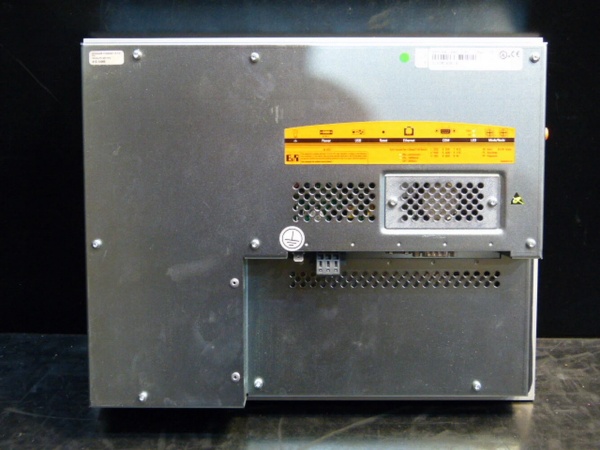
- Anti-Counterfeit & Visual Audit: We inspect the aluminum bezel for anodization wear, verify the B&R nameplate etching, and check the rear I/O connectors for bent pins or corrosion.
- CCFL Backlight Test: We power the unit and measure backlight uniformity across the SVGA panel, checking for dark spots or flicker that indicate aging inverters.
- Touch Matrix Validation: Using a stylus, we verify the Elo resistive grid registers accurate coordinates at all four corners and center, ensuring no dead zones from delamination.
- I/O Port Continuity: We test the RS232 port with a loopback plug, verify Ethernet link lights, and confirm both USB ports enumerate correctly with a known-good device.
- ESD Safe Packaging: Large-format panels are sensitive to static on the display ribbon. We pack them in anti-static shielding with rigid corner protectors to prevent transit damage.
Installation Pitfalls & Guide
❗ CCFL Inverter Sensitivity: This unit uses a CCFL backlight, not LED. The inverter is sensitive to voltage sag. If you share the 24VDC supply with high-draw solenoids or VFDs, the backlight may flicker or fail prematurely. Dedicate a regulated 24VDC supply or add local bulk capacitance.
❗ Resistive Touch Calibration: After installation, always run the touch calibration utility. Resistive panels shift slightly when mounted due to bezel pressure. Skipping calibration leads to “ghost touches” or inaccurate button presses that operators will blame on your programming.
❗ CompactFlash Seating: The CF slot is Type I. Forcing a Type II card or inserting at an angle will bend the internal pins. Always insert the card straight and verify the mechanical latch engages before tightening the rear cover.
Replacement SOP:
- Pre-Install: Back up the Automation Studio project and CF card contents; photograph existing wiring.
- Removal: Disconnect 24VDC first, then serial/Ethernet/USB; release the panel from the cutout carefully.
- Install: Slide the new 5PP120.1214-37A into the cutout, engage mounting brackets evenly to avoid LCD stress, and reconnect I/O.
- Power-On Test: Apply 24VDC, verify backlight and POST, then run touch calibration and test Ethernet/Serial communication.
Technical FAQ
Can I replace the CCFL backlight with LED?
No. The inverter and display controller are designed specifically for CCFL. Retrofitting LED requires replacing the entire LCD assembly, which is not field-serviceable for this model. Order a replacement panel if the backlight fails.
Is the CompactFlash card hot-swappable?
No. The PP120 lacks hot-swap detection. Removing the CF card while powered can corrupt the file system or damage the controller. Always power down completely before accessing the CF slot.
Does this support modern Ethernet/IP or Profinet?
The Ethernet port is 10/100 Mbit/s and supports B&R’s native protocols (Ethernet POWERLINK, TCP/IP). For EtherNet/IP or Profinet, you typically need a separate communication module or a newer Power Panel model. Verify your protocol requirements before ordering.
What is the operating temperature range?
0°C to 45°C ambient. Exceeding this, especially in enclosed panels without ventilation, will shorten the CCFL backlight life and risk thermal shutdown. Ensure adequate airflow or install a panel fan/heat exchanger.
Why is this new surplus instead of refurbished?
This unit was pulled from sealed OEM overstock before installation. We test it to verify functionality, but we aren’t replacing the CCFL tube or reflowing the motherboard. You’re getting unused factory components with original assembly tolerances at a fraction of the list price.