Product Core Brief
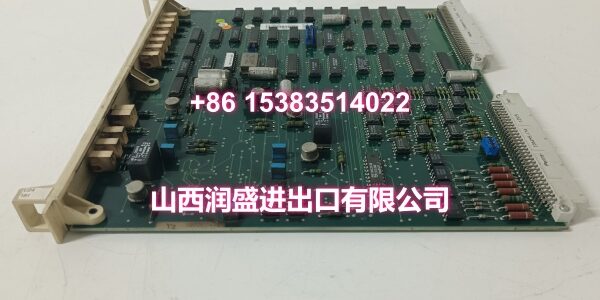
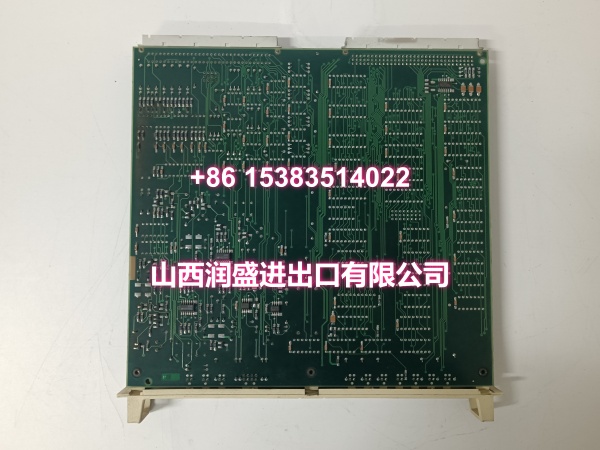
- Model: DSBC172 57310001-KD
- Brand: ABB
- Series: Advant Master / MasterPiece 200
- Core Function: Monitors and stabilizes system bus integrity within ABB Advant/legacy DCS rack environments, flagging faults before they cascade into controller or I/O failures.
- Product Type: Bus Supervision Board
- Key Specs: Front-panel LED status | Drop-in replacement | No software changes required | Revision KD
- Condition: New Original / New Surplus
Key Technical Specifications
- Function: System bus supervision and signal conditioning
- Compatible systems: ABB Advant Master, MasterPiece 200 / 200/1 legacy DCS racks
- Part number revision: 57310001-KD (KD hardware revision)
- Diagnostics: Front-panel LED indicators, test points on many revisions
- Signal conditioning: Stabilizes bus levels, mitigates noise on longer or heavily loaded racks
- Configuration: Typically no software changes required for drop-in replacement
- Installation: Rack plug-in board format
- Origin: Switzerland
- Net weight: approx. 0.25 kg
Product Introduction (No Fluff)
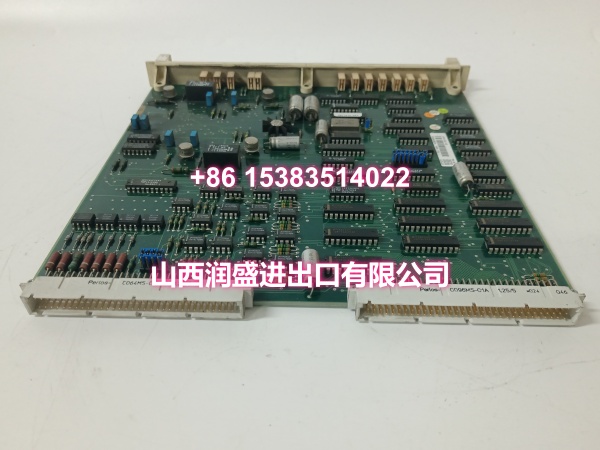
This is a bus supervision board for ABB Advant Master and MasterPiece 200 legacy DCS rack assemblies. It continuously monitors backplane bus integrity and timing, helping prevent erratic I/O updates and controller communication faults before they disrupt production.
The real value shows up during troubleshooting. Instead of chasing ghost faults across a noisy backplane, the front-panel LEDs give you a quick health read on the bus itself. Revision KD (57310001-KD) is the proven variant preferred across many installed bases. For plants keeping mature ABB systems alive, this board is a practical spare to have on the shelf.
QA & Testing SOP (Dynamic & Transparent)
This is a bus-level component, not an I/O module. Testing focuses on visual, mechanical, and continuity verification—not channel calibration.
- Incoming inspection — Verify part number 57310001-KD and revision suffix KD. Check for cracked PCB, damaged edge connector, corrosion, and label consistency.
- Connector inspection — Examine backplane mating contacts for bent pins, oxidation, or burn marks from poor seating or arcing.
- Continuity check — Use a multimeter to verify continuity between the board’s ground reference points and the rack chassis ground. Confirm no open circuits or unexpected resistance.
- Visual fit check — Verify the board slides cleanly into the designated rack slot without forcing. Warped PCBs or damaged guides indicate prior mechanical stress.
- Packing — Place in anti-static packaging with rigid backing to protect the edge connector during transit.
Installation Pitfalls & Guide (Engineer to Engineer)
❗ Slot position is not optional. Bus supervision boards belong in specific slots defined by the rack configuration manual. Installing one in the wrong position may leave the bus unmonitored or block a slot needed for active modules.
❗ Check the rack ground first. A supervision board can only do its job if the rack itself has a solid ground connection. A loose cabinet ground strap defeats the purpose of the board entirely.
❗ Do not confuse DSBC172 with DSBC173 or other variants. Suffix and part-number changes can affect bus timing, signal conditioning behavior, or slot compatibility. Always cross-check against your system hardware list.
❗ Handle by the edges. The edge connector is sensitive. Touching contacts with bare fingers introduces oils that accelerate oxidation over time.
Replacement steps
- Pre-install: Confirm the correct slot position from the rack manual. Back up controller configuration and document current bus status.
- Removal: If the system supports hot-swap for this board type, follow the ABB procedure. Otherwise, schedule a controlled rack power-down. Release the retaining mechanism and withdraw the old board straight out.
- Install: Align the new DSBC172 with the slot guides and seat it firmly until it mates fully with the backplane.
- Verification: Confirm mechanical seating, check LED diagnostics, and monitor bus error counters for at least 15 minutes after installation.
Technical FAQ
Is this an OEM genuine ABB part? We supply new original and new surplus stock depending on availability. If sealed original packaging is required, confirm before ordering.
Does DSBC172 need firmware or configuration? No. It is a bus supervision board with no firmware to load and typically no software changes required for drop-in replacement. Install it in the correct slot and verify LED status.
Can DSBC172 replace DSBC173 or other bus boards? Not automatically. DSBC172 and DSBC173 may differ in bus timing, signal conditioning, or slot requirements. Always verify against your ABB hardware list and rack manual before substitution.
What is the warranty? Warranty depends on condition and stock type. New surplus units typically carry shorter coverage than new original sealed stock. Confirm before purchase.