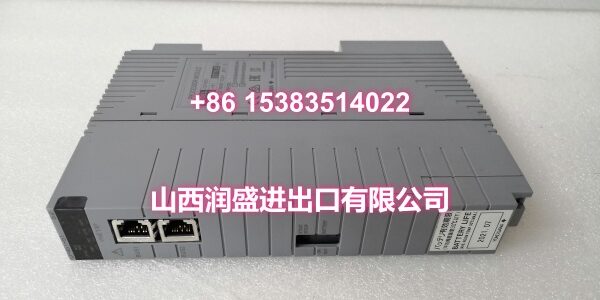
Product Core Brief
- Model: S9361DH-00
- Brand: YOKOGAWA
- Series: Yokogawa S9361 Series Control Module
- Core Function: Yokogawa control system module used in DCS/PLC or related automation applications; listed in the market as a controller module and terminal/wiring board type module.
- Product Type: Controller / Terminal Board Module
- Key Specs: Yokogawa S9361 series | “-00” suffix variant | DCS/PLC spare part
- Condition: New Original / New Surplus
- Status: Limited availability; confirm exact function, system platform, revision, and wiring definition before ordering
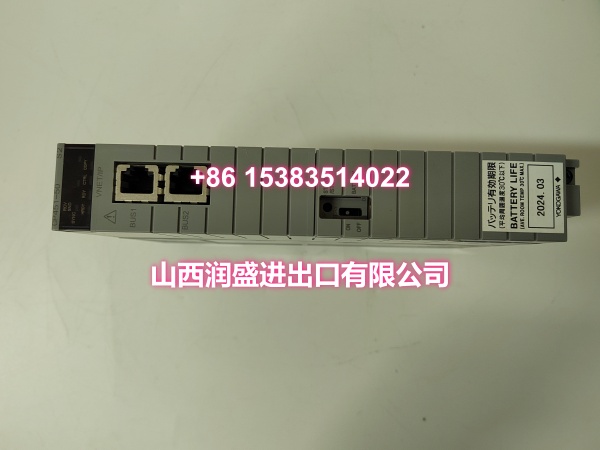
Key Technical Specifications
- Product type: Yokogawa control system module, listed as controller module and terminal board module
- Model code:
- Series: S9361 series
- System compatibility: Yokogawa DCS/PLC or related control system; exact platform to be confirmed from nameplate or project documentation
- Module function: Controller module or terminal/wiring interface module, depending on system context
- I/O / wiring definition: To be confirmed from module label, wiring diagram, or Yokogawa manual
- Revision/suffix: “-00” indicates a specific configuration or revision variant
- Typical applications: DCS/PLC maintenance spares, system retrofit, shutdown turnaround, and legacy Yokogawa system support
- Handling: ESD-sensitive control module; verify model code, revision, slot position, and wiring before installation
Note: Public listings describe S9361DH-00 as a Yokogawa controller module and terminal board module, but detailed electrical ratings, I/O definition, and compatible system platform cannot be confirmed without the module nameplate or official Yokogawa documentation.
Product Introduction
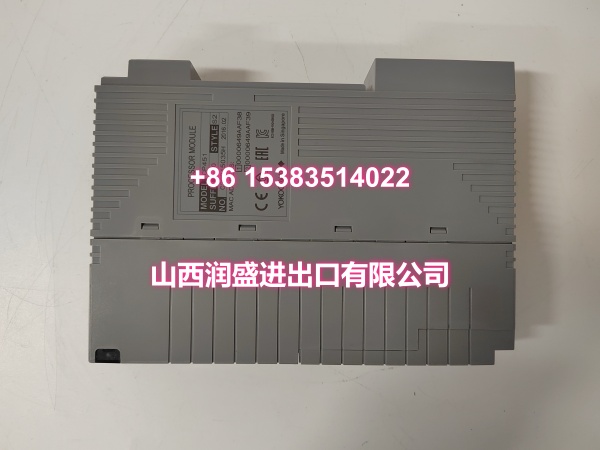
The S9361DH-00 is a Yokogawa control system module belonging to the S9361 series. In the aftermarket and spare-parts supply chain, it is referenced both as a controller module and as a terminal/wiring board type module for Yokogawa automation systems.
This makes the S9361DH-00 primarily relevant for maintenance, replacement, and spare-parts provisioning in existing Yokogawa DCS/PLC installations. Because Yokogawa legacy modules may share similar base codes but differ in revision, suffix, or wiring configuration, the “-00” suffix should be verified against the original installed unit.
For system integrators and procurement teams, the safest way to confirm compatibility is to compare the full model code, revision, slot position, wiring label, and system platform with the original module.
QA & Inspection SOP
Each unit is inspected before release:
- Nameplate verification: Confirm the model reads S9361DH-00 and record revision or batch information.
- Visual inspection: Check housing, connectors, terminals, and PCB for damage, corrosion, or burn marks.
- Connector check: Inspect pin connectors and terminal blocks for bent pins, looseness, or oxidation.
- Insulation check: Verify no visible short circuits between terminals, connectors, and ground.
- Label check: Confirm wiring label, slot ID, and system tag match the original module.
- Power-on test: If testable, apply rated power and verify normal module indication.
- Function check: Confirm compatibility with the original rack, backplane, or terminal base before deployment.
- Packaging: Protect connectors and terminals with anti-static packaging.
Full system validation requires installation in the correct Yokogawa control rack with verified configuration access.
Installation Pitfalls & Guide
❗ Confirm module function. S9361DH-00 has been listed as both a controller module and a terminal board module. Do not assume function without checking the label and wiring diagram.
❗ Match the full part number. The “-00” suffix may indicate a specific revision or configuration. Substituting with a different suffix may cause wiring or compatibility issues.
❗ Verify system platform. Confirm whether the module belongs to a Yokogawa DCS, PLC, or legacy control system before installation.
❗ Check slot and wiring. Terminal or controller modules must be installed in the correct slot with matching wiring labels.
❗ Follow plant safety procedures. De-energize the rack or I/O section before replacing modules.
Installation steps:
- Pre-install: Record the original module model, suffix, slot position, and wiring labels.
- Isolate power: Follow lockout/tagout procedures for the control rack.
- Install: Seat the S9361DH-00 firmly in the correct slot or terminal base.
- Wire: Reconnect wiring according to the original label and diagram.
- Power-up: Restore power and check module indicators.
- Verify: Confirm normal system operation and absence of I/O or communication alarms.
Technical FAQ
What isWA ?
It is a Yokogawa S9361 series control module, listed in the market as a controller module and terminal board module.
Which system does it belong to?
It is used in Yokogawa DCS/PLC or related control systems, but the exact platform should be confirmed from the module nameplate or project documentation.
Is it a power supply module?
No. It is not classified as a standard power supply module like PW482 or PW484. It is a control/terminal module.
What does “-00” mean?
“-00” is a suffix code indicating a specific configuration or revision variant. It should match the original module.
What should I check before ordering?
Confirm the full model code S9361DH-00, revision, slot position, wiring definition, system platform, and whether it functions as a controller module or terminal board. A nameplate photo is the most reliable way to verify compatibility.
If you can share the module nameplate, rack type, or a photo of the original installed unit, I can help confirm whether this S9361DH-00 is a direct replacement for your system.