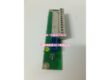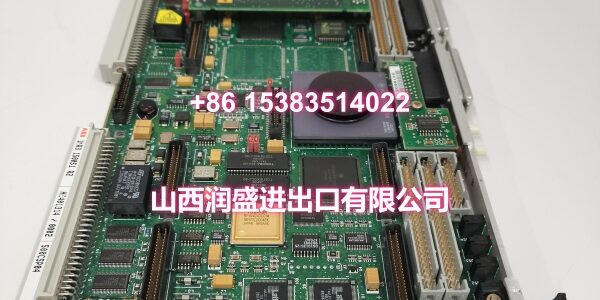
Product Core Brief
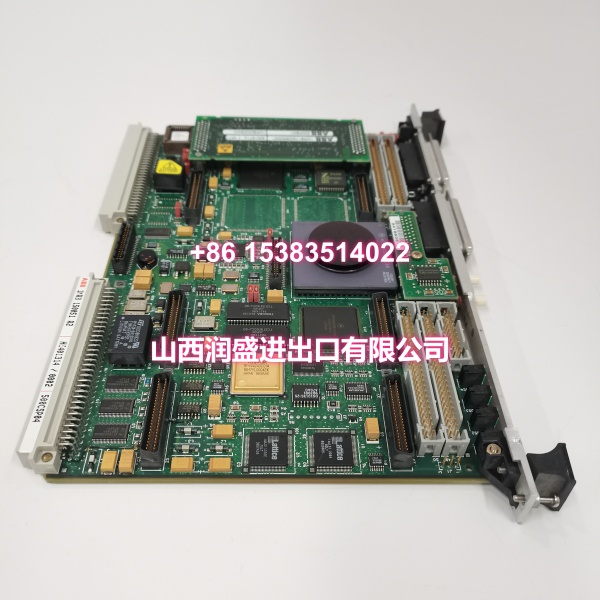
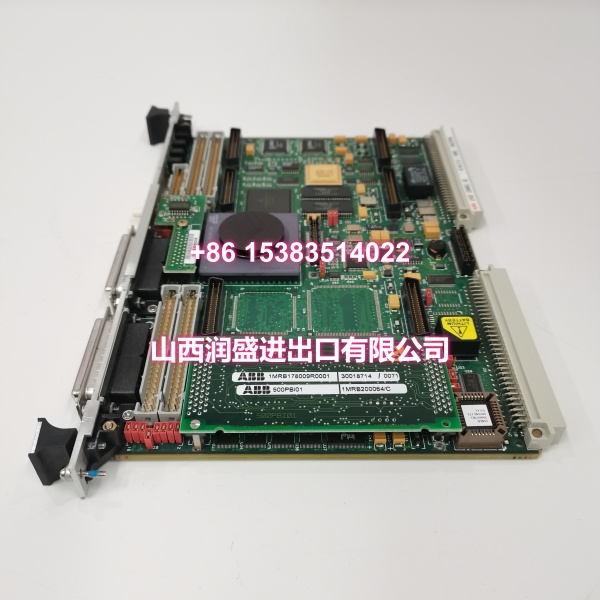
- Model: 500PB101 / 1MRB178009R0001 / 1MRB200064/C
- Brand: ABB
- Series: ABB AC500 PLC Series
- Core Function: Profibus-DP master communication module for AC500 PLC systems, enabling connection to Profibus-DP slave devices such as VFDs, remote I/O, and valve positioners.
- Product Type: Profibus-DP Communication Module
- Key Specs: Profibus-DP V1 protocol | 9.6 kbps to 12 Mbps data rate | Up to 126 slave devices | Galvanic isolation | Hot-swappable
- Condition: New Original / New Surplus
Key Technical Specifications
- Product Type: Profibus-DP Communication Module
- Brand: ABB
- Model Number: 500PB101 / 1MRB178009R0001 / 1MRB200064/C
- Series: ABB AC500 PLC Series
- Supported Protocol: Profibus-DP V1 (full compliance)
- Data Transmission Rate: 9.6 kbps to 12 Mbps (auto-negotiation or manual selection)
- Maximum Slave Devices: Up to 126 slave devices (theoretical maximum; actual count depends on network load and response time requirements)
- Communication Interface: Standard Profibus-DP connector (DB9 or terminal block, depending on variant)
- Electrical Isolation: Galvanic isolation between backplane bus and Profibus port, preventing EMI and ground loop interference
- GSD File Support: Supports standard GSD (General Station Description) file import for easy device configuration in ABB Automation Builder or Control Builder
- Mounting Method: DIN rail mounting, backplane bus connection to AC500 rack
- Operating Temperature: 0°C to +55°C
- Storage Temperature: -25°C to +70°C
- Humidity: 5% to 95% (non-condensing)
- Protection Rating: IP20
- Compliance Standards: IEC 61158, IEC 61784, CE, UL
- Hot-Swap Support: Yes, supports hot-swapping for module replacement without system shutdown
- LED Indicators: RUN (running), FAULT (fault), BUS (bus communication status)
- Typical Applications: Connecting VFDs, remote I/O racks, valve positioners, and other Profibus-DP slave devices to AC500 PLC; building distributed control networks in manufacturing, process control, and infrastructure automation
Product Introduction
The ABB 500PB101 (order code 1MRB178009R0001, with 1MRB200064/C referring to the accompanying GSD file package or software component) is a Profibus-DP master communication module for the ABB AC500 PLC platform. It serves as the communication bridge between the AC500 CPU and Profibus-DP slave devices, enabling the PLC to manage distributed I/O, VFDs, valve positioners, and other field devices over a Profibus-DP network.
What makes this module particularly valuable for system integrators is its “plug-and-play” integration. By importing standard GSD files from device manufacturers into ABB’s programming environment (Automation Builder or Control Builder), you can configure the entire Profibus-DP network topology and data mapping without writing complex low-level communication code. The module supports data rates from 9.6 kbps to 12 Mbps, allowing you to optimize network performance based on cable length and device response requirements.
The galvanic isolation between the backplane bus and the Profibus port is a critical feature for harsh industrial environments. It prevents electromagnetic interference (EMI) and ground loops on the fieldbus side from propagating back to the PLC CPU, protecting the core controller from electrical noise common in drive-heavy installations. The hot-swap capability means you can replace a faulty module without shutting down the production line — a significant advantage for continuous-process applications where downtime is costly.
QA & Testing SOP
Every unit undergoes a standardized verification process before shipment:
- Visual & Anti-Counterfeit Check: Inspect the PCB for proper ABB branding, verify all identifiers (500PB101, 1MRB178009R0001, 1MRB200064/C) match the label, and check for signs of previous installation such as connector wear, burnt components, or corrosion on the Profibus port.
- Backplane Communication Test: Insert the module into an AC500 test rack and verify that the CPU recognizes the Profibus-DP module correctly via the backplane bus, confirming proper firmware handshake and slot registration.
- Profibus-DP Master Function Test: Connect the module to a Profibus-DP test network with known slave devices (e.g., remote I/O, VFD simulator). Verify that the module can scan the bus, recognize all connected slaves, and establish cyclic data exchange at multiple baud rates (9.6 kbps, 19.2 kbps, 125 kbps, 1.5 Mbps, 12 Mbps).
- GSD File Import & Configuration Test: Import a standard GSD file into ABB Automation Builder and configure the module as a Profibus-DP master. Download the configuration to the module and verify that it correctly interprets the GSD parameters and communicates with the corresponding slave device.
- Galvanic Isolation Verification: Confirm electrical isolation between the backplane bus and the Profibus port meets specification (typically 500V AC or higher dielectric strength).
- Hot-Swap Test: With the AC500 system running and communicating with slave devices, remove the module and reinsert it. Verify that the system recovers communication automatically after reinsertion without requiring a CPU restart.
- LED Indicator Verification: Confirm that RUN, FAULT, and BUS LEDs respond correctly to various operational states (normal operation, communication loss, configuration error).
- Anti-Static Packaging: After passing all tests, the module is placed in anti-static shielding bags with desiccant packs and rigid cardboard protection for safe transit.
Installation Pitfalls & Guide
Real-World Risks When Replacing This Module:
❗ Profibus-DP Termination Resistors: Every Profibus-DP network segment must have termination resistors enabled at both ends of the bus. Missing or incorrectly configured terminators cause signal reflections that lead to intermittent communication faults, especially at higher baud rates. The 500PB101 module typically has a built-in termination resistor that can be enabled via a switch or jumper — verify the setting matches your network topology.
❗ Baud Rate Mismatch: All devices on a Profibus-DP segment must operate at the same baud rate. If the 500PB101 is configured for 12 Mbps but a slave device is set to 125 kbps, communication will fail for that device. Always verify that the baud rate configured in the PLC program matches the physical settings of all slave devices on the network.
❗ GSD File Version Mismatch: When importing GSD files for slave devices, ensure you are using the correct version that matches the actual firmware of the slave device. An outdated or incorrect GSD file can cause parameter configuration errors and communication failures. Always obtain the latest GSD file from the device manufacturer.
❗ Address Conflict: Each Profibus-DP slave device must have a unique station address (1–126). Duplicate addresses cause both devices to become unreachable. Before commissioning, verify that all slave device addresses are unique and do not conflict with the master’s address (typically address 0 or 1).
❗ Cable Length Limitations: Profibus-DP has strict cable length limits that depend on the baud rate. At 12 Mbps, the maximum segment length is only 100 meters; at 9.6 kbps, it extends to 1200 meters. Exceeding these limits causes communication errors. Use repeaters to extend the network if necessary.
4-Step Replacement Guide:
- Pre-Install: If hot-swapping, ensure the AC500 system is running and note the current network status. If performing a cold replacement, power down the rack or isolate the communication section. Document the existing Profibus cable connections and note the module’s slot position. Back up the current PLC program and Profibus configuration from the engineering station.
- Removal: For cold replacement, disconnect the Profibus cable from the module’s DB9 or terminal connector. Release the module locking mechanism and carefully slide the old module out of the DIN rail slot. For hot-swap replacement, simply disconnect the Profibus cable and release the module — the system should continue running with the remaining modules.
- Install: Align the new 500PB101 with the DIN rail guides and slide it firmly into place until it locks. Set the termination resistor switch/jumper if this module is at the end of the Profibus segment. Reconnect the Profibus cable, verifying the pin assignments (typically pins 3 and 8 for data A/B).
- Power-On Test: For cold replacement, restore power and verify that the CPU recognizes the module. Download the Profibus configuration if needed. Verify that the BUS LED indicates active communication. For hot-swap, the module should automatically rejoin the network — verify that the FAULT LED is off and the BUS LED shows normal activity. Test communication with each slave device by reading/writing data points.
Technical FAQ
Can this module act as both a Profibus-DP master and slave? No. The 500PB101 is designed exclusively as a Profibus-DP master (class 1 master). It cannot operate as a Profibus-DP slave. If you need the AC500 PLC to act as a slave on another Profibus network, you would need a different communication module designed for slave operation.
What is the difference between 1MRB178009R0001 and 1MRB200064/C? The 1MRB178009R0001 is the order code for the physical 500PB101 module itself. The 1MRB200064/C typically refers to the accompanying GSD file package or software component that supports the module’s configuration in the engineering software. When ordering a replacement module, you receive the physical hardware; the GSD files are usually available for download from ABB’s support portal or included with the programming software.
How many slave devices can this module actually handle in practice? The theoretical maximum is 126 slave devices. However, the practical limit depends on several factors: the baud rate, the amount of data exchanged with each slave, the response time requirements of your application, and the total bus cycle time. For typical applications with moderate data volumes, 30–60 slave devices is a common practical range. If you need to connect more devices or require faster response times, consider segmenting the network with repeaters or using multiple Profibus-DP master modules.
Can I use standard Profibus-DP cables with this module? Yes. The 500PB101 uses standard Profibus-DP connectors and cabling. You can use any Profibus-DP-compliant cable (typically shielded twisted pair with purple jacket) and standard DB9 Profibus connectors. Ensure the cable meets the impedance specification (150Ω ± 15Ω) for reliable communication.
What happens if the GSD file for a slave device is not available? Without the correct GSD file, you cannot properly configure the slave device in the AC500 programming software. The GSD file contains the device’s parameter definitions, data structure, and communication characteristics. If the GSD file is unavailable, contact the slave device manufacturer for the latest version. As a temporary workaround, you may be able to use a generic GSD file with similar characteristics, but this is not recommended for production systems.
What warranty do you offer on New Surplus parts? We provide a full 12-month warranty on all New Original / New Surplus units. This is fundamentally different from refurbished communication modules, which often carry 30–90 day warranties and come with unknown thermal cycling history, degraded Profibus connectors, and potential firmware corruption. For a Profibus-DP master module that manages your entire fieldbus network, the reliability difference between new surplus and refurbished directly impacts network uptime and data integrity.