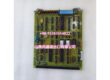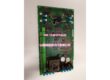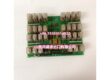
Product Core Brief
- Model:
- Brand: GE
- Series: PACSystem RX3i
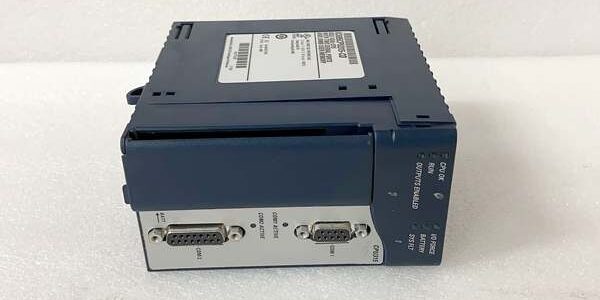
- Core Function: Executes user control logic and manages RX3i backplane I/O communications.
- Product Type: PLC CPU Processor Module
- Key Specs: 32MB User Memory | Supports IEC 61131-3 | 10Mbps backplane communication Note: Active production status; new original and surplus units circulate in industrial supply channels.
Key Technical Specifications
- Logic Execution Speed: 0.1μs per boolean instruction
- User Memory: 32MB program & data memory
- Supported Programming Standards: IEC 61131-3
- Backplane Bus Speed: 10 Mbps
- Supported Protocols: Serial RS232, Ethernet, SNP, SRTP
- Operating Temperature: 0°C to 60°C (horizontal mounting)
- Storage Temperature: -40°C to 85°C
- Power Consumption: 4.5W maximum
- Dimensions: Standard RX3i single-width module form factor
- Enclosure Requirement: Must be installed within an industrial control cabinet
Product Introduction
This processor serves as the main control unit for PACSystem RX3i rack-based PLC systems. It runs ladder logic, structured text and other IEC programs to coordinate local and distributed I/O hardware.
The unit delivers consistent backplane throughput for medium-sized process control racks. It supports remote programming access over Ethernet for on-site and offsite maintenance workflows.
QA & Testing SOP (Transparency Building)
- Incoming Inspection: Verify part marking, serial number traceability and anti-counterfeit label checks. Inspect PCB edge connectors for corrosion, bent pins or physical damage.
- Live Testing: Mount into a spare RX3i rack, apply nominal 24VDC power, complete Ethernet and serial comms handshake. Maintain continuous 24-hour load cycle testing.
- Electrical Testing: Use Fluke 115 to confirm supply voltage stability; insulation resistance testing targets values above 10MΩ between signal circuits and chassis ground.
- Firmware/Config Backup: Record installed firmware revision. Capture photos of all module DIP switch positions before any configuration reset.
- Final QC & Packaging: Secure unit in anti-static packaging. Attach physical QC tag with test timestamp and technician identifier before shipment.
Installation Pitfalls & Guide (Engineer to Engineer)
❗ Firmware Rev Mismatch: Older RX3i racks cannot run newer firmware revisions. Mismatched versions trigger persistent backplane communication timeouts. Confirm rack hardware compatibility before flashing firmware. ❗ DIP Switch/Jumper Errors: Always photograph switch settings on the existing unit prior to removal. Incorrect switch configuration breaks Ethernet address assignment and serial port operation. ❗ Wiring Incompatibilities: Serial port pinouts follow GE proprietary layout. Do not substitute generic RS232 cables; miswiring can damage the onboard transceiver. ❗ ESD Dangers: Unprotected handling without wrist grounding risks internal silicon failure. Field records confirm static discharges can render this unit non-functional with no visible external damage. ❗ Backplane Load Miscalculations: Calculate total power draw of all installed modules. Overloading the rack power supply creates intermittent CPU fault codes.
Replacement Guide:
- Pre-install: Power down rack, engage lockout-tagout, gather photos of existing module configuration.
- Removal: Release module latches, slide unit straight out without twisting edge connectors.
- Install: Fit new unit into empty slot, lock latches fully, cross-check all switch positions against reference photos.
- Power-on Test: Restore power, monitor CPU status LED; upload backup program and verify all I/O communications.
FAQ (Frequently Asked Questions)
Q: Is hot swapping supported for this processor? A: No. The unit connects directly to the RX3i backplane control bus. Hot removal corrupts rack configuration data and can damage adjacent I/O modules. Full rack shutdown is mandatory.
Q: Can I upgrade firmware on this unit in the field? A: Yes. Firmware updates are completed via Ethernet using Proficy Machine Edition. Always back up the user program before initiating the flash process. Power loss mid-update bricks the controller.
Q: What warranty terms apply to surplus inventory units? A: Surplus tested units carry a limited operational warranty. Factory-new units follow GE standard OEM warranty policies. Confirm coverage terms with your supplier before order confirmation.
Q: When does this unit require an upgrade path? A: If your project demands higher memory or faster scan rates, evaluate newer RX3i processor variants. This hardware does not support expansion beyond its native 32MB memory ceiling.
Q: Will program files transfer directly between a worn unit and a replacement unit? A: Program code is fully transferable, but hardware configuration must be validated. If the new module firmware differs, minor logic adjustments may be needed to resolve runtime faults.
Q: How long does typical power-on self-test (POST) take after installation? A: Standard POST completes within 15–45 seconds. If the fault LED stays lit beyond two minutes, inspect switch settings and backplane seating.
Q: Can this unit operate without an Ethernet connection? A: Yes. Control logic runs locally without Ethernet; the network port is only required for programming and remote HMI communications. Serial RS232 provides an alternate programming path.