Field Engineer’s Notes (From the Trenches)
The “Gotcha” is Terminal Base Selection & TC Polarity.
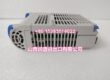
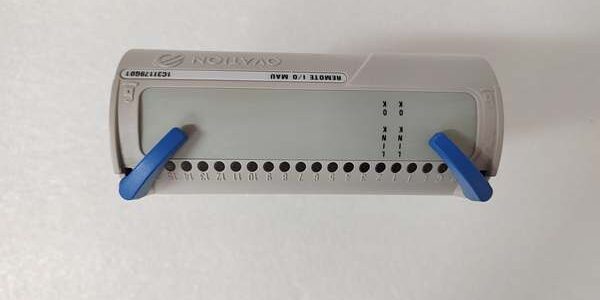
Terminal Base (TBSH vs Generic): The 1C31179G01 mustplug into an Ovation TBSH (Standard High Density) or TBQC (Q-Series) base — e.g., 1C31125G02 (TBSH02) or equivalent. These bases have the CJC thermistors and the Drop Bus interface. You cannot land TC wires on a generic terminal block — the module has no screw terminals of its own; the TB base provides them. If you try to use a non-Ovation base, the module won’t seat or communicate.
TC Polarity: Thermocouples are polarity-sensitive (Seebeck effect). Reversing the leads (TC+ to Terminal –, TC– to Terminal +) will cause the reading to go negativeor decrease when heated. Always land:
- TC (+) Lead → Terminal marked “+” or “TC+” on the TBSH base
- TC (–) Lead → Terminal marked “–” or “TC–” on the TBSH base
Use a DMM on mV: heat the junction; if mV is positive, polarity is correct for the type selected in Ovation.
Shield Grounding: Use shielded twisted pair for TC extensions. Drain the shield at the TBSH base ground terminal (⏚) — only one end(typically at the Ovation I/O end). Never ground both ends — creates ground loop that injects noise into the low-level mV signal.
CJC Selection in Ovation: In the I/O Definition → Module → CJC Source = “Base Thermistor” (recommended) vs “Module Internal”. If you use Base Thermistor, ensure the TB base is the correct type (TBSH/TBQC with thermistors — most are).
Real-World Applications
- Coal-Fired Boiler (Furnace Temp & Gas Temp): 12 × 1C31179G01 modules in Ovation Drops near the boiler front read 96 x Type S (Platinum-Rhodium) TCs from the furnace crown and superheater outlet headers. TBSH bases with thermistors correct for the +45°C MCC ambient, ensuring the 1050°C soak is accurate within 2°C — critical for slagging control and NOx tuning.
- Chemical Reactor Jacket (Temp Control): 4 channels Type T (Copper-Constantan) on a pharma batch reactor jacket, 4 channels 4-20mA (scaled to mV) for internal batch temp. The Open Wire detect caught a loose TC compression fitting during the wash cycle, preventing an exotherm runaway.
High-Frequency Troubleshooting FAQ
Q: Module “OK” LED Green, but all 8 channels read “0” or a fixed value (e.g., –17°C) and don’t change with TC heating.
A: TC Type Mismatch or Polarity Reversed / Open Loop.
- Check the I/O Definition in Ovation: Is the TC Type (J/K/T/S etc.) set correctly per channel? Setting Type K but wiring a J-type TC gives a wrong reading (different Seebeck coefficients).
- Check TC Polarity at the TBSH terminal base. Swap leads temporarily — if the reading flips sign (e.g., –200°C → +200°C), polarity was wrong.
- Check for Open TC: Disconnect TC at the terminal base. Measure resistance between + and – terminals on the base. Should be low ohms (wire + Tx resistance). If OL (infinite), the TC or extension wire is open/broken — the module should also show “Open Wire” alarm in Ovation if enabled.
Q: Reading drifts or is off by a consistent amount (e.g., +5°C high on all points of one module).
A: CJC Source or Ambient Issue.
- Verify in Ovation I/O Def that CJC Source = “Base Thermistor” (if your TBSH base has them — most do). If set to “Module Internal” and the base is much hotter/colder than the module, you get an offset error equal to the ΔT × TC sensitivity (≈ 41µV/°C for Type K ≈ 1°C/mV error).
- Feel the TBSH base — if it’s unusually warm (>50°C) due to poor ventilation behind the panel door, consider adding a small muffin fan or re-locating the drop. The base thermistor will still compensate, but extreme gradients can introduce small errors.
Q: Drop Controller shows “I/O Module Not Responding” or module “Fault” LED Red.
A: Seating or Terminal Base Issue.
- Power down the Drop (or the individual I/O slot if your rack supports hot-swap — Ovation typically does). Loosen the two module thumb-screws, pull the module straight out, inspect the gold-edge finger connector for contamination/bent pins.
- Ensure the TBSH/TBQC Terminal Base is firmly bolted to the DIN rail / panel and the Drop Bus ribbon/cable is seated in the base (rear of base).
- Re-insert the 1C31179G01: align, press firmly until it clicks/seats, tighten thumb-screws evenly. Power up. The “OK” LED should blink during init then go steady Green.
- If Fault persists → try the module in a known-good TBSH base in the same drop (swap test). If it works, original base may have a failed Drop Bus interface or damaged connector. If it fails in a good base → module defective.
Please note: The listed price is not the actual final price. It is for reference only and is subject to appropriate negotiation based on current market conditions, quantity, and availability.
如果您原本想查的是 GE / Foxboro / Honeywell 的其他部件,或需要确认 Ovation Terminal Base (如 1C31125G02 TBSH02) 的配套资料,直接发型号即可。