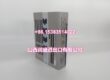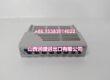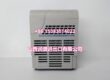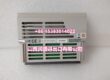
Product Core Brief
- Model: F3BU06-0N
- Brand: YOKOGAWA
- Series: FA-M3 / FA-M3R Range-free Controller
- Core Function: 6-slot base module that integrates the power supply and backplane, housing the CPU and up to five I/O or special function modules in a single rack.
- Product Type: PLC Base Module (Base Unit with integrated power supply)
- Key Specs: 6 slots (CPU + I/O) | F3PU10-0N power supply (100–240V AC) | M4 screw terminal mounting
- Condition: New Original / New Surplus
Key Technical Specifications
- Product type: Base module (base unit with integrated power supply)
- Series compatibility: FA-M3 / FA-M3R range-free PLC
- Slot configuration: 6 slots for CPU and I/O modules (power supply slot is not counted)
- Integrated power supply: F3PU10-0N
- Power supply input: 100 to 240V AC, single phase, 50/60 Hz
- Supply voltage fluctuation range: 85 to 264V AC, 50/60 Hz ±3 Hz
- Rated output: 5V DC (backplane bus power for mounted modules)
- Terminal type: M4 screw terminals
- Mounting: Panel-mounted (control panel / DIN-style rail mounting depending on configuration)
- System expansion: Main unit can connect up to 7 sub-units via fiber-optic FA-bus (F3LR02)
- Max I/O points: Up to 8,192 range-free I/O points across the system
- Operating environment: Industrial panel installation, standard industrial temperature and humidity range per FA-M3 general specifications
Product Introduction
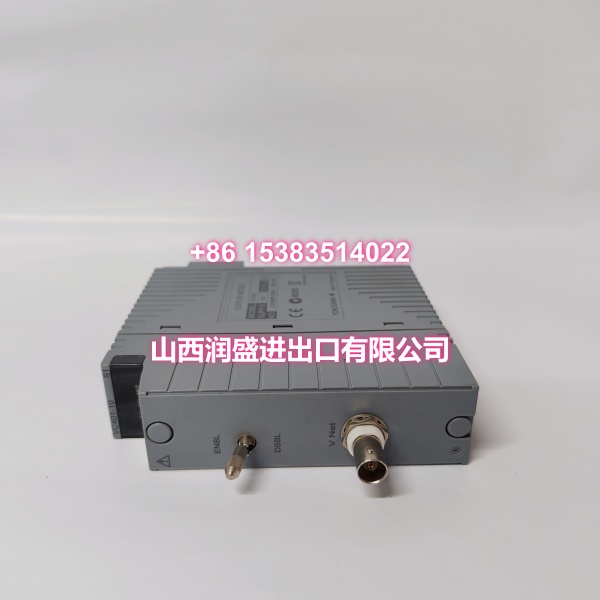
The F3BU06-0N is a 6-slot base module for the YOKOGAWA FA-M3 / FA-M3R range-free PLC platform. It combines the backplane and an F3PU10-0N AC power supply into a single assembly, providing six module positions for the CPU and I/O cards. This makes it a common choice for compact machine control panels and small-to-medium process skids where panel space is limited.
From a maintenance standpoint, this unit matters because it is the mechanical and electrical backbone of the rack. A failed base module usually means a full station outage, so having a verified replacement on the shelf cuts downtime significantly. The 6-slot size hits the sweet spot between the smaller 4-slot unit and the larger 9/13/16-slot racks, which is why it shows up frequently in legacy FA-M3 installations.
QA & Testing SOP
Base modules are passive backplane assemblies with an integrated power supply, so testing focuses on mechanical integrity and power delivery rather than firmware.
- Visual and label inspection: Verify the model plate reads F3BU06-0N, check for physical damage to the housing, and confirm the integrated power supply matches F3PU10-0N.
- Backplane connector inspection: Each of the six module slots is checked for bent pins, contamination, or worn contacts. This is the most common failure point on used racks.
- Terminal block check: M4 screw terminals are inspected for stripped threads, corrosion, or overheating discoloration.
- Power-up and output test: The unit is energized at rated AC voltage and the 5V DC backplane output is measured under load to confirm it stays within tolerance.
- ESD-safe packaging: The assembled unit is packed in anti-static material with corner protection, since the backplane connectors are easily damaged in transit.
Note: Full system validation requires mounting a compatible CPU and I/O modules and running a communication test. If you need a powered-up loop test with specific modules, confirm the module list before dispatch.
Installation Pitfalls & Guide
❗ Slot 001 is reserved for the sequence CPU. When rebuilding a rack, the main CPU must go into slot 001 immediately to the right of the power supply section. Additional CPUs, if used, go into slots 002–004 only.
❗ Do not mix base module sizes with the wrong power supply. The F3BU06-0N is paired with the F3PU10 series. Larger 9/13/16-slot bases use F3PU20/F3PU30/F3PU26/F3PU36. Forcing the wrong supply or swapping assemblies carelessly can overstress the backplane.
❗ Mind the sub-unit count. A main unit supports up to seven sub-units via fiber-optic FA-bus. Each sub-unit needs its own rotary switch unit number set correctly, or the CPU will not scan the remote I/O.
❗ Secure the M4 terminals properly. Loose AC input wiring is a leading cause of intermittent power faults and terminal discoloration on these racks. Torque to spec and recheck after the first thermal cycle.
Replacement steps:
- Pre-install: Back up the CPU program, record slot assignments and sub-unit numbers, and confirm the replacement base matches the original slot count.
- Removal: Disconnect AC power, label all field wiring, unplug module connectors, and remove modules in order (I/O first, CPU last).
- Install: Mount the new base, seat modules firmly into their original slots, and reconnect field wiring to the correct terminals.
- Power-on test: Apply AC power, verify the power supply LED, check CPU run/stop status, and confirm I/O scans without faults.
Technical FAQ
Is the F3BU06-0N a direct replacement for my existing 6-slot base?
Yes, provided your current unit is also a 6-slot FA-M3 base with an F3PU10-series power supply. The physical dimensions and slot layout are standardized across the FA-M3 base module family, so module cards transfer directly.
Can I move my existing CPU and I/O cards to this base?
Yes. All FA-M3 modules share the same physical footprint. Just preserve the original slot order, especially the CPU in slot 001, and the system should come back online without reprogramming.
What is the difference between F3BU06-0N and F3BU04-0N?
Slot count. The F3BU04-0N has 4 slots, the F3BU06-0N has 6. Both use the F3PU10 power supply. If your application has outgrown 4 slots, the 6-slot base is the natural upgrade without changing power supply type.
Is this module obsolete?
The FA-M3 platform is a mature product line. While newer controllers exist, FA-M3 hardware remains widely deployed and supported with replacement stock. For long-term planning, confirm your site’s lifecycle policy, but this unit is still serviceable for existing installations.
Do you offer warranty on surplus stock?
Surplus and new-original units are typically covered by a limited functional warranty. Exact terms depend on stock source and condition, so confirm warranty length and return conditions before ordering.