Product Core Brief
- Model: YS1700-100/A06/A31
- Brand: Yokogawa
- Series: YS1000 Series / YS1700 Programmable Indicating Controller
- Core Function: Single-loop programmable PID controller for process control applications.
- Product Type: Programmable Indicating Controller
- Key Specs: 2-wire transmitter input (isolated) | RS-485 communication (PC-Link, Modbus, YS protocol, point-to-point) | 100V AC / 24V DC dual power | PID, cascade, selector control
- Condition: New Original / New Surplus
Key Technical Specifications
- Manufacturer: Yokogawa Electric
- Part Number: /A06/A31
- Product Family: YS1000 Series — YS1700 Programmable Indicating Controller
- Base Model Suffix (-100): Basic type, 100V AC / 24V DC dual power supply
- Input Suffix (/A06): 2-wire transmitter input, isolated (typically 4-20mA DC)
- Communication Suffix (/A31): RS-485 communication — supports PC-Link, Modbus, YS protocol, and point-to-point communication
- Control Modes: Single-loop, cascade, auto-selector (programmable and multifunction controller modes)
- Control Types: Basic PID, proportional, sample PI, batch PID with nonlinear PID, SV filter, and self-tuning
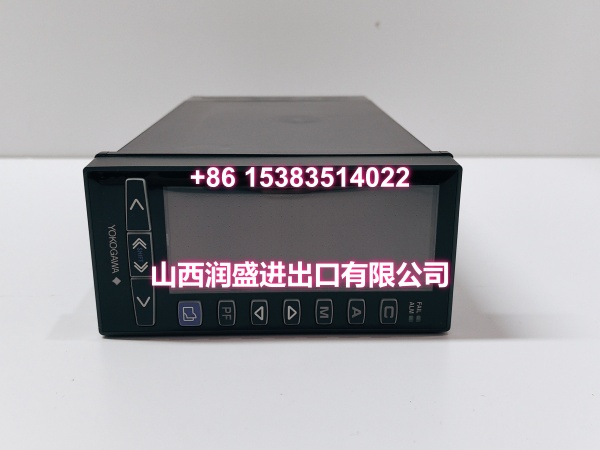
- Display: Full dot-matrix color LCD with meter, trend, bar graph, alarm, and event screens
- Programming: Function block (up to 400 modules) and text programming (up to 1000 steps) via YSS1000 software
- Architecture: Dual CPU (control + display) with independent hard manual circuit for fail-safe operation
- Typical Applications: Temperature, pressure, flow, and level control in chemical, petrochemical, power, and manufacturing processes; DCS backup; standalone loop control
Product Introduction
The YS1700-100/A06/A31 is a Yokogawa YS1000 series programmable indicating controller designed for single-loop process control. The -100 base model supports dual power supply (100V AC / 24V DC), the /A06 option provides an isolated 2-wire transmitter input for direct 4-20mA loop-powered sensor connection, and the /A31 option adds RS-485 communication with support for Modbus, PC-Link, YS protocol, and point-to-point communication.
With its dual-CPU architecture and independent hard manual circuit, the YS1700 maintains display and manual operation even if one CPU fails. The controller supports both function block and text programming through the YSS1000 configuration software, enabling complex control strategies including cascade, selector, feedforward, and nonlinear PID control.
For maintenance and procurement teams, the YS1700-100/A06/A31 is a direct-fit replacement for existing units in the field. Its backward compatibility with YS100/YS170 legacy installations makes it a reliable choice for upgrading or maintaining single-loop control systems without reworking panel cutouts or field wiring.
QA & Testing SOP
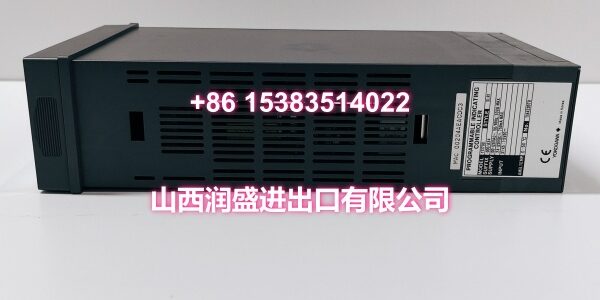
- Nameplate verification: Confirm full part number YS1700-100/A06/A31, serial number, and manufacturing markings.
- Visual inspection: Check front panel, LCD display, keypad, terminal block, and housing for damage, corrosion, or impact marks.
- Power-up test: Apply 100V AC or 24V DC and verify normal boot, display initialization, and no fault LEDs.
- Input verification: Connect a 4-20mA source to the /A06 isolated input and confirm correct PV reading and scaling.
- Communication test: Connect via RS-485 and verify Modbus/PC-Link/YS protocol communication with a host device or PC.
- Output check: Verify control output (4-20mA) response in manual mode and during auto tuning.
- Hard manual test: Engage the hard manual wheel and confirm independent output control.
- ESD-safe packing: Ship in anti-static packaging with terminal protection and nameplate photos for receiving QA.

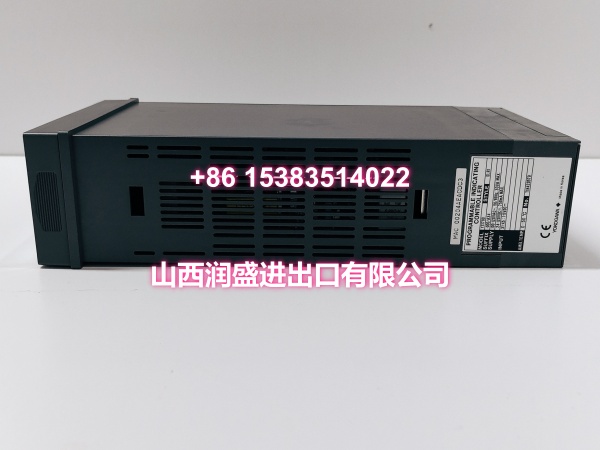
Installation Pitfalls & Guide
❗ Verify the suffix codes before installation. The /A06 input and /A31 communication options must match the existing unit’s configuration. Substituting different suffixes (e.g., /A07 non-isolated input or /A32 DCS-LCS) will change wiring and communication behavior.
❗ Confirm power supply compatibility. The -100 base supports 100V AC / 24V DC dual power. Ensure the site power matches the configured supply.
❗ Do not hot-swap without procedure. Disconnect power and follow plant MOC procedures before removing or installing the controller.
❗ Check RS-485 wiring polarity and termination. Incorrect RS-485 wiring will prevent communication. Verify A/B polarity and add termination resistors if required by the network topology.
❗ Verify input loop wiring. The /A06 isolated 2-wire transmitter input must be wired correctly to the field transmitter. Reversed polarity will prevent proper PV measurement.
Replacement steps:
- Pre-install: Photograph the existing unit’s nameplate and terminal wiring. Confirm suffix codes, power supply, and communication settings.
- Isolate loop: Place the control loop in manual or safe state. Disconnect field wiring as needed.
- Replace controller: Remove the faulty unit and install the YS1700-100/A06/A31, reconnecting all terminals per the wiring diagram.
- Commission: Restore power, verify display and PV reading, test RS-485 communication, configure control parameters, and return the loop to automatic operation.
Technical FAQ
Is pricing flexible? Yes. Price depends on condition, stock availability, and whether the unit is new original or new surplus. Urgent shutdown replacements can be prioritized.
What warranty is included? Surplus YS1700 controllers typically carry a limited functional warranty, often 30–90 days, unless otherwise agreed. Final terms depend on stock source and customer QA requirements.
What does /A06 mean? The /A06 suffix indicates an isolated 2-wire transmitter input, typically accepting 4-20mA DC from loop-powered field transmitters.
What does /A31 mean? The /A31 suffix adds RS-485 communication supporting PC-Link, Modbus, YS protocol, and point-to-point communication.
Can it replace older YS170 or YS100 units? Yes. The YS1700 is designed with backward compatibility for YS100/YS170 installations, maintaining similar panel cutout dimensions and terminal arrangements.
Do you provide test records? We can provide nameplate photos, visual inspection notes, power-up verification, input/output checks, and communication test records. Full FAT-style reports can be arranged if required.