Product Core Brief
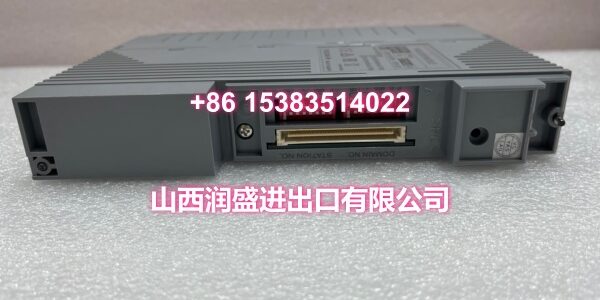
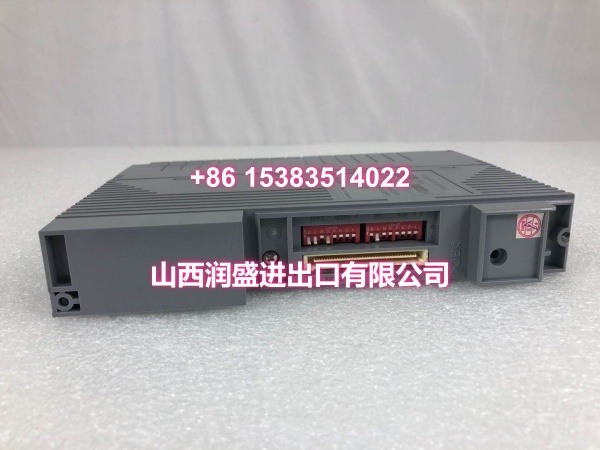
- Model: F3BU06-0N
- Brand: YOKOGAWA
- Series: FA-M3 PLC
- Core Function: 6-slot base module that holds the CPU, power supply, and I/O modules in a FA-M3 PLC rack.
- Product Type: PLC Base Module / Backplane Unit
- Key Specs: 6 slots | 100 × 205 mm mounting footprint | 88.5 mm module depth | For FA-M3 CPU and I/O modules
- Condition: New Surplus / OEM Original
Key Technical Specifications
- Part Number:
- Product Type: Base Module (Backplane) for FA-M3 PLC
- Slot Count: 6 slots
- Mounting Width: 100 mm
- Mounting Height: 205 mm
- Module Depth: 88.5 mm (excluding protrusions such as connectors and terminal blocks)
- Compatible Power Supply: F3PU10-0N
- Compatible CPU: FA-M3 sequence control CPU modules
- Compatible I/O: FA-M3 digital, analog, and communication I/O modules
- Backplane Code Reference: /D1 variant within FA-M3 base module family
- Mounting Method: DIN-rail or panel-mounted PLC rack base
- Explosion Protection: None (standard industrial installation)
Product Introduction
This F3BU06-0N is a 6-slot base module for the YOKOGAWA FA-M3 PLC system. It provides the backplane bus that connects the CPU, power supply, and I/O modules, forming the physical and electrical foundation of a small-to-medium PLC rack.
Its main value is mechanical and electrical integrity. If the base module is damaged, mis-seated, or corroded, the entire rack can lose communication or power distribution. This unit is suitable for replacement, expansion, or spare-parts stocking when the FA-M3 station uses a 6-slot configuration with an F3PU10-0N power supply.
QA & Testing SOP
- Label and counterfeit inspection: Verify “F3BU06-0N” marking, lot/serial data, and overall label condition.
- Backplane connector inspection: Check slot contacts for bent pins, oxidation, contamination, or heat discoloration.
- Mechanical fit check: Confirm module seating, rail clips, and slot alignment before installing CPU or I/O cards.
- Continuity and insulation check: Inspect backplane traces and connector housings for cracks, burns, or foreign material.
- Functional rack test: Install into a verified FA-M3 rack with a compatible power supply and CPU, then confirm power-up and module recognition.
All units are handled with ESD-safe packaging and labeled with received condition, inspection date, and test status.
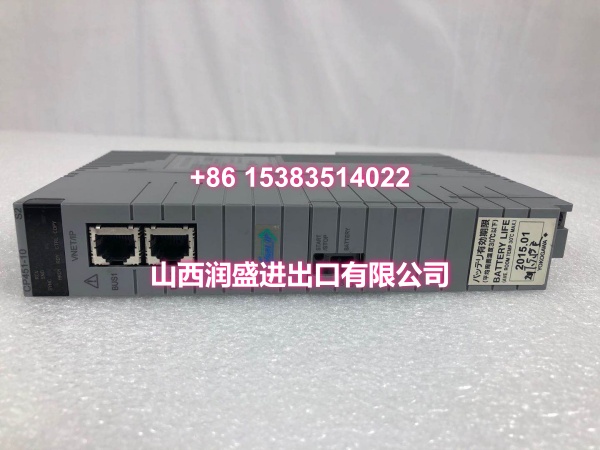
Installation Pitfalls & Guide
- ❗ Do not force modules into the slots. Bent backplane pins are a common cause of no-power or no-communication faults after replacement.
- ❗ Match the power supply. This base module is specified with F3PU10-0N; using an incompatible power unit can cause undervoltage or mechanical fit issues.
- ❗ Check slot occupation before power-up. The CPU, power supply, and I/O modules must be seated in the correct positions per FA-M3 configuration rules.
- ❗ Avoid mixing damaged and healthy racks. A cracked base or corroded connector can create intermittent faults that look like CPU or I/O failures.
Replacement steps:
- Power down the FA-M3 rack and verify lockout/tagout.
- Remove all CPU, power, and I/O modules carefully.
- Mount the F3BU06-0N and confirm secure rail/panel attachment.
- Reinstall modules in the correct order, then power up and verify CPU status and I/O communication.
Technical FAQ
What system does F3BU06-0N belong to?
It is a base module for the YOKOGAWA FA-M3 PLC, not a CENTUM CS 3000 DCS field control unit.
How many slots does it have?
Six slots for CPU, power supply, and I/O modules.
Which power supply does it use?
It is specified with the F3PU10-0N power supply in standard FA-M3 configurations.
Can I use it as a direct replacement?
Yes, if your existing rack is a 6-slot FA-M3 base with the same mechanical and power requirements. Always verify slot count and power supply compatibility before swapping.
Do you test these before shipping?
Surplus stock is visually inspected, connector-checked, and rack-tested where a compatible FA-M3 setup is available. Any limitations are disclosed per lot.