Quick Sizing & Sourcing Snapshot
- Manufacturer: GE Multilin (General Electric)
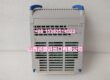
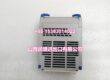
- Part Number: UR9EH
- System Platform: Multilin UR Series Universal Relays (Legacy/Rev A-B Chassis)
- Hardware Type: Main CPU Module (Central Processing Unit)
- Architectural Role: Acts as the computational core (Level 1) in older UR chassis, executing protection algorithms (FlexLogic) and managing comms for Rev A/B I/O modules via the backplane.
- Key Specifications: Intel 80C188EA @ 10MHz, 256KB SRAM / 512KB Flash, Rev A/B I/O Compatible.
System Architecture & Operational Principle
The sits at Purdue Level 1, occupying the dedicated CPU slot (usually Slot 2 or marked “CPU”) in a UR series relay chassis (e.g., UR8CH, UR10CH). It is the “brain” for legacy UR deployments, specifically those utilizing Rev A and Rev B I/O modules (like UR8L, UR8N, UR6D).
Upstream, it interfaces with the world via Dual RS-485 (Modbus RTU) and 10/100M Ethernet (Modbus TCP, DNP3). It accepts commands from the SCADA/DCS or the front-panel LCD/Keypad. Downstream, it talks to the I/O modules (CT/VT, Digital I/O) via the UR Backplane Bus (P1/P2 connectors). The 80C188 processor crunches the FlexLogic equations (IF/THEN/AND/OR timers) and runs protection elements (50/51, 87T, 21) using raw samples from the UR8LH/UR8NH modules.
The critical distinction of the “EH” variant is its Legacy Optimization. It is designed to drive the older Rev A/B hardware generation. While it canrun in a Rev C chassis, it is the requireddrop-in for older racks where you cannot (or won’t) upgrade the I/O modules to Rev C+. It handles the 16-bit data paths native to the older backplane timing, ensuring that a 2005-vintage T60 or F35 doesn’t lose its CT mapping during a CPU swap.
Core Technical Specifications
- Processor: Intel 80C188EA (16-bit, 10 MHz)
- Memory: 256 KB SRAM (Runtime), 512 KB Flash (Firmware/Settings)
- Backplane Compat: Rev A / Rev B I/O Modules (Native)
- Comm Ports: 2x RS-485 (Screw Terminals), 1x 10/100Base-T (RJ45)
- Logic Capacity: ~500+ FlexLogic Elements (Gates/Timers/Latches)
- Sampling Rate: 16 Samples/Cycle (Standard Protection)
- Power Draw: ~5-8W (Backplane Powered)
- Hot-Swap: Yes (Auto-syncs config from NV-RAM on insertion)
- OS/Env: Proprietary RTOS, -40°C to +70°C
- Front Indicators: RUN (Green), FLT (Red), COM (Activity), Self-Test
Customer Value & Operational Benefits
Legacy System Life Extension
The biggest value prop is Avoiding a Chassis Rip-and-Replace. If you have a 2004-vintage G60 or T60 with a dead CPU, the is the correct swap. Using a newer UR9AH (designed for Rev C+) on a Rev B backplane causes “Hardware Mismatch” or “DSP Error” faults because the bus timing/addressing changed. The keeps that 20-year-old relay online for another 5-10 years without rewiring the CT/VT terminations.
Deterministic Stability (80C188)
The 10MHz 80188 isn’t fast by modern standards, but it’s deterministic as hell. Unlike the multi-core GH/AH units that juggle tasks, this chip executes the protection scan in a rigid loop. For older hardened substations with noisy power, this simplicity means fewer weird race conditions or stack overflows during voltage sags. It just runs the ladder/ FlexLogic until the hardware dies.
Drop-In Commissioning
Because it targets Rev A/B, you don’t mess with DIP switch nightmares on the I/O cards. Pop the old CPU, slot the , power up, and it pulls the config from the backup SRAM (if alive) or accepts a download. Cuts MTTR from 4 hours (full rack swap) to 20 minutes during a forced outage.
Field Engineer’s Notes (From the Trenches)
The “Gotcha” is Firmware Version vs. I/O Revision.
If you buy a “New Old Stock” (made circa 2010), it likely ships with Firmware v3.x or v4.x. If your existing I/O modules (UR8L, UR6D) are running v7.x (loaded in 2015), the new CPU will boot to “Code Version Mismatch” and lock you out of the I/O.
Fix: You mustupgrade the new firmware via EnerVista beforeinstalling it, or downgrade the project file to match the old CPU. Don’t try to mix v7 I/O with a v3 CPU; the memory map for FlexLogic changed around v5.0.
The “Click” Test: When inserting, ensure the ejector levers are flipped out(open). Slide it in gently. If you feel resistance at the last 1/4 inch, stop. The gold fingers are misaligned. Forcing it bends the pins in the backplane socket (expensive fix). Wiggle slightly, apply even pressure to the faceplate, and snap the levers in. The “Thunk” of the P1/P2 connectors mating should be audible.
Capacitor Plague: On units from 2005-2010, check the electrolytic caps near the 80188. If they are bulging/leaking, the CPU will random-reset under load. Refurbish or replace; don’t trust a swollen cap in a protective relay.