Field Engineer’s Notes (From the Trenches)
The “Gotcha” is Termination & HHP Port Capacitance.
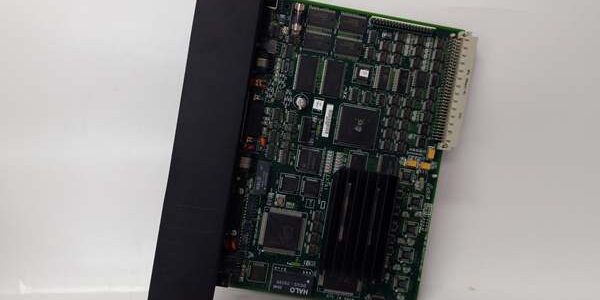
Termination: The is a repeater, not a terminator. The first and last physical devices on the overall Genius Bus must still be terminated (50 Ohm). If the is the last thing before the final block, you terminate the OUTside of the (or the final block, whichever is truly last). Do notterminate both sides of the unless it is literally the end-of-line.
HHP Port: This port is buffered but not infinite impedance. If you leave an HHP permanentlyconnected (rare but seen in test setups), it adds ~50pF capacitance. On very marginal buses (already at the edge of signal quality due to length/noise), this can tip it over. For permanent monitoring, use a laptop running Proficy Machine Edition with Genius Monitor via the BEM731/ETM001 Ethernet port instead. The HHP port is for temporary field diagnostics.
No Station Number: It does notshow up in the BEM731/BIU device list. If you suspect a “missing node” and only see the in the physical chain, ignore it—look for the actual Genius Blocks (IC660BBAxxx) or BIUs. Beginners sometimes think the should appear as “Station 0” or similar—it won’t.
Real-World Applications
- Large Phosphate Mine Conveyor (Distributed I/O): A Genius Bus runs 6,800 ft down the conveyor string with 18 x IC660BBA026 blocks. A is inserted at the 3,400 ft splice point inside a NEMA 4X intermediate junction box. It cleans the signal for the second half of the run and provides an HHP tap for the electricians to check block statuses without walking back to the MCC. Eliminated “Bus Fault” nuisances during rainy season.
- Cogeneration Unit (Turbine Aux I/O): mounted in the turbine local I/O cabinet, just downstream of the BEM731 in the main rack. The HHP port allows the rotating equipment techs to plug in and verify the Gas Valve LVDT block (IC660BBA020) configuration during startup without going to the control room or breaking the bus. The repeater function isolates the turbine skid bus from the plant-wide Genius network for added noise immunity.
High-Frequency Troubleshooting FAQ
A: Bus Not Active Upstream or HHP Cable Pinout.
- Verify the Genius Bus upstreamof the is alive (BEM731 “COMM” LED On, or known good block “Unit OK” lit). If the upstream is dead, the has no signal to pass/tap.
- Check the HHP Cable (usually a 9-pin M-F straight-through or null-modem depending on HHP model—IC660HHM501 typically uses a straight-through 9-pin to 9-pin for the HHP port). Verify pinout: HHP Rx/Tx must align with tap pins (usually Pins 2/3 for Data+, Data- on the D-sub).
- Ensure the itself is powered/passed-through correctly (some early versions need 24V DC aux power—check LEDs if present).
A: Termination or Orientation Mistake.
- Ensure you didn’t accidentally enable termination on boththe upstream last device andthe OUT port if the is notthe last device. Double-termination causes signal reflection/cancellation.
- Verify IN/OUT orientation: The arrow/label should point from Controller → IN → OUT → Field Devices. Swapping them won’t damage it (galvanic iso) but can cause config confusion in your head; functionally it usually works either way unlessthere’s a power/enable jumper difference on very old revisions (rare).
- Check screw terminal tightness on the Genius cable at the . Loose center conductor on twinaxial = open circuit downstream.
A: No. The is Genius Bus protocol and physical layer specific (RS-485 differential, 153.6 kbps, Manchester II Bi-phase). It will not repeat or interface with Profibus (even though both are RS-485 based, the encoding and timing differ) nor DeviceNet (CAN-based). Use the correct repeater/diagnostic tap for those networks (e.g., Siemens RS-485 repeater for Profibus).
Please note: The listed price is not the actual final price. It is for reference only and is subject to appropriate negotiation based on current market conditions, quantity, and availability.