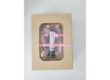
Product Core Brief
- Model: A4H124-24FX (Part Number: P0973JN)
- Brand: Enterasys Networks (Extreme Networks)
- Series: A-Series Fast Ethernet Edge Switch
- Core Function: Provides high-performance, line-speed data transmission and network interconnection for enterprise and industrial edge environments.
- Product Type: 24-Port Fiber Optic Managed Switch
- Key Specs: 24x 100Base-FX Ports | 2x Gigabit SFP Uplinks | L2/L3 Edge Routing | Stackable
- Condition: New Surplus / Original OEM
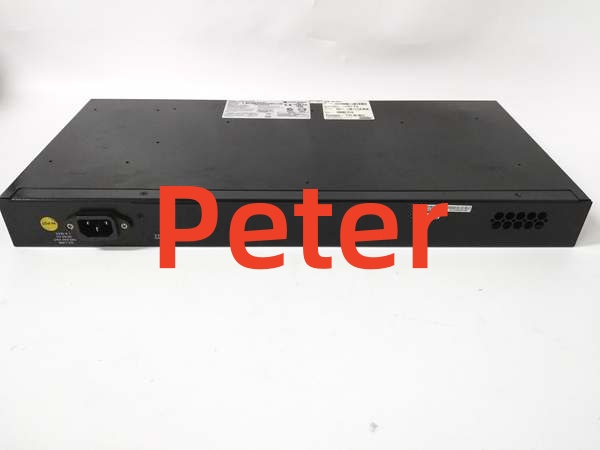
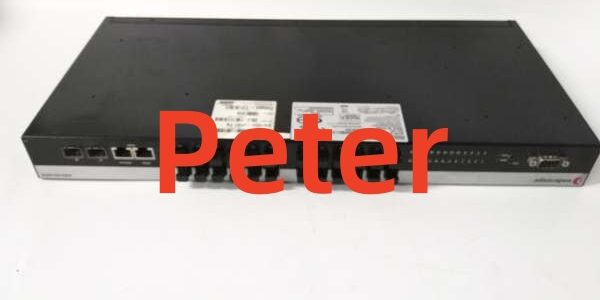
ENTERASYS A4H124-24FX P0973JN
Key Technical Specifications
- Manufacturer: Enterasys Networks / Extreme Networks
- Part Number: / P0973JN
- Product Category: Fast Ethernet Edge Switch
- Port Configuration: 24x 100Base-FX (Fiber) + 2x Gigabit SFP
- Switching Capacity: 17.6 Gbps
- Throughput: Up to 104.8 Mpps
- MAC Address Table: 16,000 Entries
- Stacking Capability: Up to 8 units per stack (140.8 Gbps total capacity)
- Management Protocols: SNMP, Telnet, HTTP, TFTP, SSH, CLI, WebView
- Compliance: IEEE 802.3u, IEEE 802.3z, IEEE 802.3ad (LACP), IEEE 802.1Q (VLAN)
Product Introduction (No Fluff)
The Enterasys is a highly reliable, fast Ethernet edge switch designed for bandwidth-intensive and delay-sensitive applications. Featuring 24 100Base-FX fiber ports and 2 Gigabit SFP uplinks, it ensures seamless, secure data transmission over fiber optic cabling.
This L2/L3 managed switch supports advanced Quality of Service (QoS) for VoIP and video, multiple VLANs, and can be stacked up to 8 units to form a single virtual switch. Sourcing this exact OEM replacement part prevents network bottlenecks and maintains infrastructure integrity when legacy switches fail or when expanding industrial/enterprise network coverage.
QA & Testing SOP (Dynamic & Transparent)
Network switches demand absolute port fidelity and switching integrity. Every undergoes a rigorous validation process:
- Anti-Counterfeit Inspection: Verify Enterasys/Extreme factory labels, PCB silkscreen, and port module build quality against OEM baselines.
- Port Connectivity Test: Inject traffic across all 24 fiber ports and 2 SFP uplinks to validate link establishment, duplex negotiation, and line-speed throughput.
- Stacking Verification: Test the front-panel RJ45 stacking ports to ensure proper backplane communication and virtual switch formation.
- Management Stack Check: Validate access via CLI, WebView, and SNMP to confirm configuration persistence and remote management capabilities.
- Burn-In: 4-hour continuous operation under full load to identify marginal power supplies or ASICs.
- Packaging: Shipped in anti-static shielding with a printed QA test report.
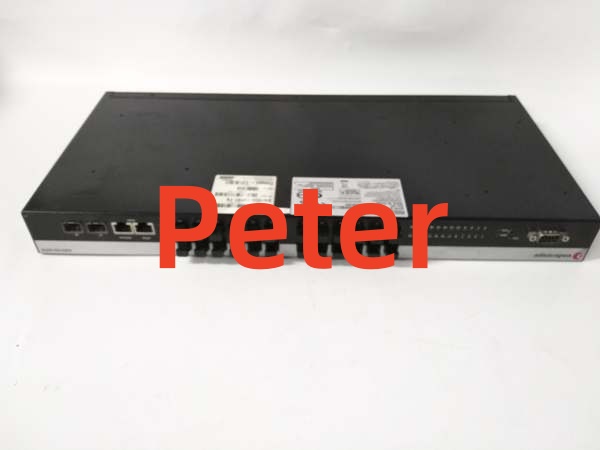
ENTERASYS A4H124-24FX P0973JN
Installation Pitfalls & Guide (Engineer to Engineer)
❗ Fiber Polarity & Crossover: When connecting 100Base-FX SFP modules, ensure the transmit (TX) port of the switch connects to the receive (RX) port of the remote device. If the Link/Activity LED remains OFF, swap the fiber strands. Verify that the fiber-optic connection meets dB loss specifications for multimode cabling.
❗ Stacking Cable Requirements: The front-panel RJ45 ports used for stacking require standard Category 5 (or better) UTP cables. Ensure you are using the correct stacking ports and not standard Ethernet data ports for inter-switch stacking.
❗ Initial Management Access: For initial out-of-band configuration, use the DB9 Console port on the front panel with a VT100 terminal emulator. Default credentials are typically Username: rw and Password: [Press Enter]. Change this immediately upon first login.
❗ Redundant Power Supply: The supports an optional external redundant power supply (e.g., STK-RPS-150PS). If utilizing this, ensure both the internal PSU and the RPS are connected to separate AC power circuits to guarantee true power redundancy.
Replacement Protocol:
- Pre-Install: Map existing fiber connections and stacking topology. Schedule a maintenance window.
- Removal: Disconnect fiber and stacking cables. Remove the failed unit from the rack. Inspect SFP cages for dust or bent pins.
- Install: Mount the new . Reconnect the fiber optic strands, ensuring proper TX/RX alignment. Connect Cat5e stacking cables.
- Power-on Test: Restore AC power. Verify Link/Activity LEDs illuminate solid green. Access the CLI or WebView to verify stack membership and port status.
Technical FAQ
Is this an exact drop-in replacement for my older Enterasys A4 switch?
Yes, the maintains complete backward compatibility with existing Enterasys A-Series stacks and configurations. It offers the same 24-port fiber architecture and integrates seamlessly with Enterasys NetSight management tools. You can swap it directly into an existing stack without reconfiguring the entire network.
Why is this listed as “New Surplus” instead of factory-new?
This is genuine Enterasys/Extreme Networks stock that was never deployed in a data center or industrial plant. It has been stored in climate-controlled inventory rather than exposed to continuous thermal cycling and dust. You receive the exact same MTBF and lifespan as a factory-fresh unit, typically at a significantly lower cost and without extended OEM lead times.
Can I hot-swap this switch while the stack is live?
While the A-Series supports redundant management and closed-loop stacking to maintain virtual switch connectivity during a member failure, physically replacing the unit requires disconnecting fiber and stacking cables. Always schedule this replacement during a planned maintenance window to prevent temporary link flaps and traffic disruption.
What is the warranty coverage on this part?
We provide a standard 12-month functional warranty. If the switch fails to pass traffic, loses stack communication, or exhibits hardware defects under normal operating conditions within that window, we replace it. Our QA testing proves the module passed all switching and management tests before it left our bench.
My switch is showing intermittent link drops on the fiber ports. Is the switch bad?
Not necessarily. Before replacing the , check the fiber patch cables for bends, dirt, or broken connectors. Clean the SFP modules and fiber end-faces. Intermittent drops can also be caused by excessive dB loss over long multimode runs or EMI near the cable path. Only replace the switch if known-good cables and SFPs still fail to maintain a stable link.