Product Core Brief
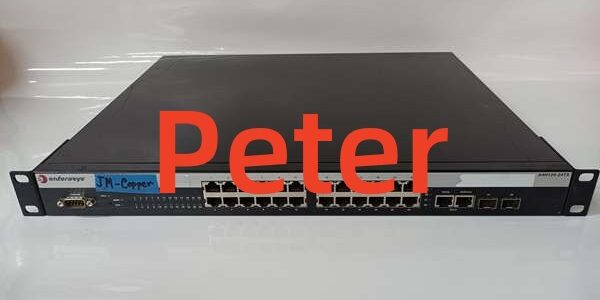
- Model: A4H124-24TX (Associated Part Number: P0973JM)
- Brand: Enterasys Networks (Now part of Extreme Networks)
- Series: SecureStack A4 Fast Ethernet Series
- Core Function: Store-and-forward stackable Fast Ethernet switch providing high-speed data exchange, network connectivity, and management platform for enterprise edge networks.
- Product Type: 24-Port Fast Ethernet Stackable Switch
- Key Specs: 24x 10/100Base-T Ports | 2x 1G Stacking/Uplink | 2x SFP Gigabit Ports
- Condition: New Surplus / OEM Original
A4H124-24TX
Key Technical Specifications
- Module Type: Fast Ethernet Stackable Switch
- Part Number / SKU: / P0973JM
- Copper Ports: 24x 10/100Base-T RJ45 Ports
- Stacking/Uplink Ports: 2x 10/100/1000Base-TX RJ45 Ports (Configurable as standard ports in standalone mode)
- Fiber Ports: 2x Gigabit Ethernet SFP Ports (Hot-swappable)
- Switching Architecture: Store-and-Forward
- Stacking Capacity: Up to 8 switches per stack
- Management Interfaces: CLI, WebView (HTTP), SNMP, Telnet, DB9 Console Port
- Standards Compliance: IEEE 802.3, 802.3u, 802.3ab, 802.3ad, 802.3z, 802.3x
- Redundancy: Supports external redundant power supply (e.g., STK-RPS-150PS)
Product Introduction
Engineered to scale and adapt to evolving network requirements, the Enterasys is a high-performance, store-and-forward stackable switch designed for enterprise and large-scale network environments. It serves as a critical central node, providing reliable, high-speed data exchange and seamless connectivity for workstations and network devices.
This model features 24 standard 10/100Base-T ports for end-device connections, complemented by two 1G RJ45 ports that function as high-speed stacking links (allowing up to eight units to be stacked) or as standard Gigabit uplinks. Additionally, it includes two Gigabit SFP ports for flexible fiber-optic uplinking. Managed via intuitive WebView, CLI, or SNMP, the delivers robust performance, outstanding stability, and centralized management for complex network infrastructures.
QA & Testing SOP
Enterprise switches require rigorous validation of port integrity and backplane switching capacity. We verify hardware functionality before release.
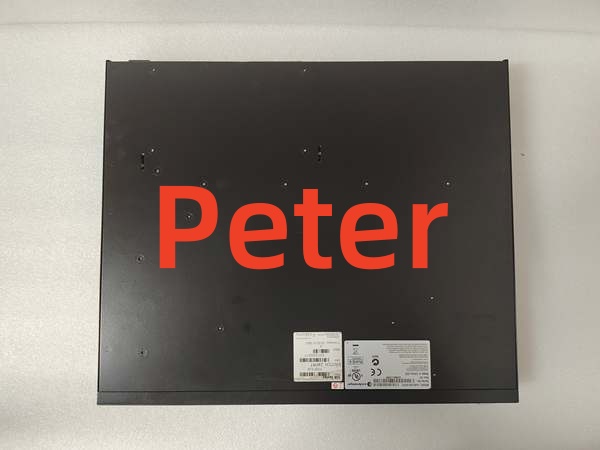
- Anti-Counterfeit & Visual Audit: We inspect the Enterasys chassis and silkscreen, verify the / P0973JM labeling, and check all RJ45 and SFP ports for bent pins or physical damage.
- Port Link & Throughput Test: We connect test devices to all 24 copper ports and both Gigabit ports to verify link establishment, auto-negotiation, and full-duplex operation at rated speeds.
- Stacking & SFP Validation: We test the 1G stacking ports and hot-swappable SFP slots to ensure proper optical/electrical handshake and backplane communication.
- Management Interface Check: We verify access via the DB9 console port and confirm that the WebView and CLI management interfaces load correctly.
- ESD Safe Packaging: Network ASICs and PHY chips are highly ESD sensitive. We pack the unit in anti-static shielding with desiccant to prevent latent semiconductor damage.
Installation Pitfalls & Guide
❗ Stacking Cable Requirements: When configuring a stack, you must use standard Category 5 (or better) UTP cables for the 1G stacking connections. Using sub-standard cabling will cause stack instability or link drops.
❗ Standalone vs. Stacked Mode: The two 10/100/1000Base-TX RJ45 ports act as dedicated stacking ports when the switch is in a stack. If the switch is operating in standalone mode, these ports default to standard Gigabit Ethernet switch ports. Configure your uplinks accordingly.
❗ Redundant Power Supply: If deploying in a mission-critical environment, utilize the optional external redundant power supply (RPS). Connect the RPS to a separate AC power circuit to ensure continuous operation if the internal power supply or primary AC source fails.
Replacement SOP:
- Pre-Install: Document the current IP addresses, VLAN configurations, and stacking topology; schedule a maintenance window.
- Removal: Disconnect all network and stacking cables; remove AC power; unmount the switch from the 19-inch rack or flat surface.
- Install: Mount the new ; reconnect stacking cables first, then data uplinks and edge connections; apply AC power.
- Power-On Test: Verify LED status indicators; access the CLI or WebView to confirm the switch joins the stack (if applicable) and verify port link states before restoring normal traffic.
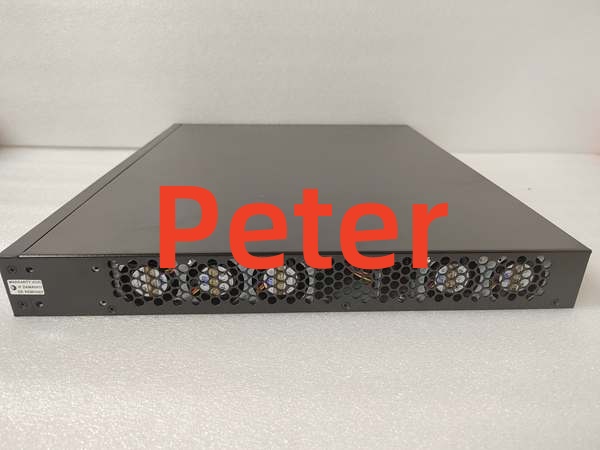
A4H124-24TX
Technical FAQ
The “TX” in designates the copper (10/100Base-T) variant of the 24-port Fast Ethernet switch. The “FX” variant typically denotes a fiber-optic specific configuration. Ensure you select the correct media type for your infrastructure.
Can this switch be managed remotely?
Yes. The supports comprehensive remote management. You can use in-band management via Telnet, SNMP, or Enterasys’ NetSight/WebView applications. Out-of-band management is also available via the front-panel DB9 console port.
Is this switch compatible with Extreme Networks equipment?
Enterasys Networks was acquired by Extreme Networks. While the is a legacy SecureStack A4 series switch, it operates on standard IEEE Ethernet protocols and can interoperate with modern switches for basic Layer 2 connectivity, though advanced proprietary stacking features may be limited to A4-series peers.
Does it support Power over Ethernet (PoE)?
No, the is a non-PoE model. If your connected devices (like IP phones or APs) require PoE, you should look for the A4H124-24P model, which features 24x 10/100Base-T 802.3af PoE-capable ports.
Why is this sold as new surplus?
This unit was pulled from sealed OEM overstock or an unfulfilled enterprise project before installation. We test it electrically to verify port functionality and switching capacity, but we aren’t replacing internal components. You are getting unused factory hardware with original manufacturing tolerances at a fraction of the active OEM list price.