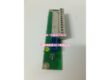
Product Core Brief
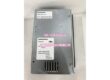
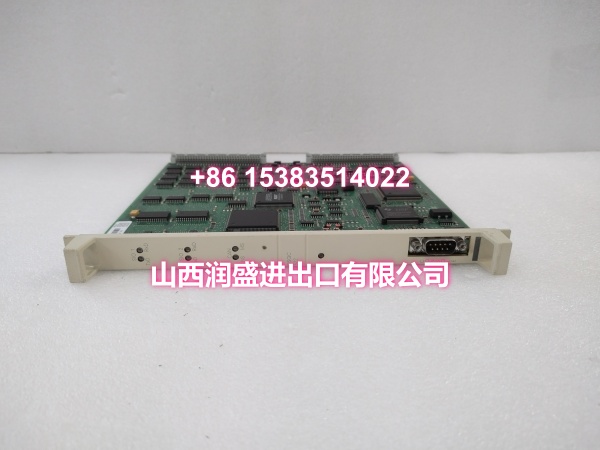
- Model: DSQC504
- Brand: ABB
- Series: ABB IRC5 Robot Controller Panel/Safety Interface Module
- Order Code: 3HAC5689-1 (standard variant)
- Core Function: Panel board and safety interface module for ABB IRC5 controllers, handling digital I/O signal exchange, safety circuit monitoring, and communication between the robot controller and operator panel/safety devices.
- Product Type: Panel Board / Safety Interface Module
- Key Specs: Digital I/O signal processing | Safety circuit monitoring | 24VDC/250VAC voltage rating | 2A per channel | ≥2500V isolation | Phoenix terminal block interface
- Note: Condition: New Original (New Surplus). Also compatible with S4C controller platforms (3HAC5689-1/03, 3HAC5689-1/04 variants).
Key Technical Specifications
| Parameter | Value |
|---|---|
| Device Model | |
| Device Type | Panel Board / Safety Interface Module |
| Series | ABB IRC5 Robot Controller Interface Module |
| Standard Order Code | 3HAC5689-1 |
| Communication | ABB Robot Communication Bus (IRC5 backplane) |
| Digital I/O Channels | Multiple digital input/output channels |
| Channel Current Rating | 2A per channel |
| Output Voltage Rating | 24VDC / 250VAC |
| Isolation Voltage | ≥2500V AC (between I/O channels and control circuit) |
| Input Response Time | ≤1ms |
| Output Response Time | ≤5ms |
| Physical Interfaces | 1× dedicated backplane connector (IRC5 cabinet), 1× Phoenix terminal block (field wiring) |
| Safety Functions | Emergency stop monitoring, safety door detection, safety circuit feedback |
| Power Supply | IRC5 controller internal bus (24V DC) |
| Operating Temperature | 0°C ~ +45°C |
| IP Rating | IP20 (inside control cabinet) |
| Mounting | Standard DIN rail mounting in IRC5 control cabinet |
| Dimensions | Approx. 140mm × 100mm × 35mm (L×W×H) |
| Weight | Approx. 0.5~0.8 kg |
| Compatible Controllers | ABB IRC5 series, S4C platform (variant dependent) |
| Configuration | RobotStudio remote configuration, teach pendant local parameter adjustment |
| Typical Applications | Safety circuit integration, operator panel interface, emergency stop monitoring, safety door interlock |
| Condition | New Original (New Surplus) |
Product Introduction
The ABB DSQC504 is a dedicated panel board and safety interface module designed for ABB IRC5 robot controllers. It serves as a critical bridge between the robot controller and external safety devices, operator panels, and field I/O equipment, ensuring reliable signal exchange and safety circuit monitoring in industrial automation environments.
In automated production cells, robot safety is paramount. The DSQC504 handles the monitoring and processing of safety-related signals including emergency stop circuits, safety door interlocks, light curtains, and other protective devices. When a safety condition is triggered—such as an operator opening a safety gate or pressing an emergency stop button—the DSQC504 processes the signal and communicates it to the IRC5 controller, which then executes the appropriate safety response (hard stop, soft stop, or reduced speed mode depending on the safety circuit configuration).
Beyond safety functions, the DSQC504 also serves as a general-purpose digital I/O interface board. It provides multiple digital input and output channels rated at 2A per channel, with voltage compatibility for both 24VDC and 250VAC applications. The module features high isolation voltage (≥2500V AC) between I/O channels and the control circuit, protecting the sensitive controller electronics from voltage spikes and electrical noise commonly found in industrial environments.
The module connects to the IRC5 controller via a dedicated backplane interface, ensuring high-speed communication with the main controller. Field wiring is handled through a Phoenix terminal block connector, which provides secure, tool-assisted connections that resist vibration loosening—a common issue in high-vibration robotic applications. The terminal block design also simplifies maintenance, as individual wires can be disconnected and reconnected without disturbing adjacent channels.
Response times are optimized for safety-critical applications: input signals are processed in ≤1ms, and output responses are executed in ≤5ms. This fast response ensures that safety conditions are detected and acted upon within the timeframes required by industrial safety standards.
The DSQC504 can be configured and diagnosed remotely via ABB’s RobotStudio software, allowing engineers to monitor safety circuit status, verify I/O signal mappings, and troubleshoot issues without physical access to the control cabinet. Local parameter adjustments can also be made through the teach pendant interface.
Common applications include:
- Safety circuit integration: Connecting emergency stop buttons, safety door switches, and light curtains to the IRC5 controller’s safety monitoring system.
- Operator panel interface: Providing the signal pathway between the teach pendant/operator panel and the robot controller.
- General-purpose I/O: Handling digital input/output signals for peripheral equipment coordination in the robot cell.
- Safety compliance: Enabling the robot cell to meet industrial safety standards through proper safety circuit monitoring and response.
For maintenance teams supporting IRC5 installations, the DSQC504 is a direct drop-in replacement for failed or degraded panel/safety interface modules. When replacing, verify that the order code (3HAC5689-1) matches the original and that all safety circuit wiring is correctly reconnected to the Phoenix terminal block.
QA & Testing SOP
Every unit goes through a structured verification process before shipment:
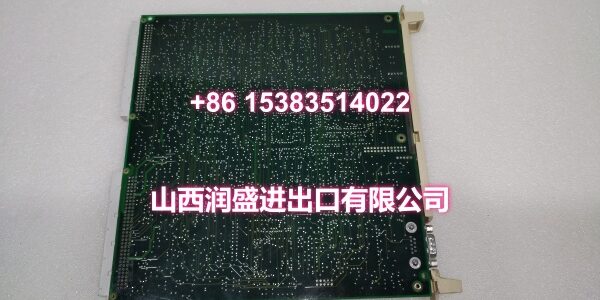
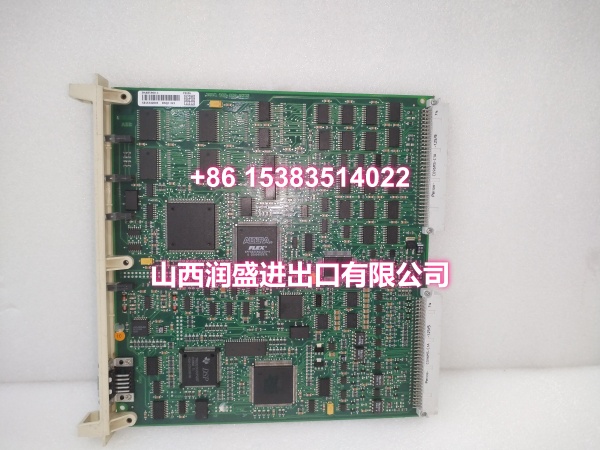
- Visual Inspection: Check the PCB for cracks, burnt components, corrosion on connector pins, and physical damage to the board. Verify that all components (Phoenix terminal block, backplane connector, surface-mount ICs, isolation barriers) are securely mounted with no cold joints or solder bridges. Inspect the module housing and DIN rail mounting clips for damage.
- Connector Pin Verification: Inspect the Phoenix terminal block for straightness, corrosion, or bending. Verify that the backplane connector pins are intact, as bent pins cause communication failures with the IRC5 controller. Check that the terminal block screws are present and functional.
- Power-On Self-Test: Install the module in an IRC5 controller rack and apply power. Verify that the module’s status LEDs illuminate correctly and that no fault codes are reported by the controller. Check for any abnormal heating during the initial power-on.
- Backplane Communication Test: Verify that the IRC5 controller recognizes the DSQC504 module on the backplane bus. Confirm that the module is listed in the controller’s hardware configuration and that no communication timeout errors are reported.
- Digital I/O Test: Apply 24VDC signals to each digital input channel and verify that the controller correctly reads the input states. Command each digital output channel and verify the output voltage with a multimeter. Confirm that the 2A per channel rating is maintained and that there is no channel-to-channel crosstalk.
- Isolation Voltage Test: Verify that the isolation barrier between I/O channels and the control circuit meets the ≥2500V AC specification. This test ensures that high-voltage transients on field wiring do not damage the controller’s sensitive electronics.
- Safety Circuit Test: Simulate emergency stop and safety door trigger conditions by applying signals to the safety input channels. Verify that the IRC5 controller correctly detects the safety condition and executes the appropriate safety response. Test both hard stop (servo power cut, brakes engaged) and soft stop (controlled deceleration) responses as configured.
- Response Time Verification: Measure the input response time (≤1ms) and output response time (≤5ms) using an oscilloscope or timing analyzer. Confirm that response times meet the module’s specifications for safety-critical applications.
- Anti-Counterfeit & Packaging: Verify authenticity markings on the PCB and components. Each unit is shipped in anti-static protective packaging with desiccant to prevent moisture absorption and connector oxidation during transit.
Installation Pitfalls & Guide
Installing or replacing a safety interface module requires careful attention to safety circuit wiring and proper handling.
❗ Power-Down Before Installation: Always disconnect power to the IRC5 controller before removing or inserting the DSQC504 module. Although the module connects via the backplane, it is strongly recommended to replace it with power off to prevent electrical damage to the module or the controller’s backplane connector.
❗ Anti-Static Protection: Always wear an anti-static wrist strap when handling the DSQC504 module. The PCB contains sensitive electronic components that can be damaged by electrostatic discharge (ESD). Handle the module by its edges only, avoiding contact with components or connector pins.
❗ Verify Safety Circuit Wiring: Before removing the original module, carefully document all safety circuit wiring connections on the Phoenix terminal block. Label each wire with its function (e.g., “E-Stop 1,” “Safety Door,” “Light Curtain”). Incorrect reconnection of safety circuits can result in safety function failure, creating a serious hazard for operators.
❗ Check Backplane Connector: Inspect the IRC5 controller’s backplane connector for damage, debris, or bent pins before installing the new module. A damaged backplane connector can cause intermittent communication failures that are difficult to diagnose.
❗ Safety Function Verification: After installing the replacement module, it is critical to verify that all safety functions operate correctly. Test each emergency stop button, safety door switch, and light curtain to confirm that the IRC5 controller correctly detects the trigger and executes the appropriate safety response. Do not return the robot cell to production until all safety functions have been verified.
4-Step Replacement Guide:
- Pre-install: Document all safety circuit wiring connections on the Phoenix terminal block of the original module. Label each wire with its function. Back up the IRC5 controller’s system configuration, including safety circuit parameters and I/O signal mappings. Verify the replacement module’s model (DSQC504) and order code (3HAC5689-1) match the original. Prepare anti-static protection, tools, and a multimeter for verification.
- Removal: Disconnect power to the IRC5 controller. Wear an anti-static wrist strap. Disconnect all wiring from the Phoenix terminal block, keeping the labels intact. Release the module’s DIN rail mounting clips and gently pull the module straight out of the controller rack. Inspect the controller’s backplane connector for damage or debris.
- Install: Align the new DSQC504’s backplane connector with the controller rack slot guides. Push firmly and evenly until fully seated. Secure the module with the DIN rail mounting clips. Reconnect all safety circuit wiring to the Phoenix terminal block according to the documented labels. Double-check each connection against the original wiring diagram before proceeding.
- Power-on Test: Apply power to the IRC5 controller. Verify that the module’s status LEDs illuminate correctly and that no communication fault codes are reported by the controller. Use the teach pendant to verify that the DSQC504 is recognized in the hardware configuration. Test each digital I/O channel to confirm correct operation. Test each safety circuit (emergency stop, safety door, light curtain) to verify that the controller correctly detects triggers and executes the appropriate safety responses. Monitor the module for several minutes to confirm stable operation.
Technical FAQ
1. What is the difference between DSQC504 and DSQC643? The DSQC504 is a panel board and safety interface module that handles digital I/O signals and safety circuit monitoring for IRC5 controllers. The DSQC643 is a dedicated safety panel module that specifically connects emergency stop and other safety signals. While both modules handle safety-related functions, the DSQC504 provides broader I/O capabilities in addition to safety monitoring, whereas the DSQC643 is focused specifically on safety panel integration. The choice between modules depends on the specific safety architecture and I/O requirements of your robot cell.
2. What safety functions does the DSQC504 support? The DSQC504 supports monitoring of emergency stop circuits, safety door interlocks, light curtains, and other safety devices connected to its digital input channels. When a safety condition is triggered, the module communicates the signal to the IRC5 controller, which then executes the appropriate safety response (hard stop, soft stop, or reduced speed mode). The module’s fast response times (≤1ms input, ≤5ms output) ensure compliance with industrial safety standards.
3. What is the current rating for each I/O channel on the DSQC504? Each digital I/O channel on the DSQC504 is rated at 2A per channel. The module supports both 24VDC and 250VAC voltage ratings, making it compatible with a wide range of industrial sensors and actuators. The high isolation voltage (≥2500V AC) between I/O channels and the control circuit protects the controller from voltage spikes and electrical noise.
4. Can the DSQC504 be used with S4C controllers? Yes, the DSQC504 is compatible with both IRC5 and S4C controller platforms. The S4C-compatible variants include 3HAC5689-1/03 and 3HAC5689-1/04. When ordering a replacement module for an S4C controller, verify that the order code suffix matches your controller platform to ensure compatibility.
5. What are common symptoms of a failing DSQC504 panel/safety module? Common symptoms include: Safety panel LEDs not illuminating (indicating power connection issues or internal circuit failure); safety functions not responding when triggered (emergency stop buttons, safety doors, light curtains not causing the expected robot response); digital I/O signals not updating correctly between field devices and the controller; communication fault codes reported by the IRC5 controller; and intermittent safety circuit faults that cause unexpected robot stops. If you’re experiencing any of these symptoms, check the module’s LED indicators, verify all wiring connections on the Phoenix terminal block, and use the teach pendant’s diagnostic function to read the specific fault codes.
6. What’s the difference between New Surplus and Refurbished for safety interface modules? We supply this unit as New Original (New Surplus)—unused, original factory stock. This comes with a standard 12-month warranty. Refurbished safety interface modules carry risks including degraded isolation barriers, weakened connector contacts from prior insertion cycles, and latent failures in safety circuit components that may only manifest during an actual emergency condition. For a module that is critical to personnel safety and emergency stop functionality, new surplus is the only acceptable choice. Never compromise on safety-critical components.