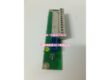
Product Core Brief
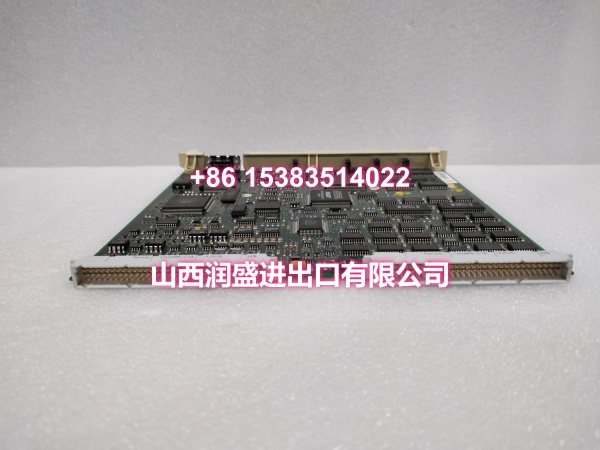
- Model: DSQC352A
- Brand: ABB
- Series: ABB IRC5 Robot Controller Communication Module
- Order Code: 3HAB8101-1 (standard variant)
- Core Function: Profibus DP slave adapter for ABB IRC5 robot controllers, enabling high-speed data exchange between the robot and external PLC/DCS master stations.
- Product Type: Profibus DP Slave Adapter (Fieldbus Communication Module)
- Key Specs: Profibus DP V0/V1 | 9.6 kbps~12 Mbps | Max 128 DI + 128 DO | 9-pin D-Sub Interface | Built-in Terminal Resistor
- Note: Condition: New Original (New Surplus). Production status: discontinued, available only as surplus/backup stock.
Key Technical Specifications
| Parameter | Value |
|---|---|
| Device Model | |
| Device Type | Profibus DP Slave Adapter |
| Series | ABB IRC5 Robot Controller Communication Module |
| Standard Order Code | 3HAB8101-1 |
| Communication Protocol | Profibus DP V0/V1 (slave mode) |
| Communication Rate | 9.6 kbps ~ 12 Mbps (DIP switch configurable) |
| Station Address Range | 0~125 (set via module DIP switches) |
| Max I/O Mapping | 128 digital inputs + 128 digital outputs |
| Physical Interface | 1× 9-pin D-Sub male connector (Profibus standard) |
| Terminal Resistor | Built-in switchable terminal resistor (DIP ON/OFF) |
| Power Supply | IRC5 controller internal bus (24V DC) |
| Power Consumption | Approx. 5W |
| Operating Temperature | 0°C ~ +45°C |
| Storage Temperature | -40°C ~ +85°C |
| IP Rating | IP20 (inside control cabinet) |
| Mounting | IRC5 control cabinet internal dedicated bus slot |
| Weight | Approx. 0.5~0.6 kg |
| Compatible Controllers | ABB IRC5 series (Compact/Single/Dual/Panel Mount) |
| Typical Applications | Robot-PLC integration, production line coordination, automated cell communication |
| Condition | New Original (New Surplus) |
Product Introduction
The ABB DSQC352A (order code 3HAB8101-1) is a Profibus DP slave adapter designed specifically for ABB IRC5 robot controllers. It serves as the communication bridge between the IRC5 robot controller and external automation networks, enabling the robot to function as a Profibus DP slave device on the fieldbus.
In modern automated production lines, industrial robots are not isolated units. They must exchange real-time data with master stations such as PLCs and DCS systems—reporting their current position, grip status, alarm conditions, and receiving commands from the master. The DSQC352A handles this critical communication task: as a Profibus DP slave, it maps the robot’s internal I/O signals, axis positions, and program states onto the fieldbus, allowing the master station to directly read and write this data.
One of the module’s key strengths is its data capacity. The DSQC352A supports up to 128 digital inputs and 128 digital outputs, with communication rates reaching up to 12 Mbps. The input and output mapping lengths can be configured through the Fieldbus Command Type parameters (MasterInputSize and MasterOutputSize), with a maximum of 8 bytes (128 bits). Configuration changes require a controller reset or power cycle to take effect.
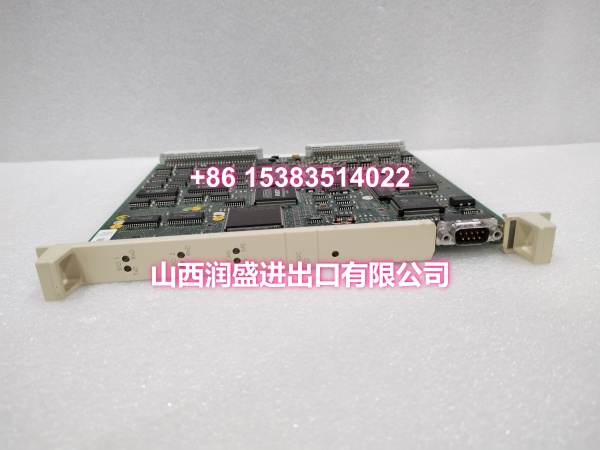
The module features a standard 9-pin D-Sub male connector for Profibus cabling, with a built-in switchable terminal resistor that can be enabled or disabled via DIP switches. This eliminates the need for external termination hardware and simplifies bus wiring. The station address (0~125) is also set via DIP switches on the module, making address configuration quick and error-free during installation.
Power is supplied directly from the IRC5 controller’s internal bus at 24V DC, with a power consumption of approximately 5W. The module plugs into a dedicated bus slot inside the IRC5 control cabinet and is recognized automatically by the controller’s configuration software. LED indicators on the front panel provide real-time status monitoring for power, bus communication, and fault conditions, enabling maintenance technicians to quickly diagnose network issues without accessing the teach pendant.
The DSQC352A is commonly deployed in automotive welding lines, assembly cells, packaging systems, and material handling applications where IRC5 robots need to coordinate with PLC-controlled peripherals. Its robust Profibus DP implementation ensures reliable, deterministic communication between the robot and the factory automation network.
For maintenance teams supporting IRC5 installations, the DSQC352A is a direct drop-in replacement for failed or degraded Profibus adapter modules. When replacing a DSQC352A, always verify that the order code (3HAB8101-1) matches the original and that the DIP switch settings (station address, terminal resistor, baud rate) are configured to match the existing network parameters.
QA & Testing SOP
Every unit goes through a structured verification process before shipment:
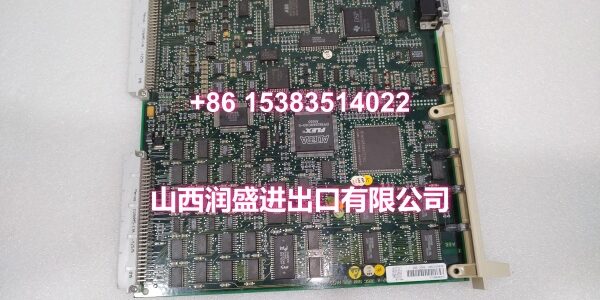
- Visual Inspection: Check the PCB for cracks, burnt components, corrosion on connector pins, and physical damage to the board. Verify that all components (DIP switches, D-Sub connector, surface-mount ICs) are securely mounted with no cold joints or solder bridges. Inspect the module housing for cracks or signs of overheating.
- Connector Pin Verification: Inspect the 9-pin D-Sub connector for straightness, corrosion, or bending. Bent pins cause poor contact with Profibus cabling, leading to intermittent communication failures or complete bus dropout.
- DIP Switch Verification: Verify that all DIP switches (station address, baud rate, terminal resistor) are functional and can be toggled cleanly. Stuck or damaged DIP switches prevent proper network configuration.
- Power-On Self-Test: Install the module in an IRC5 controller rack and apply power. Verify that the module’s power LED illuminates and that no fault codes are reported by the controller. Check for any abnormal heating during the initial power-on.
- Profibus Communication Test: Connect the module to a Profibus DP master (PLC or test station) and verify that the master can establish communication with the slave at the configured baud rate and station address. Test data exchange by reading and writing I/O mapping registers.
- I/O Mapping Verification: Verify that the configured input and output mapping lengths match the expected values. Test that data written by the master correctly appears in the robot’s I/O signals and that robot I/O status is correctly reflected in the master’s input registers.
- Terminal Resistor Test: Verify that the built-in terminal resistor can be correctly enabled and disabled via the DIP switch. Measure resistance across the bus terminals to confirm proper termination behavior.
- Anti-Counterfeit & Packaging: Verify authenticity markings on the PCB and components. Each unit is shipped in anti-static protective packaging with desiccant to prevent moisture absorption and connector oxidation during transit.
Installation Pitfalls & Guide
Installing or replacing a Profibus communication module requires careful attention to network configuration and proper handling.
❗ Power-Down Before Installation: Always disconnect power to the IRC5 controller before removing or inserting the DSQC352A module. Although the module supports hot-swap capability in some configurations, it is strongly recommended to replace it with power off to prevent electrical damage to the module or the controller’s backplane connector.
❗ Anti-Static Protection: Always wear an anti-static wrist strap when handling the DSQC352A module. The PCB contains sensitive electronic components that can be damaged by electrostatic discharge (ESD). Handle the module by its edges only, avoiding contact with components or connector pins.
❗ Verify DIP Switch Settings: Before installing the replacement module, carefully document the DIP switch settings from the original module (station address, baud rate, terminal resistor). After installing the new module, configure the DIP switches to match the original settings exactly. Incorrect station address or baud rate will prevent the module from communicating on the Profibus network. Incorrect terminal resistor settings can cause signal reflections and bus communication errors.
❗ Check Profibus Cabling: Verify that the Profibus cable is correctly connected to the 9-pin D-Sub connector, with proper pin assignments (pins 3 and 8 for data, pins 5 and 9 for shield). Ensure that the cable shield is properly grounded at both ends. Verify that only the first and last devices on the Profibus segment have their terminal resistors enabled.
❗ I/O Configuration Backup: Before replacing the DSQC352A, back up the IRC5 controller’s system configuration, including the Profibus device mapping, I/O signal cross-connections, and fieldbus parameters. After installing the replacement module, verify that the I/O signals are correctly mapped in the robot’s configuration and that the master station can communicate with the slave without errors.
4-Step Replacement Guide:
- Pre-install: Document the existing DIP switch settings (station address, baud rate, terminal resistor) from the original module. Back up the IRC5 controller’s system configuration, including Profibus device mapping and I/O signal cross-connections. Verify the replacement module’s model (DSQC352A) and order code (3HAB8101-1) match the original. Prepare anti-static protection, tools, and a multimeter for verification.
- Removal: Disconnect power to the IRC5 controller. Wear an anti-static wrist strap. Label the Profibus cable if not already labeled. Disconnect the Profibus cable from the 9-pin D-Sub connector. Release the module’s retention mechanism and gently pull the module straight out of the controller rack. Inspect the controller’s backplane connector for damage or debris.
- Install: Configure the new DSQC352A’s DIP switches to match the documented settings from the original module. Align the new module’s connector with the controller rack slot guides. Push firmly and evenly until fully seated. Secure the module with the retention mechanism. Reconnect the Profibus cable to the 9-pin D-Sub connector, verifying correct pin assignments. Double-check all connections before applying power.
- Power-on Test: Apply power to the IRC5 controller. Verify that the module’s power LED illuminates and that no communication fault codes are reported by the controller. Use the teach pendant to verify that the Profibus device is recognized and that I/O signals are correctly mapped. Test communication with the master station by reading and writing I/O registers. Monitor the module for several minutes to confirm stable communication.
Technical FAQ
1. What is the difference between DSQC352A and DSQC352? The DSQC352A (3HAB8101-1) is the standard Profibus DP slave adapter for ABB IRC5 controllers. The term “DSQC352” is sometimes used generically to refer to the same module family, but the specific variant required for IRC5 integration is the DSQC352A. Always verify the order code (3HAB8101-1) when ordering to ensure compatibility with your IRC5 controller.
2. What is the maximum communication rate for the DSQC352A? The DSQC352A supports Profibus DP communication rates from 9.6 kbps to 12 Mbps, configurable via DIP switches on the module. The baud rate must match the setting of the Profibus master station and all other devices on the same bus segment. ABB recommends using the highest stable baud rate supported by your network to minimize communication latency.
3. How many I/O points can the DSQC352A map? The DSQC352A supports a maximum of 128 digital inputs and 128 digital outputs (8 bytes each direction). The actual mapping length can be configured through the Fieldbus Command Type parameters (MasterInputSize and MasterOutputSize) in the robot’s configuration. Configuration changes require a controller reset or power cycle to take effect.
4. Can the DSQC352A be used with S4/S4C+ controllers? No, the DSQC352A is designed specifically for ABB IRC5 series controllers. S4 and S4C+ controllers use different communication module architectures (e.g., DSQC350A for Remote I/O, DSQC351A for Interbus-S). The DSQC352A is not compatible with S4 or S4C+ controllers. Always verify your controller model before ordering replacement communication modules.
5. What are common symptoms of a failing DSQC352A Profibus module? Common symptoms include: Profibus communication fault codes reported by the IRC5 controller; the master station unable to establish communication with the robot slave; intermittent bus dropout or data corruption; module status LEDs indicating fault conditions (e.g., red BUS LED); I/O signals not updating between the robot and the master station; and the controller reporting fieldbus timeout errors. If you’re experiencing any of these symptoms, check the module’s LED indicators, verify DIP switch settings, and use the teach pendant’s diagnostic function to read the specific fault codes.
6. What’s the difference between New Surplus and Refurbished for communication modules? We supply this unit as New Original (New Surplus)—unused, original factory stock. This comes with a standard 12-month warranty. Refurbished communication modules carry risks including degraded connector contacts from prior insertion cycles, weakened communication ICs, and latent failures that may only manifest under full bus load conditions. For a module that is critical to robot-network integration and production line coordination, new surplus is the safer choice.