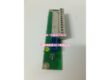
Product Core Brief
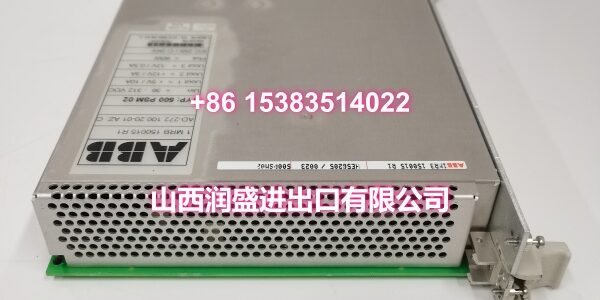
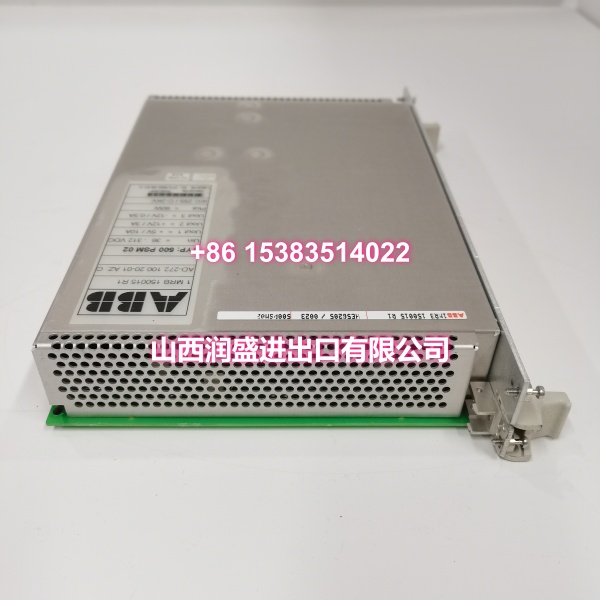
- Model: 500PSM02 / 1MRB150015R1
- Brand: ABB
- Series: ABB 500 Series Process Automation Racks
- Core Function: Rack-mounted power supply module that feeds regulated DC rails to ABB controller and I/O backplanes, supporting stable operation of CPU, communication, and mixed I/O loads.
- Product Type: Backplane Power Supply Module
- Key Specs: AC mains input (typically 100–240 VAC, 50/60 Hz) | Regulated DC output rails (+5 V and ±15 V typical) | Redundancy-ready architecture | Front-panel status LEDs | Plug-in rack mounting
- Condition: New Original / New Surplus
Key Technical Specifications
- Product Type: Backplane Power Supply Module
- Brand: ABB
- Model Number: 500PSM02 / 1MRB150015R1
- Build Code / Revision: AD-272.100.20-01, AZ:C
- Series: ABB 500 Series Process Automation Racks
- Function: Supplies regulated DC rails to the rack backplane, powering controllers, communication modules, and mixed I/O loads without voltage sag during transients.
- Input Power: AC mains, typically 100–240 VAC, 50/60 Hz (wide-range input compatible with global plant power grids)
- Output Rails: Regulated DC rails for logic and analog loads — commonly +5 V and ±15 V in this series, delivered via the backplane bus (no external output terminals)
- Redundancy Support: Redundancy-ready architecture; in many ABB 500-series rack configurations, dual power supplies can be installed for load sharing or failover to boost system availability.
- Status Indication: Front-panel LEDs for quick health checks during shift rounds or troubleshooting.
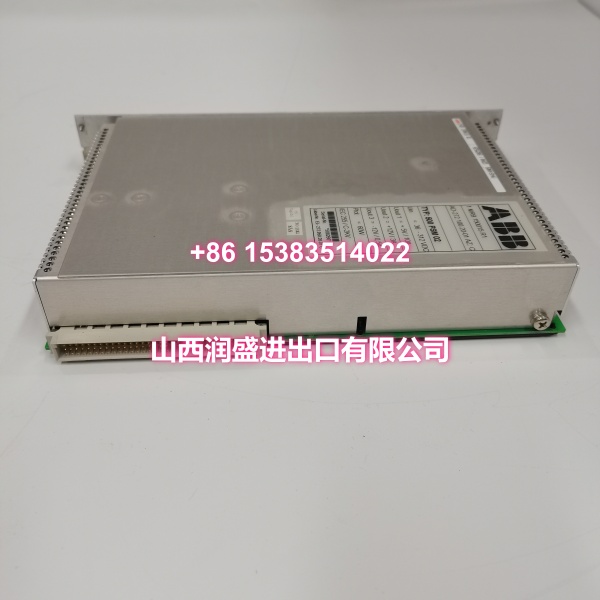
- Mounting Method: Plug-in module for compatible ABB 500-series rack/backplane; no external wiring to backplane — power is delivered through the rack connector.
- Operating Temperature: Typically 0°C to +55°C (cabinet ambient, ventilated)
- Storage Temperature: -25°C to +70°C
- Humidity: 5% to 95% (non-condensing)
- Protection Rating: IP20 (rack-mounted, requires use inside a control cabinet)
- Protection Functions: Built-in overvoltage, undervoltage, and overload protection; short-circuit protection with automatic recovery after fault elimination.
- Communication Interfaces: None (power supply module)
- Typical Applications: ABB DCS/PLC rack systems requiring backplane power restoration; cement, chemical, paper, and power generation plants keeping these as spares; brownfield maintenance where rack power supply failure causes controller resets or I/O dropouts; systems needing redundancy-capable power architecture
Product Introduction
The ABB 500PSM02 (order code 1MRB150015R1, build code AD-272.100.20-01, hardware revision AZ:C) is a rack-mounted backplane power supply module designed for ABB 500-series process automation racks. Its job is straightforward but critical: it takes AC mains input and converts it into the regulated DC rails that power the entire rack — CPU, communication modules, and all I/O cards. Without a healthy power supply, the entire control rack goes dark.
What makes this module a high-priority spare for plants running ABB automation hardware is its role in preventing nuisance resets. When a backplane power supply starts to degrade — output voltage sags under load, ripple increases, or internal regulation drifts — the symptoms can be intermittent and hard to diagnose: random controller reboots, I/O flickering, or unexplained communication drops. Replacing a failing 500PSM02 with a known-good unit is often the fastest path to restoring rack stability without a full system audit.
The redundancy-ready architecture is another key advantage. In many ABB 500-series rack configurations, you can install two 500PSM02 modules in parallel so that if one fails, the other automatically picks up the full load — a significant uptime advantage for continuous-process applications in cement, chemicals, paper, and power generation. The front-panel LEDs give technicians a quick visual health check during routine rounds, and the plug-in design means swap-outs are fast with minimal cabinet rework.
The AZ:C revision designation is important for compatibility. ABB power supply modules go through hardware revisions over their lifecycle, and the revision code ensures the module’s connector pinout, output regulation, and protection logic match the rest of the rack. When ordering a replacement, always cross-reference the revision code against your existing module or the rack’s spare parts list to ensure proper fit and function.
QA & Testing SOP
Every unit undergoes a standardized verification process before shipment:
- Visual & Anti-Counterfeit Check: Inspect the module housing for proper ABB branding, verify all identifiers (500PSM02, 1MRB150015R1, AD-272.100.20-01, AZ:C) match the label, and check for signs of previous installation such as rack connector wear, burnt components, or discoloration on the PCB.
- Input Voltage Range Test: Apply AC input at multiple points across the specified range (100 VAC, 120 VAC, 220 VAC, 240 VAC) at both 50 Hz and 60 Hz. Verify that the module starts up correctly and maintains regulated output at all test points.
- Output Rail Regulation Test: Measure each DC output rail (+5 V, +15 V, -15 V or as specified for this build) under no-load, half-load, and full-load conditions. Verify that output voltage stays within specification (typically ±1% regulation) and that ripple noise is within acceptable limits.
- Load Transient Response Test: Apply sudden load steps (e.g., 25% to 75% of rated load) and verify that output voltage does not sag or overshoot beyond specification. This simulates real-world conditions where I/O modules switch states simultaneously.
- Protection Function Test: Verify overvoltage, undervoltage, overload, and short-circuit protection functions activate correctly. For short-circuit protection, confirm automatic recovery after the fault is removed.
- Redundancy Compatibility Check: Where test infrastructure allows, verify that the module can operate in parallel with another 500PSM02 unit, confirming proper load sharing and failover behavior.
- LED Indicator Verification: Confirm that front-panel LEDs (Power, Fault, and any redundancy indicators) respond correctly to various operational states (normal operation, input loss, overload, fault condition).
- Anti-Static Packaging: After passing all tests, the module is placed in anti-static shielding bags with desiccant packs and rigid cardboard protection for safe transit.
Installation Pitfalls & Guide
Real-World Risks When Replacing This Module:
❗ Revision Mismatch: The AZ:C revision code matters. Installing a 500PSM02 with a different hardware revision in a rack designed for AZ:C can result in incorrect output rail voltages, incompatible protection thresholds, or connector pinout mismatches. Always verify the revision code on your existing module or consult the rack’s spare parts documentation before ordering.
❗ Live Rack Replacement Without Redundancy: If your rack is running on a single power supply (no redundancy), removing the only working 500PSM02 will cause an immediate rack shutdown — all controllers and I/O will lose power. Only perform hot-swap replacement if your rack is configured with redundant power supplies and the second module is confirmed healthy. Otherwise, plan a controlled shutdown window.
❗ Incorrect AC Input Wiring: The AC input terminals (L1, N, PE) must be wired correctly. Reversing L and N may still allow the module to operate, but it can affect safety grounding and EMI performance. Always verify wiring against the rack’s electrical diagram before applying power.
❗ Overloading the Power Supply: Each 500PSM02 has a maximum output current rating for each DC rail. Adding too many I/O modules or communication cards to a single rack can exceed the power supply’s capacity, causing voltage sag, overheating, or premature failure. Before installing additional modules, calculate the total rack power budget and confirm the 500PSM02 can handle the load — or add a second supply for redundancy.
❗ Ignoring Fault LED Indicators: If the Fault LED illuminates after installation, do not ignore it. Common causes include input voltage out of range, output overload, or internal fault. Troubleshoot the root cause before assuming the module is defective — a downstream short on the backplane can damage a new power supply just as easily as the old one.
4-Step Replacement Guide:
- Pre-Install: Verify the revision code (AZ:C) matches your existing module. If performing a hot-swap replacement, confirm that the redundant power supply (if installed) is healthy and carrying the rack load. Document the existing AC input wiring. Back up any critical controller data if accessible. If performing a cold replacement, plan a controlled shutdown window and notify affected operations.
- Removal: For cold replacement, isolate AC input power to the rack. Verify zero voltage at the input terminals with a multimeter. Disconnect the AC input wiring from the module’s terminal block. Release the module locking mechanism and carefully slide the old module straight out of the rack. Inspect the rack connector for bent pins or debris. For hot-swap (redundant configuration only), simply disconnect AC input and release the module — the redundant supply should maintain rack power.
- Install: Align the new 500PSM02 with the rack guides and slide it firmly into place until it locks. Reconnect the AC input wiring (L1, N, PE) according to your documented wiring and the rack’s electrical diagram. Double-check terminal tightness.
- Power-On Test: Restore AC input power. Verify that the Power LED illuminates and the Fault LED is off. Measure each DC output rail with a multimeter to confirm correct voltages. If the rack was shut down, restore controller and I/O operation and verify normal system function. For redundant configurations, test failover by temporarily removing the primary supply and confirming the secondary maintains rack power.
Technical FAQ
What does the revision code AZ:C mean, and does it matter? Yes, it matters. AZ:C is the hardware revision code for this specific build of the 500PSM02. ABB modules go through revisions over their lifecycle to incorporate component changes, improved regulation, or updated protection logic. Installing a module with a different revision in a rack designed for AZ:C can result in compatibility issues. Always match the revision code to your existing module or verify compatibility with your rack model before ordering.
Can I use this module in any ABB rack? No. The 500PSM02 is designed specifically for ABB 500-series process automation racks. Its connector pinout, output rail configuration, and mechanical dimensions are matched to this rack family. Installing it in an incompatible rack (e.g., AC500, S800 I/O, or AC800F racks) will not work and may damage the module or the rack. Always verify rack model compatibility before ordering.
Can I run this module in a redundant configuration? Yes, the 500PSM02 is redundancy-ready. In many ABB 500-series rack configurations, you can install two 500PSM02 modules in parallel so that if one fails, the other automatically picks up the full load. The redundancy control is typically handled by the rack backplane — no additional wiring is required between the two modules. However, verify that your specific rack model supports redundant power supply operation before relying on this feature.
What symptoms indicate this power supply is failing? Common symptoms include: intermittent controller reboots, I/O modules dropping out randomly, unexplained communication errors, the Fault LED illuminating, or the rack failing to power up at all. Voltage sag under load (measurable with a multimeter on the DC rails) is another strong indicator. However, these symptoms can also be caused by other issues (loose backplane connections, downstream shorts, or controller faults). Always rule out wiring and load issues before concluding the power supply is at fault.
What is the difference between 1MRB150015R1 and AD-272.100.20-01? 1MRB150015R1 is the ABB order code for the 500PSM02 module. AD-272.100.20-01 is the build code, and AZ:C is the hardware revision. Together, these identifiers specify the exact variant of the module. When ordering a replacement, provide all three identifiers to ensure you receive the correct variant for your rack.
What warranty do you offer on New Surplus parts? We provide a full 12-month warranty on all New Original / New Surplus units. This is fundamentally different from refurbished power supply modules, which often carry 30–90 day warranties and come with unknown thermal cycling history, degraded output capacitors, and weakened protection circuits. For a backplane power supply that powers your entire control rack, the reliability difference between new surplus and refurbished directly impacts system uptime and equipment safety.