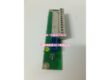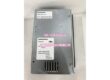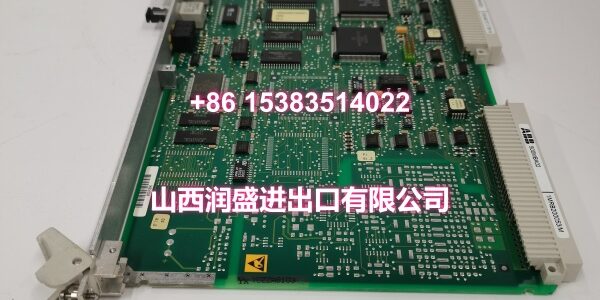
Product Core Brief
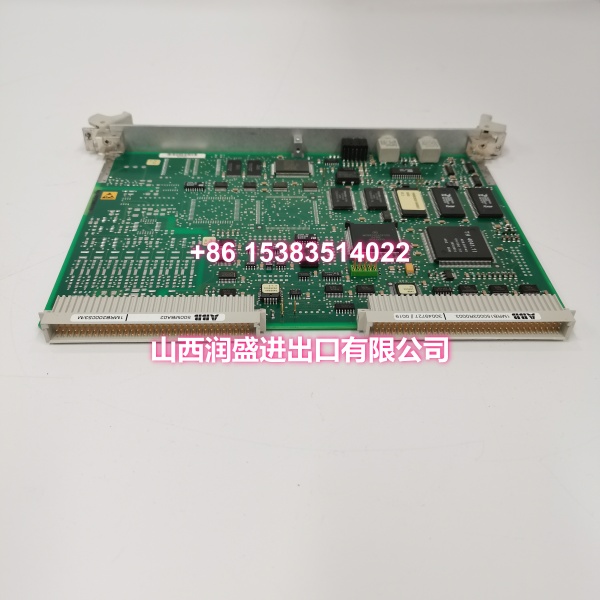
- Model: 500CSP04 / HE401314/0002 / 1MRB150051R2
- Brand: ABB
- Series: ABB AC500 PLC Series
- Core Function: Multi-protocol communication processor for AC500 PLC systems, bridging Ethernet and serial fieldbus networks with the PLC backplane.
- Product Type: Communication Processor Module
- Key Specs: 2× RJ45 Ethernet (10/100Mbps) | 1× RS-485/RS-232 serial (DB9) | EtherNet/IP, Modbus TCP/RTU, Profinet
- Condition: New Original / New Surplus
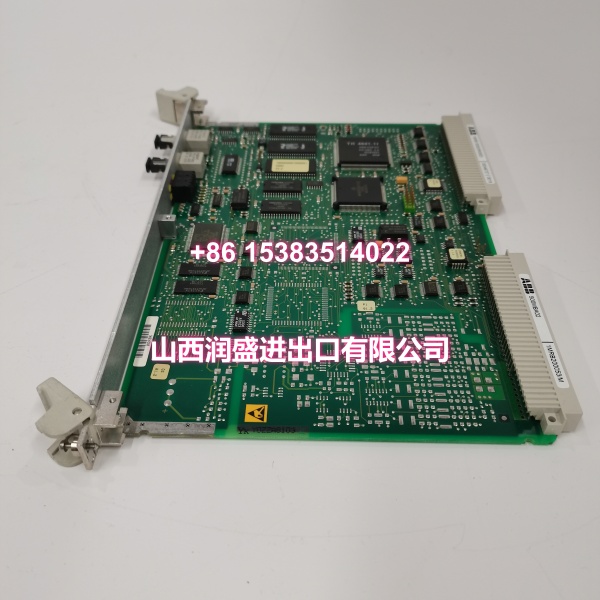
Key Technical Specifications
- Product Type: Communication Processor Module
- Brand: ABB
- Model Number: 500CSP04 / HE401314/0002 / 1MRB150051R2
- Series: ABB AC500 PLC Series
- Integrated Interfaces:
- 2× RJ45 Ethernet ports (ETH1/ETH2), 10/100Mbps auto-negotiation
- 1× RS-485/RS-232 serial port (DB9 interface)
- Supported Protocols:
- Industrial Ethernet: EtherNet/IP, Modbus TCP, Profinet (configurable)
- Fieldbus/Serial: Modbus RTU, Modbus ASCII, CANopen, DeviceNet (software-configurable)
- SCADA/HMI integration: WinCC, iFIX, ABB Panel series
- Data Transmission Rates:
- Ethernet: Up to 100 Mbps
- Serial: 1200 bps to 115.2 kbps (adjustable)
- Concurrent Communication: Supports simultaneous multi-protocol operation (e.g., Ethernet master + serial slave running in parallel)
- Address Mapping: Maps remote I/O data to local PLC memory for real-time exchange
- Power Supply: 24VDC (±20%), power consumption ≤8W
- Isolation: 1500V AC/1min electrical isolation between power supply and communication interfaces
- Mounting Method: 35mm DIN rail mounting, supports vertical or horizontal installation
- Operating Temperature: -25°C to +60°C
- Humidity: 5% to 95% (non-condensing)
- Typical Applications: Distributed automation systems, cross-protocol gateways (Ethernet-to-serial), connecting remote I/O/sensors/actuators to AC500 PLC, SCADA integration, workshop-to-management-layer data bridging
Product Introduction
The ABB 500CSP04 (board ID HE401314/0002, order code 1MRB150051R2) is a multi-protocol communication processor module for the ABB AC500 PLC platform. It bridges Ethernet and serial fieldbus networks with the PLC backplane, enabling data exchange between remote I/O, sensors, actuators, HMIs, and SCADA systems.
What sets this module apart in brownfield installations is its ability to run multiple protocols concurrently. You can have EtherNet/IP talking to a remote I/O rack on ETH1 while simultaneously polling Modbus RTU devices on the serial port — no separate gateway hardware required. The dual Ethernet ports also support ring-topology redundancy for critical process lines. For integrators maintaining mixed-protocol environments, this module eliminates the need for external protocol converters and reduces cabinet footprint.
QA & Testing SOP
Every unit undergoes a standardized verification process before shipment:
- Visual & Anti-Counterfeit Check: Inspect the PCB for proper ABB branding, verify all three identifiers (500CSP04, HE401314/0002, 1MRB150051R2) match the label, and check for signs of previous installation such as terminal wear, RJ45 port damage, or corrosion on the DB9 connector.
- Backplane Communication Test: Insert the module into an AC500 test rack and verify that the CPU recognizes the communication processor correctly via the backplane bus, confirming proper firmware handshake and slot registration.
- Ethernet Link & Protocol Test: Connect both ETH1 and ETH2 ports to a test switch. Verify link LEDs illuminate and test data throughput at 10/100Mbps. Configure and test EtherNet/IP and Modbus TCP communication with a test PLC or SCADA client.
- Serial Port Loopback Test: Configure the RS-485/RS-232 port for Modbus RTU operation. Perform a loopback test at multiple baud rates (9600, 19200, 115200 bps) to verify transmit/receive integrity and confirm no framing errors.
- Concurrent Multi-Protocol Stress Test: Run simultaneous communication tasks — Ethernet master polling + serial slave responding — for an extended period to verify stable concurrent operation without packet loss or protocol conflicts.
- Isolation Verification: Confirm 1500V AC/1min dielectric strength between communication interfaces and power supply terminals.
- Anti-Static Packaging: After passing all tests, the module is placed in anti-static shielding bags with desiccant packs and rigid cardboard protection for safe transit.
Installation Pitfalls & Guide
Real-World Risks When Replacing This Module:
❗ Serial Port Mode Selection (RS-485 vs RS-232): The DB9 serial port on the 500CSP04 can operate in either RS-485 (half-duplex) or RS-232 (full-duplex) mode, typically selected via jumpers or software configuration. Installing the module with the wrong mode selected will cause immediate communication failure. Verify the required mode against your existing wiring before powering up.
❗ Ethernet Ring Topology Configuration: If you are using the dual Ethernet ports for ring redundancy (e.g., FastTrack ring), both ETH1 and ETH2 must be configured correctly in the engineering software. Simply plugging cables into both ports without enabling ring topology in the configuration will create a network loop and can bring down the entire Ethernet segment.
❗ Modbus RTU Termination Resistors: When using the RS-485 serial port for Modbus RTU in a multi-drop configuration, 120Ω termination resistors must be installed at both ends of the bus. Missing terminators cause signal reflections and intermittent communication faults, especially at higher baud rates or over long cable runs.
❗ Protocol Address Conflicts: Each protocol (EtherNet/IP, Modbus TCP, Modbus RTU) has its own addressing scheme. Ensure that device addresses, IP addresses, and Modbus station IDs do not conflict with existing devices on the network. A duplicate Modbus RTU slave ID will cause both devices to become unreachable.
4-Step Replacement Guide:
- Pre-Install: Power down the AC500 rack or isolate the communication section. Document existing Ethernet cable connections (which port goes where), serial wiring pinouts, and back up the current communication configuration from the engineering station.
- Removal: Disconnect all Ethernet cables and serial wiring. Release the module locking mechanism and carefully slide the old module out of the DIN rail slot. Inspect the backplane connector for bent pins or debris.
- Install: Align the new 500CSP04 with the DIN rail guides and slide it firmly into place until it locks. Reconnect Ethernet cables to the correct ports (ETH1/ETH2). Reconnect serial wiring, verifying pin assignments match your documented configuration. Set jumpers for RS-485/RS-232 mode if applicable.
- Power-On Test: Restore power and verify that the CPU recognizes the module. Download the communication configuration. Test each protocol individually — verify Ethernet link LEDs, ping test for Modbus TCP, and poll a known Modbus RTU device. Confirm concurrent operation before returning to production.
Technical FAQ
Can this module replace the 500CMP04 control processor board? No. The 500CSP04 is a communication processor module for the AC500 PLC platform, while the 500CMP04 is a control processor board for ABB DCS-class DC drives (DCS500/DCS600). They serve entirely different systems and are not interchangeable. The 500CSP04 handles network protocol bridging for PLCs; the 500CMP04 executes closed-loop motor control for DC drives.
How many simultaneous communication connections does this module support? The module supports concurrent multi-protocol operation — for example, EtherNet/IP master communication on ETH1 while simultaneously running Modbus RTU slave on the serial port. The exact number of simultaneous connections depends on the protocol load and data volume, but it is designed to handle typical industrial automation workloads with multiple slave devices across both Ethernet and serial interfaces.
Can I use both Ethernet ports for separate network segments? Yes. ETH1 and ETH2 can be configured for different network segments (e.g., ETH1 for plant-level SCADA communication, ETH2 for machine-level HMI connection). Alternatively, they can be configured for ring-topology redundancy. The configuration is done in the AC500 engineering software — the hardware itself does not enforce a specific topology.
What happens if I configure the wrong serial mode (RS-485 vs RS-232)? If the serial port is configured for RS-485 but wired for RS-232 (or vice versa), communication will fail completely. RS-485 uses differential signaling (A/B lines) and is half-duplex, while RS-232 uses single-ended signaling (TX/RX) and is full-duplex. The pin assignments on the DB9 connector differ between the two modes. Always verify the mode selection matches your physical wiring before testing.
What warranty do you offer on New Surplus parts? We provide a full 12-month warranty on all New Original / New Surplus units. This is fundamentally different from refurbished communication modules, which often carry 30–90 day warranties and come with unknown thermal cycling history, degraded RJ45/DB9 connectors, and potential firmware corruption. For a communication processor that bridges your entire automation network, the reliability difference between new surplus and refurbished directly impacts network uptime and data integrity.