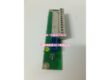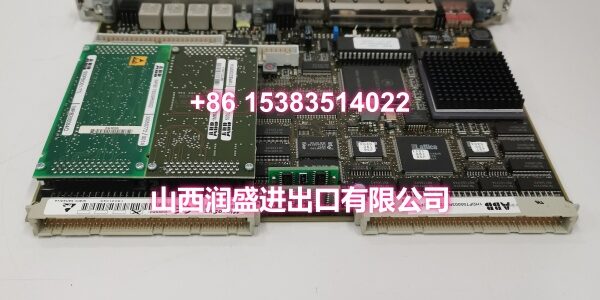
Product Core Brief
- Model: 500CPU05 / 1MRB150081R1/E
- Brand: ABB
- Series: ABB AC500 PLC Series
- Core Function: Central processing unit for the AC500 PLC system, executing control logic, managing I/O, and coordinating communications.
- Product Type: PLC CPU Module
- Key Specs: 128 KB program memory | Up to 256 I/O points | PROFIBUS/MPI communication
- Condition: New Original / New Surplus
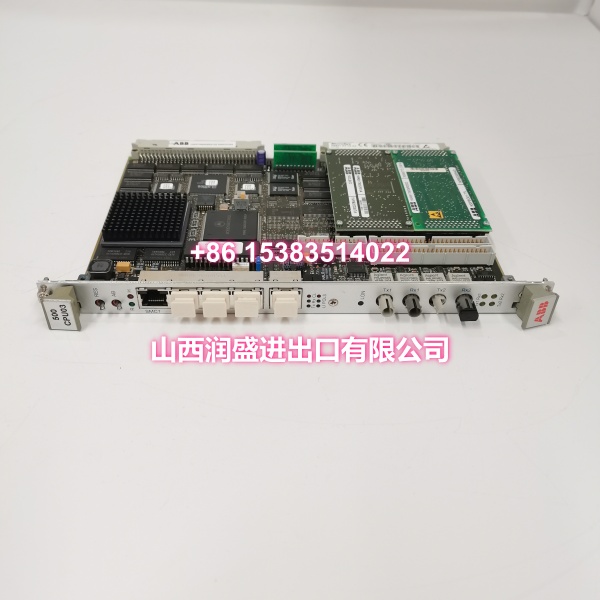
Key Technical Specifications
- Product Type: PLC CPU Module
- Brand: ABB
- Model Number: 500CPU05 / 1MRB150081R1/E
- Series: ABB AC500 PLC Series
- CPU Type: 80196-type processor
- Clock Frequency: 10 MHz
- Program Memory: 128 KB
- I/O Capacity: Up to 256 I/O points
- Communication Interfaces: PROFIBUS, MPI
- Mounting Method: DIN rail / AC500 rack plug-in mount
- Operating Temperature: Industrial grade (typically 0°C to +60°C)
- Typical Applications: Manufacturing automation, process control (chemical, pharmaceutical), infrastructure control (power, water, waste management)
Product Introduction
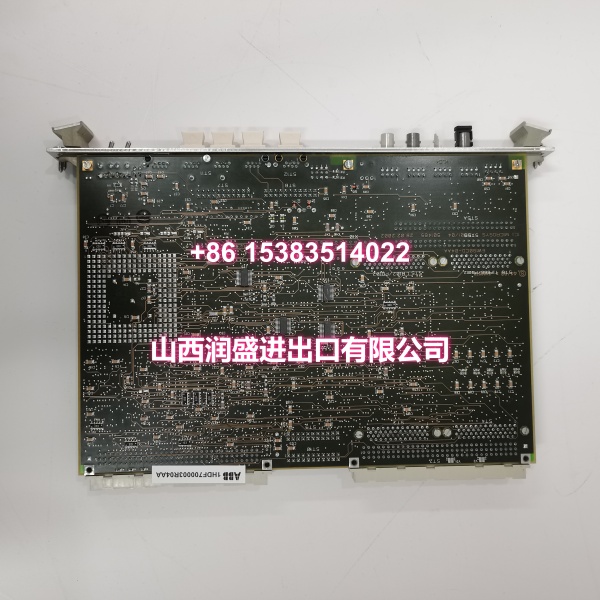
The ABB 500CPU05 (order code 1MRB150081R1/E) is the central processing unit for the ABB AC500 PLC series. It handles control logic execution, I/O management, and communication coordination for mid-to-large-scale automation systems across manufacturing, process, and infrastructure applications.
With 128 KB of program memory and support for up to 256 I/O points, this controller handles complex logic and multi-device coordination without requiring a higher-tier CPU. The integrated PROFIBUS and MPI interfaces allow direct connection to HMIs, SCADA systems, and distributed I/O racks. Its modular architecture means you can scale the system by adding I/O or communication modules as process requirements evolve — no full rack replacement needed. For brownfield maintenance or system expansion, this module is a direct plug-and-play replacement.
QA & Testing SOP
Every unit undergoes a standardized verification process before shipment:
- Visual & Anti-Counterfeit Check: Inspect the PCB for proper ABB branding, verify the order code (1MRB150081R1/E) matches the label, and check for signs of previous installation such as terminal wear, rack mounting marks, or corrosion.
- Cold-Boot & Firmware Load Test: Insert the module into an AC500 test rack and power up. Verify that the CPU boots correctly, firmware loads without errors, and the status LEDs indicate normal operation (RUN/OK lights solid, no FAULT indication).
- Backplane Communication Test: Confirm that the CPU correctly recognizes all installed I/O modules on the backplane bus. Verify slot mapping and that no module communication faults are reported.
- Program Download & Execution Test: Download a test program via the programming interface and verify that the CPU executes logic correctly. Force I/O points to confirm proper input reading and output driving. Test PROFIBUS/MPI communication by polling the CPU from an HMI or SCADA client.
- Memory Integrity Check: Verify that program memory read/write operations function correctly across the full 128 KB range. Confirm that the program retains after a power cycle.
- Anti-Static Packaging: After passing all tests, the module is placed in anti-static shielding bags with desiccant packs for safe transit.

Installation Pitfalls & Guide
Real-World Risks When Replacing This Module:
❗ Slot Position Requirement: The CPU module must be installed in the leftmost slot of the AC500 rack. Installing it in any other slot will prevent the system from initializing. Always verify the physical slot position before powering up.
❗ Firmware Version Compatibility: If you are replacing a failed CPU in an existing system, the firmware version on the new module may differ from the original. Mismatched firmware can cause program download failures or unexpected behavior. Always check the firmware version and update if necessary before loading the application program.
❗ Battery-Backed Memory Loss: If the original CPU had a battery-backed memory option and the battery was depleted, the program may have been lost. Always back up the program from the CPU or engineering station before removing the old module. If no backup exists, you will need to re-download from the programming software.
❗ PROFIBUS Address Conflict: If the CPU’s PROFIBUS address was set via hardware switches or software configuration, ensure the new module is configured with the same address. A duplicate PROFIBUS address on the network will cause communication failures for all devices on that segment.
4-Step Replacement Guide:
- Pre-Install: Power down the rack or isolate the CPU section. Back up the current program and configuration from the engineering station or the old CPU if still accessible. Document all communication settings (PROFIBUS address, MPI settings).
- Removal: Disconnect any front-panel communication cables. Release the module locking mechanism and carefully slide the old CPU out of the leftmost slot. Inspect the backplane connector for bent pins or debris.
- Install: Align the new 500CPU05 with the rack guides and slide it firmly into the leftmost slot until it locks. Reconnect communication cables. Set the PROFIBUS address if applicable.
- Power-On Test: Restore power and verify that the CPU boots correctly (RUN LED solid, no FAULT). Download the application program and configuration. Force I/O points to verify correct operation. Test PROFIBUS/MPI communication with HMI/SCADA before returning to automatic mode.
Technical FAQ
What is the maximum number of I/O points this CPU can handle? The 500CPU05 supports up to 256 I/O points. This includes both local I/O modules mounted on the same rack and distributed I/O connected via PROFIBUS. For applications requiring more than 256 points, you would need to consider a higher-tier AC500 CPU model.
Can I use this CPU with third-party PROFIBUS devices? Yes. The integrated PROFIBUS interface on the 500CPU05 is compliant with the PROFIBUS DP standard, which means it can communicate with any PROFIBUS DP-compliant device from third-party manufacturers. You will need to import the appropriate GSD files into your programming software for each third-party device.
Does this module support hot-swapping? No. The AC500 CPU module is not designed for hot-swapping. You must power down the rack before removing or installing the CPU. Hot-swapping can damage the backplane, the CPU, and connected I/O modules. Always follow proper lockout/tagout procedures before servicing.
What programming software is used for this CPU? The AC500 series, including the 500CPU05, is programmed using ABB’s Automation Builder or the legacy PS501 Control Builder. The programming environment supports IEC 61131-3 languages including Ladder Diagram (LD), Function Block Diagram (FBD), Structured Text (ST), Instruction List (IL), and Sequential Function Chart (SFC).
What warranty do you offer on New Surplus parts? We provide a full 12-month warranty on all New Original / New Surplus units. This is fundamentally different from refurbished CPU modules, which often carry 30–90 day warranties and come with unknown thermal cycling history, potential memory degradation, and worn backplane connectors. For a central processing unit that governs all control logic and system communications, the reliability difference between new surplus and refurbished directly impacts production uptime.