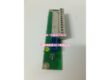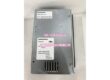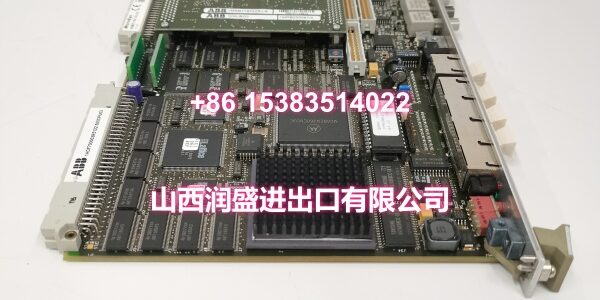
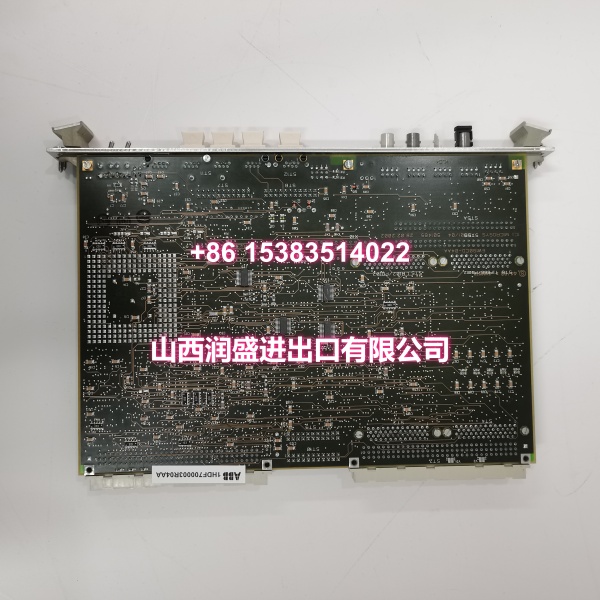
Product Core Brief
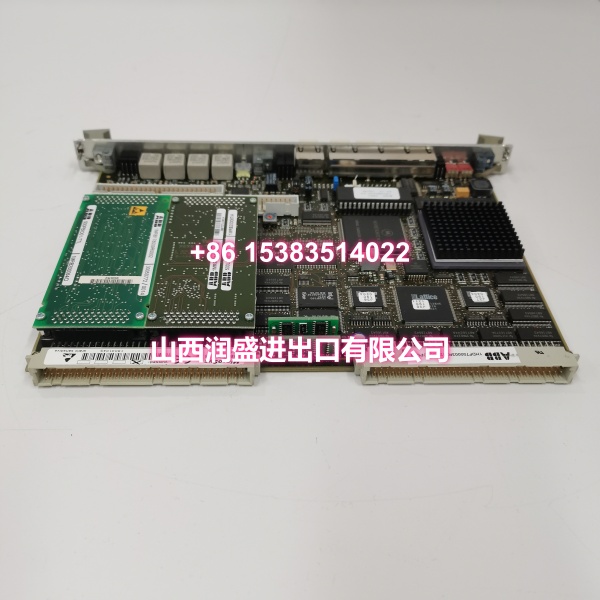
- Model: 500CPU03 (1HDF700003R5122)
- Brand: ABB
- Series: ABB 500-Series Control System Platform
- Core Function: High-performance CPU module serving as the central processing unit for ABB 500-series automation and process control systems.
- Product Type: PLC CPU Module / Industrial Controller
- Key Specs: High-Performance Processor | Multiple Communication Interfaces (Ethernet, Modbus) | Modular Backplane Integration
- Note: Condition: New Original (New Surplus).
Key Technical Specifications
| Parameter | Value |
|---|---|
| Manufacturer Part Number | 1HDF700003R5122 |
| Device Model | 500CPU03 |
| Functional Type | Central Processing Unit (CPU) Module |
| Parent System | ABB 500-Series Control Rack |
| Processor | High-Performance Industrial CPU |
| Memory | Sufficient capacity for complex control programs |
| Communication Interfaces | Ethernet, Modbus, and other industrial protocols |
| Mounting | Plug-in module for 500-series backplane |
| Power Source | Via system backplane (industrial standard) |
| Operating Temperature | Wide industrial temperature range |
| Design Standard | Industrial-grade, ruggedized for harsh environments |
| Condition | New Original (New Surplus) |
Product Introduction
The ABB 500CPU03 (order code 1HDF700003R5122) is a high-performance CPU module that serves as the central processing unit for ABB 500-series control systems. It handles complex control tasks across power generation, petrochemical processing, manufacturing automation, and water treatment applications, executing logic programs and coordinating I/O modules across the backplane.
Built for harsh industrial environments, this module integrates multiple communication interfaces—including Ethernet and Modbus—enabling straightforward integration with HMIs, SCADA systems, and other automation devices. The modular design allows flexible configuration and expansion, making it a practical choice for both greenfield installations and brownfield upgrades where maintaining existing I/O architecture is critical.
QA & Testing SOP
Every unit goes through a structured verification process before shipment:
- Visual Inspection: Check for burnt components, swollen capacitors, corrosion on the backplane connector pins, and physical damage to the front-panel communication ports and status LEDs.
- Backplane Connector Verification: Inspect the DIN 41612-style backplane connector for bent or pushed-out pins. A poor backplane connection is the most common cause of intermittent CPU faults and boot failures.
- Cold-Boot Test: Power the module on a test rack and verify it completes a full boot sequence without errors. Check that status LEDs progress through the expected startup pattern and settle into normal operation.
- Firmware & Memory Check: Where test infrastructure allows, verify the module responds to programming software connections and that firmware is accessible. Confirm memory integrity by reading back a test program.
- Communication Port Verification: Test Ethernet and serial ports for physical integrity and basic connectivity. Confirm the module can establish communication with a test master device.
- Anti-Counterfeit & Packaging: Verify authenticity markings on the PCB and label. Each unit is shipped in anti-static packaging with desiccant to prevent moisture damage during transit.

Installation Pitfalls & Guide
Replacing a CPU module is more involved than swapping an I/O card. A few mistakes here can take the whole rack offline:
❗ Firmware Version Mismatch: The new CPU may ship with different firmware than the original. If your control program was compiled for a specific firmware revision, a version mismatch can cause download failures or runtime errors. Document the original firmware version before removal and verify compatibility after installation.
❗ Program Download Required: Unlike some I/O modules that inherit configuration from the backplane, a replacement CPU may not retain the original control program. Ensure you have a current backup of the control logic and are prepared to download it to the new module during commissioning.
❗ Backplane Slot Assignment: The CPU must be installed in the correct slot as defined by the system configuration. Installing it in the wrong slot will prevent the rack from initializing. Verify the slot assignment in your control software matches the physical installation.
❗ ESD Damage Risk: CPU modules are highly sensitive to electrostatic discharge. Always use a grounded wrist strap when handling the module, and never touch the backplane connector pins or exposed PCB traces.
4-Step Replacement Guide:
- Pre-install: Document the original firmware version, slot assignment, and communication parameters. Back up the current control program from the existing CPU if it is still accessible.
- Removal: Power down the rack. Use ejector levers to remove the old CPU module straight out, avoiding any tilting that could bend backplane pins.
- Install: Insert the new CPU firmly into the correct slot, ensuring the backplane connector seats fully. Secure the module with the retaining screws or latches.
- Power-on Test: Power up the rack. Verify the CPU completes its boot sequence and status LEDs indicate normal operation. Download the control program if required, and test communication with the HMI or SCADA system.
Technical FAQ
1. What systems is the 500CPU03 compatible with? The 500CPU03 is designed for ABB 500-series control system racks, serving as the central processor for automation and process control applications across power, petrochemical, manufacturing, and water treatment industries.
2. What communication protocols does this CPU support? The module supports multiple industrial communication protocols including Ethernet and Modbus, enabling integration with HMIs, SCADA systems, and other automation devices on the plant network.
3. Can I hot-swap this CPU module? No. CPU modules should never be hot-swapped. The processor manages the entire rack’s operation, and removing it while powered will cause an immediate system shutdown. Always power down the rack before removing or installing the CPU.
4. Is this a direct replacement for a failed CPU? Yes, with caveats. The 500CPU03 is designed as a drop-in replacement for ABB 500-series racks. However, you must verify firmware compatibility and be prepared to download the control program to the new module. Install it in the same slot as the original to preserve the system configuration.
5. What’s the warranty on New Surplus vs. Refurbished? We supply this unit as New Original (New Surplus)—unused, original factory stock, typically still in its anti-static packaging. This comes with a standard 12-month warranty. Refurbished CPU modules carry significant risks including degraded processor performance, corrupted firmware from previous fault events, and undocumented operational history. Refurbished units typically come with 30-90 day limited warranties that don’t cover latent defects.