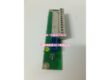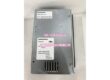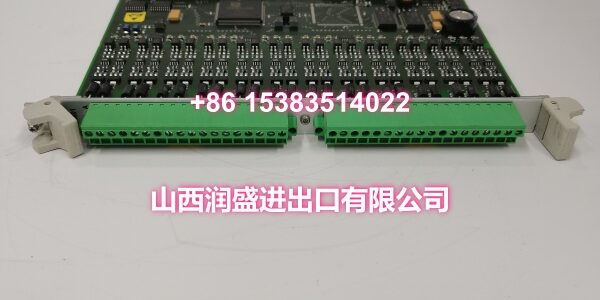
Product Core Brief
- Model: 500CIM05 (1MRB150077R1/B)
- Brand: ABB
- Series: ABB 500-Series Control System Platform
- Core Function: Communication interface module providing serial protocol connectivity (Modbus) for ABB 500-series controllers and drive systems.
- Product Type: Communication Interface Module
- Key Specs: Modbus Protocol Support | Backplane Integration | Plug-in Rack Mount
- Note: Condition: New Original (New Surplus).
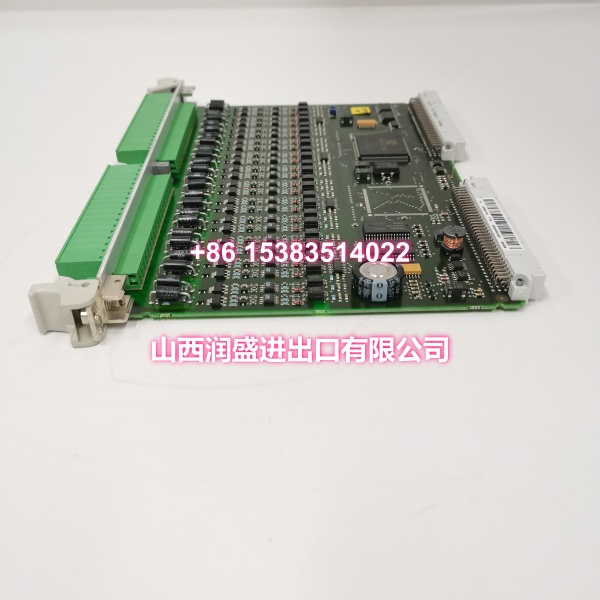
Key Technical Specifications
| Parameter | Value |
|---|---|
| Manufacturer Part Number | 1MRB150077R1/B |
| Device Model | 500CIM05 |
| Functional Type | Communication Interface Module |
| Communication Protocol | Modbus |
| Parent System | ABB 500-Series Control Rack |
| Mounting | Plug-in module for 500-series backplane |
| Power Source | Via system backplane |
| Communication | ABB 500-series rack bus |
| Condition | New Original (New Surplus) |
Product Introduction
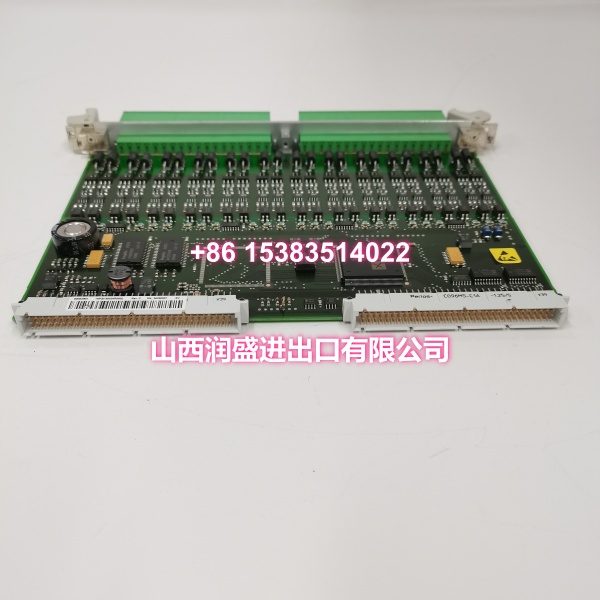
The ABB 500CIM05 (order code 1MRB150077R1/B) is a communication interface module designed for ABB 500-series control system racks. It provides serial protocol connectivity—specifically Modbus—enabling the controller or drive system to exchange data with external HMIs, SCADA systems, PLCs, and other field devices over standard industrial networks.
For engineers maintaining brownfield installations, this module is a direct drop-in replacement that restores communication links without reworking the entire network architecture. It plugs into the standard 500-series backplane and draws power directly from the rack bus, eliminating the need for separate power wiring. The Modbus interface supports reliable data exchange for process monitoring, remote control, and system diagnostics across metallurgy, chemical processing, power generation, and material handling applications.
QA & Testing SOP
Every unit goes through a structured verification process before shipment:
- Visual Inspection: Check for burnt components, swollen capacitors, corrosion on the backplane connector pins, and physical damage to the front-panel communication port.
- Backplane Connector Verification: Inspect the DIN 41612-style backplane connector for bent or pushed-out pins. A poor backplane connection is the most common cause of intermittent communication faults.
- Communication Port Test: Verify the serial port (RS-485/RS-232) is physically intact, with no broken pins or damaged terminators. Confirm the port responds to loopback testing where applicable.
- Protocol Handshake Verification: Where test infrastructure allows, verify the module can establish a Modbus connection and respond to register read requests. This confirms the communication ASIC and firmware are functional.
- Anti-Counterfeit & Packaging: Verify authenticity markings on the PCB and label. Each unit is shipped in anti-static packaging with desiccant to prevent moisture damage during transit.
Installation Pitfalls & Guide
Replacing a communication module sounds simple, but there are a few traps that cause repeat callbacks:
❗ Baud Rate & Node Address Mismatch: The most common post-replacement issue. Even if the hardware is identical, the new module may ship with default communication parameters. Verify baud rate, parity, stop bits, and Modbus node address match your existing network configuration before connecting to the live bus.
❗ Termination Resistor Setting: RS-485 networks require proper termination at the ends of the bus. If your original module had a termination jumper or DIP switch enabled, the replacement must match. Missing or double termination causes reflection errors and intermittent communication drops.
❗ Backplane Pin Damage: When removing the old module, pull straight out using the ejector levers. Tilting or forcing the module can bend backplane pins, creating intermittent faults that are notoriously hard to diagnose.
❗ Ground Loop Through Communication Cable: If the communication cable shield is grounded at both ends and the devices sit at different ground potentials, you can get ground loop currents that corrupt data or damage the port. Use isolated RS-485 repeaters or single-point shield grounding where possible.
4-Step Replacement Guide:
- Pre-install: Document existing communication parameters (baud rate, node address, termination setting) from the old module or control software.
- Removal: Power down the rack if hot-swap is not supported. Use ejector levers to remove the old module straight out.
- Install: Set DIP switches/jumpers on the new module to match the documented settings. Insert firmly into the correct slot, ensuring the backplane connector seats fully.
- Power-on Test: Power up the rack. Verify the module’s status LED indicates normal operation. Test Modbus communication by reading a known register from the master device.
Technical FAQ
1. What communication protocol does this module support? The 500CIM05 supports Modbus protocol, enabling serial communication with HMIs, SCADA systems, and other Modbus-compatible devices. This is the standard protocol for ABB 500-series communication interfaces.
2. Can I hot-swap this module? It depends on your specific 500-series rack configuration and firmware. Some ABB 500-series backplanes support limited hot-swap for certain module types, but communication modules are riskier to hot-swap than I/O cards because they manage active network connections. If possible, power down the rack or at least isolate the communication bus before replacement to avoid bus contention or address conflicts.
3. Is this a direct replacement for a failed communication card? Yes. The 500CIM05 is designed as a drop-in replacement for ABB 500-series racks. Install it in the same slot as the original module and match the communication parameters (baud rate, node address, termination) to your existing configuration. The plug-in form factor means no rewiring of the backplane or communication cables.
4. What’s the warranty on New Surplus vs. Refurbished? We supply this unit as New Original (New Surplus)—unused, original factory stock, typically still in its anti-static packaging. This comes with a standard 12-month warranty. Refurbished communication modules carry risks including degraded communication ASICs, damaged serial ports from previous overvoltage events, and undocumented firmware versions. Refurbished units typically come with 30-90 day limited warranties that don’t cover latent defects.
5. Why is the pricing lower than direct OEM but higher than used parts? Our pricing reflects guaranteed, unused condition. Unlike used parts from general marketplaces—which may have unknown operational hours, hidden damage from previous surge events, or degraded communication ports—our New Surplus inventory is verified for authenticity and condition. You avoid the premium of custom OEM manufacturing for legacy parts while securing a component that performs like new, minimizing the risk of communication failures and unplanned downtime in critical control applications.