Field Engineer’s Notes (From the Trenches)
Beware of Backplane Seating and ROP Cable Lengths.
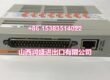
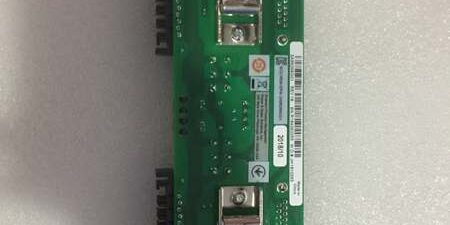
The 3A99266G01 is a legacy Westinghouse-era design. Over the years, the gold fingers on the card and the backplane springs can oxidize, leading to intermittent “Comm Loss” alarms on the ROP. If you’re seeing sporadic communication drops, power down the chassis, pull the card, and gently clean the edge connectors with high-grade electronics contact cleaner.Additionally, pay close attention to the cable running between this board and the physical ROP screen/buttons. These are often proprietary multi-conductor cables. If the cable run exceeds the manufacturer’s specified length (usually around 50-100 feet depending on the revision), you will start seeing data corruption or display ghosting. Always use the exact shielded cable specified in the Ovation hardware manual, and ensure the shield is grounded at the cabinet end ONLY to prevent ground loops from frying the interface logic.
Real-World Applications
- Power Plant Turbine Local Control Panel:
In a combined-cycle power plant, the main DCS control room might be hundreds of feet away from the steam turbine deck. The 3A99266G01 is installed in a local NEMA 4X cabinet right next to the turbine, interfacing with a ruggedized ROP. This allows operators to perform local speed bumps, synchronization checks, and emergency trips during commissioning or maintenance without needing a second person radioing back to the control room. - Remote Pump Station or Compressor Skid:
For pipeline compressor stations or remote water treatment pump skids, this module provides the vital link for a local “doghouse” operator panel. Field technicians can view suction/discharge pressures and manually override VFD speeds directly at the skid using the ROP, with the 3A99266G01 ensuring those commands are instantly reflected in the main Ovation controller.
High-Frequency Troubleshooting FAQ
Q: The ROP screen is blank or showing a “Comm Fault.” How do I troubleshoot the 3A99266G01?
A: First, check the LEDs on the 3A99266G01 faceplate. If the “Power” LED is off, check the chassis backplane power supply fuses. If the “Active/Run” LED is blinking or off, the board isn’t talking to the controller—try reseating the card. If the LEDs look normal, the issue is likely the cable between the board and the ROP screen, or the ROP screen’s own internal power supply.
Q: Can I substitute the 3A99266G01 with a standard Ethernet interface card?
A: No. The ROP hardware in legacy Ovation/Westinghouse systems relies on a specific, deterministic communication protocol handled by this exact board. A standard Ethernet card (like an ENIC) cannot interpret the ROP’s hardware signaling. You must replace it with the exact 3A99266G01 part number or its direct factory-approved revision equivalent.
Q: Is the 3A99266G01 hot-swappable?
A: Generally, yes, the Ovation backplane supports hot-swapping for most I/O and interface cards. However, pulling this board will immediately disconnect the local ROP from the system. Always notify the control room and field operators before removing it to prevent confusion or an unintended loss of local control during a critical process phase.
Commercial Availability & Pricing
Please note: The listed price is not the actual final price. It is for reference only and is subject to appropriate negotiation based on current market conditions, quantity, and availability.