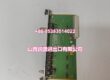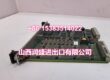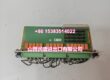
Product Core Brief
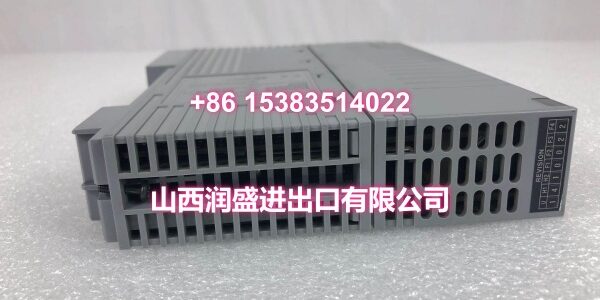
- Model: EB501 (e.g., EB501-10 basic type; confirm suffix before order)
- Brand: YOKOGAWA
- Series: CENTUM VP / CS 3000 Bus Interface Module
- Core Function: ER bus interface slave module that connects remote I/O or field devices to YOKOGAWA DCS field control stations.
- Product Type: Bus Interface Module
- Key Specs: ER bus interface slave | CENTUM VP / CS 3000 compatible | Compact DIN-rail / FCS-mounted module
- Condition: New Original / New Surplus
Key Technical Specifications
| Parameter | Detail |
|---|---|
| Brand | YOKOGAWA |
| Model Number | EB501 (suffix varies, e.g., EB501-10) |
| Product Type | Bus Interface Module (ER Bus Interface Slave) |
| Applicable Systems | CENTUM VP, CS 3000 DCS |
| Bus Role | Slave interface for remote I/O / field device connection |
| Transmission Speed | 128 Mbps (reference: EB501-10) |
| Transmission Distance | Up to 10 m (reference: EB501-10) |
| Current Consumption | 0.5 A (reference: EB501-10) |
| Connectable Units | Up to 9 units (reference: EB501-10) |
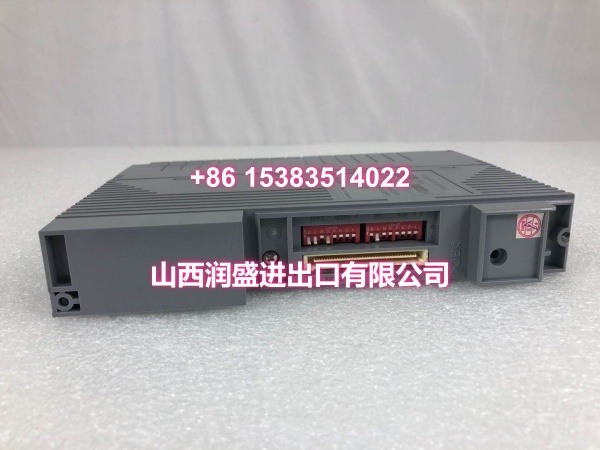
| Mounting | Compact module; DIN-rail or FCS node mounting depending on suffix |
| Industrial Applications | Petrochemical, power generation, oil & gas, water treatment, pharmaceutical |
| Condition | New Original / New Surplus |
Note: Exact electrical ratings, connector type, and mounting depend on the suffix code. The values above reflect the EB501-10 reference listing.
Product Introduction
The EB501 is a YOKOGAWA bus interface module used to extend communication between CENTUM VP or CS 3000 field control stations and remote I/O or field devices. It functions as an ER bus interface slave, helping the DCS acquire field data and maintain reliable control across distributed I/O nodes.
For maintenance teams, this module is most valuable when replacing a failed interface card or expanding an existing node without redesigning the entire station. Its compact form factor and direct compatibility with YOKOGAWA DCS architecture make it a practical spare for plants running legacy CS 3000 systems or older CENTUM VP configurations.
QA & Testing SOP
We treat every bus interface module as field-critical hardware. Before dispatch, each unit goes through the following checks:
- Label & Suffix Verification: Confirm the full model code, suffix, and serial number. The EB501 family has multiple variants, so the suffix must match the existing station configuration.
- Visual & Anti-Counterfeit Check: Inspect the faceplate, PCB, connectors, and mounting hardware for rework, corrosion, moisture damage, or non-OEM components.
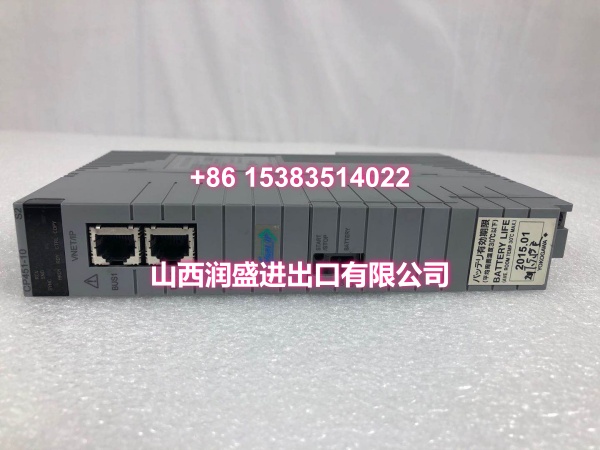
- Connector & Pin Inspection: Check bus connectors, terminal blocks, and backplane contacts for bent pins, oxidation, or loose terminals. Poor contact here is a common source of intermittent communication faults.
- Power-Up & Communication Test: Energize the module on a compatible test setup, verify status LEDs, and confirm bus handshake with the host controller or engineering station.
- ESD-Safe Packaging: Each module is packed in anti-static material with desiccant and sealed for shipment.

Installation Pitfalls & Guide
❗ Suffix mismatch is the most common mistake. EB501-10, EB501-13, and other variants may differ in connectors, mounting, or electrical ratings. Always match the suffix to the existing module or confirm with the OEM manual before installation.
❗ Don’t mix bus types. Some third-party listings mention DeviceNet, Profibus, or fiber optics, but those descriptions do not reliably apply to the YOKOGAWA EB501 ER bus interface module. Treat unrelated bus specs as unverified unless confirmed by an official datasheet.
❗ Check power draw and node limits. The reference EB501-10 draws about 0.5 A and supports up to 9 connectable units. Exceeding power or node limits can cause unstable communication or module faults.
❗ Verify bus termination and cabling. ER bus segments usually require correct cabling length, secure connectors, and proper termination. A loose cable can look like a failed module.
Replacement Steps:
- Pre-Install: Back up the DCS configuration, confirm the exact suffix, and verify power/bus compatibility.
- Removal: De-energize the node if allowed, disconnect bus cables, and remove the module carefully.
- Install: Seat the new module, secure mounting hardware, and reconnect bus cables with correct polarity/termination.
- Power-On Test: Restore power, check LED indicators, verify communication with the FCS, and confirm I/O data mapping.
Technical FAQ
Is EB501 compatible with CENTUM VP and CS 3000? Yes. The EB501 series is used as an ER bus interface slave module for CENTUM VP and CS 3000 systems. Always confirm the suffix matches your station hardware.
Can I replace EB501-10 with another EB501 suffix? Not automatically. Different suffixes may change connectors, mounting style, or electrical ratings. Use the same suffix when possible, or verify compatibility with the OEM documentation.
What is the typical lead time? Stock availability varies by suffix. For urgent replacements, share the full model code and a nameplate photo so we can confirm the correct unit before shipping.
Do you offer a warranty? Yes. All units carry a 12-month warranty covering functional defects under normal operating conditions.
Can this module be used for Profibus or DeviceNet? The EB501 is an ER bus interface slave module for YOKOGAWA DCS. Listings that describe it as a standalone Profibus or DeviceNet device should be verified against official documentation before purchase.