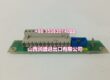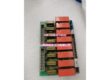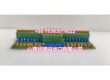
Product Core Brief
- Model: DSRF197K01
- Brand: ABB
- Series: ABB Industrial Ethernet Communication Module
- Core Function: Ethernet communication interface module for ABB DCS/PLC systems, converting network signals to CPU-readable data and enabling high-speed data transmission over Ethernet networks.
- Product Type: Ethernet Communication Module / Interface Module
- Key Specs: 10/100M Ethernet interface | IEEE 802.3 standard | TCP/UDP protocol support | Direct memory access (DMA) | LED status indicators | Battery backup option
- Note: Condition: New Original (New Surplus). Compatible with ABB DCS/PLC system architectures.
Key Technical Specifications
| Parameter | Value |
|---|---|
| Device Model | |
| Device Type | Ethernet Communication Module |
| Series | ABB Industrial Ethernet Module |
| Core Function | Ethernet signal conversion and data transmission |
| Ethernet Standard | IEEE 802.3, 10BaseT (10 MBit/s) |
| Interface | 10M/100M Ethernet port (RJ45) |
| Protocol Support | TCP/UDP, Modbus RTU |
| Data Transfer | Direct memory access (DMA) for reduced CPU overhead |
| Power Supply | 3.3V TTL level |
| Input Voltage Range | 110V–380V AC (system-level) |
| Current Rating | 1A–30A (system-level) |
| Power Consumption | 5W–130W (system-level) |
| Communication Modes | Serial transmission mode, AT command mode |
| Baud Rate | Multiple baud rate ranges supported |
| Verification Methods | Multiple verification methods supported |
| Status Indicators | Front-panel LED indicators for communication status |
| Data Security | Encryption and authentication mechanisms |
| Battery Backup | Optional backup battery for critical data retention |
| Operating Temperature | Industrial-grade temperature range |
| Storage Temperature | Industrial-grade storage range |
| System Compatibility | ABB DCS/PLC systems |
| Weight | Compact form factor |
| Typical Applications | Control system integration, remote monitoring, data acquisition |
| Condition | New Original (New Surplus) |
Product Introduction
The ABB DSRF197K01 is a high-performance Ethernet communication module designed for ABB DCS/PLC industrial automation systems. Its core function is to serve as the communication bridge between the control system and Ethernet networks, converting network signals into CPU-readable binary data and handling TCP/IP protocol conversion for reliable data transmission.
In modern industrial automation, seamless communication between controllers, HMIs, SCADA systems, and enterprise networks is critical for operational efficiency. The DSRF197K01 provides this connectivity by offering a 10/100M Ethernet interface compliant with IEEE 802.3 standards, supporting both TCP and UDP protocols as well as Modbus RTU for integration with a wide range of industrial devices.
The module features direct memory access (DMA) capability, which allows it to transfer data directly to and from the system’s main memory without requiring constant CPU intervention. This significantly reduces the processing overhead on the controller’s CPU, freeing up computational resources for real-time control tasks and improving overall system performance.
Front-panel LED indicators provide at-a-glance visibility of communication status, enabling operators and maintenance personnel to quickly diagnose connectivity issues without accessing diagnostic software. The module also supports optional battery backup functionality, which maintains power to critical memory during system power interruptions, preventing data loss and ensuring system integrity.
Data security is addressed through built-in encryption and authentication mechanisms that protect transmitted data from tampering and unauthorized access — an increasingly important feature as industrial networks become more connected to enterprise IT infrastructure.
The DSRF197K01 is designed for flexible integration with PLC and DCS systems, requiring no complex configuration or programming. This plug-and-play approach reduces system integration time and cost, making it suitable for both new installations and brownfield retrofit projects.
Common applications include:
- Control system integration: Enabling data exchange between control units in multi-controller DCS architectures.
- Remote monitoring: Connecting field control systems to central monitoring stations over Ethernet networks for real-time visibility into process conditions.
- Data acquisition: Collecting field instrument data and transmitting it to data centers or historians for analysis and reporting.
- HMI/SCADA connectivity: Providing the communication link between PLCs and supervisory control systems for operator interface and alarm management.
- Enterprise integration: Bridging OT and IT networks to enable production data flow to MES and ERP systems.
For system integrators and maintenance teams supporting ABB automation installations, the DSRF197K01 is a direct drop-in replacement for failed or degraded Ethernet communication modules. When ordering, verify that the module is compatible with your specific DCS/PLC controller version and that the firmware revision matches your system requirements.
QA & Testing SOP
Every unit goes through a structured verification process before shipment:
- Visual Inspection: Check the module housing for cracks, corrosion, physical damage to the RJ45 port, and damage to mounting clips. Verify that all components (Ethernet connector, status LEDs, PCB components) are securely mounted with no cold joints or solder bridges. Inspect the module housing and connector pins for damage.
- Connector Pin Verification: Inspect the RJ45 Ethernet port for straightness, corrosion, or bending. Verify that all eight pins are intact and properly aligned, as bent pins cause link failures or intermittent connectivity.
- Power-On Self-Test: Install the module in the DCS/PLC rack and apply power. Verify that the module powers up correctly and that the status LEDs illuminate according to the expected sequence. Check for any abnormal heating during the initial power-on.
- Link Test: Connect the module to a network switch or hub using a standard Ethernet cable. Verify that the link LED illuminates, indicating a successful physical layer connection. Test with both 10M and 100M network speeds to confirm auto-negotiation functionality.
- Communication Test: Configure the module with appropriate IP settings and verify that it can communicate with other network devices. Test TCP and UDP communication by sending and receiving data packets. Verify that data transmission is accurate and that no packets are dropped under normal load conditions.
- DMA Function Test: Verify that the direct memory access function operates correctly, confirming that data transfers to system memory occur without excessive CPU utilization. Monitor CPU load during sustained data transmission to confirm DMA is functioning as designed.
- Protocol Compliance Test: Test Modbus RTU communication if applicable to your application. Verify that the module correctly responds to Modbus read/write commands and that register data is accurately transmitted.
- Battery Backup Test (if equipped): If the module includes battery backup, verify that the backup battery is functional and that critical data is retained during a simulated power interruption.
- Anti-Counterfeit & Packaging: Verify authenticity markings on the module housing and PCB. Each unit is shipped in anti-static protective packaging with desiccant to prevent moisture absorption and connector oxidation during transit.
Installation Pitfalls & Guide
Installing or replacing an Ethernet communication module requires careful attention to network configuration, cable integrity, and proper handling.
❗ Power-Down Before Installation: Always disconnect power to the DCS/PLC system before removing or inserting the DSRF197K01 module. Although some systems support hot-swap for communication modules, it is strongly recommended to replace the module with power off to prevent electrical damage to the module or the rack’s backplane connector.
❗ Anti-Static Protection: Always wear an anti-static wrist strap when handling the DSRF197K01 module. The PCB contains sensitive network interface components that can be damaged by electrostatic discharge (ESD). Handle the module by its edges only, avoiding contact with components or connector pins.
❗ Verify Network Configuration: Before installing the module, document the IP address, subnet mask, gateway, and any other network settings used by the original module. Incorrect network configuration will prevent the module from communicating with other devices on the network. If the module uses a static IP, ensure the new module is configured with the same address to avoid IP conflicts.
❗ Check Ethernet Cable Integrity: Before connecting the module to the network, verify that the Ethernet cable is properly terminated and tested. Use a cable tester to confirm that all eight conductors have continuity and that there are no shorts or miswires. A faulty cable is the most common cause of communication failures.
❗ Verify Switch/Hub Compatibility: Ensure that the network switch or hub the module connects to supports the required speed (10M or 100M) and that auto-negotiation is enabled if the module relies on it. Mismatched speed/duplex settings can cause intermittent communication issues.
4-Step Replacement Guide:
- Pre-install: Document the module’s network configuration (IP address, subnet mask, gateway, etc.). Back up the DCS/PLC system configuration, including communication settings. Verify the replacement module’s model (DSRF197K01) matches the original. Prepare anti-static protection, tools, a known-good Ethernet cable, and a laptop for network testing.
- Removal: Disconnect power to the DCS/PLC system. Wear an anti-static wrist strap. Disconnect the Ethernet cable from the module’s RJ45 port. Release the module’s mounting clips and gently pull the module straight out of the rack. Inspect the rack’s backplane connector for damage or debris.
- Install: Align the new DSRF197K01’s backplane connector with the rack slot guides. Push firmly and evenly until fully seated. Secure the module with the mounting clips. Connect the Ethernet cable to the module’s RJ45 port, ensuring a firm connection with an audible click. Verify that the link LED illuminates.
- Power-on Test: Apply power to the DCS/PLC system. Verify that the module powers up correctly and that the status LEDs indicate normal operation. Use the system’s diagnostic tools to verify that the module is communicating correctly with other network devices. Test data transmission by reading and writing data through the module. Monitor the module for several minutes to confirm stable operation with no communication errors.
Technical FAQ
1. What is the DSRF197K01 used for in an ABB automation system? The DSRF197K01 is an Ethernet communication module that provides network connectivity for ABB DCS/PLC systems. It converts Ethernet signals into CPU-readable data and handles TCP/IP protocol conversion, enabling the control system to communicate with other devices on the network, including HMIs, SCADA systems, and enterprise IT infrastructure.
2. What Ethernet speeds does the DSRF197K01 support? The DSRF197K01 supports 10M Ethernet (10BaseT) compliant with IEEE 802.3 standards. Some variants may also support 100M speeds — verify the specific module’s capabilities with your system documentation.
3. Does the DSRF197K01 support Modbus communication? Yes, the DSRF197K01 supports Modbus RTU protocol in addition to TCP and UDP, enabling integration with a wide range of industrial devices that use Modbus for communication.
4. What is direct memory access (DMA) and why is it important? Direct memory access allows the DSRF197K01 to transfer data directly to and from the system’s main memory without requiring the CPU to manage each data transfer. This significantly reduces CPU overhead, freeing up processing power for real-time control tasks and improving overall system performance.
5. What do the LED indicators on the DSRF197K01 show? The front-panel LED indicators display the module’s communication status, including link status, data transmission activity, and any error conditions. Refer to the module’s documentation for the specific LED color codes and blink patterns.
6. Does the DSRF197K01 require battery backup? The DSRF197K01 offers optional battery backup functionality. If your application requires critical data retention during power interruptions, ensure that the module is equipped with a backup battery and that the battery is in good condition.
7. What’s the difference between New Surplus and Refurbished for communication modules? We supply this unit as New Original (New Surplus) — unused, original factory stock. This comes with a standard 12-month warranty. Refurbished communication modules carry risks including degraded network interface components, weakened solder joints on the RJ45 port, and latent failures in communication ICs that may only manifest under sustained network load. For a module that is critical to system connectivity, new surplus is the safer choice.