
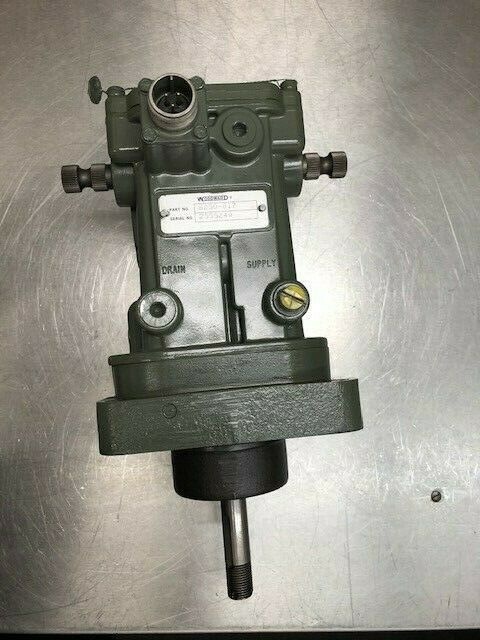
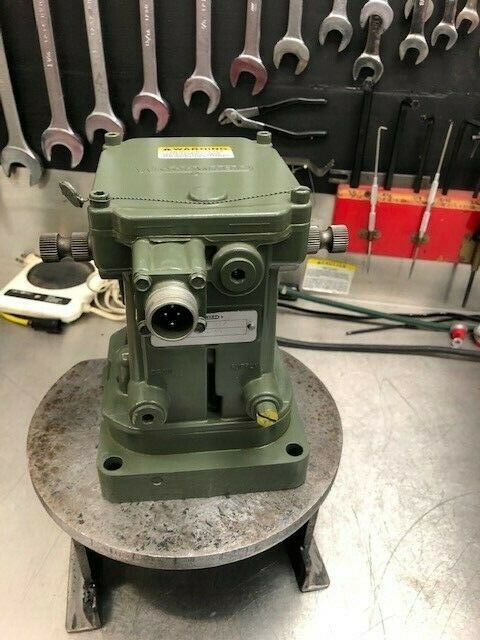
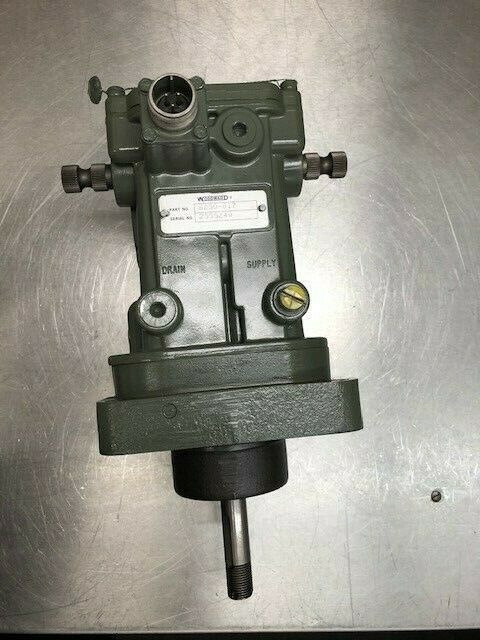
Description
Hard-Numbers: Technical Specifications
- Part Number:
- Communication Protocol: Proprietary Woodward High-Speed Serial (HSSL) / LinkNet
- Port Count: 2 Independent Fiber-Optic Ports (LC Connector)
- Baud/Data Rate: Up to 10 Mbps (Deterministic, fixed scan rate)
- Isolation Rating: 1500V DC (Optical isolation between ports and backplane)
- Power Draw: < 5 Watts (From 5V backplane supply)
- Operating Temperature: -40°C to +70°C
- Mounting: DIN Rail / Card Guide Mounting (MicroNet 5466-series chassis)
The Real-World Problem It Solves
In a turbine control panel, running parallel copper serial cables for redundancy creates a massive electromagnetic interference (EMI) nightmare. A single voltage spike from a nearby lightning strike or a VFD can corrupt the data on both redundant links simultaneously, forcing a nuisance The solves this by converting the serial signals to light, creating a completely galvanically isolated communication backbone that laughs at electrical noise.
Where you’ll typically find it:
- In the main control rack of a GE Frame 5 or Frame 7 gas turbine, linking the Master and Slave MicroNet Plus CPUs.
- Mounted in the local control panel of a steam turbine generator, connecting the main controller to a remote I/O drop at the hydrogen seal oil skid.
- Retrofitted into older 5000-series panels to replace failing copper-based serial cards, drastically improving communication reliability.
It ensures the left and right brains of the turbine stay perfectly in sync.
Hardware Architecture & Under-the-Hood Logic
This module is a dedicated serial-to-fiber converter with a built-in microprocessor for link management. It sits on the MicroNet backplane, acting as a high-speed bridge between the CPU’s parallel bus and the external fiber-optic network.
- Backplane Interface: The module draws power and data from the 5V MicroNet backplane. A dedicated ASIC handles the parallel-to-serial conversion without burdening the main CPU.
- Optical Transceiver: The onboard laser diode and photodiode convert electrical TTL/CMOS signals into pulses of light. This provides 1500V of isolation, breaking any ground loops between cabinets.
- Link Integrity Monitoring: A hardware watchdog constantly monitors the received light levels and bit-error rates. If the signal degrades or is lost, it immediately flags a “Link Fault” to the CPU via the backplane.
- Deterministic Data Transfer: Unlike standard Ethernet, this module uses a fixed, pre-allocated time slot for data transmission. This guarantees that a critical speed control message will never be delayed by a large data packet, ensuring bumpless redundancy switchover.
Field Service Pitfalls: What Rookies Get Wrong
Using the Wrong Fiber-Optic Connector Polish
Rookies often grab a standard multimode fiber patch cord from the IT depart The typically requires LC connectors with a specific polish (often UPC or APC). Using the wrong one results in a 10dB insertion loss, causing the link to flap or fail intermittently.
- Field Rule: Check the module’s silkscreen for the connector type and polish. Always use a fiber microscope to inspect the connector end-face before plugging it in. A single speck of dust can kill the link.
Mixing Up Transmit (TX) and Receive (RX) on Single-Fiber Links
When using a single fiber strand for bidirectional communication, techs often connect TX to TX and RX to RX. Since the module uses wavelength-division multiplexing (WDM), this will result in zero communication.
- Field Rule: Always follow the “TX to RX, RX to TX” rule. Use a visible light pen (VFL) to trace the fiber path. If the link doesn’t come up, swap the transmit and receive fibers at one end.
Ignoring the Minimum Bend Radius During Cable Routing
Junior techs will zip-tie the fiber-optic cable tightly against a sharp 90-degree edge of the DIN rail or cabinet frame. This macro-bending causes micro-cracks in the fiber core, increasing attenuation and eventually leading to a complete loss of signal under vibration.
- Field Rule: Maintain a minimum bend radius of 10 times the cable diameter (usually about 1 inch). Use proper cable glands and strain reliefs. Never route fiber directly against sharp metal edges.
Commercial Availability & Pricing Note
Please note: The listed price is for reference only and is not binding. Final pricing and terms are subject to negotiation based on current market conditions and availability.



