
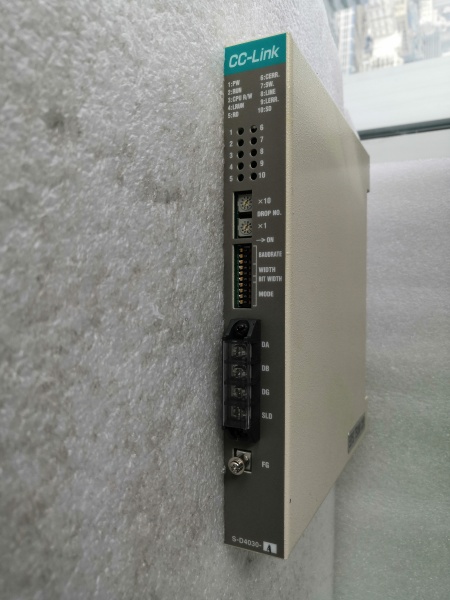
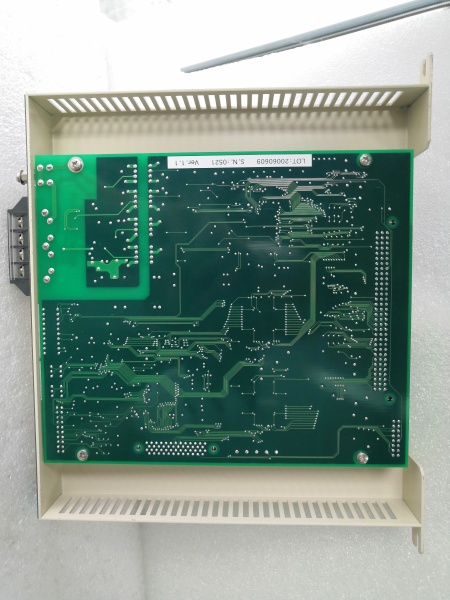
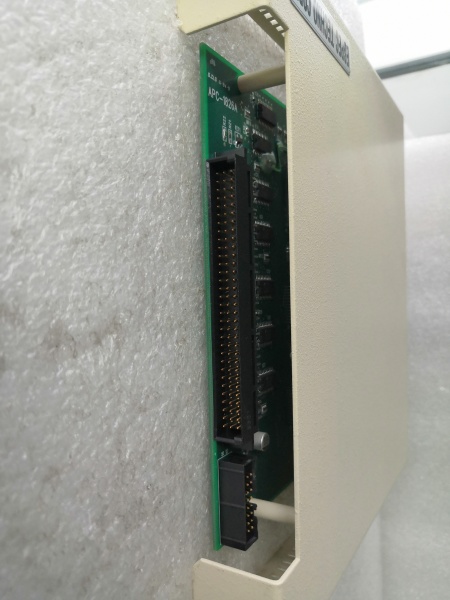
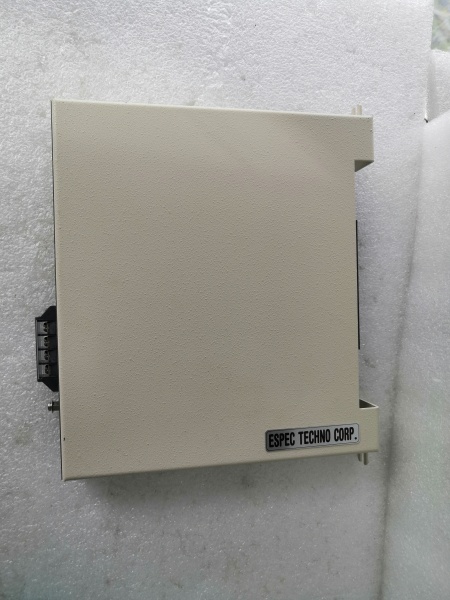
Description
Hard-Numbers: Technical Specifications
- Communication Interface: Serial Remote I/O Link (proprietary protocol)
- I/O Capacity: Up to 32 points per Shark cluster
- Operating Temperature: -10°C to +40°C
- Humidity: 90% max non-condensing
- Protection: IP20 (indoor cabinet only)
- Mounting: DIN rail or chassis mount
- Power Source: Backplane power (via remote supply)
- Weight: 0.46 kg (module) / 3 kg (shipping)
- Status Indicators: READY, RUN, FAULT LEDs
- Isolation: Electrical isolation on serial link
- Altitude Rating: 1000 meters max

RELIANCE S-D4030-A
The Real-World Problem It Solves
Running thousands of feet of wire back to a central rack costs money and kills signal integrity. Field devices spread across a plant need local aggregation without losing real-time response. The S-D4030-A sits in a remote Shark enclosure, polls up to 32 I/O points at a fixed scan rate, and shoots the data back over one serial link.
Where you’ll typically find it:
- Steel rolling mills where heat keeps electronics away from the process line
- Paper machines with distributed valve islands along hundreds of feet of machine
- Automotive body shops with robot cells scattered across the floor
Bottom line: It puts I/O where the action is while keeping the AutoMax processor in a safe, cool control room.
Hardware Architecture & Under-the-Hood Logic
The S-D4030-A is the gateway between AutoMax processors and remote Shark I/O modules. It doesn’t handle field I/O directly—it coordinates the cluster and talks serial to the main rack. The head has its own microcontroller for deterministic polling.
- S-D4030-A mounts in remote Shark chassis alongside I/O modules
- Backplane connects head to all Shark modules in the cluster
- Microcontroller polls each I/O module at fixed scan interval
- Data packets assembled with inputs from all 32 points
- Serial transmitter shoots packets to AutoMax over Remote I/O link
- Serial receiver gets output commands from AutoMax processor
- Head distributes outputs to appropriate Shark modules
- Electrical isolation separates remote ground from central rack ground
- Watchdog timer monitors communication health
- LEDs report power-up status, active communication, and faults
RELIANCE S-D4030-A
Field Service Pitfalls: What Rookies Get Wrong
Overloading the 32-Point Limit
Newbies cram extra modules into a single Shark cluster. The addressing scheme only covers 32 points—anything beyond gets ignored or mapped wrong.
Field Rule: Count your points carefully. If you need more than 32, install a second S-D4030-A head with its own cluster and separate network address.
Running Serial Cables Too Far Without Termination
The serial link has distance limits based on baud rate. Newbies run 3,000 feet on a cable rated for 1,000 and wonder why communications drop randomly.
Quick Fix: Check the manual for max cable length at your configured baud rate. Install termination resistors at both ends of the daisy-chain. Use shielded twisted-pair rated for RS-485/RS-422 industrial use.
Grounding the Shield at Both Ends
The S-D4030-A provides isolation on the serial link for a reason. Newbies ground the cable shield at both the remote head and the AutoMax rack, creating ground loops that fry transceivers or corrupt data.
Field Rule: Ground the shield at the AutoMax end only. Let it float at the remote S-D4030-A end. The isolation 终止s ground currents from flowing between cabinets.
Ignoring Environmental Heat Buildup
Remote enclosures sit near hot process lines without air conditioning. Newbies install the head in a box that hits 55°C ambient and complain about intermittent faults.
Quick Fix: Monitor enclosure temperature. If you’re pushing +40°C continuous, add a fan or heat exchanger. Derate the remote power supply to 75% of rated capacity to account for heat stress.
Duplicating Network Addresses
Multiple S-D4030-A heads on the same serial network need unique addresses. Newbies copy a working configuration when adding a cluster and forget to change the node address.
Field Rule: Document every head’s address in your as-builts. Before power-up, verify no two devices share the same address. Use AutoMax Programming Executive node detection to confirm uniqueness.
Mixing AC and DC in Remote Cabinets
Some remote cabinets host both 120V AC power and 24V DC control power. Newbies run serial cables alongside AC mains without separation, picking up noise that kills communication.
Field Rule: Route serial cables at least 12 inches from AC power. Cross at 90 degrees if you must. In high-EMI environments near VFDs, use fiber converters instead of copper.
Commercial Availability & Pricing Note
Please note: The listed price is for reference only and is not binding. Final pricing and terms are subject to negotiation based on current market conditions and availability.



