
Description
Hard-Numbers: Technical Specifications
- Protocol Support: Modbus TCP/IP (Client and Server), Ethernet/IP (implicit messaging)
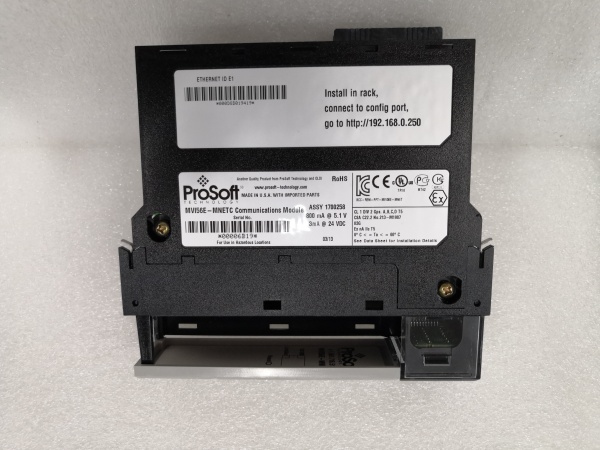
- Port Count: 2 x 10/100BaseTX (RJ45) isolated ports
- Baud/Data Rate: 10/100 Mbps auto-negotiating
- Operating Temperature: 0 to +60°C (32 to 140°F)
- Storage Temperature: -40 to +85°C (-40 to 185°F)
- Isolation Rating: 1500V RMS isolation between backplane and Ethernet ports
- Power Draw: 800mA @ 5VDC from ControlLogix backplane
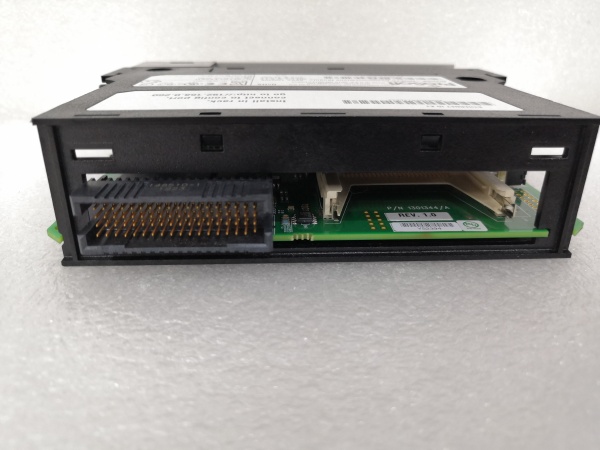
- Backplane Compatibility: 1756 ControlLogix chassis (any slot)
- Connection Limit: Up to 32 simultaneous Modbus TCP connections
- Firmware: Field-upgradeable via ProSoft Configuration Builder (PCB) software
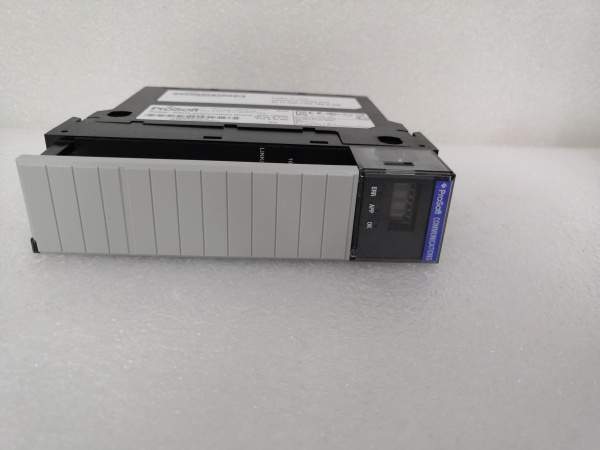
- LED Indicators: MOD (module status), ETH (Ethernet activity), CFG (configuration status), FAULT, R/S (redundancy status)
- Hot-Swap Capability: Yes – supports online configuration changes without module removal
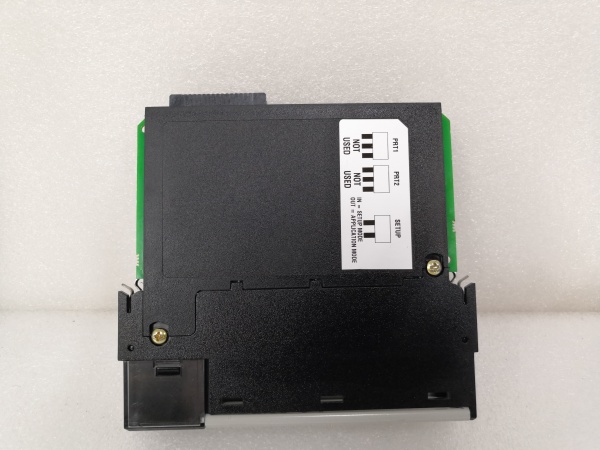
- Dimensions: Standard single-slot ControlLogix form factor

PROSOFT MVI56E-MNETC
The Real-World Problem It Solves
You need to integrate Modbus devices into a ControlLogix system, but shutting down for configuration changes or firmware updates isn’t an option. The hot-swappable configuration feature lets you modify register mappings or update firmware without pulling the module or taking the process offline. Production keeps running while you work.
Where you’ll typically find it:
- Chemical plants where shutdown windows are measured in hours per year, not per month
- Oil & gas pipeline stations with continuous flow requirements and remote access limitations
- Pharmaceutical manufacturing facilities where process validation makes any downtime extremely costly
Bottom line: It delivers all the protocol bridging of the standard MVI56E-MNET with online maintenance capability that keeps continuous processes running.
Hardware Architecture & Under-the-Hood Logic
This module functions identically to the base MVI56E-MNET in protocol handling, communicating with the ControlLogix processor via backplane implicit messaging with an onboard translation processor. The “C” variant adds configuration management circuitry that enables runtime parameter changes through the Ethernet ports without requiring a controller 终止 or module removal.
- The ControlLogix processor exchanges data with the module via backplane I/O blocks using Ethernet/IP implicit messaging.
- The onboard microprocessor performs independent Modbus TCP/IP to Ethernet/IP protocol conversion without host processor intervention.
- Configuration data is stored in non-volatile memory accessible through the Ethernet ports via ProSoft Configuration Builder software.
- During runtime configuration changes, the module maintains active connections while updating mapping tables in memory.
- The module updates the backplane I/O blocks continuously at the configured RPI rate (typically 10-100ms), with redundant modules running in hot-standby mode for critical applications.
PROSOFT MVI56E-MNETC
Field Service Pitfalls: What Rookies Get Wrong
Assuming It’s Identical to the Base MVI56E-MNETTechnicians grab the wrong datasheet and miss the hot-configuration features entirely. They schedule unnecessary shutdowns for configuration changes that could have been done online.
Field Rule: Always verify the exact model number. The “C” suffix means you can configure while running—if you’re planning downtime for config changes, you’re doing it wrong.
Configuration Loss During Firmware UpdatesInitiating a firmware update through an unreliable Wi-Fi connection mid-update can brick the module. I’ve seen a wireless drop leave a module stuck in boot loop, requiring a factory return.
Quick Fix: Use wired Ethernet for firmware updates. Verify network stability before starting. Never update firmware during critical process operations—wait for a maintenance window even if the module supports online updates.
Redundant Module MismatchFacilities install a redundant pair but configure the secondary module with different IP addresses or mismatched firmware versions. When the primary fails, the secondary takes over but the process trips due to data inconsistencies.
Field Rule: In redundant configurations, both modules must run identical firmware versions and configurations. Document your baseline config and clone it to the secondary module. Test failover during commissioning, not during a real fault.
Ignoring the R/S LED StatusThe Redundancy Status (R/S) LED tells you which module is active and which is in standby. I’ve seen technicians chase faults on the wrong module because they didn’t check which one was actually controlling the process.
Quick Fix: Check the R/S LED first during troubleshooting. The module with a solid R/S light is your active unit. The standby unit should have the R/S LED off or flashing, depending on firmware version.
IP Address Conflicts with Standby ModuleAssigning static IPs without accounting for both modules in a redundant setup causes IP conflicts when failover occurs. The standby module can’t take over because its IP is already in use by another device on the network.
Field Rule: In redundant setups, use separate IP addresses for each module but configure the ControlLogix to communicate with the primary IP. Both modules should be on the same subnet with properly configured failover settings in the ProSoft software.
Please note: The listed price is for reference only and is not binding. Final pricing and terms are subject to negotiation based on current market conditions and availability.


