
Description
Hard-Numbers: Technical Specifications
- CPU: Intel Core i5-11500HE, 6 cores, 12 MB Smart Cache
- Processor Base Frequency: 2.6 GHz
- Architecture: 11th Generation Intel Core (Tiger Lake H-Embedded)
- Memory: 2 x 8 GB standard (2 x 16 GB maximum), dual-channel DDR4-3200 MHz, non-ECC SODIMM
- Storage: 512 GB M.2 NVMe SSD (integrated, non-removable on 787882-01)
- PCI Express Link Speed: 5.0 GT/s (Gen 2) to PXIe backplane, 8 GB/s maximum controller bandwidth
- Slot Requirements: 4-wide 3U PXIe module (1 system slot + 3 controller expansion slots)
- Ethernet: 2 x Intel i225 ports, IEEE 1588 PTP, 10/100/1000/2500BASE-T
- Thunderbolt: 1 x Thunderbolt 4 port (Intel)
- USB: 2 x USB 3.0 ports, 4 x USB 2.0 ports
- Video: 2 x DisplayPort 1.4 outputs (Intel HD Graphics)
- Serial: 1 x DB-9 RS-232 port
- GPIB: Optional (787882-01 includes GPIB; variants without GPIB available)
- TPM: TPM 2.0 (Infineon/ST global, Nations Tech China)
- Operating Systems: Windows 10 IoT Enterprise, Windows 11 LTSC, NI Linux Real-Time (LabVIEW Real-Time)
- Power Consumption: +3.3 V @ 2.6 A max, +5 V @ 3 A max, +12 V @ 7.1 A max
- Operating Temperature: 0°C to 55°C
- Storage Temperature: -40°C to 71°C
- Shock (Operating) : 30 g peak, 11 ms half-sine pulse
- Shock (Non-Operating) : 70 g peak, 11 ms half-sine pulse
- Vibration (Operating) : 5 Hz to 500 Hz, 0.3 g_rms (with SSD)
- Vibration (Non-Operating) : 5 Hz to 500 Hz, 2.4 g_rms
- Weight: 753 g (1.66 lb) typical
- Dimensions: 4-wide 3U PXI Express module
- Compliance: PXI Express Specification 1.0, RoHS, TPM 2.0
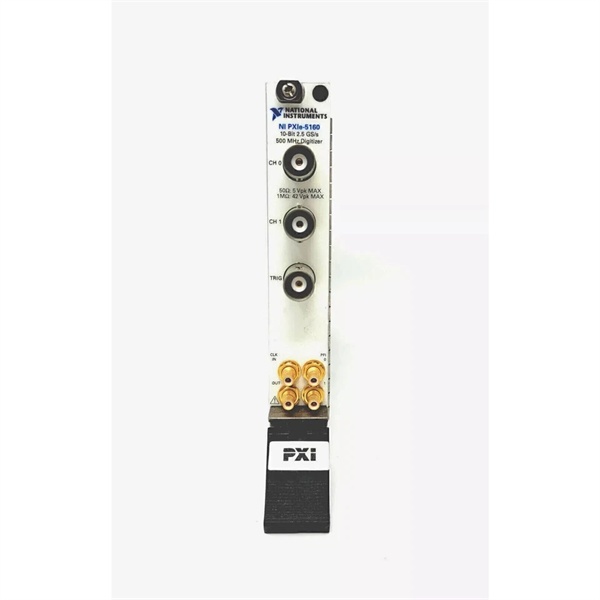
NI PXIe-5172
The Real-World Problem It Solves
Standard desktop PCs in industrial test racks choke on heat, vibration, and lack deterministic timing for real-time control. The PXIe-8842 packs a 6-core Intel i5 with dual-channel memory and 8 GB/s backplane bandwidth into a rugged 4-wide PXIe module—runs Windows or Linux RT at 55°C ambient, handles moderate streaming without throttling, and survives 30 g shock in vibrating factory floors.
Where you’ll typically find it:
- Automotive ECU test cells running Windows 10 for LabVIEW test executives with NI Linux Real-Time on the same controller for deterministic I/O control
- Semiconductor wafer probe systems streaming moderate-speed DAQ data to 512 GB NVMe SSD while executing real-time timing scripts
- Industrial control cabinets requiring dual 2.5 Gigabit Ethernet for MES integration and Thunderbolt 4 for high-speed peripheral connections
Bottom line: This controller is your mid-range workhorse for PXIe systems—6 cores handle processor-intensive LabVIEW applications, 8 GB/s bandwidth supports moderate data streaming, and TPM 2.0 plus 0-55°C operation keeps it secure and running in harsh industrial environments where desktop PCs fail.
Hardware Architecture & Under-the-Hood Logic
The PXIe-8842 is a 4-wide 3U PXIe module drawing power through +3.3 V, +5 V, and +12 V rails from the chassis backplane. The Intel Core i5-11500HE (6 cores, 12 MB cache) sits on a custom NI motherboard with dual-channel DDR4-3200 SODIMM slots (2 x 8 GB standard, 2 x 16 GB max). A PCI Express Gen 2 x8 link (5.0 GT/s) connects the CPU to the PXIe backplane for 8 GB/s total controller bandwidth. Dual Intel i225 NICs provide 2.5 Gigabit Ethernet with IEEE 1588 PTP support; Thunderbolt 4 controller handles high-speed peripheral connections. The M.2 NVMe SSD (512 GB, non-removable on 787882-01) attaches via PCIe lanes from the CPU. TPM 2.0 chip (Infineon/ST or Nations Tech China) provides secure boot and device encryption. Two DisplayPort 1.4 outputs route from Intel HD Graphics to front-panel connectors.
- CPU initialization: Intel Core i5-11500HE boots from 512 GB NVMe SSD; UEFI firmware loads OS (Windows 10 IoT, Windows 11 LTSC, or NI Linux Real-Time)
- Memory configuration: Dual-channel DDR4-3200 activates (2 x 8 GB default) providing 51.2 GB/s theoretical bandwidth to CPU
- PXIe backplane link: PCIe Gen 2 x8 link establishes connection to chassis at 5.0 GT/s (8 GB/s total bandwidth)
- Ethernet initialization: Dual i225 NICs configure for 2.5 Gigabit Ethernet; IEEE 1588 PTP daemon starts for time synchronization
- Thunderbolt 4 handshake: Thunderbolt controller negotiates high-speed peripheral connections (up to 40 Gbps aggregate)
- I/O expansion: USB 3.0/2.0 controllers enumerate; DisplayPort 1.4 outputs initialize; RS-232 port activates
- TPM authentication: TPM 2.0 chip validates secure boot keys and enables disk encryption (BitLocker on Windows, dm-crypt on Linux RT)
- OS handoff: Control passes to Windows/Linux RT kernel; NI-DAQmx and hardware drivers load
- Application execution: LabVIEW or custom C/C++ applications run on 6 cores; real-time tasks execute on dedicated cores (Linux RT) or Windows real-time subsystem
- Backplane communication: PXIe modules communicate via PCIe Gen 2 x8 link; data streams at up to 8 GB/s to NVMe SSD or memory
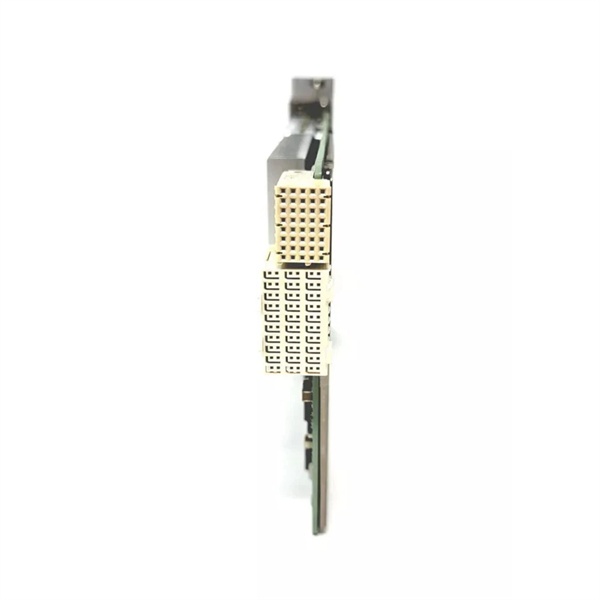
NI PXIe-5172
Field Service Pitfalls: What Rookies Get Wrong
Treating 55°C Ambient as “Safe Operating Range” Without Airflow Verification
Engineers see “0°C to 55°C operating temperature” and mount the controller in a sealed cabinet with forced air but verify only inlet temperature. CPU thermal throttling triggers at 100°C junction—the 55°C ambient spec assumes proper airflow across the heatsink. In a stagnant cabinet, internal temps hit 80°C+, CPU throttles, test throughput drops, system hangs.
- Field Rule: Verify outlet air temperature from the chassis exhaust fan. The delta between inlet and outlet should be <15°C under load. If outlet exceeds 70°C, your cabinet airflow is insufficient. Add external fans, reduce chassis load, or relocate to cooler environment. The 55°C spec is ambient—not junction. Airflow is mandatory.
Forgetting TPM 2.0 Before OS Reinstall
Techs wipe the SSD and reinstall Windows 10 without clearing TPM ownership in BIOS. The TPM chip retains the old OS encryption keys; BitLocker fails, secure boot errors appear, OS won’t activate properly. Reinstalling doesn’t reset the TPM—you must clear it manually.
- Quick Fix: Enter BIOS/UEFI before OS boot, locate TPM 2.0 settings, and execute “Clear TPM” or “Reset TPM” command. Power cycle after clearing. Reinstall Windows with TPM in “Ready” state. Remember: TPM ownership survives disk wipes—clear it before fresh installs.
Assuming 8 GB/s Backplane Bandwidth for Single Modules
Users expect a single PXIe module to stream at 8 GB/s because the controller supports that bandwidth. The 8 GB/s is total controller bandwidth shared across all PXIe slots. A single x4 module gets at most 2 GB/s (Gen 2) or 4 GB/s (Gen 3 chassis with x8 modules).
- Field Rule: Calculate per-module bandwidth as (link width / 8) × link speed. For x4 Gen 2 (5.0 GT/s), expect ~2 GB/s per module. Total 8 GB/s requires multiple x4 modules or one x16 module. Don’t oversell throughput—backplane bandwidth is a shared resource, not per-slot.
Ignoring USB 3.0 Current Limits on Peripherals
Engineers power USB 3.0 hard drives or high-current devices from the PXIe-8842 front panel without checking power budget. USB 3.0 ports are 900 mA max; some portable drives draw 1 A+. Overloading causes voltage sag, USB disconnects, data corruption during test execution.
- Field Rule: Sum USB device currents. For devices >900 mA, use powered hubs or external supplies. Never run more than two high-current USB 3.0 devices directly from the controller. Check device specs for “Typical Current” and “Maximum Current.” Budget: 900 mA per USB 3.0 port, 500 mA per USB 2.0 port.
Deploying Windows on Security-Sensitive Sites Without TPM 2.0
Field techs install Windows 10 IoT Enterprise on PXIe-8842 for military or government contracts but disable TPM 2.0 to “simplify setup.” Security requirements mandate TPM for secure boot and encryption; system fails certification audits. Windows disables BitLocker device encryption without TPM.
- Quick Fix: Enable TPM 2.0 in BIOS before OS deployment. Configure Windows with TPM-based secure boot and BitLocker. For high-security sites, use Windows 11 LTSC with TPM 2.0—non-negotiable for DoD or classified environments. Remember: TPM isn’t optional for secure deployments—it’s mandatory.
Neglecting NVMe SSD Thermal Throttling in 24/7 Operations
Operators run PXIe-8842 in 45°C ambient cabinets streaming continuously to NVMe SSD for weeks. NVMe drives throttle at 70°C; in a hot chassis with poor airflow, write speeds drop from 500 MB/s to <100 MB/s. Test times increase, throughput misses specifications.
- Field Rule: Monitor SSD temperature using SMART tools (CrystalDiskInfo or similar). Keep SSD under 65°C for sustained write performance. If throttling occurs, improve airflow, reduce write workload, or schedule idle periods for cooling. NVMe performance depends on thermal headroom—hot drives slow down.
Mixing DisplayPort Cables Without Version Verification
Technicians connect 4K displays via old DisplayPort 1.2 cables to PXIe-8842 expecting 60 Hz refresh. The controller supports DisplayPort 1.4, but cabling limits bandwidth. 1.2 cables max at 2160p @ 60 Hz with reduced color depth or fail entirely at high resolutions.
- Quick Fix: Use DisplayPort 1.4 certified cables for 4K @ 60 Hz displays. Verify cable markings—look for “DP 1.4” or “HBR3” (High Bit Rate 3). Old cables bottleneck video, causing flicker or resolution drops. Rule of thumb: DP 1.4 controller = DP 1.4 cable for full performance.
Commercial Availability & Pricing Note
Please note: The listed price is for reference only and is not binding. Final pricing and terms are subject to negotiation based on current market conditions and availability.


