
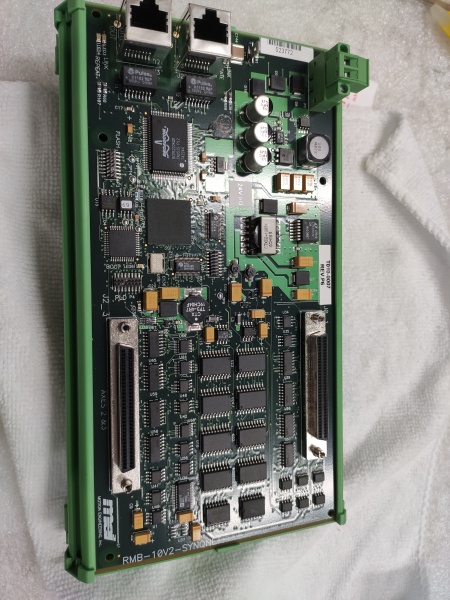
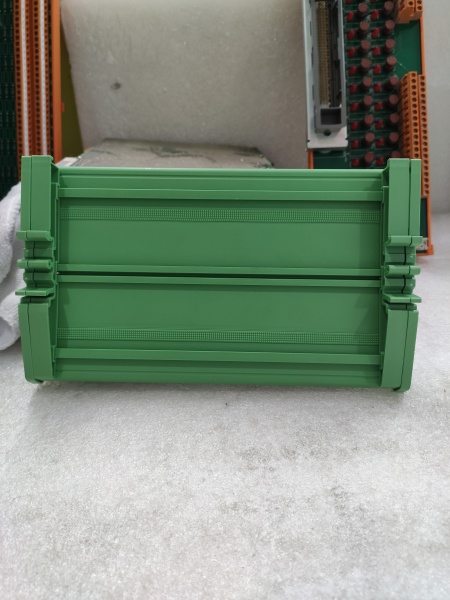
Description
Hard-Numbers: Technical Specifications
- Protocol Support: SYNQNET (Synchronized Motion Network)
- Network Speed: 100 Mbps, 2.5 Gbps (second-gen)
- Update Rate: Up to 20 kHz per axis (controller dependent)
- Node Capacity: Up to 32 drives per network
- Isolation Rating: 500V optical isolation (network to drive logic)
- Power Draw: 3.5W max from drive backplane
- Operating Temperature: 0°C to +50°C (32°F to +122°F)
- LED Indicators: PWR, LINK, ACT, ERR, ST1, ST2 (status diagnostics)
- Connectors: RJ45 (SYNQNET), 9-pin D-sub (programming/status)
- Ring Topology: Supports redundant ring configuration for fault tolerance
- Jitter: < 1 µs synchronization accuracy

RMB-10V2-SYNQNET
The Real-World Problem It Solves
When you’ve got 16 axes that need to move within microseconds of each other, a standard fieldbus like Profibus or EtherCAT doesn’t cut it. The RMB-10V2-SYNQNET delivers sub-microsecond synchronization across distributed drives, letting your motion controller coordinate complex trajectories without a central rack-based architecture.
Where you’ll typically find it:
- Multi-axis gantry robots in CNC machining centers
- Flying shear and rotary knife applications in web processing
- Color printing presses with precise registration requirements
The bottom line: It turns a collection of standalone drives into a tightly coordinated motion system, keeping timing jitter low enough for demanding applications that would choke lesser networks.
Hardware Architecture & Under-the-Hood Logic
This module is a network gateway that translates SYNQNET packets into commands the drive understands. It sits on the S700 backplane, pulling power and exchanging data with the main processor through a high-speed parallel bus. The onboard FPGA handles real-time protocol processing, ensuring deterministic timing regardless of network traffic.
Signal flow breaks down like this:
- SYNQNET frames enter through the RJ45 network port
- The FPGA validates and timestamps incoming packets
- Command data (position, velocity, torque) extracts and translates to internal drive format
- Status data (actual position, fault codes) packages into outbound SYNQNET frames
- Ring topology forwards packets to the next node, maintaining network integrity
- Diagnostic LEDs reflect node health and communication status in real-time
RMB-10V2-SYNQNET
Field Service Pitfalls: What Rookies Get Wrong
Breaking the Ring TopologySYNQNET is designed as a redundant ring—if you terminate at the last node instead of looping back to the controller, you lose fault tolerance. When one link fails, the network breaks and half your drives disappear.
- Field Rule: Always verify ring continuity with a network analyzer. The OUT port on the last node must connect back to the IN port on the controller. Document the ring path—it’ll save hours when a cable gets yanked.
Wrong Cable Category and LengthTechs run standard Cat5 for these 100 Mbps networks, pushing past the 100-meter limit. SYNQNET needs Cat5e or Cat6, and signal degradation beyond 100m causes intermittent faults that look like drive problems.
- Quick Fix: Measure cable run length with a tone tester. Keep each segment under 80m to leave margin. Use industrial-grade shielded cable—don’t cheap out on copper or you’ll chase ghosts.
Ignoring Ring Recovery TimeWhen the network detects a fault and switches from dual-ring to single-ring mode, there’s a brief interruption (10-50ms). If your motion profile doesn’t account for this hiccup, axes can get out of sync and crash.
- Field Rule: Program your motion controller to handle ring fault recovery gracefully. Either decelerate all axes on fault detection or implement a “wait-and-hold” state until the ring heals. Test this—it’s not theoretical.



