
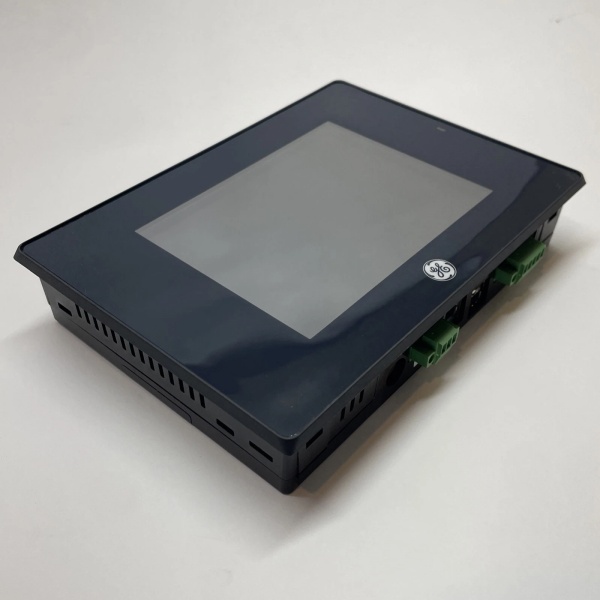
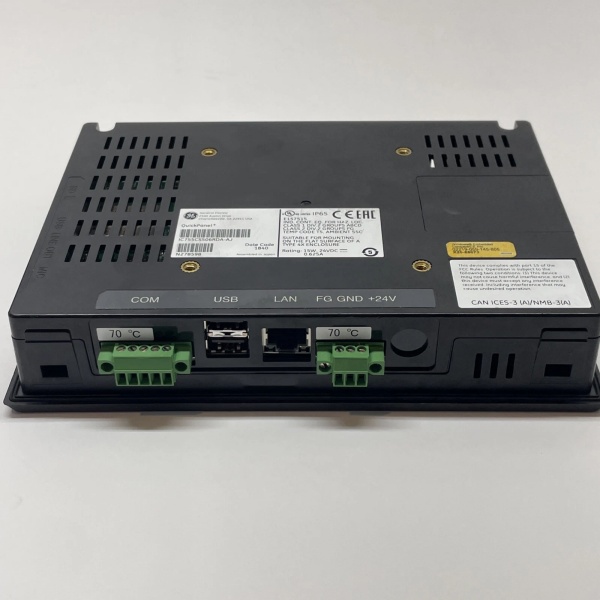
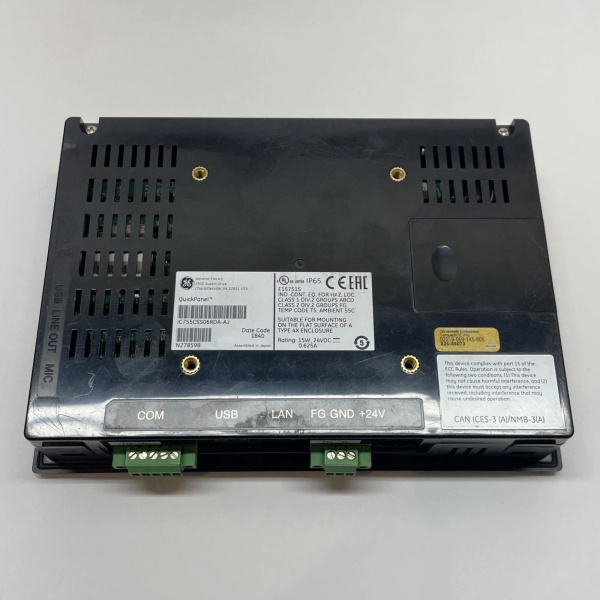
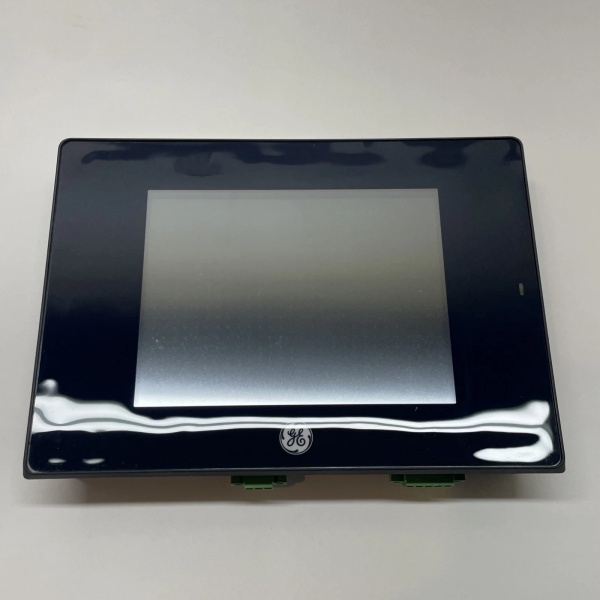
Description
Hard-Numbers: Technical Specifications
- Display Type: 6.0-inch TFT LCD, active matrix
- Display Resolution: 480 x 272 pixels (WQVGA)
- Touchscreen: 5-wire resistive touch
- Brightness: 300 nits (cd/m²) typical
- Contrast Ratio: 400:1 typical
- Backlight: LED with 50,000-hour MTBF
- Processor: Texas Instruments AM3352 @ 720 MHz (ARM Cortex-A8)
- System Memory: 512 MB DDR3 RAM
- Storage: 1 GB Flash (operating system and application)
- Operating System: Windows Embedded Compact 7 + Logic Engine runtime
- Communication Ports: 1 x Ethernet (10/100Mbps), 1 x USB 2.0 host, 1 x RS-232/485 serial
- Protocol Support: SRTP (GE proprietary), Modbus RTU, Modbus TCP/IP, Ethernet/IP
- Input Voltage: 24VDC nominal (18-36VDC range)
- Power Consumption: 5W typical at 24VDC
- Operating Temperature: 0°C to 50°C (32°F to 122°F)
- Storage Temperature: -20°C to 60°C (-4°F to 140°F)
- Enclosure Rating: NEMA 4X/12 (IP65) front panel
- Mounting: Panel mount (cutout: 6.75″ x 4.75″)
- Programming Software: Proficy Machine Edition v8.5 or newer
- Memory Card Slot: MicroSDHC card slot (up to 32GB) for data logging
- Tag Count: Up to 5,000 tags per application
- Panel Size: Compact 6-inch form factor ideal for small machine enclosures

IC755CSS06RDA
The Real-World Problem It Solves
Space is always tight in machine control panels. The IC755CSS06RDA packs full HMI functionality into a 6-inch form factor that fits where larger HMIs can’t. It connects directly to PACSystems PLCs and supports basic data logging to microSD cards, perfect for small OEM machine applications.
Where you’ll typically find it:
- Packaging machinery control panels requiring local operator input
- Material handling systems with tight installation space constraints
- HVAC control panels for commercial buildings with compact enclosures
Bottom line: It gives you a fully featured HMI in a footprint that fits in your smallest panel.
Hardware Architecture & Under-the-Hood Logic
This is a compact HMI designed for quick integration with GE PLCs. The Texas Instruments Cortex-A8 processor runs Windows Embedded Compact 7 and Logic Engine runtime. The resistive touchscreen uses 5-wire technology for reliable operation with finger or stylus, including glove-friendly interaction. The Ethernet port supports GE SRTP protocol for high-speed PACSystems communication. The microSD slot provides offboard storage for data logging and application backups. Serial ports support Modbus RTU for third-party device integration. The device can operate standalone using built-in Logic Engine, executing control logic independently of PLCs. The CE operating system supports standard HMI features: alarms, trending, recipe management, and data logging.
Internal signal flow:
- Power applied to 24VDC input; internal regulator powers subsystems
- Windows CE 7.0 boots from flash; initializes touch controller and graphics driver
- Logic Engine runtime loads from flash storage
- Touchscreen inputs processed by resistive digitizer; events sent to CE OS
- HMI application renders graphics to LCD display via LVDS interface
- Ethernet port establishes SRTP or Modbus TCP connections to PLCs
- Serial port initializes for Modbus RTU or SNP protocol if needed
- Data logging streams to microSD card if enabled in application
- Operator inputs update process variables sent to PLC over communication links
- HMI graphics refresh with current tag values from PLC
- Alarms triggered based on tag limits defined in application
- Data logged to microSD card for later analysis or SCADA transfer
IC755CSS06RDA
Field Service Pitfalls: What Rookies Get Wrong
Using touchscreen styluses with sharp tips damages the panelThe 5-wire resistive touchscreen uses a protective film over the display. I’ve seen technicians use pen or pencil tips to operate the HMI, creating permanent scratches that render certain areas unresponsive.
- Field Rule: Use only finger or soft rubber styluses designed for resistive touchscreens. Prohibit metal tips or sharp objects in areas with HMIs. If the panel becomes unresponsive in scratched areas, replace the touchscreen overlay or entire HMI.
Powering from PLC auxiliary output causes brownoutsPLC auxiliary outputs are convenient but often insufficient for 5W HMI power. I’ve seen the IC755CSS06RDA reboot repeatedly because the PLC’s 24VDC output can’t handle both the HMI and other field devices.
- Field Rule: Power the HMI from a dedicated 24VDC power supply rated for at least 1A current. If using PLC auxiliary, verify PLC’s output current capacity (must exceed HMI’s 0.25A current draw plus any other connected loads). Add a 1A fuse on the HMI power line for protection.
Forgetting to set serial port dip switches causes communication issuesThe RS-232/485 port has configurable dip switches for protocol selection and termination. I’ve seen technicians skip configuring the switches, leaving the port in RS-232 mode when they needed RS-485 for Modbus communication.
- Field Rule: Check dip switches on the back of the unit before powering on. Configure switches for RS-485 and termination if using Modbus RTU. Document dip switch settings in your application configuration. Confirm communication with the PLC using HMI diagnostics tools.
Ignoring microSD card maintenance causes data logging failuresThe microSD slot is perfect for data logging, but I’ve seen HMI applications fail because the card filled up and no one monitored it. Operators lose critical process data needed for troubleshooting and compliance.
- Field Rule: Configure data logging to overwrite oldest data when card is full (if allowed by compliance). Schedule periodic card checks every 1-2 months—copy logged data to the network or external drive. Use industrial-grade SD cards rated for wide temperature range for reliability.
Not setting password protection allows unauthorized changesThe IC755CSS06RDA has built-in user access controls, but I’ve seen technician skip setting passwords. Operators change setpoints, clear alarms, and make unauthorized configuration changes that cause production downtime.
- Field Rule: Configure at least two user access levels: Operator (limited access to read/write setpoints) and Technician (full configuration access). Set unique passwords for each level. Document passwords in your CMMS (change periodically). Disable factory default passwords immediately after commissioning.
Rushing application testing creates runtime errorsThe small screen size requires careful application design. I’ve seen technicians load applications that look fine in the PC editor but have clipped buttons, overlapping text, or touchpoint misalignment on the actual HMI.
- Field Rule: Test the application on the actual HMI hardware before going live. Verify all buttons are accessible and readable on the 6-inch display. Adjust screen resolution and layout if needed. Test touch accuracy of all control points. Document application design decisions in your application specification.
Commercial Availability & Pricing Note
Please note: The listed price is for reference only and is not binding. Final pricing and terms are subject to negotiation based to current market conditions and availability.


