
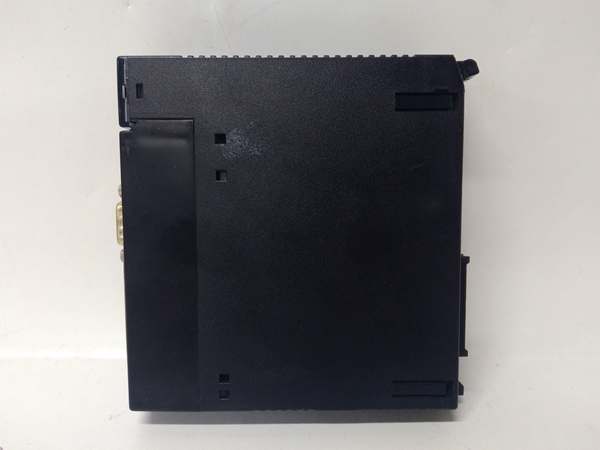
Description
System Architecture & Operational Principle
The IC693DNM200-CD occupies a single slot on the GE 90-30 universal backplane, functioning as a DeviceNet scanner at Level 1 of the Purdue Model (Basic Control). It receives configuration commands from the CPU via backplane memory mapping (%I/%Q/%R registers) and executes autonomous DeviceNet messaging operations without continuous CPU intervention. The module polls configured slave nodes (VFDs, distributed I/O blocks, smart sensors) using CAN-based DeviceNet protocol, handling COS (Change of State) and polled messaging modes. Upstream, the CPU reads mapped input data as if it were local I/O; downstream, the module writes output data to field devices over the DeviceNet trunk line.
The inherent advantage lies in the DeviceNet bus architecture—daisy-chained twisted-pair cabling reduces conduit complexity compared to multi-conductor home-run wiring. The -CD revision builds on this with enhanced optical isolation on the CAN transceiver and improved input filtering, making it particularly suited for environments with VFD-generated EMI, where earlier revisions experienced intermittent node dropouts.
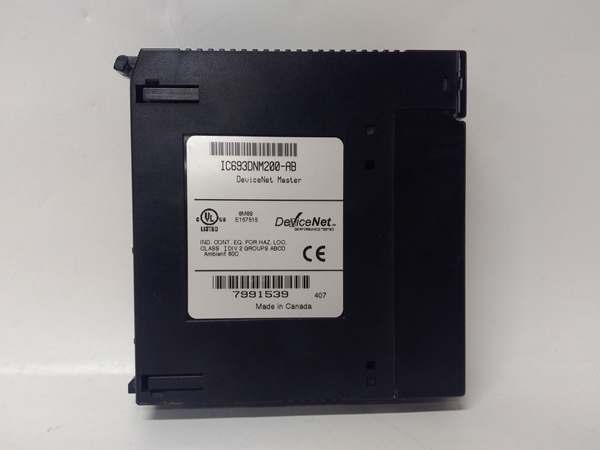
GE IC693DNM200
Core Technical Specifications
- Physical Interface: 5-pin DeviceNet Mini-Change (M12) connector, single-slot width module
- Protocol: DeviceNet (ODVA-compliant, CAN 2.0A-based)
- Baud Rate: Selectable 125 Kbps, 250 Kbps, 500 Kbps via DIP switches
- Node Capacity: Up to 63 slave devices per scanner
- Data Mapping: 512 bytes input / 512 bytes output per scan (configurable mapping to %I, %Q, %R, %AI, %AQ)
- Isolation: 500V optical isolation on DeviceNet port (enhanced filtering on -CD)
- Backplane Current Draw: Approximately 350mA @ 5V DC
- Network Power: 24V DC input for DeviceNet network power (separate from backplane)
- Operating Temperature: 0°C to 60°C (32°F to 140°F)
- Environmental: Enhanced ESD rating per IEC 61000-4-2 (±8kV contact, ±15kV air) and improved EMC immunity per IEC 61000-4-3
- LED Indicators: MOD, NET, PWR, FAULT, I/O status
- Watchdog Timer: Configurable from 10ms to 5000ms (improved granularity vs. earlier revisions)
- Configuration Software: VersaPro or Proficy Machine Edition DeviceNet Configuration Tool
Customer Value & Operational Benefits
Reduced MTTR Through Enhanced Noise Immunity
The -CD revision’s enhanced EMC filtering and improved optical isolation dramatically reduce ghost node dropouts in VFD-heavy installations. Plants experiencing intermittent communication faults with earlier revisions (AA through BC) typically see elimination of nuisance faults after migrating to -CD, directly translating to reduced Mean Time To Repair (MTTR). Fewer network faults mean fewer unplanned production 终止pages, particularly in continuous-process environments where conveyor or pump reliability is critical.
Fast Root-Cause Analysis via Expanded Diagnostics
The -CD’s expanded diagnostic capabilities capture granular fault information, including ESD events and signal integrity degradation. When the FAULT LED illuminates, engineers can retrieve detailed error codes via configuration software, pinpointing whether a node failed to respond, a CRC error occurred, or an ESD event triggered a watchdog timeout. This diagnostic depth reduces troubleshooting time from hours to minutes, as technicians no longer need to swap cables or nodes blindly to identify the fault source.
Simplified Network Topology and Maintenance
DeviceNet’s daisy-chained architecture, combined with the -CD’s ability to manage up to 63 nodes, eliminates complex home-run wiring from field devices to the PLC cabinet. Maintenance becomes a matter of tapping into the trunk line rather than pulling new conduit when adding devices. The -CD’s backward compatibility with existing DeviceNet node configurations means no reprogramming is required when upgrading from earlier revisions—simply swap the module, reload the configuration, and resume operation, preserving legacy equipment investment.
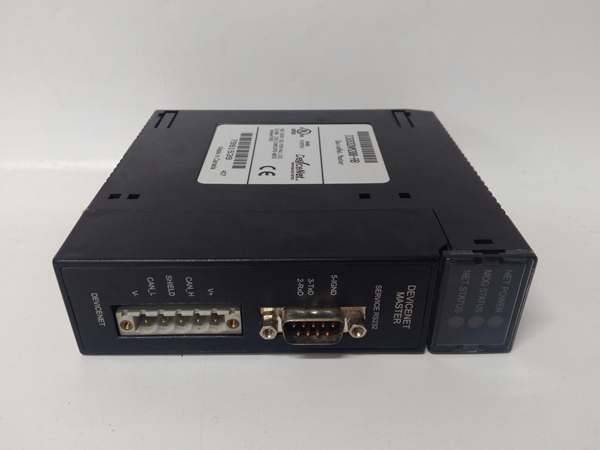
GE IC693DNM200
Field Engineer’s Notes (From the Trenches)
Here’s a gotcha that’s burned me twice on -CD upgrades: the enhanced watchdog granularity is a double-edged sword. I’ve seen techs copy their old AB-revision configuration directly to a -CD module, leaving the watchdog at the default 200ms setting, which causes legacy VFDs with slower response times (300-400ms) to fault out immediately. The FAULT LED flashes, but the VFD shows no error—it just drops off the network. The fix? Manually calculate the slowest device response time on your network and set the watchdog timer accordingly. Don’t assume the default setting works. Also, when swapping from AB to -CD in an ESD-prone environment (conveyors with static-generating plastic parts), verify that your cable shield is grounded at exactly one point—the -CD handles ESD better, but ground loops still induce noise that manifests as intermittent COMM faults. Finally, check your network power budget before adding more nodes—the -CD still draws 350mA at 5V on the backplane, and the 24V network power limit hasn’t changed. If you’re exceeding 3A total node current, you need an external DeviceNet power supply with a mid-trunk tap, regardless of revision.
Real-World Applications
Conveyor System Control in Automotive Assembly
In automotive final assembly plants, the IC693DNM200-CD manages distributed DeviceNet I/O blocks and photoelectric sensors along miles of conveyor lines. The module polls up to 63 slave nodes, tracking pallet presence, divert gate positions, and accumulation zone status. The -CD’s enhanced EMC immunity prevents communication dropouts caused by resistance welding robots nearby, ensuring zero unplanned 终止s during shift operations. Input data from photoeyes maps directly to %I registers, allowing the CPU to execute accumulation logic without hardwired runs from each sensor to the PLC cabinet.
Wastewater Treatment Pump Station Control
Municipal wastewater facilities use the -CD to communicate with VFD-controlled influent pumps and dissolved oxygen probes via DeviceNet. The scanner polls each VFD for status (run/fault, current draw, speed command) and writes speed reference values from the CPU’s PID control loops. The -CD’s improved ESD hardening is critical in humid, corrosive environments where static discharge from operator interaction with HMI panels is common. Output data from the CPU maps to %AQ registers, transmitting speed commands to VFDs over the DeviceNet trunk, eliminating analog signal drift issues associated with long 4-20mA runs in wet environments.
High-Frequency Troubleshooting FAQ
How do I upgrade from IC693DNM200-AB to -CD without losing my configuration?
Upload your existing configuration from the -AB module using Proficy Machine Edition, back up the .EDS file and project, then install the -CD module and download the configuration. The -CD maintains backward compatibility with AB-revision EDS files for basic node mapping, but you should update the EDS file to the -CD version to access enhanced diagnostic features. Verify watchdog timers after upgrade—the -CD supports faster settings (down to 10ms) that may cause nuisance faulting on slower legacy devices.
What does a flashing NET LED with no FAULT indication mean?
A flashing NET LED without FAULT typically indicates normal network traffic (polling in progress). However, if the flashing is erratic or accompanied by intermittent I/O LED flickering, suspect network signal degradation—check termination resistance (should be 60Ω between CAN-H and CAN-L with both terminators installed) and verify cable shield grounding at one point only. The -CD’s enhanced filtering reduces susceptibility, but improper termination still causes signal reflections.
Why do my VFDs drop off the network randomly after upgrading to -CD?
The -CD’s faster watchdog granularity (10ms minimum) may be too aggressive for legacy VFDs with slower response times. Calculate your slowest device’s worst-case response time (including VFD processing delay and network latency) and set the watchdog timer accordingly—typically 200-500ms for older VFDs. Also, verify your network power budget; VFDs often draw significant current from the DeviceNet 24V supply, and brownouts during simultaneous startup can cause multiple nodes to drop simultaneously.
Can I use the IC693DNM200-CD with RSNetWorx for DeviceNet?
Yes, the -CD is fully ODVA-compliant and can be configured using RSNetWorx for DeviceNet or GE’s Proficy Machine Edition DeviceNet Configuration Tool. However, GE’s tool provides access to -CD-specific diagnostic features (ESD event logging, enhanced fault codes) that RSNetWorx may not expose. For initial network configuration, RSNetWorx works fine; for troubleshooting -CD-specific issues, use GE’s configuration tool to retrieve detailed diagnostic information.
Commercial Availability & Pricing
Please note: The listed price is not the actual final price. It is for reference only and is subject to appropriate negotiation based on current market conditions, quantity, and availability.



