
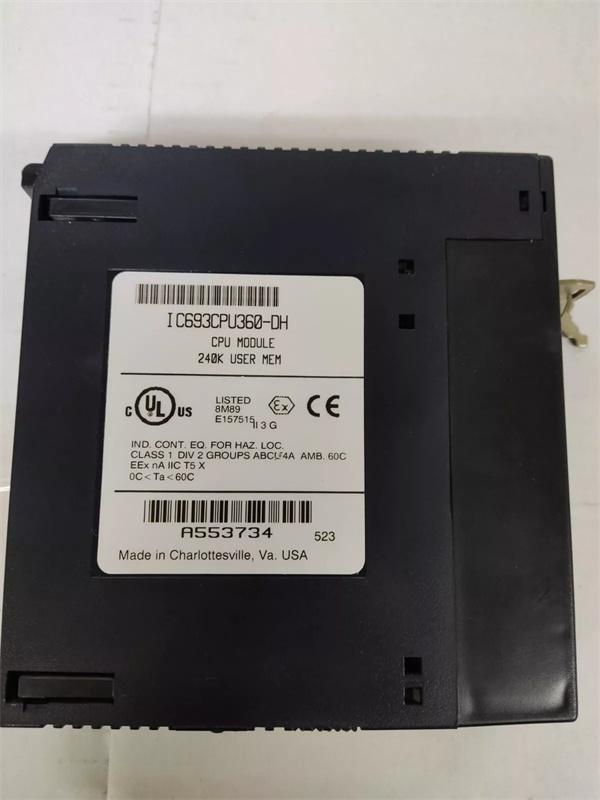
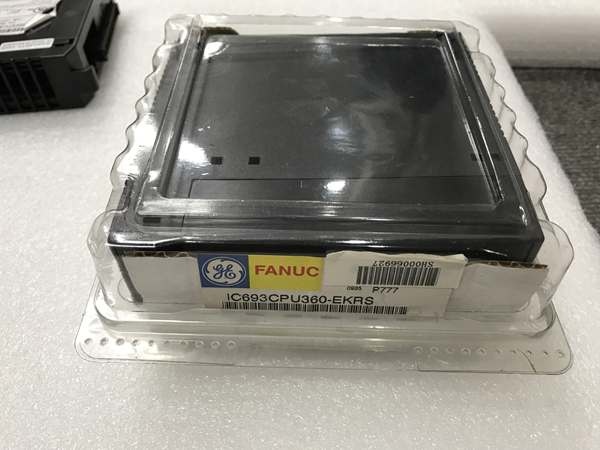
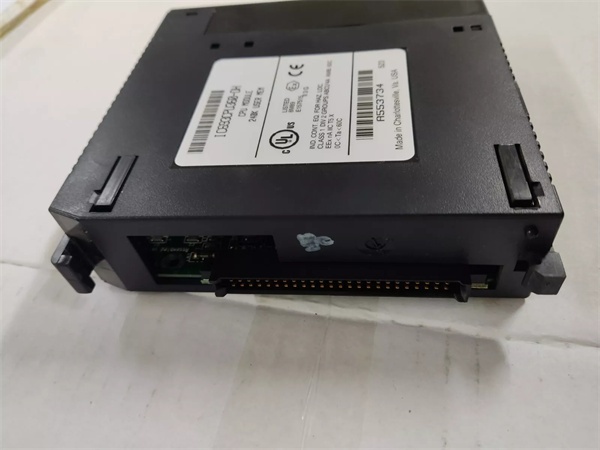
Description
Hard-Numbers: Technical Specifications
- Processor: Intel 80486DX4, 25 MHz clock
- User Program Memory: 80 KB
- Register Memory: 240 KB (%R addressing)
- Floating Point: Supported (32-bit hardware)
- Discrete I/O: 2048 points max combined (%I + %Q)
- Analog Input (%AI): 128 words (up to 8K with option modules)
- Analog Output (%AQ): 64 words (up to 8K with option modules)
- Internal Coils (%M): 1024 bits
- Discrete Global Memory (%G): 1280 bits
- Timers/Counters: 340 combined
- Scan Rate: 0.22 ms per 1K Boolean logic (typical)
- Serial Ports: 2 (Port 1: SNP/X master/slave, Port 2: SNP/X master/slave)
- Baud Rate: Up to 115.2 Kbaud
- Expansion: Yes (up to 7 baseplates including remote)
- Battery-Backed Clock: Yes (on-board CR2032)
- Power Draw: 1.6 A @ +5 VDC
- Operating Temp: 0°C to 60°C (32°F to 140°F)
- Storage Temp: -40°C to 85°C (-40°F to 185°F)
- Module Type: Modular (plugs into CPU slot)
- Interrupts: Supported (up to 32)
- Subroutines: Supported (up to 64)
- EL Revision Features: Enhanced logic instructions, additional math functions, improved diagnostic capabilities

GE IC693CPU360
The Real-World Problem It Solves
You’re running a complex application where standard 360 firmware forces you into ridiculous workarounds—stacking multiple rungs to execute what should be one instruction, creating temporary variables because certain math operations aren’t native, and debugging cryptic faults that firmware EL handles with better diagnostics. This revision gives you the horsepower plus enhanced instruction set to write cleaner, faster logic that does more per rung.
Where you’ll typically find it:
- Chemical batch processing: Multi-stage reactor sequences with complex recipe management, where EL’s enhanced math and logic instructions simplify scaling, interpolation, and sequence management
- Coordinated motion systems: Multi-axis equipment where EL’s improved instruction set reduces scan time overhead in motion coordination routines
- Complex interlocking: Applications with extensive cross-coupling logic where EL’s enhanced logic operators reduce rung count and improve scan performance
Bottom line: It’s the standard 360 CPU but with firmware EL that adds enhanced instruction capabilities—same hardware, same expansion support, but with better logic operators, math functions, and diagnostics that make complex applications cleaner to write and faster to execute.
Hardware Architecture & Under-the-Hood Logic
The IC693CPU360-EL maintains identical hardware architecture to the base IC693CPU360 model. Intel 80486DX4 25MHz processor, 80K program memory, 240K register memory—unchanged. The difference is firmware revision EL, which resides in CPU non-volatile memory and unlocks additional microcode instructions in the 80486DX4 instruction decoder.
-
Power-up sequence loads firmware EL from CPU ROM into 80486DX4 instruction cache. Enhanced instruction set becomes available immediately. The CPU runs diagnostics, checks NVRAM configuration, and initializes backplane communication. Battery-backed clock is checked—low battery flags %S0012. All other startup procedures identical to standard 360.
-
Backplane communication and expansion rack operation remain unchanged. The CPU scans Rack 0 through Rack 7, gathering I/O images from each rack. Expansion cables carry data between racks. EL firmware doesn’t modify backplane protocols—it only affects how ladder logic instructions are executed internally. I/O addressing, rack configuration, and expansion capabilities are identical.
-
Program scan executes at 0.22 ms per 1K Boolean logic, same as standard 360. However, EL firmware’s enhanced instructions can accomplish more per rung, potentially reducing total rung count for complex applications. The scan time per instruction may be slightly different for enhanced instructions—some execute faster, some require more cycles. Net effect: more efficient logic if you leverage EL features.
-
Enhanced logic instructions in firmware EL include:
- Additional math operations: Square root, logarithms, trigonometric functions (sin, cos, tan)
- Improved integer operations: 32-bit integer math, extended shift/rotate operations
- Enhanced comparison operations: Multi-value comparisons, range checks
- String manipulation: Basic string operations for data handling
- Block move operations: Efficient data block transfers between %R addresses
These instructions reduce the need for temporary variables and multiple rungs. For example, a square root calculation that previously required 5-6 rungs using iterative approximations can now execute in a single enhanced math instruction. -
Floating-point math operations benefit from EL firmware’s improved FPU instruction set. Standard 360 supports basic floating-point (add, subtract, multiply, divide). EL adds advanced FPU operations: exponential functions, logarithms, trigonometric operations. PID loops and scaling routines become more accurate and faster. Temperature/pressure calculations requiring logarithmic scaling can execute natively.
-
Diagnostic capabilities in EL firmware are enhanced. Standard 360 diagnostics report faults generically—EL provides more specific fault codes, improved status bits, and extended diagnostic information accessible through programming software. Troubleshooting becomes easier because fault messages point closer to root cause rather than generic “CPU fault” indications.
-
Serial port operation is unchanged—both ports support SNP/X master/slave up to 115.2 Kbaud. EL firmware doesn’t modify serial protocols. However, enhanced string and block move operations can improve serial data handling efficiency in ladder logic. Moving data buffers between serial communication and process variables becomes cleaner.
-
Interrupts and subroutines operate identically to standard 360. Up to 32 interrupts trigger ISRs. Up to 64 subroutines enable modular programming. EL firmware doesn’t change interrupt handling or subroutine call overhead. The benefit is that ISRs and subroutines can use enhanced instructions for more efficient execution.
-
Memory architecture is unchanged—80K program memory, 240K register memory. EL firmware occupies some program memory space for enhanced instruction decoding logic, but this overhead is minimal (typically <1K). Effective program memory for user code remains approximately 79K. Register memory at 240K is unchanged.
-
Power consumption remains 1.6 A @ +5 VDC. EL firmware doesn’t change power draw—the 80486DX4 executes additional microcode instructions but power consumption is determined by hardware, not firmware. All power supply considerations from standard 360 apply—use PWR330 as minimum, calculate total current for CPU plus modules.

GE IC693CPU360
Field Service Pitfalls: What Rookies Get Wrong
Assuming EL firmware is backward compatible with all programming software
You load an EL CPU into an application developed with Logicmaster 9.05. Enhanced instructions don’t exist in the instruction palette. You can’t use EL features, and the CPU behaves like a standard 360.
- Field Rule: EL firmware requires compatible programming software. Logicmaster 9.05 and earlier versions don’t support enhanced instructions—use VersaPro v2.0+ or Proficy Machine Edition for full EL feature access. If you must use older software, the CPU will run but EL features are inaccessible. Upgrade your development environment before leveraging EL capabilities. Don’t develop code with EL instructions in software that doesn’t support them—you’ll get syntax errors or unpredictable behavior.
Writing enhanced instructions that slow down scan time
You replace standard math rungs with enhanced square root and trigonometric operations. Scan time increases because some enhanced instructions take more CPU cycles than simpler operations.
- Field Rule: Not all enhanced instructions are faster than standard equivalents. Some provide better accuracy at the cost of execution time. Benchmark scan time after incorporating EL instructions. If scan time increases, determine if the benefit outweighs the cost. For time-critical sections of logic, use standard fast instructions. Use enhanced instructions for accuracy or code clarity, not assuming automatic performance improvement.
Mixing EL and non-EL CPUs in same application
You develop logic with enhanced instructions and deploy to a standard 360 CPU. The program fails to load or executes incorrectly because the CPU doesn’t recognize EL instructions.
- Field Rule: EL-specific instructions only work on EL firmware CPUs. If your application mixes CPU types, either develop baseline logic that works on all CPUs or include conditional logic that checks CPU firmware before executing enhanced instructions. Never hard-code EL instructions in applications that may run on standard 360s. Use CPU model detection in startup logic to branch between EL and standard code paths.
Overlooking diagnostic improvements in EL firmware
You troubleshoot an EL CPU using standard 360 documentation. You miss enhanced diagnostic codes that would pinpoint the fault faster. You waste time chasing generic fault indications.
- Field Rule: EL firmware provides enhanced diagnostics not documented in standard 360 manuals. Use programming software with EL-specific diagnostic support—VersaPro and Proficy display EL-specific fault codes with detailed explanations. Keep EL diagnostic references handy. Don’t rely on standard 360 troubleshooting procedures when working with EL firmware—you’re ignoring valuable diagnostic information.
Forgetting to document EL-specific code
You write complex logic using enhanced instructions but don’t comment the code adequately. Another technician familiar with standard 360 but not EL features struggles to maintain the code.
- Field Rule: Comment EL-specific instructions thoroughly. Not everyone knows what enhanced math or block move operations do. Document the purpose of each enhanced instruction, especially if it replaces multiple rungs of standard logic. Include comments explaining why EL was used instead of standard instructions. This aids maintainability when technicians rotate through the plant.
Assuming EL firmware fixes hardware limitations
You think EL firmware increases memory capacity or scan rate. It doesn’t—you’re still limited to 80K program memory and 240K registers. Scan time per instruction varies but baseline scan rate (0.22 ms/K) is unchanged.
- Field Rule: EL is a firmware upgrade, not a hardware upgrade. Physical specifications are identical to standard 360. Memory limits, I/O capacity, expansion support—unchanged. If you’re hitting memory limits, EL won’t help—add memory modules or upgrade to a different platform. Don’t expect EL firmware to overcome hardware constraints imposed by the 80486DX4 architecture.
Hot-swapping EL CPUs like they’re different hardware
You treat EL CPUs as fundamentally different from standard 360s during troubleshooting. You apply different procedures unnecessarily. The hardware is identical—only firmware differs.
- Field Rule: EL CPUs are physically and electrically identical to standard 360s. Use the same installation, power, and grounding procedures. The only difference is firmware and instruction set. Don’t create separate maintenance procedures for EL hardware—they’re interchangeable in physical installation. If you replace an EL CPU with a standard 360, the hardware fits perfectly—just expect software incompatibility if EL instructions were used.
Neglecting to backup EL-specific programs before CPU swap
You pull an EL CPU for troubleshooting and lose the program. When you reinstall a replacement EL CPU, you discover your backup was from a standard 360 and doesn’t support enhanced instructions.
- Field Rule: EL-specific programs require EL-specific backups. When backing up programs developed with EL features, ensure you’re saving the EL-compatible version. If you restore a standard 360 backup to an EL CPU, you lose the enhanced instruction capabilities. Maintain separate backup libraries for EL and standard applications. Document which programs use EL features and require EL CPUs.
Misunderstanding floating-point enhancements
You think EL firmware adds floating-point support to a CPU that didn’t have it. The standard 360 already has floating-point—EL adds advanced FPU operations, not basic FPU capability.
- Field Rule: Standard 360 already supports 32-bit floating-point math. EL adds advanced functions: logarithms, trigonometry, exponents. Basic floating-point (add, subtract, multiply, divide) works identically on both standard and EL. Don’t assume EL firmware is required for floating-point math—use it if you need advanced mathematical operations beyond basic arithmetic.
Ignoring scan time impact of complex EL instructions
You replace entire sections of logic with EL block move and string operations. Scan time increases significantly because some EL instructions require more cycles than the multiple rungs they replaced.
- Field Rule: Profile scan time carefully when implementing EL instructions. Some enhanced instructions optimize code clarity but cost execution cycles. Block move operations, for example, are convenient but may be slower than discrete moves for small data sets. Use EL instructions strategically—where code clarity or maintainability outweighs pure speed. For time-critical sections, benchmark and choose the faster approach, whether EL or standard.
Commercial Availability & Pricing Note
Please note: The listed price is for reference only and is not binding. Final pricing and terms are subject to negotiation based on current market conditions and availability.



