
Description
3. Key Technical Specifications
| Parameter | Value |
|---|---|
| Type | High Density I/O Cable (Left Side) |
| Length | 10 feet (3 meters) |
| Connector Type | Fujitsu FCN-365S024-AU (24-pin) |
| Connector Orientation | Right-Angle (90°) |
| Connector Depth | 2.0 inches (51 mm) from module front panel |
| Field Side Termination | Flying leads (stripped/tinned wires) |
| Wire Size | #24 AWG |
| Current Rating | 1.2 Amperes per conductor |
| Cable Configuration | 24 conductors, twisted pairs, color-coded |
| Shielding | Unshielded |
| Compatible Modules | IC693MDL654, IC693MDL655, IC693MDL752, IC693MDL753 |
| Complementary Cable | IC693CBL328 (Right Side) |
| Replaces | IC693CBL315 |
| Product Lifecycle Status | Discontinued/Obsolete |
| Weight | 0.94 lbs (0.43 kg) |
IC693CBL300
4. Product Introduction
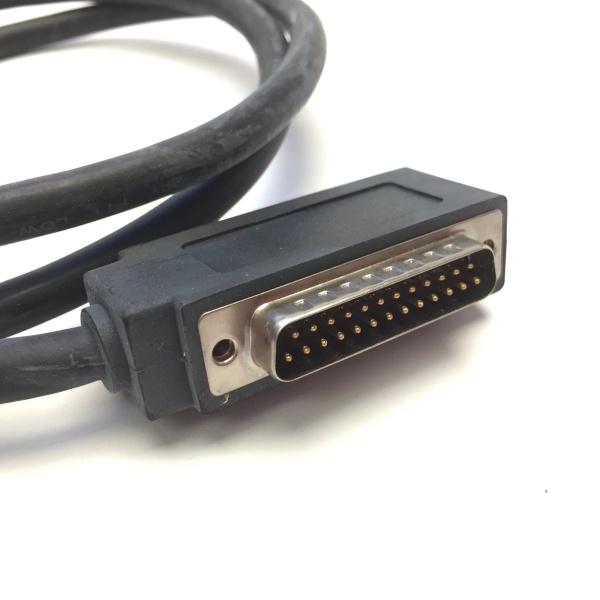
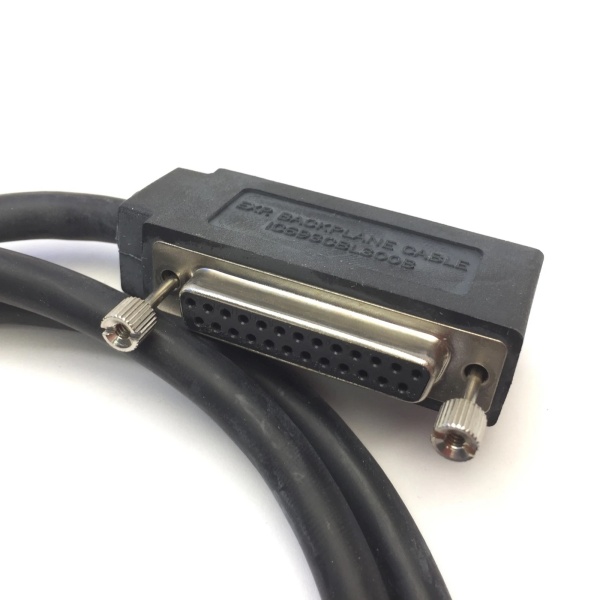
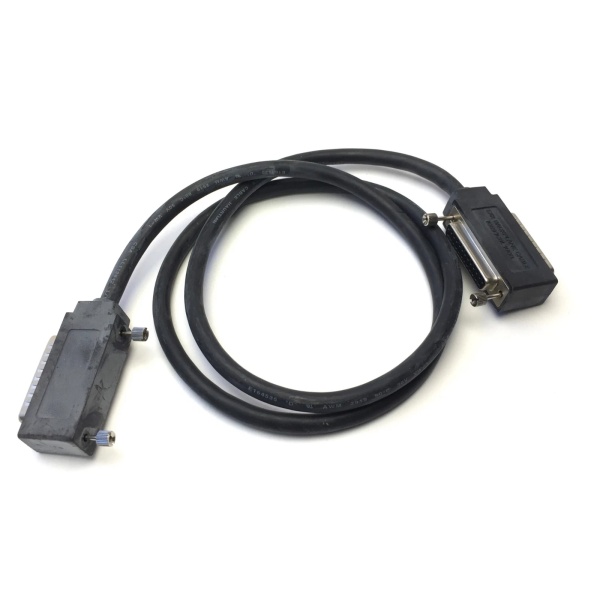
The GE IC693CBL327 is a high-density I/O interface cable designed for GE Fanuc Series 90-30 PLC systems. This cable is specifically engineered to connect 32-point high-density I/O modules to user-supplied terminal blocks or field wiring. The IC693CBL327 serves as the left-side cable in the pair and must be used in conjunction with the IC693CBL328 right-side cable to provide complete connectivity for dual-connector 32-point modules.
Featuring a Fujitsu FCN-365S024-AU 24-pin right-angle connector on the module end, this cable significantly reduces the clearance space required in front of the PLC cabinet compared to older straight-connector designs. The connector extends only 2.0 inches (51 mm) from the module’s front panel, making it ideal for space-constrained installations. The opposite end of the cable terminates in flying leads—stripped and tinned wires ready for connection to standard terminal blocks or PCB-based assemblies.
Constructed with 24 AWG twisted-pair conductors, each wire is color-coded for easy identification and rated for 1.2 amps per conductor. The cable is 3 meters (10 feet) in length, providing flexibility for field wiring routing. The IC693CBL327 replaces the older IC693CBL315 cable and is compatible with Series 90-30 32-point modules including IC693MDL654, IC693MDL655, IC693MDL752, and IC693MDL753, as well as 16-point modules equipped with a TBQC I/O faceplate adapter.
5. QA & Testing SOP (Transparency Building)
1. Incoming InspectionVerify part number IC693CBL327 against GE Fanuc records. Inspect the 24-pin Fujitsu FCN-365S024-AU connector for bent pins, corrosion, or housing damage. Confirm cable length is 3 meters. Check that flying leads are properly stripped and tinned (approximately 6mm exposed). Verify all 24 conductors are present and undamaged.
2. Visual InspectionExamine the right-angle connector orientation and ensure the connector housing is intact. Verify that the connector depth measurement (2.0 inches from mounting face) matches specifications. Check the cable jacket for cuts, abrasions, or heat damage. Inspect flying leads for correct color coding per the wiring diagram.
3. Pin-to-Wire Continuity TestingUsing a multimeter, verify continuity from each of the 24 connector pins to the corresponding flying lead. Confirm pin-to-wire mapping follows the standard configuration (pin 1 to wire 1, pin 2 to wire 2, etc.). Ensure there are no open circuits or miswired connections.
4. Insulation Resistance TestTest insulation resistance between adjacent conductors and between conductors and ground. Using a megohmmeter, verify insulation resistance exceeds 10MΩ to prevent short circuits during operation.
5. Conductor Current Rating VerificationConfirm wire gauge is #24 AWG and that each conductor can handle the 1.2 amp current rating. Verify that insulation rating is appropriate for the application voltage.
6. Connector Mating TestPerform a physical mating test with a compatible Series 90-30 I/O module to ensure proper connector alignment and locking mechanism engagement. Verify that the connector seats fully and that the right-angle orientation provides the expected 2-inch clearance depth.
7. Final QC & PackagingLabel with part number, test date, and QC pass status. Package in anti-static bag with desiccant to prevent moisture damage during storage and transport.

IC693CBL300
6. Installation Pitfalls & Guide (Engineer to Engineer)
❗ Left/Right Cable PairingThe IC693CBL327 is the left-side cable and must be paired with the IC693CBL328 right-side cable for 32-point modules. A single cable (CBL327 only) provides only 24 pins and cannot fully support a 32-point module’s requirements. Using only one cable will result in incomplete connectivity.
❗ Connector Depth ConsiderationThe right-angle connector extends 2.0 inches (51 mm) from the module’s front panel. Ensure the control cabinet provides sufficient depth to accommodate this extension. Insufficient clearance can damage the connector or cable when the cabinet door is closed, or cause accidental disconnection during maintenance.
❗ Flying Lead TerminationThe flying leads are stripped and tinned but require proper termination. Use ferrules (0.25mm² for 22AWG conductors) when connecting to terminal blocks to ensure secure connections and prevent stranded wire issues. Exposed strands can cause short circuits.
❗ Current Rating ViolationsEach conductor is rated for 1.2 amps maximum. When used with 16-point modules or in applications requiring higher current, calculate the per-point current draw carefully. Exceeding 1.2A per conductor causes conductor overheating and potential insulation failure.
❗ Cable Routing and Strain ReliefRoute cables away from sharp edges and high-voltage lines to prevent physical damage and electromagnetic interference. Secure cables to the enclosure using cable ties at least 100mm from the connector to prevent strain on the solder joints. Avoid bending cables within 50mm of connectors.
❗ TBQC Faceplate Adapter CompatibilityWhen used with 16-point modules equipped with a TBQC I/O faceplate adapter, ensure the connector orientation and pin mapping are compatible with the TBQC adapter specifications. Some TBQC applications require specific cable routing (upward vs. downward) that may affect which cable (CBL327 or CBL328) connects to which side.
Installation Guide
-
Verify Compatibility: Confirm your I/O module is compatible (IC693MDL654/655/752/753) and that you have both the IC693CBL327 (left) and IC693CBL328 (right) cables for 32-point modules.
-
Power Down: Ensure the PLC system and field power are de-energized before connecting cables.
-
Identify Left/Right Ports: Locate the left and right 24-pin connectors on the I/O module’s front panel. The IC693CBL327 connects to the left port.
-
Connect to Module: Align the right-angle connector with the left port and insert firmly until fully seated and the locking mechanism engages. Verify the connector extends 2.0 inches from the module face.
-
Route Cables: Route the cables to your terminal block location, avoiding sharp edges and maintaining proper bend radius (minimum 10x cable diameter). Keep cables separated from AC power lines.
-
Terminate Flying Leads: Connect the flying leads to your terminal block according to the module’s wiring diagram. Use ferrules for stranded conductors to ensure reliable connections. Follow proper torque specifications for terminal screws.
-
Strain Relief: Secure cables to the enclosure using cable ties at approximately 150mm intervals, with the first tie at least 100mm from the connector.
-
Power Up and Verify: Restore power to the system. Verify I/O module status LEDs and check for proper signal continuity using PLC diagnostics or multimeter measurements.
7. FAQ (Frequently Asked Questions)
Q: What is the difference between IC693CBL327 and IC693CBL328?A: IC693CBL327 is the left-side cable, while IC693CBL328 is the right-side cable. Both have identical electrical specifications (24-pin right-angle connector, 3m length, 1.2A rating) but are designed to connect to the left and right ports of a 32-point I/O module, respectively. They are used as a pair for complete module connectivity.
Q: Can I use IC693CBL327 alone with a 32-point module?A: No, a 32-point module requires two 24-pin connectors (left and right) to accommodate all 32 I/O points. Using only IC693CBL327 provides connectivity for only half the module. You must use both CBL327 and CBL328.
Q: What modules are compatible with IC693CBL327?A: IC693CBL327 is compatible with Series 90-30 32-point I/O modules including IC693MDL654, IC693MDL655, IC693MDL752, and IC693MDL753. It can also be used with 16-point modules equipped with a TBQC I/O faceplate adapter.
Q: What is the current rating per conductor?A: Each conductor in the IC693CBL327 cable is rated for 1.2 amps maximum. This rating must be considered when calculating load requirements for your I/O devices.
Q: Does this cable provide shielding?A: No, the IC693CBL327 is an unshielded cable. If your application requires enhanced noise immunity, ensure proper installation practices (separation from power cables, use of shielded terminal blocks, etc.).
Q: Why does the connector have a right-angle design?A: The right-angle (90°) design reduces the clearance space required in front of the PLC cabinet. The connector extends only 2.0 inches from the module face compared to older straight-connector designs.
Q: What replaced the IC693CBL315?A: The IC693CBL327 (and its paired IC693CBL328) replaced the older IC693CBL315 cable. The new cables feature right-angle connectors that require less front clearance space.
Q: Can I build my own custom-length cable?A: Custom cables can be built, but only straight-connector kits are available as individual components. Right-angle connector assemblies like CBL327/CBL328 must be purchased as pre-manufactured cables. Refer to the “Building Custom Length Cables” section in the Series 90-30 installation manual for details.
Q: What is the connector depth rating?A: The IC693CBL327 connector extends 2.0 inches (51 mm) from the front panel of the I/O module. Ensure your control cabinet provides sufficient depth to accommodate this extension.
Q: Is IC693CBL327 the same as a programming cable?A: No, IC693CBL327 is an I/O interface cable for connecting I/O modules to field devices. It is not a programming cable. Programming cables for Series 90-30 use different connectors (e.g., RJ-12 to DB9) and communication protocols.


