
Description
Hard-Numbers: Technical Specifications
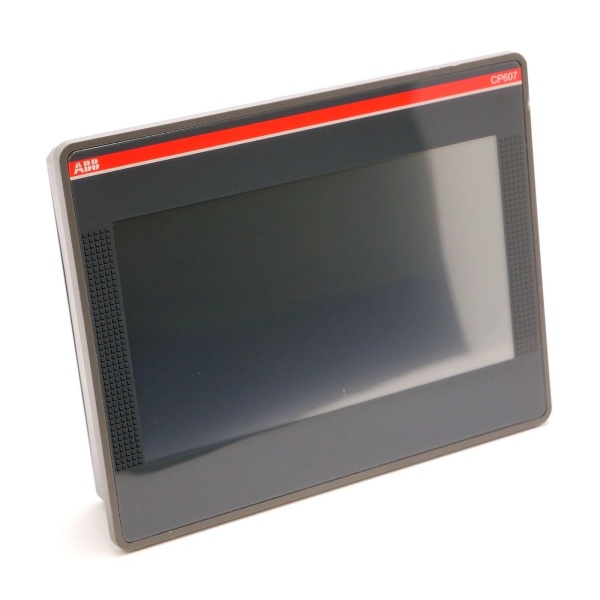
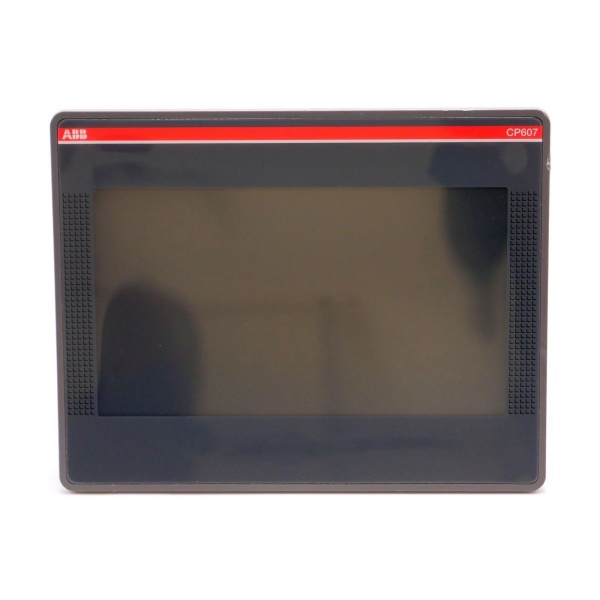
- Display Type: TFT-LCD with LED backlight
- Screen Size: 7-inch diagonal (155.50mm x 88mm active area)
- Resolution: 800 x 480 pixels (WVGA)
- Color Depth: 65,536 colors (16-bit)
- Display Brightness: 200 cd/m²
- Backlight Lifetime: 20,000 hours at 25°C typical
- Touch Technology: Single-touch resistive touchscreen, 4-wire
- Touch Material: Glass covered by plastic film (glove-compatible)
- Processor: ARM Cortex-A8, 300 MHz
- Operating System: Linux RT (Real-Time)
- Application Memory: 60 MB (HMI projects up to 60 MB)
- RAM: 256 MB
- Flash Storage: 2 GB
- Real-Time Clock Accuracy: <100 ppm at 25°C
- RTC Backup: Supercapacitor (no battery)
- Data Buffering Time: Approximately 72 hours at 25°C
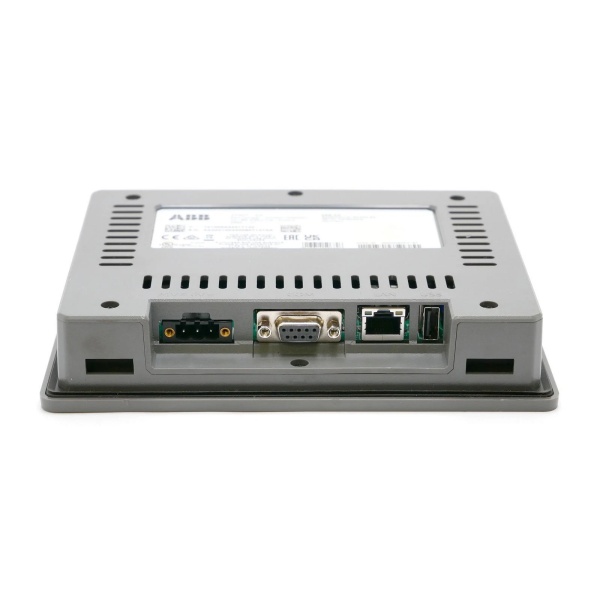
- Network Interface: 1 × Ethernet port (10/100 Mbit)
- Serial Interface (COM1): RS-232/-485/-422 (software configurable)
- Serial Connection Type: D-sub connector
- USB Interface: 1 × USB 2.0 Host (max 500 mA)
- Power Supply Voltage: 24 V DC (18-32 V DC range)
- Current Consumption: 0.3 A at 24 V DC
- Power Connection: Removable 3-pin terminal block with screw connection
- Reverse Polarity Protection: Yes
- Operating Temperature: 0°C to +50°C
- Storage Temperature: -20°C to +70°C
- Transport Temperature: -20°C to +70°C
- Operating Humidity: 5% to 85% relative humidity, non-condensing
- Air Pressure: >800 hPa / <2000 m
- Front Ingress Protection: IP66
- Rear Ingress Protection: IP20
- Vibration Resistance: 5-9 Hz, 7 mm p-p; 9-150 Hz, 1 g (EN 60068-2-6)
- Shock Resistance: ±50 g, 11 ms, 3 pulses per axis (EN 60068-2-27)
- Front Frame Material: Plastic (grey for CP607, black for CP607-B)
- Housing Material: Plastic (grey for CP607, black for CP607-B)
- Faceplate Dimensions (L × H): 187 mm × 147 mm
- Faceplate Depth: 5 mm
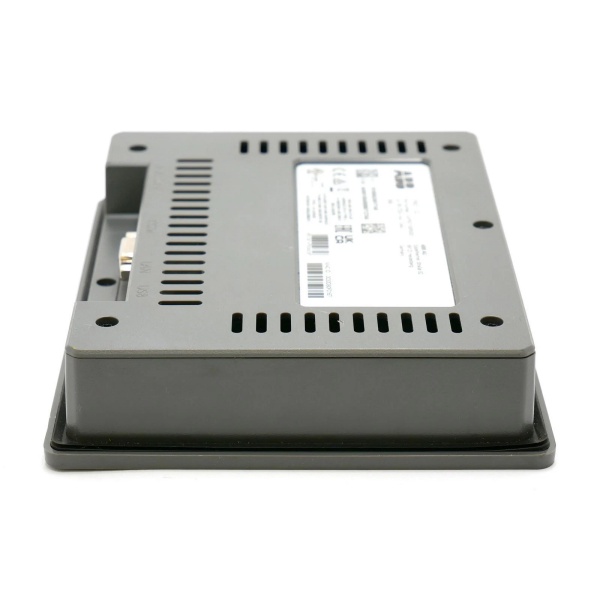
- Housing Depth: 29 mm
- Cutout Dimensions (L × H): 176 mm × 136 mm
- Net Weight: 0.5 kg (0.6 kg per datasheet)
- Gross Weight: 0.875 kg (packaged)
- Mounting Type: Panel mounting in cutout (landscape and portrait mode)
- Number of Online Languages: 24
- Password Protection Levels: 50
- ESD Immunity: 8 kV air discharge, 4 kV contact discharge (EN 61000-4-2)
- Radiated RF Immunity: 80 MHz-1 GHz, 10 V/m; 1.4-2 GHz, 3 V/m; 2-2.7 GHz, 1 V/m (EN 61000-4-3)
- Burst Immunity: ±2 kV DC power port, ±1 kV signal line (EN 61000-4-4)
- Surge Immunity: ±0.5 kV DC power port line-to-earth, ±0.5 kV line-to-line, ±1 kV signal line line-to-earth (EN 61000-4-5)
- Conducted Disturbance Immunity: 0.15-80 MHz, 10 V (EN 61000-4-6)
- Voltage Dip Immunity: 40% duration 10 cycles, 70% duration 25 cycles, 100% duration 1-250 cycles (EN 61000-4-11)
- Minimum Compass Safe Distance: Standard compass 500 mm, steering compass 400 mm

ABB CP607
The Real-World Problem It Solves
Industrial control rooms waste valuable cabinet space with multiple physical button stations and separate indicator panels while operators struggle to interpret scattered process data. The CP607 consolidates parameter entry, status monitoring, alarm handling, and recipe management into a single 7-inch HMI with IP66 protection—eliminating legacy button stations, reducing wiring complexity by 70%, and providing glove-compatible operation in harsh environments where capacitive touchscreens fail.
Where you’ll typically find it:
- Machine control panels for packaging and material handling systems
- Process visualization stations in water treatment and chemical plants
- Operator interfaces for AC500 PLC-based machine control applications
- Web server visualization nodes for remote monitoring in distributed automation systems
Replaces traditional physical button panels with touchscreen operation, reducing cabinet footprint by up to 40% while providing real-time data visualization and recipe management capabilities that cut operator training time in half.
Hardware Architecture & Under-the-Hood Logic
The CP607 runs a Linux RT real-time operating system on an ARM Cortex-A8 300MHz processor, providing deterministic response for industrial HMI applications. The system architecture separates the HMI application layer from the Linux kernel, ensuring that touchscreen events and communication tasks execute with predictable timing. The resistive touch layer operates independently of the display backlight, allowing operation even with thick gloves or using a stylus.
- Power input (24 V DC, 18-32 V) enters via 3-pin removable terminal block
- Reverse polarity protection diode prevents damage from incorrect wiring
- DC-DC converter supplies 5V logic power for processor and 12V for backlight
- ARM Cortex-A8 300MHz CPU boots Linux RT operating system from 2 GB Flash
- HMI application (up to 60 MB) loads into 256 MB RAM for fast execution
- Resistive touch panel detects pressure (4-wire analog), converts to digital coordinates
- Touch events processed by Linux input subsystem, forwarded to HMI application
- Ethernet port (10/100 Mbit) handles TCP/IP communication with PLCs and SCADA
- Serial port (COM1) configured via software as RS-232, RS-422, or RS-485 for legacy devices
- USB 2.0 host port supports data logging, project transfer, and external storage devices
- Real-time clock backed by supercapacitor maintains system time during power loss (72h buffer)
- TFT-LCD panel (800×480, 65K colors) renders HMI graphics via Linux frame buffer
- LED backlight (200 cd/m²) provides illumination with 20,000-hour typical lifetime
- IP66 sealed front panel protects against water jets and dust ingress in harsh environments
- 24 online languages and 50 password levels support multi-operator access control
- Project download via Ethernet or USB allows remote updates without physical access
ABB CP607
Field Service Pitfalls: What Rookies Get Wrong
Resistive Touch Calibration DriftNew techs assume resistive touchscreens never need recalibration, but mechanical stress, temperature cycling, and panel mounting torque can cause coordinate drift over time. Operators end up tapping “Start” and triggering “Emergency Stop” instead. Watched a beverage line shut down for 45 minutes because a tech ignored touch drift warnings.
- Quick Fix: Recalibrate resistive touch quarterly using the built-in calibration utility. Document the 5-point calibration in the maintenance log. If drift persists after calibration, the touch film may be damaged—replace the panel assembly.
RS-485 Wiring Without Bias ResistorsConfiguring COM1 for RS-485 without proper termination and bias resistors causes intermittent communication failures, especially with long cable runs or multiple nodes. The symptoms look like PLC timeouts when they’re actually signal integrity issues. Seen this in a packaging plant where data loss occurred only during peak production hours.
- Field Rule: Always install 120Ω termination resistors on both ends of the RS-485 bus. Add bias resistors (typically 560Ω to VCC, 560Ω to GND) at one end if the bus is idle for extended periods. Verify RS-485 pin wiring: pins 4-3 (Data+) and 8-7 (Data-) per ABB specifications.
Project Transfer Without Password ResetRestoring HMI projects from backup without resetting operator passwords locks everyone out of the system when the transferred project retains the source system’s credentials. Operators then can’t access critical functions until the original password is found or the project is rebuilt.
- Quick Fix: After project transfer, immediately reset all operator passwords to site standards. Document the default administrator password in the system manual. Never transfer projects without confirming password policies match the target system.
USB Data Logging Without Capacity ManagementUsing the USB 2.0 host port for continuous data logging without monitoring storage capacity leads to data corruption when the drive fills mid-log. The HMI stops logging, but the operator has no indication until they attempt to retrieve the data later.
- Field Rule: Configure data logging with automatic file rotation or size limits (e.g., 10 MB per file, max 100 files). Use a USB drive with at least 2x the expected log capacity. Test retrieval after each shift to confirm data integrity.
Ethernet Cable Routing Near Power ConductorsRunning Ethernet cables parallel to VFD power cables or high-current conductors without proper separation causes EMI-induced packet loss and intermittent communication. The HMI appears frozen or displays stale data, but the PLC is actually running fine.
- Quick Fix: Maintain minimum 200 mm separation between Ethernet and power conductors. Use shielded Cat5e/Cat6 cables with proper grounding on both ends. Route Ethernet in dedicated conduit away from VFD output cables and motor power feeds.
Backlight Replacement Without Matching Color TemperatureReplacing the LED backlight assembly without matching the original color temperature (typically 6500K cool white) causes color shift in the display. Operators then misinterpret process colors (e.g., confusing yellow “warning” for orange “alarm”).
- Field Rule: Always use ABB-specified replacement backlight modules with identical color temperature (6500K). After replacement, recalibrate display colors using the built-in color adjustment utility. Document the replacement date—backlight life is 20,000 hours typical.
Supercapacitor RTC Failure in Hot ClimatesThe supercapacitor backing the real-time clock degrades faster in high-temperature environments (above 40°C), causing RTC drift or complete failure after power loss. The HMI then displays incorrect timestamps for alarms and data logs.
- Quick Fix: In environments above 35°C ambient, monitor RTC accuracy weekly by comparing with a reference clock. Replace the supercapacitor if time drift exceeds 1 minute per day. Consider external NTP synchronization via Ethernet for critical timestamp accuracy.
Mounting Cutout Tolerance ExceededForcing the CP607 into undersized cutouts (less than 176mm × 136mm) stresses the bezel and can crack the front frame or damage the touch layer. The panel appears to fit but develops touch responsiveness issues after a few months of thermal cycling.
- Field Rule: Verify cutout dimensions before mounting: 176mm ± 1mm (width) × 136mm ± 1mm (height). Ensure cabinet flatness within 0.5mm. Use the supplied mounting template—never measure twice, cut once.
Power Supply Voltage Droop Under LoadSupplying the CP607 from a shared 24V rail with high-current devices (VFDs, solenoid banks) causes voltage sag below 18V DC during inrush or peak loads, triggering undervoltage shutdowns. The HMI randomly reboots when starting large motors.
- Quick Fix: Dedicate a separate 24V power supply for the CP607 and low-current instrumentation. If sharing is unavoidable, use a DC-DC converter with wide input range (18-32V) to provide isolated power to the HMI. Verify voltage at the CP607 terminals during worst-case load conditions.
Serial Port Configuration ConflictLeaving COM1 in default RS-232 mode when connecting to an RS-485 device causes no communication and can damage the RS-232 transceiver if the RS-485 device drives the line with higher voltage. Techs then assume the port is defective and replace a perfectly good HMI.
- Field Rule: Always verify serial port configuration before wiring. Use the system settings menu to switch between RS-232, RS-422, and RS-485 modes. Confirm pin wiring matches the selected mode—RS-232 uses different pin assignments than RS-422/485.
Commercial Availability & Pricing Note
Please note: The listed price is for reference only and is not binding. Final pricing and terms are subject to negotiation based on current market conditions and availability.



