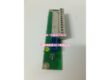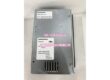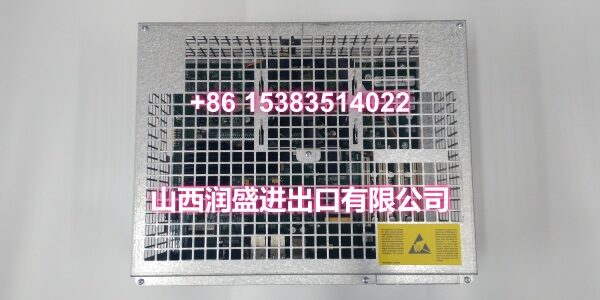
Product Core Brief
- Model: DSQC609
- Brand: ABB
- Series: ABB IRC5 Robot Controller 24V Power Supply Module
- Order Code: 3HAC14178-1 (standard variant)
- Core Function: 24VDC power supply module for ABB IRC5 robot controllers, providing stable power to the 24V power interface board which directly supplies external I/O signals and peripheral devices.
- Product Type: 24V Power Supply Module
- Key Specs: 24VDC output | Power supply for I/O interface board | IRC5 backplane mounting | Industrial-grade reliability
- Note: Condition: New Original (New Surplus). Compatible with IRC5 standard and compact controller variants.
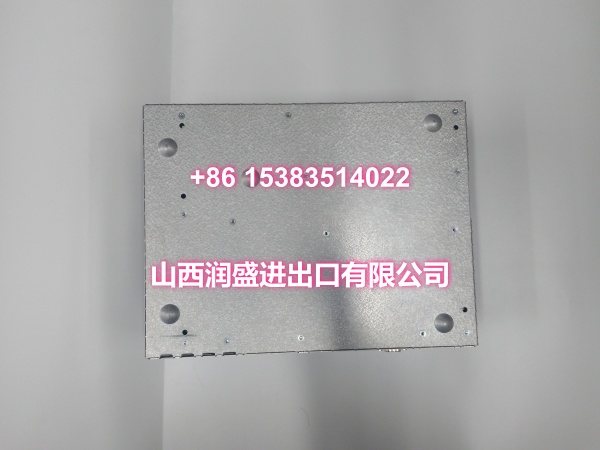
Key Technical Specifications
| Parameter | Value |
|---|---|
| Device Model | |
| Device Type | 24V Power Supply Module |
| Series | ABB IRC5 Robot Controller Power Module |
| Standard Order Code | 3HAC14178-1 |
| Output Voltage | 24VDC |
| Primary Function | Power supply for 24V power interface board |
| Physical Interfaces | IRC5 backplane connector, power output terminals |
| Mounting | DIN rail or backplane mount in IRC5 control cabinet |
| IP Rating | IP20 (inside control cabinet) |
| Operating Temperature | 0°C ~ +45°C |
| Compatible Controllers | ABB IRC5 series (standard and compact variants) |
| Typical Applications | I/O power supply, external sensor/actuator power, peripheral device power |
| Condition | New Original (New Surplus) |
Product Introduction
The ABB DSQC609 is a dedicated 24VDC power supply module designed for ABB IRC5 robot controllers. It serves as a critical power distribution component in the IRC5 control cabinet, providing stable and reliable 24VDC power to the 24V power interface board, which in turn directly supplies external I/O signals and peripheral devices connected to the robot system.
In automated production cells, the robot controller must power a wide range of external devices—proximity sensors, photoelectric sensors, solenoid valves, indicator lights, limit switches, and other field equipment that operate on 24VDC. The DSQC609 ensures that these devices receive clean, stable power from the IRC5 controller’s internal power system, eliminating the need for external power supplies and simplifying the overall system architecture.
The module connects to the IRC5 controller via the backplane interface, drawing power from the controller’s internal power distribution system. It converts and regulates the power to a stable 24VDC output, which is then delivered to the 24V power interface board. This interface board provides the physical terminal connections for external I/O wiring, allowing field devices to be powered directly from the robot controller without additional power supplies.
The DSQC609 is designed for industrial environments, with robust construction that resists vibration, temperature fluctuations, and electrical noise commonly found in automated production facilities. Its compact form factor fits within the IRC5 control cabinet’s standard module slots, making it easy to install and replace during maintenance.
Common applications include:
- I/O power supply: Providing 24VDC power to digital and analog I/O modules connected to the IRC5 controller.
- Sensor power: Powering proximity sensors, photoelectric sensors, and other field sensors used for part detection and position monitoring.
- Actuator power: Supplying power to solenoid valves, indicator lights, and other 24VDC actuators in the robot cell.
- Peripheral device coordination: Ensuring stable power delivery to all external devices that communicate with the robot controller.
For maintenance teams supporting IRC5 installations, the DSQC609 is a direct drop-in replacement for failed or degraded power supply modules. When replacing, verify that the order code (3HAC14178-1) matches the original to ensure compatibility with your controller configuration.
QA & Testing SOP
Every unit goes through a structured verification process before shipment:
- Visual Inspection: Check the PCB for cracks, burnt components, corrosion on connector pins, and physical damage to the board. Verify that all components (backplane connector, power output terminals, surface-mount ICs, capacitors) are securely mounted with no cold joints or solder bridges. Inspect the module housing and mounting clips for damage.
- Connector Pin Verification: Inspect the backplane connector and power output terminals for straightness, corrosion, or bending. Verify that all connector pins are intact, as bent pins cause power delivery failures.
- Power-On Self-Test: Install the module in an IRC5 controller rack and apply power. Verify that the module powers up correctly and that no fault codes are reported by the controller. Check for any abnormal heating during the initial power-on.
- Output Voltage Test: Measure the 24VDC output voltage with a multimeter to confirm it is within specification (typically ±5% of 24VDC, i.e., 22.8V–25.2V). Verify that the output voltage remains stable under load.
- Load Regulation Test: Apply a resistive load to the output and verify that the voltage remains within specification as the load varies. This test ensures the module can handle varying current demands from external devices without voltage sag.
- Ripple and Noise Test: Measure the output voltage ripple with an oscilloscope to confirm it is within acceptable limits for sensitive I/O equipment. Excessive ripple can cause erratic behavior in sensors and actuators.
- Backplane Communication Test: Verify that the IRC5 controller recognizes the DSQC609 module on the backplane bus and that no communication timeout errors are reported.
- Anti-Counterfeit & Packaging: Verify authenticity markings on the PCB and components. Each unit is shipped in anti-static protective packaging with desiccant to prevent moisture absorption and connector oxidation during transit.
Installation Pitfalls & Guide
Installing or replacing a power supply module requires careful attention to power connections and proper handling.
❗ Power-Down Before Installation: Always disconnect power to the IRC5 controller before removing or inserting the DSQC609 module. Although the module connects via the backplane, it is strongly recommended to replace it with power off to prevent electrical damage to the module or the controller’s backplane connector.
❗ Anti-Static Protection: Always wear an anti-static wrist strap when handling the DSQC609 module. The PCB contains sensitive electronic components that can be damaged by electrostatic discharge (ESD). Handle the module by its edges only, avoiding contact with components or connector pins.
❗ Verify Output Wiring: Before removing the original module, carefully document all power output wiring connections. Label each wire with its destination (e.g., “I/O Board Power,” “Sensor Power Bus”). Incorrect reconnection of power wiring can cause damage to external devices or create a short circuit.
❗ Check Backplane Connector: Inspect the IRC5 controller’s backplane connector for damage, debris, or bent pins before installing the new module. A damaged backplane connector can cause intermittent power delivery issues that are difficult to diagnose.
❗ Verify Output Voltage Before Connecting Loads: After installing the replacement module and applying power, measure the output voltage with a multimeter before reconnecting external loads. Confirm the voltage is within the 22.8V–25.2V range to prevent damage to connected devices.
4-Step Replacement Guide:
- Pre-install: Document all power output wiring connections from the original module. Label each wire with its destination. Back up the IRC5 controller’s system configuration. Verify the replacement module’s model (DSQC609) and order code (3HAC14178-1) match the original. Prepare anti-static protection, tools, and a multimeter for verification.
- Removal: Disconnect power to the IRC5 controller. Wear an anti-static wrist strap. Disconnect all wiring from the power output terminals, keeping the labels intact. Release the module’s mounting clips and gently pull the module straight out of the controller rack. Inspect the controller’s backplane connector for damage or debris.
- Install: Align the new DSQC609’s backplane connector with the controller rack slot guides. Push firmly and evenly until fully seated. Secure the module with the mounting clips. Reconnect all power output wiring to the correct terminals according to the documented labels. Double-check each connection before proceeding.
- Power-on Test: Apply power to the IRC5 controller. Verify that the module powers up correctly and that no fault codes are reported by the controller. Measure the output voltage with a multimeter to confirm it is within the 22.8V–25.2V range. Monitor the module for several minutes to confirm stable operation and no abnormal heating. Gradually reconnect external loads and verify that the output voltage remains stable.
Technical FAQ
1. What is the DSQC609 used for in an IRC5 robot system? The DSQC609 is a 24VDC power supply module that provides power to the 24V power interface board in IRC5 robot controllers. The interface board then directly supplies external I/O signals and peripheral devices such as sensors, actuators, and indicator lights. It eliminates the need for external power supplies by integrating the 24VDC power source directly into the controller.
2. What is the output voltage of the DSQC609? The DSQC609 outputs 24VDC, which is the standard voltage for most industrial sensors, actuators, and I/O modules. The output voltage should be within ±5% of 24VDC (i.e., 22.8V–25.2V) under normal operating conditions.
3. Can the DSQC609 be used with OmniCore controllers? The DSQC609 is designed for ABB IRC5 series controllers. OmniCore controllers use a different power architecture and may require different power supply modules. Always verify your controller model and consult ABB’s compatibility documentation before ordering replacement power modules. Note that ABB has been transitioning from IRC5 to OmniCore since 2024, with IRC5逐步退出市场 as of 2026.
4. What are common symptoms of a failing DSQC609 power supply module? Common symptoms include: External I/O devices not receiving power (sensors not responding, actuators not activating); output voltage dropping below 22.8VDC under load; intermittent power loss to external devices; fault codes related to power supply or I/O communication reported by the IRC5 controller; and abnormal heating of the module during operation. If you’re experiencing any of these symptoms, check the output voltage with a multimeter, verify all wiring connections, and use the teach pendant’s diagnostic function to read the specific fault codes.
5. What’s the difference between New Surplus and Refurbished for power supply modules? We supply this unit as New Original (New Surplus)—unused, original factory stock. This comes with a standard 12-month warranty. Refurbished power supply modules carry risks including degraded capacitors, weakened voltage regulation, and latent failures in power conversion components that may only manifest under full load. For a module that is critical to powering all external I/O devices, new surplus is the safer choice.