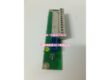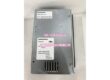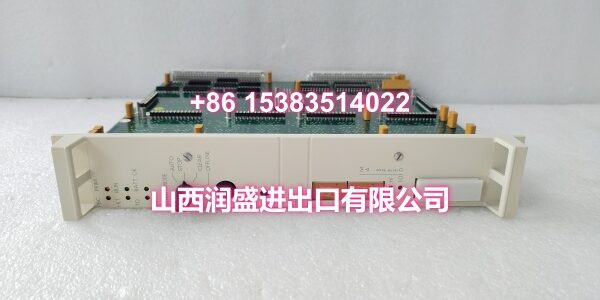
Product Core Brief
- Model: DSQC332A
- Brand: ABB
- Series: ABB Robot Controller I/O Series (S4 / S4C+)
- Core Function: Relay-type digital I/O module for ABB robot controllers, providing galvanically isolated relay outputs and digital inputs for switching higher-voltage or AC loads in robot cells.
- Product Type: Relay I/O Module
- Key Specs: 16 Digital Inputs + 16 Relay Outputs | 24VDC Input | Galvanic Isolation | Front LED Indicators | NO Relay Contacts
- Note: Condition: New Original (New Surplus). Specific order code varies by installation configuration.
Key Technical Specifications
| Parameter | Value |
|---|---|
| Device Model | |
| Device Type | Relay I/O Module |
| Series | ABB Robot Controller I/O Series (S4 / S4C+) |
| Digital Inputs | 16 channels, 24VDC, divided into groups of 8 with galvanic isolation between groups |
| Relay Outputs | 16 channels, each with a single Normally Open (NO) contact, independent of each other |
| Input Supply Voltage | 24VDC (supplied via controller backplane or external I/O power) |
| Relay Contact Rating | Refer to ABB product specification for exact voltage/current ratings per channel |
| Communication Interface | Controller backplane bus (internal to ABB controller rack) |
| I/O Update Interval | Recommended 1000ms polling rate for standard applications |
| Operating Temperature | 0°C to +55°C (32°F to 131°F) |
| Storage Temperature | -25°C to +70°C |
| Humidity Range | 5% to 95% RH, non-condensing |
| Mounting | Plug-in module in ABB controller rack (S4/S4C+ series) |
| IP Rating | IP20 (inside control cabinet) |
| Indicators | Front-panel LEDs for power, I/O channel status, and fault indication |
| Dimensions | Plug-in module form factor (varies by rack) |
| Weight | Approx. 0.6 kg |
| Typical Applications | Robot peripheral control, solenoid valve switching, motor starter control, safety circuit interfacing, AC load switching in robot cells |
| Condition | New Original (New Surplus) |
Product Introduction
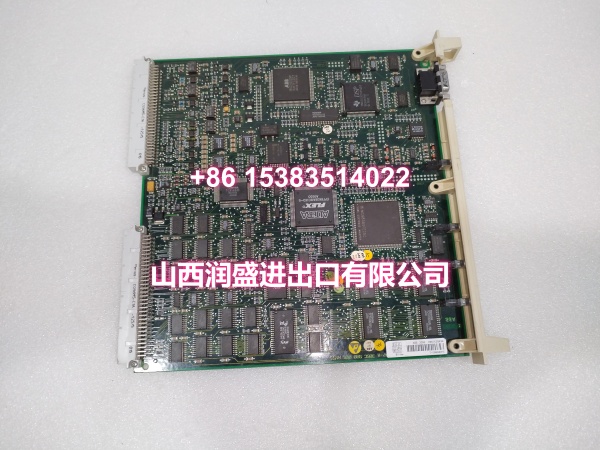
The ABB DSQC332A is a relay-type digital I/O module designed for ABB robot controllers in the S4 and S4C+ series. It serves as a critical interface between the robot controller and external devices that require relay-isolated switching, such as solenoid valves, motor starters, contactors, indicator lights, and safety circuits. Unlike standard transistor-output I/O modules, the DSQC332A’s built-in relay outputs provide galvanic isolation between the controller’s low-voltage logic circuits and the external load circuits, making it suitable for switching AC loads or higher-voltage DC loads that exceed the capability of transistor outputs.
The module provides 16 digital inputs at 24VDC, organized into two groups of 8 channels each. The two input groups are galvanically isolated from each other, which helps reduce noise coupling and improves signal integrity in electrically noisy industrial environments. The inputs can accept signals from proximity sensors, photoelectric sensors, pushbuttons, limit switches, and other 24VDC field devices. Customer switches can be powered either from the cabinet’s 24V I/O supply or from a separate external supply, offering flexibility in wiring configurations.
The 16 relay outputs are the defining feature of the DSQC332A. Each output channel has a single Normally Open (NO) contact that is electrically independent of the others. This relay isolation means the module can safely switch loads that are referenced to different voltage potentials, including AC mains-powered devices, without risking damage to the robot controller’s internal electronics. This makes the DSQC332A particularly valuable in applications where the robot needs to control pneumatic valves, hydraulic solenoids, conveyor motors, or other equipment that operates at voltages higher than 24VDC.
Communication with the robot controller is handled via the internal backplane bus, eliminating the need for external fieldbus wiring. The module plugs directly into the ABB controller rack and is recognized automatically by the controller’s I/O configuration. ABB recommends an I/O update interval (polling rate) of 1000ms for the DSQC332A in standard applications, which balances I/O responsiveness with controller CPU load.
The module features front-panel LED indicators for power status and individual I/O channel states. This visual feedback allows maintenance technicians to quickly diagnose wiring issues, sensor failures, or relay output problems directly at the cabinet without needing to access the teach pendant or diagnostic software. The front-edge connectors and keyed cabling design make module swaps faster and reduce the risk of miswiring during maintenance.
The DSQC332A is commonly found in ABB robot cells across automotive body welding, general assembly, packaging, palletizing, and machining lines. Wherever an S4 or S4C+ controller is in service, this module helps maintain stable internal signal routing so the robot, I/O, and safety circuits keep communicating reliably.
For maintenance teams supporting legacy ABB robot installations, the DSQC332A is a direct drop-in replacement for failed or degraded relay I/O modules. When replacing a DSQC332A, always verify that the I/O configuration and signal mapping match the original module to ensure seamless integration with the robot’s existing program.
QA & Testing SOP
Every unit goes through a structured verification process before shipment:
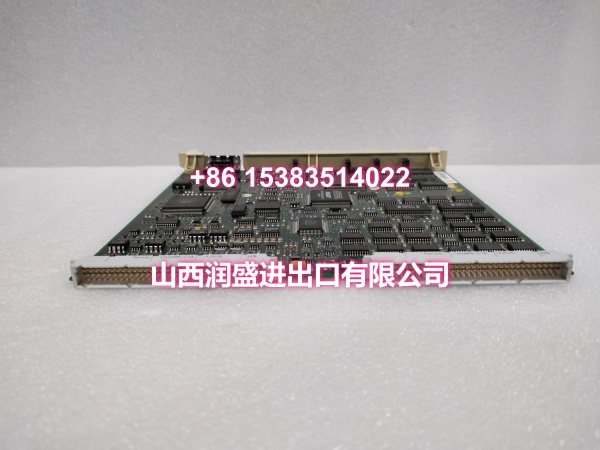
- Visual Inspection: Check the PCB for cracks, burnt components, corrosion on connector pins, and physical damage to the board. Verify that all relay components, terminal blocks, and surface-mount components are securely mounted with no cold joints or solder bridges. Inspect relay housings for cracks or signs of arcing.
- Connector Pin Verification: Inspect all connector pins (backplane connectors, terminal blocks X1–X4) for straightness, corrosion, or bending. Bent pins cause poor contact with the controller’s backplane or field wiring, leading to intermittent communication failures or I/O malfunctions.
- Power-On Self-Test: Apply 24VDC power via the controller backplane and verify that the module’s power LED illuminates. Check for any abnormal heating of components during the initial power-on. Verify that the module completes its self-diagnostic routine without errors.
- Digital Input Channel Test: Verify each of the 16 digital input channels by applying 24VDC signals and confirming that the corresponding input LED illuminates. Test both input groups independently to verify galvanic isolation between the two groups.
- Relay Output Contact Test: Command each of the 16 relay outputs on and off, and verify that the corresponding relay clicks audibly and that the NO contact closes (measured with a multimeter in continuity mode). Verify that each relay output is electrically independent and that there is no cross-talk between channels.
- Backplane Communication Test: Install the module in an ABB controller rack and verify that the controller recognizes the module without fault codes. Check that the I/O status LEDs reflect the correct states as commanded by the controller.
- Anti-Counterfeit & Packaging: Verify authenticity markings on the PCB and components. Each unit is shipped in anti-static protective packaging with desiccant to prevent moisture absorption and connector oxidation during transit.
Installation Pitfalls & Guide
Installing or replacing a relay I/O module requires careful attention to safety procedures and proper handling.
❗ Power-Down Before Installation: Always disconnect power to the robot controller and I/O circuit before removing or inserting the DSQC332A module. Relay I/O modules should be replaced with power off to prevent electrical damage to the module or the controller’s backplane connector.
❗ Anti-Static Protection: Always wear an anti-static wrist strap when handling the DSQC332A module. The PCB contains sensitive electronic components that can be damaged by electrostatic discharge (ESD). Handle the module by its edges only, avoiding contact with components or connector pins.
❗ Verify Relay Contact Ratings: Before connecting loads to the relay outputs, verify that the load voltage and current are within the relay contact ratings specified in the ABB product specification. Exceeding the relay ratings can cause contact welding, arcing, or premature relay failure. For AC loads, ensure the voltage does not exceed the relay’s AC rating.
❗ Correct Input Group Wiring: The 16 digital inputs are divided into two groups of 8, with galvanic isolation between groups. When wiring input devices, ensure that each group is powered from the same 24VDC source (either cabinet I/O power or external supply). Mixing power sources within a group can cause ground loops and unreliable input readings.
❗ I/O Configuration Backup: Before replacing the DSQC332A, back up the robot controller’s I/O configuration, including signal names, cross-connections, and relay output mappings. After installing the replacement module, verify that the I/O signals are correctly mapped in the robot’s configuration.
4-Step Replacement Guide:
- Pre-install: Document the existing I/O configuration, including signal names, relay output mappings, and wiring connections. Back up the robot controller’s I/O configuration to an external storage device. Verify the replacement module’s model (DSQC332A) matches the original. Prepare anti-static protection, tools, and a multimeter for verification.
- Removal: Disconnect power to the robot controller and I/O circuit. Wear an anti-static wrist strap. Label all wiring connections if not already labeled. Disconnect the terminal block wiring (X1–X4). Release the module’s retention mechanism and gently pull the module straight out of the controller rack. Inspect the controller’s backplane connector for damage or debris.
- Install: Align the new DSQC332A’s connector with the controller rack slot guides. Push firmly and evenly until fully seated. Secure the module with the retention mechanism. Reconnect the terminal block wiring (X1–X4), verifying correct polarity and terminal assignments. Double-check all connections before applying power.
- Power-on Test: Apply power to the robot controller and I/O circuit. Verify that the module’s power LED illuminates. Use the teach pendant to verify that all digital inputs and relay outputs are responding correctly. Test each relay output by commanding it on and verifying the NO contact closes. Monitor the module for several minutes to confirm stable operation.
Technical FAQ
1. What is the difference between DSQC332A and DSQC328A? The DSQC332A is a relay I/O module with 16 digital inputs and 16 relay outputs (NO contacts), while the DSQC328A is a transistor-output digital I/O module with 16 digital inputs and 16 transistor outputs at 24VDC. The key difference is that the DSQC332A’s relay outputs provide galvanic isolation and can switch AC loads or higher-voltage DC loads, whereas the DSQC328A’s transistor outputs are limited to 24VDC switching. Choose the DSQC332A when you need to control AC-powered devices or require electrical isolation between the controller and the load.
2. What is the recommended I/O update interval for the DSQC332A? ABB recommends an I/O update interval (polling rate) of 1000ms for the DSQC332A in standard applications. Setting the update interval too low can cause excessive CPU load and potentially lead to scan cycle timeouts, while setting it too high may result in sluggish I/O response. Adjust the update interval based on your specific application requirements.
3. Can the DSQC332A switch AC loads? Yes, the DSQC332A’s relay outputs have Normally Open (NO) contacts that are electrically isolated from the controller’s internal circuits, making them suitable for switching AC loads. However, you must verify that the load voltage and current are within the relay contact ratings specified in the ABB product specification. Exceeding the relay ratings can cause contact damage or failure.
4. What are the two input groups on the DSQC332A? The 16 digital inputs on the DSQC332A are divided into two groups of 8 channels each. The two groups are galvanically isolated from each other, which means they can be powered from different 24VDC sources without causing ground loops. This isolation helps reduce noise coupling in electrically noisy industrial environments. However, all inputs within the same group must share the same power source.
5. What are common symptoms of a failing DSQC332A relay I/O module? Common symptoms include: Digital inputs not registering sensor signals; relay outputs not clicking or activating when commanded; individual channel LEDs not illuminating; relay contacts welding shut or failing to close; intermittent I/O communication errors; and the robot controller reporting I/O faults or timeouts. If you’re experiencing any of these symptoms, check the module’s LED indicators and use the teach pendant’s I/O monitoring function to diagnose the issue.
6. What’s the difference between New Surplus and Refurbished for relay I/O modules? We supply this unit as New Original (New Surplus)—unused, original factory stock. This comes with a standard 12-month warranty. Refurbished relay I/O modules carry risks including degraded relay contacts from prior switching cycles, weakened input circuits, and latent failures that may only manifest under full load conditions. For a module that directly interfaces with your production equipment and safety circuits, new surplus is the safer choice.