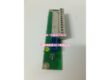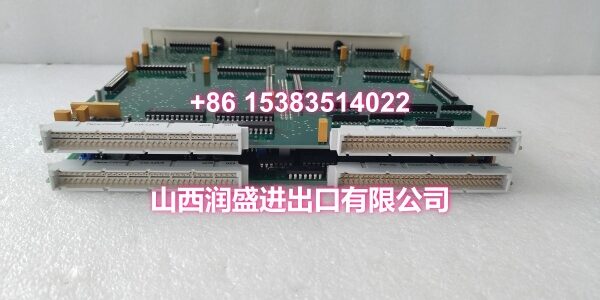
Product Core Brief
- Model: DSPC406
- Brand: ABB
- Series: ABB DCS/PLC Controller Series
- Core Function: Real-time control processor module for ABB controller racks, handling PID loops, interlocks, sequence logic, and deterministic communication with I/O systems.
- Product Type: Processor Module / Control CPU Board
- Key Specs: Real-Time Control Execution | Redundancy-Ready Architecture | Watchdog Supervision | Non-Volatile Storage | Front-Access Indicators
- Note: Condition: New Original (New Surplus). Specific order code varies by installation configuration.
Key Technical Specifications
| Parameter | Value |
|---|---|
| Device Model | |
| Device Type | Processor Module / Control CPU |
| Series | ABB DCS/PLC Controller Series |
| Function | Real-time control execution, PID, interlocks, sequence logic |
| Power Requirements | Powered via controller backplane (typical 24 V DC) |
| Communication Interfaces | Backplane communication; additional serial/fieldbus/Ethernet options depend on controller configuration |
| Redundancy Support | Hot-standby pairing capable (configuration-dependent) |
| Operating Temperature | 0°C to +55°C (32°F to 131°F), non-condensing |
| Storage Temperature | -40°C to +85°C |
| Humidity Range | 5% to 95% RH, non-condensing |
| Mounting | Rack-mounted in ABB controller chassis (ventilated control cabinet) |
| IP Rating | IP20 |
| Dimensions | Plug-in module form factor (varies by rack) |
| Weight | Varies by rack configuration |
| Typical Applications | Process control, discrete automation, continuous real-time control in DCS/PLC environments |
| Condition | New Original (New Surplus) |
Product Introduction
The ABB DSPC406 is a processor module designed for continuous, real-time control in industrial automation systems. It serves as the central execution unit in ABB controller racks, running control logic, coordinating I/O, and maintaining deterministic communication with the rest of the system. The module is chosen by plants that require stable cycle times, straightforward maintenance, and a proven platform for 24/7 operation.
The DSPC406 handles PID control loops, safety interlocks, and sequence logic with deterministic scan cycles suitable for both process and discrete automation applications. Its watchdog supervision and onboard diagnostics help catch application faults early, while status LEDs on the front panel make troubleshooting quicker directly at the cabinet door.
The module features a redundancy-ready architecture that supports hot-standby pairing in many configurations, minimizing downtime during module replacement or firmware rollover. This makes it suitable for critical process control applications where unplanned shutdowns carry significant cost. Non-volatile storage ensures that application programs and key parameters are retained across power cycles, reducing re-commissioning risk after outages.
The DSPC406 is designed to work within ABB controller backplanes and interface with common field I/O families. Communication options vary by installation, with the module supporting backplane communication as standard and additional serial, fieldbus, or Ethernet interfaces depending on the controller configuration.
The service-friendly design features front access to indicators and connectors, making routine checks and swap-outs more straightforward for maintenance technicians. The plug-in module form factor allows for direct replacement in existing ABB controller racks without requiring mechanical modifications or rewiring.
For maintenance teams supporting ABB DCS/PLC installations, the DSPC406 is a direct drop-in replacement for failed or degraded processor modules. When replacing a DSPC406, always verify that the module matches the original configuration to ensure full compatibility with the controller’s hardware and firmware setup.
QA & Testing SOP
Every unit goes through a structured verification process before shipment:
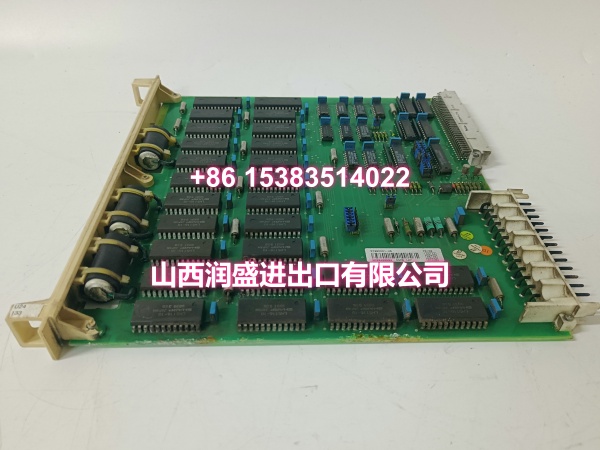
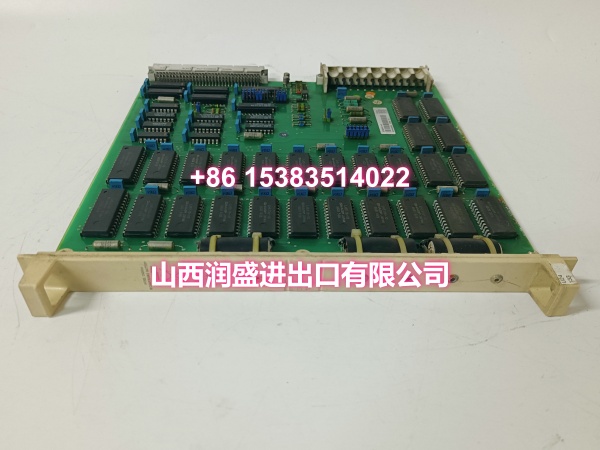
- Visual Inspection: Check the PCB for cracks, burnt components, corrosion on connector pins, and physical damage to the board. Verify that all surface-mount and through-hole components are securely soldered with no cold joints or solder bridges.
- Connector Pin Verification: Inspect all connector pins (backplane connectors, communication ports) for straightness, corrosion, or bending. Bent pins cause poor contact with the controller’s backplane, leading to intermittent communication failures or complete module malfunction.
- Power-On Self-Test: Apply 24VDC power via the controller backplane and verify that the module’s status LEDs indicate normal boot sequence. Check for any abnormal heating of components during the initial power-on. Verify that the module completes its self-diagnostic routine without errors.
- Watchdog Supervision Test: Verify that the watchdog timer is functioning correctly and triggers a safe state when the control application fails to respond within the expected cycle time.
- Communication Port Test: Verify that the backplane communication interface is functional and that the module can communicate with other modules in the controller rack. Test any additional communication interfaces (serial, fieldbus, Ethernet) based on the specific configuration.
- Non-Volatile Storage Verification: Verify that the non-volatile storage retains program data and configuration parameters after power cycling.
- Anti-Counterfeit & Packaging: Verify authenticity markings on the PCB and components. Each unit is shipped in anti-static protective packaging with desiccant to prevent moisture absorption and connector oxidation during transit.
Installation Pitfalls & Guide
Installing or replacing a processor module requires careful attention to safety procedures and proper handling.
❗ Power-Down Before Installation: Always disconnect power to the controller chassis before removing or inserting the DSPC406 module. Processor modules should be replaced with power off to prevent electrical damage to the module or the controller’s backplane connector.
❗ Anti-Static Protection: Always wear an anti-static wrist strap when handling the DSPC406 module. The PCB contains sensitive electronic components that can be damaged by electrostatic discharge (ESD). Handle the module by its edges only, avoiding contact with components or connector pins.
❗ Correct Module Orientation: The DSPC406 must be inserted into the controller’s processor slot with the correct orientation. Forcing the module into the wrong orientation can damage the connector pins and the controller’s backplane. Align the module’s connector with the slot guides and push firmly and evenly until fully seated.
❗ Heat Dissipation Clearance: Ensure adequate ventilation around the controller chassis. The processor module generates heat during operation, and insufficient ventilation can cause overheating, leading to performance degradation or premature failure.
❗ Firmware and Configuration Backup: Before replacing the DSPC406, back up the controller’s program, configuration data, and parameter settings to an external storage device. After installing the replacement module, you may need to download the control program and configuration from your backup.
4-Step Replacement Guide:
- Pre-install: Document the existing controller configuration, including controller type, firmware version, and any custom parameters. Back up the controller’s program and configuration data to an external storage device. Verify the replacement module matches the original configuration. Prepare anti-static protection, tools, and a laptop with the necessary engineering software.
- Removal: Disconnect power to the controller chassis. Wear an anti-static wrist strap. If the module has a retention clip or screw, loosen it before removal. Gently pull the module straight out of the processor slot. Inspect the controller’s processor slot connector for damage or debris.
- Install: Align the new DSPC406’s connector with the processor slot guides. Push firmly and evenly until fully seated. Secure the module with the retention clip or screw if applicable. Verify that the module is fully seated and locked in place.
- Power-on Test: Apply power to the controller chassis. Enter the controller’s diagnostic screen and verify that the processor module is recognized with no fault codes. Check the module status LEDs to confirm normal operation. Download the control program and configuration from your backup if necessary. Monitor the controller for several minutes to confirm stable operation, checking CPU load, memory usage, and communication status.
Technical FAQ
1. What types of control logic can the DSPC406 execute? The DSPC406 handles PID control loops, safety interlocks, and sequence logic with deterministic scan cycles. It is suitable for both process automation (continuous control) and discrete automation (batch/sequential control) applications. The deterministic scan cycles ensure stable and predictable control execution.
2. Does the DSPC406 support redundancy? The DSPC406 features a redundancy-ready architecture that supports hot-standby pairing in many configurations. In a redundant setup, two DSPC406 modules operate in parallel, with one serving as the primary controller and the other as a hot standby. If the primary module fails, the standby module takes over control seamlessly, minimizing production downtime. Verify with your system configuration documentation whether redundancy is enabled in your specific installation.
3. What communication interfaces does the DSPC406 support? The DSPC406 supports backplane communication as standard. Additional communication interfaces (serial, fieldbus, Ethernet) depend on the specific controller configuration and the communication modules installed in the system. The module is designed to work within ABB controller backplanes and interface with common field I/O families.
4. What happens to the program data if power is lost? The DSPC406 features non-volatile storage that retains application programs and key parameters across power cycles. This reduces re-commissioning risk after outages, as the controller can resume operation with its previously stored configuration without requiring a full re-download from an external source.
5. What are common symptoms of a failing DSPC406 processor module? Common symptoms include: Controller not booting or stuck in boot loop; communication failures with I/O modules or HMIs; unexpected controller resets or trips; watchdog timeout faults; memory errors or corruption; loss of program data after power cycles; and fault codes related to processor or communication failures. If you’re experiencing any of these symptoms, check the controller’s diagnostic screen for specific error codes.
6. What’s the difference between New Surplus and Refurbished for processor modules? We supply this unit as New Original (New Surplus)—unused, original factory stock. This comes with a standard 12-month warranty. Refurbished processor modules carry risks including degraded memory cells from prior use, weakened processor performance from previous thermal stress, and latent failures that may only manifest under full load conditions. For a module that serves as the central brain of your control system, new surplus is the safer choice.