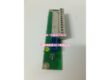
Product Core Brief
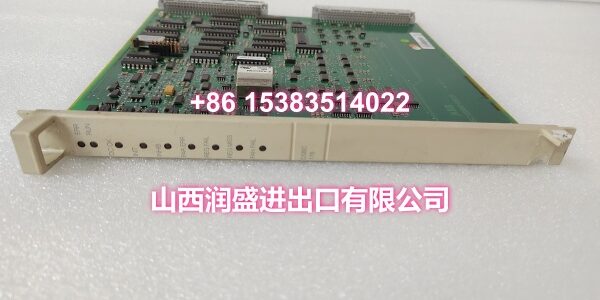
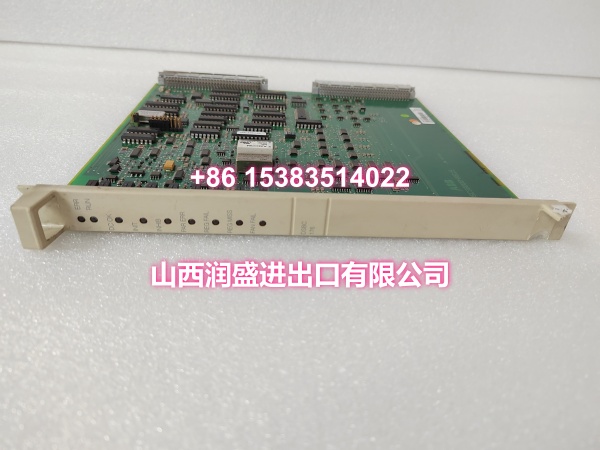
- Model: DSBC176
- Brand: ABB
- Series: ABB Advant Master Series
- Core Function: High-performance bus extension/communication module for enabling high-speed data transmission and synchronous control across multiple devices in industrial automation systems.
- Product Type: Bus Extension Module / Communication Module
- Key Specs: High-Speed Bus Communication | Low-Latency Data Processing | Real-Time Synchronization | Multiple Communication Protocol Support | Modular Design | Fault Diagnostics
- Note: Condition: New Original (New Surplus). Origin: Sweden.
Key Technical Specifications
| Parameter | Value |
|---|---|
| Manufacturer Part Number | 3BSE019216R1 |
| Device Model | |
| Device Type | Bus Extension Module / Communication Module |
| Series | ABB Advant Master Series |
| Function | High-speed bus data transmission and device control |
| Communication Protocols | Supports multiple industrial protocols (PROFIBUS DP, PROFINET, EtherCAT, etc.) |
| Data Processing | Low-latency real-time processing with hardware clock synchronization |
| Synchronization Accuracy | Multi-node synchronization error ≤1μs |
| Communication Delay | Typical delay ≤200μs |
| I/O Flexibility | Supports digital/analog input/output combinations |
| Operating Temperature | Industrial-grade (typically –20°C to +60°C) |
| Cooling Method | Passive (air-cooled) |
| Mounting | DIN rail / Rack mount |
| Dimensions | 324 × 234 × 22.5 mm |
| Weight | 0.4–1.2 kg (varies by source) |
| Features | Fault diagnostics, status monitoring, modular design |
| Typical Applications | Process control, robotics, motion control, high-speed production lines, power generation, oil & gas |
| Origin | Sweden |
| Condition | New Original (New Surplus) |
Product Introduction
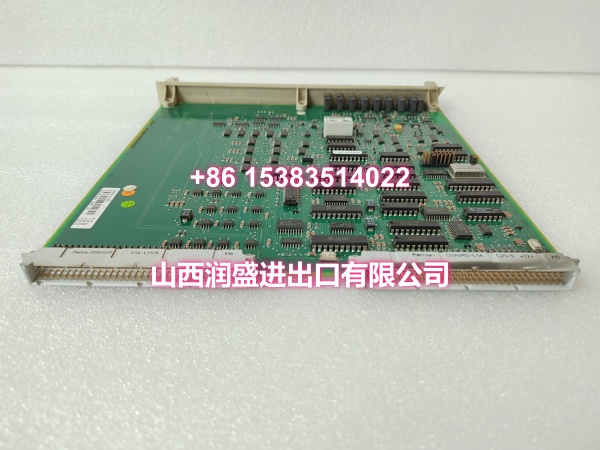
The ABB DSBC176 (order code 3BSE019216R1) is a high-performance bus extension and communication module designed for ABB’s Advant Master distributed control systems and other industrial automation platforms. It enables high-speed data transmission and synchronous control across multiple field devices, serving as a critical bridge between the DCS controller and distributed I/O, drives, sensors, and actuators.
In complex industrial environments where real-time response and precise synchronization are essential, the DSBC176 delivers low-latency communication with hardware clock synchronization ensuring multi-node timing accuracy within 1μs. The module supports multiple industrial communication protocols including PROFIBUS DP, PROFINET, and EtherCAT, making it adaptable to diverse network topologies such as chain, star, and ring configurations. Its built-in caching and real-time scheduling algorithms enable typical communication delays of ≤200μs, supporting fast transmission of critical real-time data such as motor position commands, speed feedback, and process variable updates.
The DSBC176 features a modular design that significantly expands the number of bus nodes a control system can manage, allowing engineers to connect and control more external devices without upgrading the main controller. Integrated fault diagnostics and status monitoring functions help maintenance teams quickly identify communication issues, reducing mean time to repair (MTTR) and minimizing unplanned downtime.
For engineers maintaining or expanding legacy Advant Master installations, the DSBC176 is a direct drop-in replacement for failed or end-of-life bus communication modules. Its standardized form factor and protocol compatibility ensure seamless integration with existing system architecture, avoiding costly redesign or reconfiguration.
QA & Testing SOP
Every unit goes through a structured verification process before shipment:
- Visual Inspection: Check the module housing for cracks, corrosion on connector pins, and physical damage to the PCB. Verify that communication port connectors (DB9, RJ45, or terminal blocks) are intact and undamaged.
- Connector Pin Verification: Inspect all communication and backplane connector pins for straightness, corrosion, or bending. Bent pins cause poor contact, leading to intermittent communication failures or data corruption.
- Power-On Self-Test: Apply power and verify that the module’s status LED indicates normal operation. A red or flashing LED indicates a hardware fault, communication error, or configuration mismatch.
- Communication Loopback Test: Where test infrastructure allows, connect the module to a test network and verify bidirectional data transmission. Confirm that the module responds to bus commands and reports correct status information.
- Protocol Compatibility Check: Verify that the module’s firmware version supports the required communication protocol (PROFIBUS DP, PROFINET, EtherCAT, etc.) for the target system. Firmware mismatches can cause communication failures even when hardware is functional.
- Anti-Counterfeit & Packaging: Verify authenticity markings on the module body and PCB. Each unit is shipped in anti-static protective packaging with desiccant to prevent moisture absorption and connector oxidation during transit.
Installation Pitfalls & Guide
Installing or replacing a bus communication module requires careful attention to network configuration and electrical safety.
❗ Power-Down Before Installation: Always disconnect power to the rack or DIN rail section before removing or inserting the DSBC176 module. While some ABB modules support hot-swap, bus communication modules should be replaced with power off to prevent communication bus disruption and potential damage to connected devices.
❗ Bus Termination Verification: When installing the DSBC176 in a bus network (especially PROFIBUS DP), verify that the bus termination resistors are correctly configured at both ends of the network segment. Missing or incorrect termination causes signal reflections that lead to communication errors and data corruption.
❗ Network Address Configuration: Before powering on the replacement module, verify that the bus address (node ID) is correctly set via DIP switches, rotary switches, or software configuration. A duplicate address on the bus will cause communication conflicts and may take down the entire network segment.
❗ Cable Routing and Shielding: Route communication cables separately from power cables, maintaining at least 30cm distance to prevent electromagnetic interference. Use shielded cables for bus communication, with the shield grounded at one end only (preferably at the control cabinet grounding bar). Avoid sharp bends in communication cables that could damage internal conductors.
❗ Firmware Version Matching: Before replacing a failed module, document the firmware version of the original unit. Installing a module with a significantly different firmware version may cause protocol incompatibility or require reconfiguration of the entire bus network. Match the firmware version as closely as possible to the original.
4-Step Replacement Guide:
- Pre-install: Document the existing bus network configuration (node addresses, protocol settings, termination settings). Back up the DCS project. Verify the replacement module’s part number (3BSE019216R1) matches the original. Prepare anti-static protection and tools.
- Removal: Disconnect power to the rack. Wear an anti-static wrist strap. Disconnect all communication cables and note their positions. Loosen the module retention screws. Gently pull the module straight out of the backplane or DIN rail slot. Inspect the connector for damage.
- Install: Set the bus address on the new module to match the original configuration. Align the module’s connector with the backplane or DIN rail slot. Push firmly and evenly until fully seated. Tighten retention screws. Reconnect communication cables in their documented positions. Reconnect power.
- Power-on Test: Apply power and verify the module’s status LED indicates normal operation. Enter the DCS diagnostic screen and confirm the module is recognized on the bus with no fault codes. Verify communication with all connected devices on the bus segment. Monitor the network for several minutes to confirm stable operation before returning to normal production.
Technical FAQ
1. What communication protocols does the DSBC176 support? The DSBC176 supports multiple industrial communication protocols including PROFIBUS DP, PROFINET, and EtherCAT. The specific protocol support depends on the firmware version installed on the module. Always verify the firmware version against your system requirements before ordering a replacement.
2. Can the DSBC176 be used as both a master and a slave device? Yes. The DSBC176 can function as a bus master (controlling other devices on the network) or as a slave device (responding to commands from a master controller), depending on the system configuration. This flexibility allows it to be used in various network topologies including chain, star, and ring configurations.
3. What’s the difference between the DSBC176 and a standard I/O module? The DSBC176 is a bus communication module that handles data transmission between the DCS controller and distributed devices over an industrial network. It does not directly connect to field sensors or actuators. A standard I/O module (like the DSAI133A analog input module) directly interfaces with field devices and converts physical signals to/from digital data. The DSBC176 operates at the network communication layer, while I/O modules operate at the field device layer.
4. What does “multi-node synchronization error ≤1μs” mean? This specification means that when multiple devices on the bus network are synchronized via the DSBC176’s hardware clock synchronization circuitry, the timing difference between any two synchronized nodes will not exceed 1 microsecond. This level of precision is critical for applications requiring coordinated motion control, synchronized sampling, or time-stamped event recording across distributed devices.
5. What’s the difference between New Surplus and Refurbished for communication modules? We supply this unit as New Original (New Surplus)—unused, original factory stock. This comes with a standard 12-month warranty. Refurbished communication modules carry risks including degraded connector contacts from previous insertion cycles, undocumented firmware version mismatches, and latent communication errors that may only manifest under high bus load. For a module that serves as a critical communication backbone, new surplus is the safer choice.