Product Core Brief
- Model: 5X00070G04
- Brand: EMERSON (Ovation / Westinghouse)
- Series: Ovation DCS
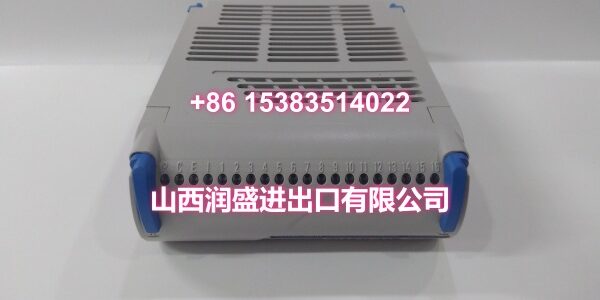
- Core Function: High-speed analog input electronic module (AI EMOD) that acquires 8-channel thermocouple signals and low-level mV inputs, converting them into digital data for the Ovation controller with integrated cold junction compensation.
- Product Type: High-Speed Analog Input Electronic Module (AI EMOD)
- Key Specs: Thermocouple Input (±20mV / ±50mV / ±100mV) | 8 Channels | 50/60 Samples per Second
- Condition: New Original / New Surplus
Key Technical Specifications
- Input Signal Range: ±20mV, ±50mV, ±100mV (thermocouple input)
- Number of Channels: 8 independent, mutually isolated analog input channels
- Sampling Rate: 50 or 60 samples per second per channel (high-speed conversion)
- Resolution: 13-bit A/D converter (including sign bit), accuracy better than 0.1% FS
- Cold Junction Compensation: Terminal block with integrated temperature sensor for automatic CJC
- Thermocouple Types Supported: Type B, E, J, K, R, S, T (coefficients assigned in Ovation engineer station)
- Scan Rate: Normal state refresh at 10 times per second; automatic self-calibration every 8 seconds
- Channel Power Consumption: ≤0.4W per channel
- Surge Protection: PMOD provides surge protection on all input channels
- Operating Temperature: 0°C to +60°C
- Storage Temperature: -40°C to +85°C
- Humidity: 5% to 95% RH, non-condensing
- Compatibility: Ovation DCS 3.5 and higher; direct replacement for legacy Westinghouse Ovation racks
Product Introduction
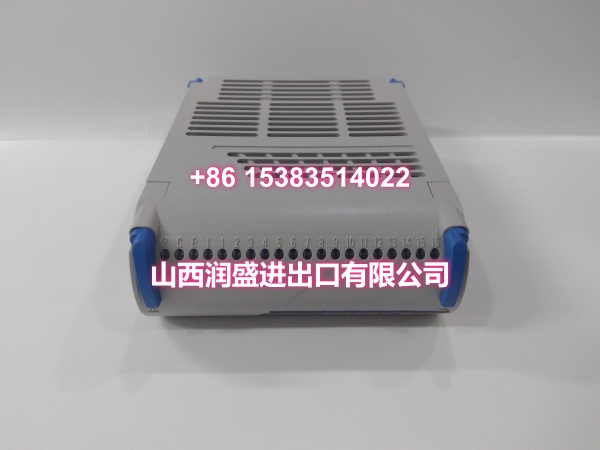
The 5X00070G04 is a high-speed 8-channel analog input electronic module (AI EMOD) for the Emerson Ovation DCS, specifically designed for thermocouple and low-level mV signal acquisition. Unlike standard AI modules that handle 4-20mA or 0-10V signals, this card is purpose-built for temperature measurement applications—turbine metal temperatures, boiler tube wall temperatures, bearing temperatures, and exhaust gas thermocouples—where fast response and accurate cold junction compensation are critical.
The 5X00070G04 is part of Ovation’s EMOD/PMOD architecture. The EMOD (this module) plugs into the Ovation backplane and contains the 13-bit A/D converter, signal conditioning, and communication logic. It mates with a compatible Personality Module (PMOD)—such as the 1C31116G04 for thermocouple inputs with temperature sensor—that provides the field terminal block, channel isolation, and the integrated temperature sensor used for cold junction compensation. The 50/60 samples-per-second conversion rate makes this one of the fastest AI cards in the Ovation lineup, essential for turbine protection systems where temperature ramp rates must be captured in real time.
QA & Testing SOP
Thermocouple modules are more sensitive than standard AI cards. Here’s our verification procedure:
- Visual & Anti-Counterfeit Inspection: We inspect the PCB for cold solder joints around the input conditioning amplifiers, verify the OEM holographic label, and cross-check the silkscreen against the Ovation master parts list. Counterfeit thermocouple cards often have degraded input amplifiers that introduce offset errors.
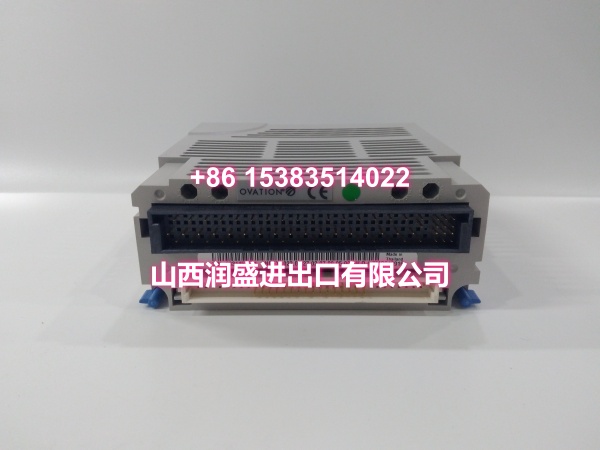
- Backplane & Connector Verification: The module is seated into a dedicated Ovation test rack. We inspect the backplane connector pins for bends or corrosion—bent pins on the I/O bus side kill communication; bent pins on channel inputs kill individual thermocouple channels.
- Full-Scale mV Injection Test: Using a calibrated Fluke 754 or similar process calibrator with mV output capability, we inject precision millivolt signals (±20mV, ±50mV, ±100mV ranges) into all eight channels. We verify the 13-bit A/D conversion accuracy across the full range and confirm channel-to-channel crosstalk is within spec.
- Cold Junction Compensation Validation: We verify the PMOD’s integrated temperature sensor is communicating correctly with the EMOD by comparing the module’s reported CJC temperature against a reference thermometer. A failed CJC sensor introduces systematic temperature reading errors across all channels.
- Open-Circuit Diagnostic Check: We intentionally disconnect each thermocouple input and verify the module’s internal diagnostic circuit correctly flags the open-circuit fault. This is critical for turbine protection—broken thermocouple wires must be detected immediately, not mistaken for a temperature drop.
- Anti-Static Packaging: Passed units are sealed in static-shielded bags with desiccant, then double-boxed for transit.
Installation Pitfalls & Guide
Thermocouple wiring mistakes are among the most common causes of commissioning delays. Here’s what to watch for:
- ❗ Thermocouple Extension Wire Type: Always use the correct thermocouple extension wire type (Type K wire for Type K thermocouples, etc.). Mixing wire types introduces systematic temperature errors that cannot be calibrated out. If you’re extending a Type K thermocouple 100 feet with Type J wire, your reading will be wrong regardless of module accuracy.
- ❗ CJC Temperature Sensor Placement: The cold junction compensation temperature sensor is located on the PMOD terminal block. The terminal block cover (1B30047G01) must be installed to maintain a uniform temperature across the terminal block and sensor area. If the cover is missing or the PMOD is exposed to direct airflow from a cabinet fan, the CJC reading will be inaccurate, causing all eight channels to read incorrectly.
- ❗ Shield Grounding on Thermocouple Circuits: Thermocouple signals are low-level mV signals extremely susceptible to noise. If the thermocouple cable shield is grounded at both ends, you create a ground loop that injects 50/60Hz hum into the reading. Ground the shield at the DCS cabinet end only. If noise persists, verify the thermocouple is not running parallel to VFD output cables.
- ❗ PMOD Mismatch: The 5X00070G04 is the EMOD only—it requires a compatible thermocouple PMOD (such as the 1C31116G04) to provide the field terminal block and CJC sensor. Using an incompatible PMOD (e.g., a 4-20mA PMOD) will result in incorrect channel mapping and missing cold junction compensation.
4-Step Replacement Guide:
- Pre-Install: Place any control loops or turbine protection logic using this module’s channels in Manual mode or bypass as per procedure. Backup the current Ovation controller configuration. Verify the replacement module’s firmware revision matches the system requirements.
- Removal: Carefully disengage the locking lever and pull the faulty EMOD straight out of the rack. Do not twist or rock the card. Note the PMOD position—you may need to replace the PMOD separately if it’s also faulty.
- Install: Align the new module with the rack guides and slide it in firmly until the backplane connector seats fully. Engage the locking lever. Verify the PMOD is correctly mated and thermocouple wiring is secure on the terminal block, observing correct polarity (+/-).
- Power-on Test: Monitor the Ovation diagnostic screen. Verify the module comes online without faults and all channel LEDs indicate normal status. Perform a live signal check: compare the module’s temperature reading against a known reference (e.g., a handheld thermocouple meter at the same thermowell). Verify the CJC temperature reading is reasonable (should match cabinet ambient temperature).
Technical FAQ
Q: What’s the difference between 5X00070G01, G02, G03, and G04? A: These are all high-speed analog input EMODs in the Ovation family, differentiated by input signal type:
- 5X00070G01: 4-20mA current input
- 5X00070G02: ±1V / ±250mV voltage input
- 5X00070G03: ±5V / ±10V voltage input
- 5X00070G04: ±20mV / ±50mV / ±100mV thermocouple input
They share the same physical form factor and 50/60 samples-per-second conversion rate, but the input conditioning circuitry is different. You cannot substitute one for another—the module will either read incorrectly or be damaged by overvoltage.
Q: What PMOD do I need for thermocouple input? A: The 5X00070G04 requires a thermocouple-compatible PMOD with an integrated temperature sensor for cold junction compensation. The standard pairing is the 1C31116G04 (Analog Input PMOD with temperature sensor for thermocouple input). This PMOD includes the terminal block temperature sensor IC that measures the terminal block temperature for CJC. If you need two temperature modules in the same rack section, each PMOD needs its own temperature sensor, as the terminal block cover only covers half the base.
Q: Why are all eight channels reading the same incorrect temperature? A: When all channels on a thermocouple module read incorrectly by the same offset, the most common cause is a failed or inaccurate cold junction compensation (CJC) sensor on the PMOD. The CJC sensor measures the terminal block temperature, and if it reads incorrectly, that error is added to every channel’s calculation. Check the CJC temperature reading in the Ovation diagnostic screen—it should match the cabinet ambient temperature. If it’s significantly off, the PMOD’s temperature sensor may be faulty and the PMOD needs replacement.
Q: Can I use this module for RTD (Pt100) inputs? A: No. The 5X00070G04 is designed for thermocouple and low-level mV inputs only. RTD (Pt100, Pt1000) inputs require a dedicated RTD input module such as the 1C31161G02 or 1C31164G01/G02. RTD measurements use a different excitation and measurement principle (current excitation with resistance measurement) that the 5X00070G04’s input circuitry does not support.
Q: Is this module compatible with Ovation 4.0? A: The 5X00070G04 was originally designed for Ovation 3.5 and legacy Westinghouse Ovation systems. It remains supported on Ovation 4.0 and later versions as a legacy-compatible high-speed AI module. For brownfield upgrades and replacements, it is a direct drop-in replacement. If you’re unsure, verify compatibility with your specific Ovation version in the system documentation.
Q: What is the warranty on surplus units? A: We provide a 12-month warranty from the date of delivery on both new original and new surplus stock. This covers manufacturing defects, DOA failures, and any A/D converter drift or CJC sensor errors discovered during commissioning. It does not cover damage from improper installation—such as bent backplane pins, incorrect PMOD pairing, ground loop damage from improper shielding, or ESD damage from handling without proper grounding.