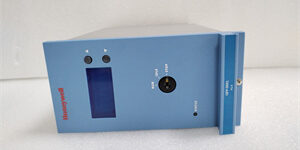
Product Core Brief
- Model: FC-QPP-0001
- Brand: Honeywell
- Series: FSC (Fail Safe Controller) / Experion Safety
- Core Function: Executes safety logic using a quad-core parallel processing architecture.
- Product Type: Safety Processor Module
- Key Specs: Quad-Core | 2.6 GHz | SIL 3 / AK 6
- Condition: New Original (New Surplus)
Product Introduction
The is a high-performance safety processor designed for the FSC system. It utilizes a quad-core architecture to execute parallel safety logic, fault diagnosis, and communication tasks simultaneously without queue delays.
This module delivers 2.6 GHz processing power with 8 GB DDR3 RAM and supports hot-swappable SSD storage for rapid data backup. Unlike older single-core FSC CPUs, the handles complex interlocks and high-speed data acquisition with deterministic real-time performance.
Key Technical Specifications
| Parameter | Value |
|---|---|
| Processor Architecture | Quad-Core Parallel Processing |
| Clock Speed | 2.6 GHz |
| System Memory | 8 GB DDR3 SDRAM |
| Storage | 512 GB SSD (Hot-Swappable) |
| Safety Integrity Level | SIL 3 (IEC 61508) / AK 6 |
| Communication | RS-232, RS-485, Ethernet |
| Operating Voltage | 24 VDC (Nominal) |
| Operating Temp | -40 °C to +85 °C |
| Dimensions | 8.8 x 22.7 x 17.5 cm |
| Weight | 0.63 kg |
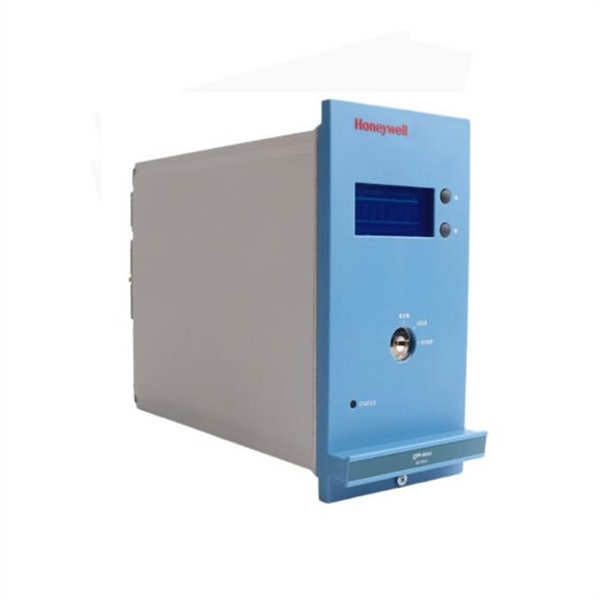
Honeywell FC-QPP-0001
Quality Control Process (Engineer’s Perspective)
We don’t just box these and ship them. Here is our actual bench test workflow.
- Incoming Verification: We verify the serial number against Honeywell’s traceability records. A visual inspection checks for bent pins on the backplane connector and ensures the SSD retention screw is secure.
- Live Functional Test: We mount the unit in a live FSC test rack. We verify the quad-core handshake and confirm the controller boots to the safety execution state without configuration errors.
- Electrical Parameter Test: We perform a 500 V Megger test between the field wiring terminals and the backplane. Insulation resistance must exceed 10 MΩ. Ground continuity is also verified.
- Firmware Verification: We read the module’s internal firmware revision via the service port. We photograph the DIP switch settings to ensure they match factory defaults before shipping.
- Final QC & Packaging: The module is sealed in an anti-static bag with silica gel. A QC sticker showing the test date and technician initials is applied to the exterior.
Replacement Pitfall Guide
Field replacements on safety systems are unforgiving. Watch out for these traps.
- Firmware Mismatch: ❗ Critical. A brand-new might have a newer firmware revision than your existing system. The FSC will block it with a configuration mismatch fault. Always check your system’s allowed firmware matrix before installing.
- DIP Switch / Jumper Misconfiguration: This module uses hardware addressing for bus station ID. If you pull the old card and forget to transfer the binary address switches to the new one, the system will not recognize it.
- Terminal / Cable Incompatibility: Inspect the Ethernet and RS-485 cabling before plugging in the new card. Incorrect termination or reversed pairs will cause communication failures that mimic processor faults.
- Power Supply Mismatch: Verify your external 24 VDC field power supply has at least 20% headroom over the total calculated load. This module draws current for its own internal monitoring circuits.
- ESD Damage: Safety modules are highly sensitive to electrostatic discharge. Always wear a grounded wrist strap when handling the bare PCB. I’ve seen modules fail bench testing because they were handled on a dry winter day without protection.
Keep these in mind and you’ll cut 90% of rework time.
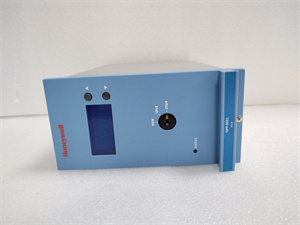
Honeywell FC-QPP-0001
Compatibility Matrix & Benchmarks
Compatibility
- Honeywell FC- Rev A → FC- Rev B : Direct Replacement — Verify firmware compatibility with system.
- Honeywell FC-QPP-0000 → FC- : Needs Adaptation — Different processor architecture; requires logic re-validation.
Benchmarks
- Logic Scan Time: < 1 ms (for 1000 I/O points, quad-core load)
- Boot Time: < 30 s (to safety execution state, SSD enabled)
Need the DIP switch setting chart for the ? I can pull up the binary address table so you don’t have to guess during the swap.