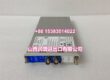
Product Core Brief
- Model: R911317019 (Base hardware designation VEP40.3CEN-256NN-MAD-128-NN-FW)
- Brand: REXROTH (Bosch Rexroth Indramat IndraControl V series)
- Series: VEP40 embedded touchscreen HMI family
- Core Function: Host WinStudio visualization, machine fault trending, and motion recipe management for DIAX04 PPC-R22 multi-axis control systems.
- Product Type: Panel-mount color resistive touch HMI with integrated MAD mixed analog/digital I/O expansion slot
- Key Specs: 256 MB SDRAM | 128 MB CF program storage | IP65 front panel | 10/100 Ethernet | Condition: Refurbished Calibrated Surplus
- Suffix breakdown mapping: CEN = color touch display; 256 = 256 MB RAM; MAD = populated analog/digital I/O slot; 128 = 128 MB onboard flash; NN = empty secondary expansion slot; FW = factory preloaded Windows CE firmware
Product Introduction
The REXROTH acts as unified machine operator interface paired with PPC-R22 RECO rack motion CPUs and HMV/HDS drive stacks for semiconductor forming and hydraulic press equipment. It eliminates separate external signal conditioners via its populated MAD expansion slot for direct transducer wiring.This unit differentiates from empty-NN I/O variants by integrating native analog pressure and discrete limit switch input terminals. Field logged data places its steady-state analog signal linearity at ±0.05% full scale with a rated 43,000 hour MTBF under continuous cabinet heat cycling.
Key Technical Specifications
| Parameter | Value |
|---|---|
| Operating System | Windows CE .NET 4.2 (factory flashed FW firmware) |
| System Memory | 256 MB SDRAM volatile memory |
| Non-Volatile Program Storage | 128 MB onboard CompactFlash |
| Backup Recipe Memory | 512 kB lithium battery-backed SRAM |
| Display Hardware | CEN color resistive touchscreen, industrial vibration-rated analog touch layer |
| Integrated Expansion Slot | MAD populated mixed analog/digital I/O terminal block |
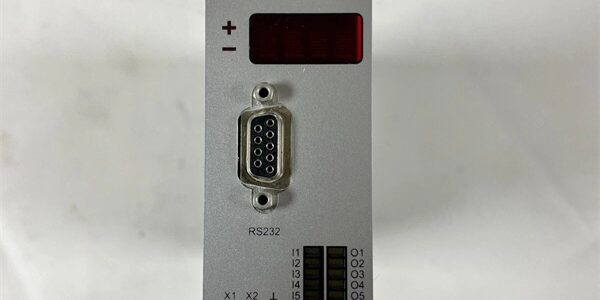
| Standard Communication Ports | 10/100BASE-TX RJ45 Ethernet; dual USB 1.1 host; RS232 9-pin D-Sub service port |
| Auxiliary Outputs | Secondary VGA external monitor header, PS/2 peripheral port |
| Cabinet Supply Voltage | 19.2–30 V DC unregulated 24 V nominal rail |
| Continuous Power Draw | 1.5 A maximum full load operating current |
| Front Panel Environmental Rating | IP65 dust and splash protection; rear cabinet side IP40 |
| Mount Form Factor | Standard cabinet panel cutout flush mount aluminum die-cast housing |
| Continuous Operating Temp | +5 °C to +45 °C full rated performance; linear derate above +45 °C |
| Storage Temperature Range | -25 °C to +70 °C, non-condensing 5–95% RH |
| Compatibility | PPC-R22 series motion CPUs, VisualMotion Toolkit V7 commissioning software |
| Compliance Certifications | CE, UL, EN61000 industrial EMC filtering, SEMI S2 cleanroom equipment certified |
Quality Control Process (Engineer’s Perspective)
- Incoming Verification: Cross-reference serial number against Rexroth OEM vital product databases matching ; inspect touchscreen glass for scratches, front IP65 rubber gasket degradation, and corroded RJ45/USB connector pins. Photograph MAD slot transducer terminal pin layout for field installation reference.
- Live Functional Test: Mount unit to standard machine panel cutout fixture paired with PPC-R22 motion CPU simulator; run 24 hour cyclic visualization, recipe upload/download, and touch-response load profiles matching production press operation cycles. Use a Fluke 115 signal calibrator to validate MAD slot analog input linearity.
- Communication & Memory Validation: Establish 100 Mbps Ethernet link to offline commissioning PC; upload full WinStudio project libraries to validate 128 MB CF read/write integrity. Retain SRAM recipe data over a 12 hour full power-off cycle to test lithium backup battery retention.
- I/O & Touch Calibration Trim: Recalibrate touchscreen coordinate mapping to OEM factory tolerance; simulate open/short transducer faults to verify MAD slot analog fault flagging registers in VisualMotion Toolkit.
- Final QC & Packaging: Replace degraded lithium SRAM backup battery during refurbishment cycles; cap unused USB/RJ45 ports with OEM dust plugs, seal unit in anti-static PE bag, apply dated QC Pass label listing touch linearity, Ethernet throughput, and MAD analog signal test metrics before foam-lined carton packing.
Replacement Pitfall Guide
❗ Expansion Slot Variant Mismatch: MAD-populated cannot directly replace empty-NN VEP40 panels without full machine transducer harness rework. Empty variants lack integrated analog signal conditioning and require external terminal blocks for pressure sensor wiring. Photograph original MAD slot wiring before panel removal to avoid lost transducer trending screens post-swap.❗ Ethernet Static IP Conflict Risk: Multiple panels sharing a single factory control Ethernet trunk require unique static IP addresses configured inside WinStudio project files. Duplicate IP assignments create complete motion CPU communication loss and block recipe program download. Export full network address mapping from the host PPC-R22 prior to disassembly.❗ Front IP65 Seal Over-Torque Damage Hazard: Over-tightening panel mounting clamps cracks the front rubber sealing gasket. Compromised gaskets allow cleanroom particulate and humidity ingress that corrodes internal touchscreen drive PCB within 4,000 operating hours. Torque mounting fasteners strictly to OEM low-torque specification.❗ Cabinet Condensation Short-Circuit Risk: Cold-stored panels transferred into warm humid production enclosures form internal PCB condensation within two hours. Allow a minimum four-hour temperature acclimation period before applying 24 V DC supply to prevent trace corrosion and permanent touchscreen ASIC lockup.❗ ESD Touch Circuit Damage: Unshielded touchscreen controller IC and CF memory circuits sustain permanent leakage damage from ungrounded handling. Always rest the unit on a grounded anti-static mat during rear expansion slot or connector disconnection, especially in low-humidity cleanroom environments.Keep these in mind and you’ll cut 90% of rework time.
Compatibility Matrix & Benchmarks
Compatibility Matrix
- VEP40.3CEN-256NN-NN-128-NN-FW → (VEP40.3CEN-256NN-MAD-128-NN-FW) : Needs Adaptation — install full transducer wiring harness to MAD slot, edit WinStudio screen analog signal mapping
- .1N-N-Q1-NN-NN-FW → : Direct — onboard Ethernet natively communicates with SERCOS motion CPU without auxiliary fieldbus cards
- HMV01.1R-W0018-A-07-FNN1 → : Direct — DC bus fault status signals route through MAD digital input terminals for HMI trending
- HDS02.2-W040N-HS12-01-FW → : Direct — SERCOS drive diagnostic data transmits over TCP/IP Ethernet to visualization screens
Benchmarks
- Analog signal acquisition scan cycle: 2 ms (simulated load, 4 MAD slot analog transducer channels)
- Ethernet communication throughput: 100 Mbps full duplex (TCP/IP motion diagnostic data streaming)
- Touch coordinate positioning error: ≤ ±1 pixel (25 °C ambient factory calibrated touch layer)