Component Snapshot At-a-Glance
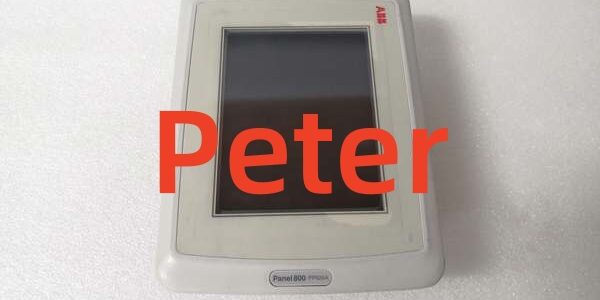
- Model: ABB PP825
- Alt. P/N: 3BSE042240R1; PP825A = 3BSE042240R3
- Product Series: ABB Panel 800, compatible with 800xA / AC800M
- Hardware Type: 5.7 inch CSTN color resistive touch HMI
- Key Feature: Balanced footprint with mixed Ethernet and serial communication ports
- Primary Field Use: Local process monitoring, parameter adjustment and alarm handling for standard industrial control cabinets.
Hard-Numbers: Technical Specifications
- Protocol Support: ABB CS31, Modbus RTU/TCP, Ethernet TCP/IP
- Port Count: 1 × RJ45 Ethernet, 1 × RS-232, 1 × RS-485, 1 × USB 2.0
- Baud/Data Rate: 10/100 Mbps Ethernet; up to 115.2 kbps serial
- Operating Temperature: -20°C to +55°C operational; -25°C to +65°C storage
- Isolation Rating: 1500V AC isolation on communication and power circuits
- Power Draw: 12 W maximum, 24 VDC nominal input
- Display: 5.7” CSTN color, 320×240 resolution
- Panel Rating: IP65 front face, IP20 rear side
- Touch Type: 4-wire resistive touch, glove operable
- Hot Swap: Not supported; fully power down before removal or replacement
The Real-World Problem It Solves
Small HMIs lack screen space for full alarm lists and basic graphics. Larger panels like PP836 or PP846 take too much cabinet depth and rack space for standard enclosures.
Where you’ll typically find it:
- Power plant auxiliary equipment local control cabinets
- Chemical plant process skids and mid-size unit operation panels
- Water treatment and wastewater facility main field control points
This unit fits standard cutouts and runs multiple communication protocols to cover most routine local control tasks.
Hardware Architecture & Under-the-Hood Logic
This standalone HMI uses a dedicated onboard microprocessor to manage touch input, display output and all communication channels. Internal isolation separates field wiring from core logic.
- Resistive touch layer registers user inputs and sends signals to the main processor.
- Processor sends request frames over Ethernet or serial ports to connected AC800M controllers.
- Incoming process values and alarm data are parsed and sent to the display driver.
- Display driver refreshes the 5.7” CSTN screen with live data, graphics and alarm messages.
- User commands are encoded and transmitted back to the host controller for execution.
- Isolation barriers block transient voltage spikes from reaching internal circuits.
Field Service Pitfalls: What Rookies Get Wrong
Improper Serial Wiring Causes No Serial CommunicationTechnicians mix RS-232 and RS-485 terminals or reverse signal lines. The panel powers up but never exchanges data over serial links.
- Field Rule: Terminate to correct port labels; match Tx/Rx polarity exactly for each serial standard.
Dual Shield Grounding Creates Fluctuating ReadingsGrounding cable shields at both the HMI and controller ends creates ground loops. EMI from nearby motor drives causes screen flicker and unstable values.
- Quick Fix: Ground cable shield only at the controller cabinet; leave shield floating at the terminals.
Excessive Mounting Torque Damages Front Bezel and SealOver-tightening mounting screws distorts the panel frame. This breaks the front IP65 seal and allows dust or moisture inside.
- Field Rule: Torque mounting screws to 0.7–0.9 Nm; install spring washers for vibration resistance.
Commercial Availability & Pricing Note
Please note: The listed price is for reference only and is not binding. Final pricing and terms are subject to negotiation based on current market conditions and availability.